Players who own Get Together Expansion Pack can use clubs to make their own wolf packs!
The Sims 4 Werewolves is undoubtedly the most widely praised occult-based pack for The Sims 4 to date. It’s easy to see why. Extensive lore, detailed werewolf skill trees with dormant abilities, unique wolf temperaments, and opposing packs you can influence to be rivals or allies makes Werewolves an extremely engaging and solid pack for players who enjoy supernatural gameplay.
However, one weakness of the pack is its lack of customization, at least when it comes to pack structure. Players are forced to choose between one of two packs to join in Moonwood Mill; The Wildfangs and The Moonwood Collective. Sims can rise in the ranks of each pack and ultimately become alpha but they can’t found their own pack or change the core values of the pack they joined, even as an alpha. The most pack customisation available is being able to set the decorations on the pack hangout; and you only get a choice between three basic styles.
Even the pack’s most vocal supporters found this disappointing, myself included. Simmers are nothing if not creative, though, and quickly thought of a solution: the club system from Get Together.
Get the Werewolf Pack Together!
If you think about it, clubs are kind of like packs. They have a leader who can be challenged and overthrown by their followers, they have a hangout spot, requirements to join, and a set of rules to follow; things members of the club can and can’t do while gathering with the club. Essentially, they’re human packs but there’s nothing to stop werewolves from using them.
To found your own werewolf pack with your own set of rules, just start a club with your werewolf as the leader and only invite other werewolves to join. You can even have it be a family-only club and have a long-running pack that gets passed down from generation to generation. Decide what your pack members can and can’t do and customize a real hangout space for them that isn’t a rabbithole object limited to three preset designs.
Werewolf club activities added by ChippedSim
If it sounds too good to be true, well… you’re partially right. One big drawback to using clubs as werewolf packs is that for whatever reason, The Sims Team neglected to add any werewolf activities to the club activity list. They’re supposed to add club activities for every new pack but they didn’t for this one. All you can do as a club activity is Moongaze. Still, there are lots of activities across many packs that might suit whatever vibe you’re going for in your werewolf pack.
And if you’re a mod user, ChippedSim has made a mod adding werewolf club activities to the game. You can find it here.
Have you created your own wolf pack using the club system? Do you like it better than the pre-existing packs that came with Werewolves? Tell us all about it in the comments!
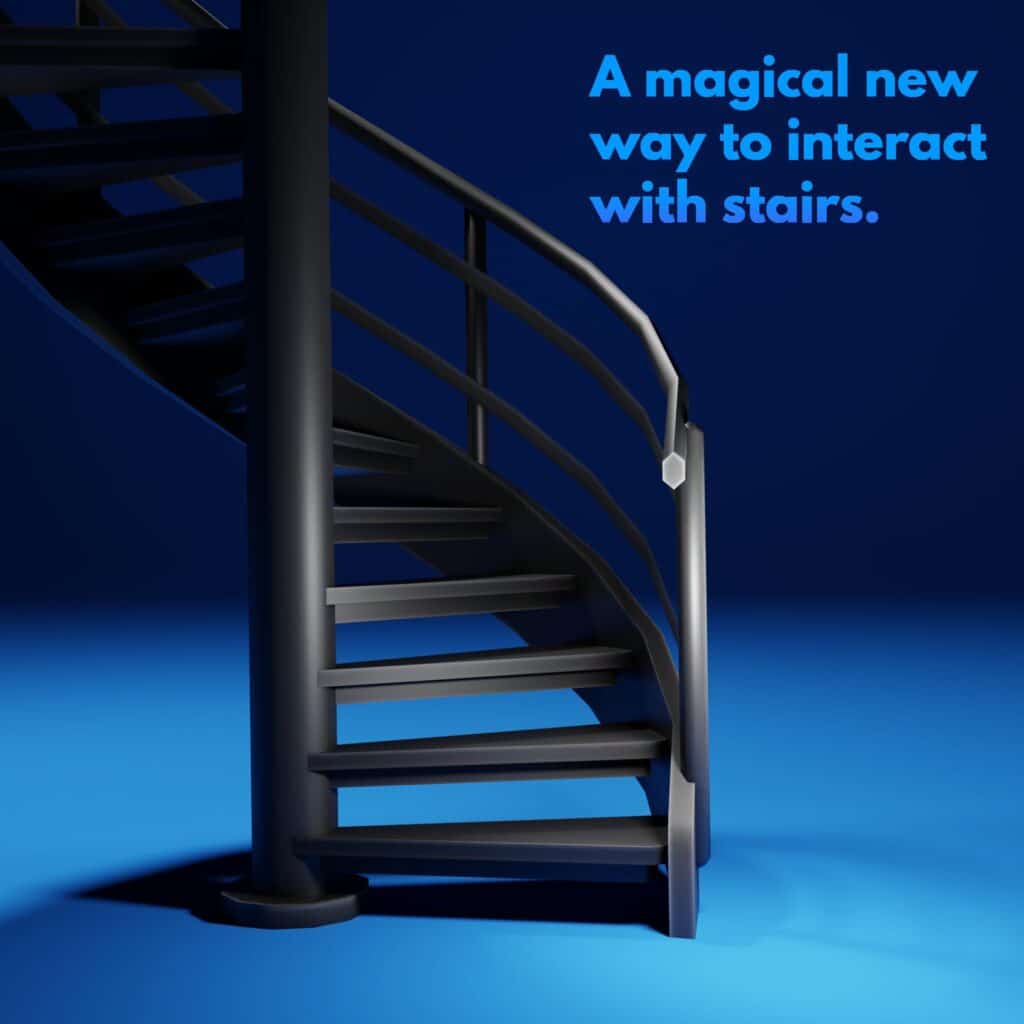
The big Spiral Stairs question has been answered by a talented modding duo. Check out the first teaser!
Spiral Stairs have been a big question for The Sims 4 series for quite some time now. With the release of the Configurable Stairs Update for the game in 2019 the big question regarding Spiral Stairs still remained.
There have been a few solutions in creating Custom Spiral Stairs for the game, but it was all met with huge obstacles in terms of creating good animations for it. Considering that animating Sims for each different axis as they go up the stairs was presented as a huge obstacle, Modders were finding it really difficult to tackle this question.
However, it seems that a solution that accompanies both good animations and good design is coming real soon!
If the animations and functionality of Custom Spiral Stairs are even remotely close to what these modders have created before, then we can guarantee that the Spiral Stairs Mod will be an amazing addition for the game.
However, we’ll know for certain once the modders make a full announcement. Don’t worry, the full coverage will be waiting for you on Sims Community!
We want to know what you think, down to the last detail. Tell us everything!
Whenever something big happens in the Sims fandom, whether exciting or dramatic (or both), we always want to know what our readers are saying. We want to know everything about how you’re feeling because you, the players, are what makes The Sims! Your thoughts and opinions are important and we always look forward to hearing what you like and don’t like about The Sims 4.
The Sims 4 Base Game becoming permanently free
The Sims 4 becoming free in October 2022 definitely counts as something big. Apart from The Sims’ mobile titles, this will be the first time a Sims title has ever been made free permanently. The Sims 4 has temporarily been free as part of a promotion. It has also gone on sale for as little as $5 on numerous occasions, so it might not actually be that surprising that it’s making the shift to a permanent free-to-play title now.
Still, any way you look at it, The Sims 4 base game becoming free is a big deal and people have a lot of feelings about it.
So how do you really feel about The Sims 4 becoming free? Tell us everything in our poll!
This is a fan made poll and is not affiliated with Maxis or EA in any way.
[totalpoll id=”120137″]
When is The Sims 4 going free?
The Sims 4 Base Game is becoming permanently free on October 18th, 2022.
Sims Community has a handy countdown on our Home page that will let you know exactly when, down to the last second!
Is there something you want to share with us that wasn’t covered in our poll? Want to go into more detail about your thoughts? Tell us all about it in the comments and discuss with other players!
Please remember to be kind to other players, the game developers, and the Sims Community staff in the comments.Respectful disagreement is healthy but let’s remember there are real people on the other side of the screen.
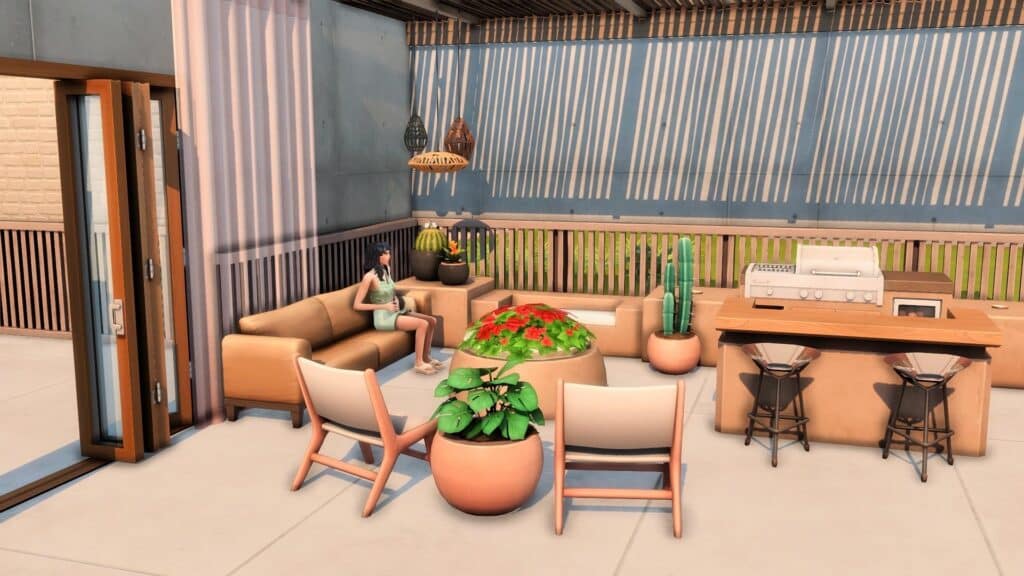
The new Desert Luxe Kit is free until October 17 for anyone who already owns Base game! Its neutral rustic furniture calls for some lively green plants in every corner.
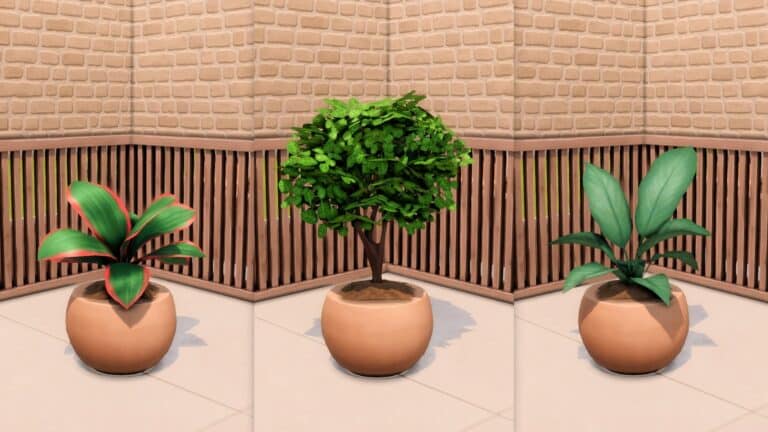
Alas, the kit didn’t come with new plants BUT we’ll make our own using the indoor plants we already have in-game!
Just make sure that ‘bb.moveobjects on‘ is activated before starting.
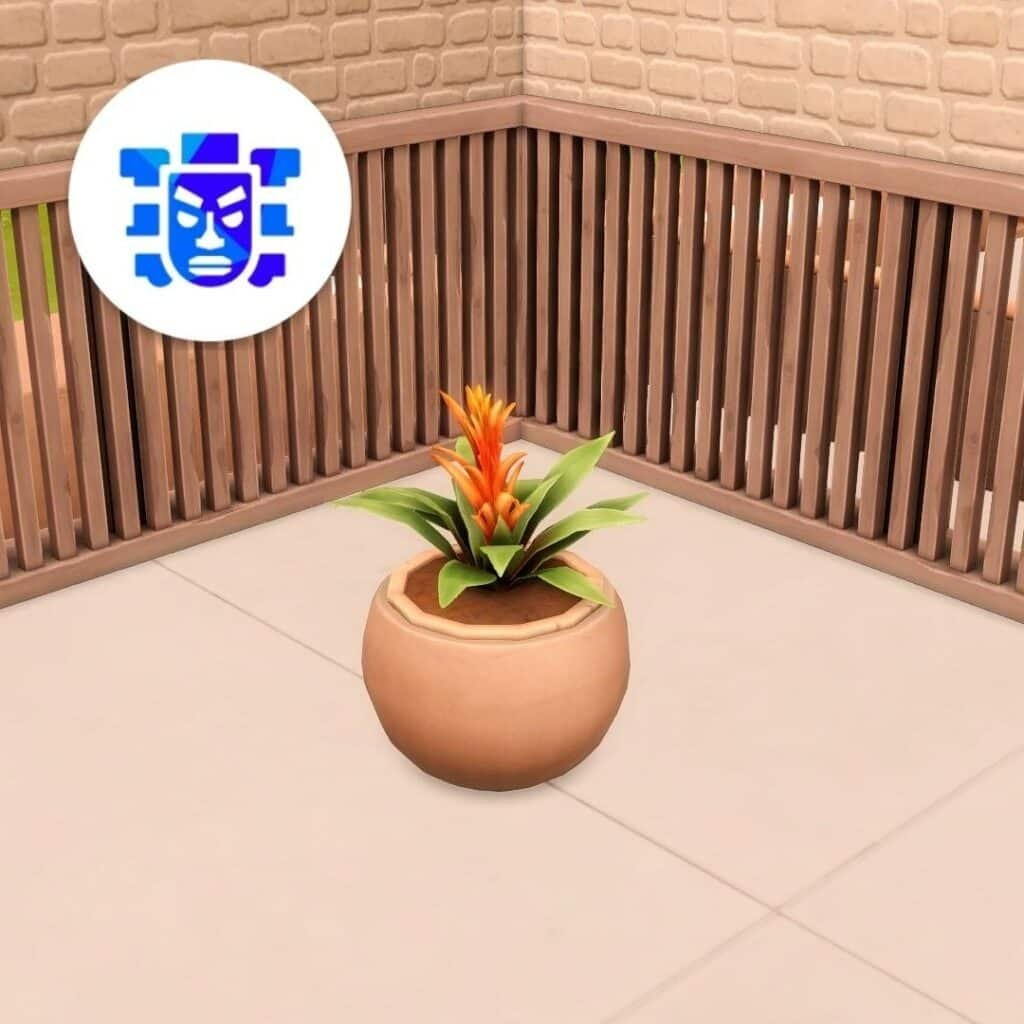
We’ll use this item from the kit which you can find in the coffee tables or end tables category in Buy mode.
Next, add your plant of choice over the table. You should be able to hide the item’s planter box within the Desert Luxe table. You can hide it by sizing it up or down by clicking ‘[’ or ‘]’ or even use Ctrl+9 to elevate the plant if needed.
Note: If you’re using a plant that snaps on tope the table, just let it snap to the table slot first and then add another plant over the table. If you’re satisfied with how it looks, delete the first plant on the table.
Now we have to search through debug to find this dirt mound from Base game:
To unlock it, open the cheat bar with Ctrl+Shift+C then type in ‘bb.showhiddenobjects’ and ‘bb.showliveeditobjects’ consecutively. Hit Ctrl+Shift+C again to close the cheat bar.
In the search bar, look for ‘dirt’ then select and place the item over the planter you made.
Elevate it 5 times with Ctrl+9 and size it down one time with the ‘[’ key.
You can also use these other two dirt mounds from Strangerville. Just search **DEBUG** and look for it in the whole debug menu until you find it.
Now you have a plant that can blend in any desert outdoor space!
Easier alternative
Or maybe don’t look through debug for just one plant. These items from different packs blend in perfectly with the end table. Plus, you can see their soil texture already!
You can also use outdoor plants in Build mode too! Just elevate them 5 times, add the dirt mound if you want, and they should look like this:
*These are all just Base game plants, by the way!
Almost any plant in-game can use this simple end table as a planter box:
Here’s how our playthrough of the Parenting Predicaments scenario went!
Getting Started
This scenario is a bit different from previous scenarios we’ve had. This scenario leaves a lot more room to play your own way, offering optional goals you can complete or ignore in order to go down different paths. The choices you make determine what your bonus reward will be at the end of the scenario. You can now also see the potential rewards when you start the scenario. Oh, and you’ll be playing with a premade household for this scenario; a married couple with child-aged twins.
The description states that Jennifer and Pablo are at their wits’ end about what to do with their badly behaved twins, Leonardo and Sofia. It’s up to you to decide what kind of teenagers they’ll grow into.
The goals for this scenario are far more intricate than previous scenarios. There are different stages of the scenario and in each stage, your choices will affect how future stages play out so we can’t really give a full breakdown of every goal like we usually do. However, we can break down the potential endings and rewards.
Possible Endings:
Raised Responsible Teenagers
Raised Wild Teenagers
Leonardo over-achieves; Sofia slacks off
Sofia over-achieves; Leonardo slacks off
Rewards:
Re-Traiting Potion
Bonus Reward
Satisfaction Points
Set Up a Child-Friendly Home
I started by moving the family into Willow Creek and getting a bedroom all set up for the twins with bunk beds and some toys. Your goals for this stage of the scenario are pretty straight-forward. They revolve around making sure the twins’ needs are met. Talk to them, have a family meal together, make sure both kids get a shower or bath, then send them to bed for the night. Pretty easy stuff.
You also get some optional goals to put away leftovers and to have one of the kids eat the leftovers later.
Have Children Do Better in School
Uh oh! You get a call from the twins’ principal warning you that their behaviour is completely out of line. He blames you as the parent for not providing them with the support they need at home to succeed. Wow, rude.
Well, better save your kids’ academic career. Talk to both kids about school, have them both become Focused, and raise their grades to a B average. Optionally, you can also purchase a chess table, which is recommended for helping the kids become Focused. Of course, Sofia and Leo can’t raise their grades unless they start doing their homework so make sure they do their homework every night. Don’t forget to help them with their homework, too! The principal thinks you’re at fault for being a lazy, uninvolved parent, remember? Then send them to school in a Focused mood to ensure success!
Luckily for me, the twins’ brought home school projects which helped me raise their grades a bit faster.
Complete Child Aspirations
Of course, academic success is not the only important thing in a child’s life. They have aspirations, too. I had my work cut out for me trying to raise the twins’ skills and complete an aspiration for each of them. Especially because…
The mom, Jennifer, had a little too much fun with Pablo while I was preoccupied with the kiddos and it resulted in… another pair of twins. I don’t even remember their names anymore but uh, welcome to the chaos, tiny nameless pixel babies. You will probably be neglected because you aren’t the stars of this scenario.
The crowded house being overrun with four kids all of a sudden meant I had zero time to do all the optional goals of sending Sofia and Leo to the park, the library, and making friends for them. I completely ignored all the optional goals for the first time ever in a scenario; however, I did manage to do all the required goals to make it to the next stage. Sofia and Leo both raised their skills and completed an aspiration.
Raise Your Children into Teens!
Now that Sofia and Leo were doing better in school and had fulfilled some of their other life goals, it was time to age them into teenagers! The game automatically force-aged the twins into teenagers as soon as we started this stage so you won’t need to wait for them to age up naturally.
The first goals were to give them both a makeover. Easy enough. I spent minimal time in CAS slapping some styled looks on the teenage twins. Then I had to pick teenage aspirations for them and finish the first level of those aspirations. Since all scenarios are designed to be base game compatible, I assume the game actually means choose any aspiration that a teenager can complete. Since I own High School Years and love it, I went with actual teen aspirations for them, though.
I planned to have Sofia be the good kid and Leo be the bad kid for the fourth potential outcome so I gave Leo the Live Fast aspiration and Sofia the Overachiever aspiration. Leo needed to pull a bunch of pranks at school which I was SO ready for, except…
Apparently, attending the active high school lot breaks the entire scenario. As soon as I got them to school, I had no scenario or school day goals and no option or ability to go to the map to travel or return home. I was completely trapped at school forever no matter what I tried.
I had no choice but to just abandon the save. Well, that was a lot of work for nothing.
Our Thoughts
It’s already been stated in my other two most recent scenario articles that I love this style of scenario. I think the goals are better, the different story outcomes are more interesting, and the rewards are more worthwhile.
Unfortunately, I cannot really recommend this specific scenario due to the fact that glitches prevented me from completing it on a mod-free save. If you do plan to do this scenario and own the High School Years expansion, I wouldn’t recommend following Sofia and Leo to high school or selecting an aspiration for them that requires them to go to the high school lot… which is a shame, because this scenario is perfect for High School Years and I would have thought using them together would be a no-brainer.
The hard problem of Simulation Lag has two helpful mod fixes.
Sims are all frozen or bobbing their heads. Time slowing down while on speed 3. Maybe the Sims continue their task after the game is paused. That’s Simulation Lag. A term that we have all come to know and hate. And unfortunately, the older the game gets and the more updates are put out, it does not seem like there will ever be an official “fix” to the problem. But, here’s to hoping!
What Can Be Done?
Most people playing The Sims 4 know what it looks like, but do they know what causes it? And more importantly, do they know how to lessen it?
To alleviate the Simulation Lag, these are some steps you can take.
Check for any mods with tuning errors. Although some tuning errors happen, extensive tuning errors in the mods folder can cause increased simulation lag. Try using Tuning Error Notifier by Scumbumbo and maintained by Nisa K.
Stop programs running at the same time as the game
Make sure the computer’s specs match with the amount of mods/cc installed
Install Simulation Lag Fix and/or Simulation Unclogger
The following two mods can be used separately or together.
Simulation Lag Fix
Photo Credit: SrslySims
Sims bobbing their head, but there is no music? Or are they trying to meet their new smart watch’s stand goal?
Originally created by simmythesim and previously maintained by Xerox, SrslySim’s Simulation Lag Fix. Simulation Lag fix adjusts the game time to help cut back on simulation lag when there are too many autonomy requests.
This mod can help alleviate:
Head bobbing
Sims doing nothing for long periods of time
time slowing down when still on speed 3
Important Note: If you adjust the game speed using MC Command Center, you cannot use this mod. “MCCC > MCCC Settings > Gameplay Settings > Game Time Speed” needs to remain at 25. If it is left at default, MC Command Center is compatible.
To Install
Make sure to delete any cache and then install the mod in the main mods folder or one folder deep. The mod cannot be more than one folder deep.
Simulation Lag Fix is available on SrslySims’ website for FREE! You can also find SrslySims on her Patreon.
Are all your sims waiting in anticipation for Alexander Goth to finish his homework? Maybe that’s not a good sign.
Simulation Unclogger is a script mod that tries to fix an unplayable game by detecting when Sims cause the Simulation to get stuck. This mod should help with examples of all Sims in the game freezing due to a singular Sim doing a task. Although this provides a fix for the problem, it does not prevent it from happening.
How It Works
“Simulation Timeline Unclogger works by watching each and every action that passes through the Sims actions timeline. Whenever an action occurs at the same time as another action in the timeline, the script counts it. When enough of the same actions (type of generator) occur in a row, within the exact same timeframe, the action gets forcibly stopped, causing the Sim to reset, and unclog the timeline. This solution allows unclogging of the timeline from anything that is caused by any “resettable” action, which involves all Sims/Objects/Interactions.”
(From ModTheSims)
To Install
Simulation Unclogger is a script mod. In order for it to work, make sure that it is either placed directly into the Mods folder or one folder deep. Anything deeper than one folder will cause the mod not to work.
Download Simulation Unclogger by Turbodriver on ModTheSims
As proposed in the first series of patents released to the public, EA wants to allow players to create their Sims Characters by simply scanning photos of actual people. This would allow an instant character creation and near-perfect resemblance between the scanned photo and a Sim.
The news about the development of new technology for The Sims were followed with another patent report a few moments later.
The new patent talks about groundbreaking technology that would allow players to import animations, clothing and patterns from their phones onto The Sims. This includes Sims AND their Pets.
The patents above propose features such as Creating Pets that resemble real life ones, down to the fur. For Sims, there are more customization options for clothing and patterns, as well as your own Animations that have been generated through the camera that you’d be able to use in many situations within the game.
Today, there is a new report as tipped by our follower @DancerChip.
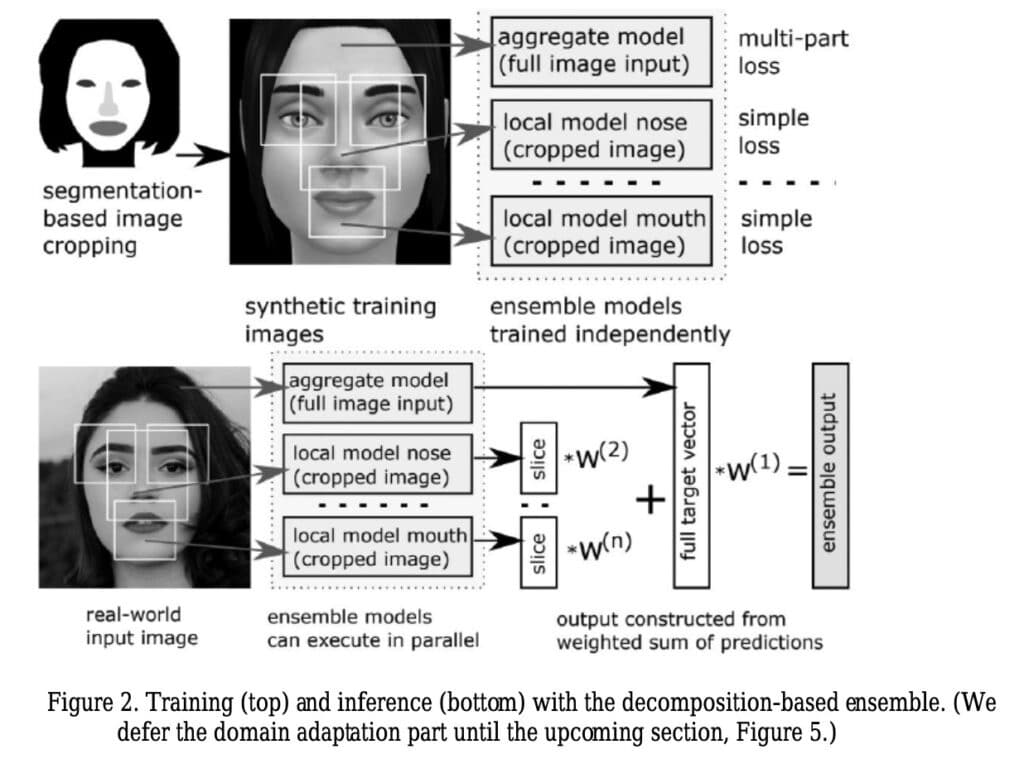
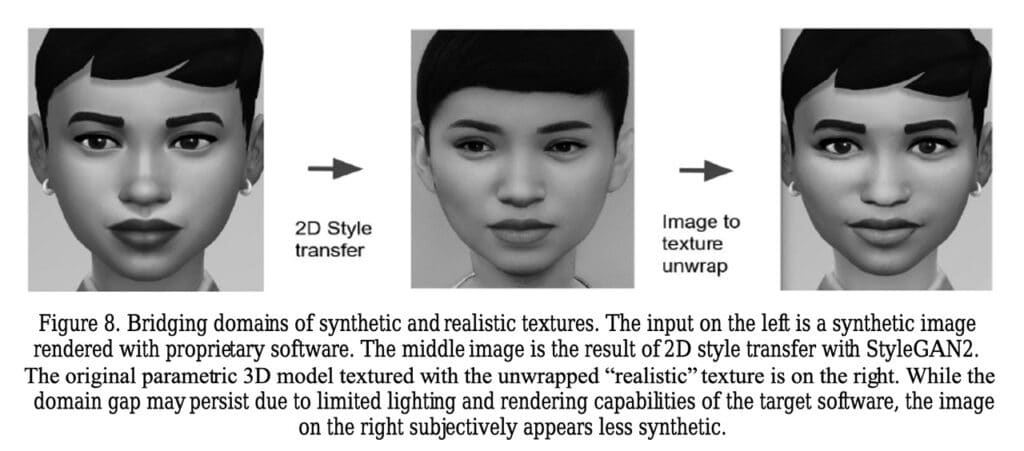
The new public patent submitted by EA software engineers and researchers shows the new face-scanning feature along with picture samples.
Compared to what surfaced last year through public patents, the newest patent from August 2022 goes more in-depth with better analysis, explanation, and further development of the Face Import Feature.
There’s a lot of technical stuff being explained by Igor Borovikov, AI Scientist at EA, along with other Software Engineers and AI Developers.
Face Import Samples and Technical Babble
Face Details Import
Interestingly enough, the patent also proposed a possibility of being able to import your own face textures onto a Sim character.
However, the authors of this patent explained that there are certain obstacles that still have to be considered for this type of feature. For example, how will the image face texture act on different lightning.
As explained in the patent, there is still some work to be done and ways on how to create characters for this Sims game.
I don’t want to be the one who further explains this patent as it’s mostly technical and talks about possibilities, options and yeah…math. If you want to look it for yourself, it’s public!
Not to worry though, it was confirmed in April this year that Maxis has plans to both further develop The Sims 4 for many years to come while they work on the next generation Sims Game.
What are your thoughts on the recent news? Let us know in the conversation below!
The Sims 4 is going to need more culture skills with everything a Sim can learn from these great builds!
One of the shortcomings with The Sims 4 and most life simulators is that they lack cultural diversity. Lucky for us, there are different ways for us to add cultural diversity into the game.
For the second year, grenesims has hosted an International Collab for builders from around the world to create builds based on their own surroundings. Using the hashtag #ts4internationalcollab2, participants uploaded their interpretations of local venues. Here are a few of the posts that caught our eye!
Note: Unfortunately, not all of these are currently available to download. Although, we do try to feature builds that are available on the gallery, by only featuring those builds, it would take away from the spirit of the colab.
According to Wikipedia, Poznań Old Town is the centermost neighbourhood of the city of Poznań in western Poland, covering the area of the once walled medieval city of Poznań. It is called Stare Miasto in Polish, although that name may also refer to the wider administrative district of Stare Miasto, which extends to most of the city centre and northern parts of the city.”
We’ve actually never been there, but we’d love to visit this city!!
Want to see more of owSimsters’ builds? Why not visit them on The Sims 4 Gallery?
A beautiful 32-piece rattan furniture set as well crafted as the real-life counterparts!
Rattan is a vine-like palm that is native to Asia. One of the largest sources of Rattan has historically been the Philippines. It’s popular because of its ability to be bent and curved, allowing for many different shapes and styles. Plus it’s lightweight! (Even if your Sims won’t be carrying their furniture during their next move)
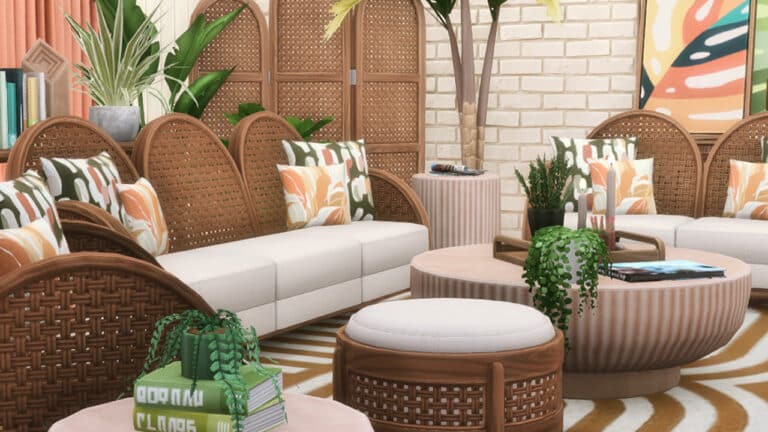
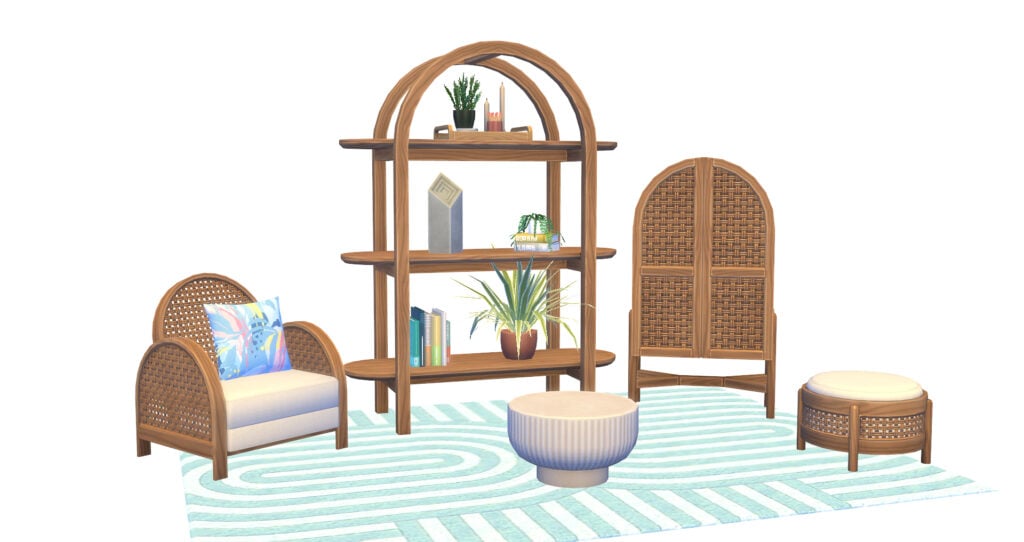
Peacemaker has created and released a contemporary rattan collection called Bowed Living and we are obsessed!
This set first caught our eye because it’s a beautiful rattan set, but then we noticed it’s a whole 32 Base Game Compatible pieces! With this set, it is possible to make an entire living room including decorations. From the large Rattan furniture to the tiny table plants, there is an attention to detail that people will appreciate in their games. Plus, it’s base game compatible!
Bowed Living CC Set – Photos
Bowed Liwing CC Set – Description
Finally got around to experimenting with rattan. TS4 has small textures, so doing life-like scale just isn’t a possibility if you want to keep a Maxis-look. So I made my own using a tutorial I came across for blender, and here we are. I love how it turned out and not I finally have rattan I like, I can using it in future sets, just probably not to this extent again. It’s a lot of rattan LOL
Are you looking for a way to liven up your gameplay? Or are you looking to start a new story, but you aren’t sure what kind of story you want? Then let us introduce you to this simple and easy to use Sims Story Generator!
Created by Andy, this story generator was originally a fun little project he created to help his Wife create stories for her own gameplay. While it was initially meant as a personal project, both Andy and his Wife decided to share it with the community via The Sims 4 Reddit.
Upon launching the Sims Story Generator, you will be greeted with a selection of automatically generated prompts that will help you create the foundations of your next great story. With details about your Sims likes, traits, career and aspirations, this will allow you to then tailor the story more specifically to how you want it to play out in game.
With plenty of different combinations and possibilities, this Sims Story Generator will be a handy tool for storytellers in The Sims 4!
Click the button below to go to the Sims Story Generator.
It’s been a little while since I’ve properly sat down and built anything in game. In fact, most of my building recently has been more just swapping objects out for others that I prefer. However, with the release of The Sims 4 Desert Luxe build Kit, I found myself looking forward to building a little outdoor pool area for my Sims.
After a little bit of trial and error, getting frustrated with things not coming together how I imagined, I scrapped everything I had built and started with a clean lot. Instead of trying to overcomplicate the idea I had in my head, I went back to keeping it simple.
My aim was to incorporate each of the new items from the Kit into an outdoor area for my Sims. Due to the colour swatches of the new items with them being more neutral, I knew it would allow me to add pops of colour here and there if I wanted to.
As I was previously playing in Windenburg, I decided to swap over to a smaller vacant lot for the purpose of this build. In fact, the finished room could be placed in any world and any sized lot.
With the basic layout now finally settled on. I knew that I could start experimenting where I wanted to place different objects.
Originally I had decided to build with curved walls as I hadn’t really explored or built with them too much since they were added to the game. I only removed them because after placing a number of objects, it didn’t really sit right with what I had in mind.
Now, that I had experimented with some more ideas, I started working on the most important part and adding the objects from The Sims 4 Desert Luxe Kit where I actually wanted them. Again, my aim was to keep this outdoor area simple and not overcomplicated.
I broke the room down into three areas so that I could showcase all the new objects in the build.
Firstly was a small cosy area where my Sims could just relax and catch up with friends or read the latest blockbuster novel!
The next was a small bar area where Sims could work on their Mixology Skills.
The last area was two sun loungers that overlooked the pool area where Sims could work on their tans and relax after a long day.
Honestly, I enjoyed creating this small room build. I usually lean towards using a lot of colour in my builds, but this time going with the more neutral colours that came with the pack with the odd bit of colour here and there really worked well.
While I don’t love or hate the new objects, they are definitely ones that I can see myself using more in future builds. I can definitely see them being used alongside objects from The Sims 4 Spa Day and possibly The Sims 4 Island Living for a more luxury feel to your Sims beach side homes.
One object that I want to mention is the new Tiny Spot of Light object. Initially I thought it was a light that would be similar to the smaller ceiling spotlights, but was in fact pleasantly surprised that it works just about anywhere other than the ceiling! Whether you are just placing it straight on the floor or on an object, it was one object that surprised me with just how versatile it is!
There are just so many different ways, I’m sure this little light will work both in and out of sight in future builds!
I could definitely see myself hanging out here with my friends after a long day at work, enjoying the company and the sunshine!
This Desert Luxe inspired Outdoor Pool Area is available to download from The Gallery right now. It uses items from The Sims 4 Base Game and The Sims 4 Desert Luxe Kit!
To download, simply search for Gallery ID of Leekseverywhere, and then you will find the Desert Luxe Pool Area build within the shared builds!
What would you like to see in the next generation Sims Game?
With the potential announcement of The Sims 5 coming soon, there is a lot of speculation whether this will be the real deal or not this time around.
As we know, The Sims 5 is a hot topic within the community, with many players hoping to see a number of different features both new and old make their way into the potential Base Game.
We do know that a next generation game for The Sims is in the works, but we know nothing more than that. There have been a number of clues as to its development being underway for some time now that we have reported on over the last eighteen months.
Find out more about everything we know so far about the next generation The Sims game by taking a look at our The Sims 5 section of the site here.
However, what kind of features do players want to see in The Sims 5?
Take a look at the poll below and vote for your three stand out features. If there is a feature you think of that is not on the list, let us know in the comments section below!
We are giving away 5 copies of The Sims 4 Packs – your choice!
The Sims 4 Base Game is going permanently free next month. To celebrate the ocassion we are welcoming new players through Original Series of Articles and Walkthroughs…and Flash Giveaways!
Are you ready? Let’s get started!
The Sims 4 Giveaway – Win 1 out of 5 Packs of your choice!
The rules are very simple:
Which The Sims 4 Pack would you like to win?
That’s it. Answer the question with a Sims 4 Pack that you’d like to win in the conversations section down below and we will pick 5 random winners through random.org!
Leave your comments down below!
Five random comments will be picked out using random.org. The winner will be announced here in the Comments Section on September 20th at 1PM Pacific Time / 10PM Central European Time.
The comments section closes down on September 20th at 10AM PT / 7PM CET.
Please note:
Be respectful and follow the Sims Community House Rules linked below.
You need to be a member of Sims Community in order to leave a comment! The Sign Up button can be found right above the comments.
Not more than 1 comment!
Your comment might be saved for manual approval. Don’t worry, we will manually approve your comment in a few hours in case you’re waiting!
Make sure you leave your correct information when registering to Sims Community through OpenWeb. Your correct e-mail is needed so we can contact you with the inquiry about your preferred platform for the pack of your choice!
Do not share your personal email and data in the conversation!
A few days ago The Sims Team went on a roll with new announcements and surprising news. First we got the big news that The Sims 4 Base Game is going permanently free next month. The news were then followed with an announcement that Desert Luxe kit for The Sims 4 will be free of charge until October 17th. If you haven’t claimed your free copy yet here’s a full tutorial on how to do so!
However, the announcements didn’t just stop there. The next announcement was The Sims Summit, a special Livestream Event held by The Sims Team that promises to bring big The Sims Announcement.
See how it doesn’t mention the number 4? Suspicious…
With the announcement of The Sims Summit also came a new blog post which features the new translucent Plumbob.
Spanish website for The Sims PekeSims was able to uncover a secret code name behind the Plumbob.
It’s titled Project Sunrise.
The code name could mean plenty of different things. A few months ago we reported that The Sims 5 is likely codenamed “Project Lotus”. The news came from one of the employees who worked on both The Sims 4 and Project Lotus.
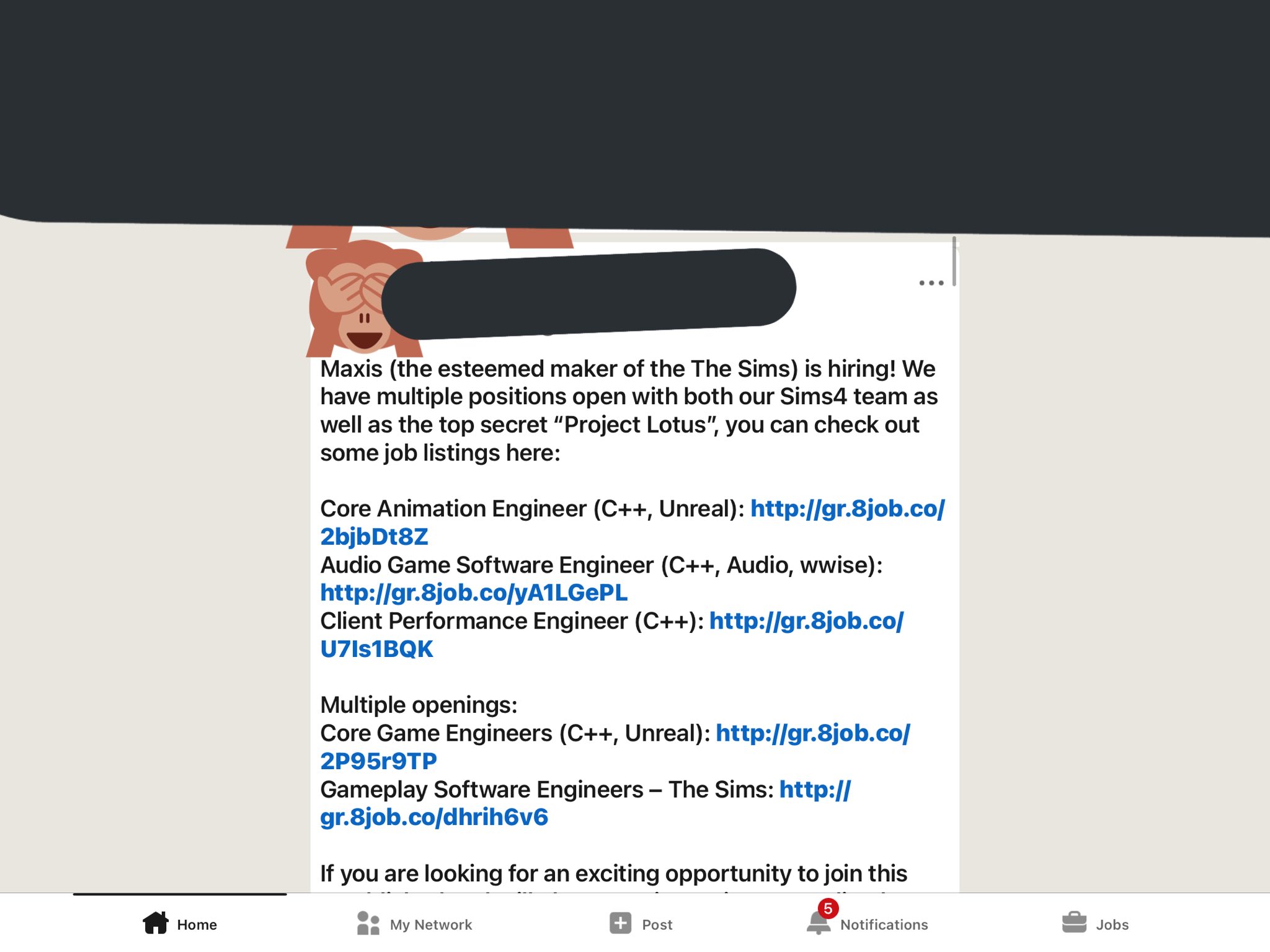
Maxis (the esteemed maker of The Sims) is hiring! We have multiple positions open with both our Sims4 team as well as the top secret “Project Lotus”…
In case you don’t know, The Sims 4 itself had a codename for a while. Actually, two code names: Project Olympus and Project Icarus. Both were active during the game’s early production days when it was still developed as a Multiplayer game.
The Plumbob code name Project Sunrise could be related to the rumored Sims 5 announcement expected next month during The Sims Summit.
…or, it could mean an entirely different thing. It’s just a refurbished Plumbob after all…right?
Having problems getting the escape window to work? We’re here to help!
The new window Sims can climb out of is a super cool addition to the High School Years expansion but the game isn’t exactly clear on how to use it. This has led to a lot of players scratching their heads in confusion when their Sims can’t use the window.
On the first floor, using the window is straight-forward. Just place it anywhere on the ground floor and you’re good to go. Just make sure you have some kind of patio or deck below it if the house is on a foundation.
On the second floor, things get trickier. Here’s how to get the escape window to work properly on the second floor!
DO
Find a place to put the window. The tile under it will glow orange and the game will tell you the object isn’t functional in that spot. Don’t worry. We’re about to make it functional.
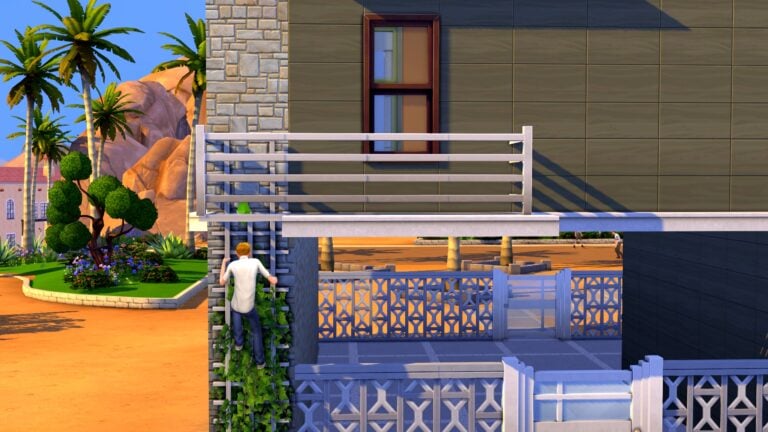
Build a small landing just outside the window. The Sims cannot use the window if they don’t have some type of ground to stand on. You can embellish it to look like a wraparound ledge or a balcony if it doesn’t look aesthetically pleasing.
Place the lattice ladder (or any ladder) going from the ledge to the ground floor.
Now your Sims can climb out the window, stand on the ledge, and then climb down the ladder!
DON’T
The window will not work with a ladder directly up against it. We see a lot of players trying this. Even I did it when I first tried to use the window but it doesn’t work.