Home Blog Page 172

Full Walkthrough of the Functional Loom Mod for The Sims 4

Are you tired of the current skills we have in the game? Have you mastered them all a dozen times over and want something new to do? Do you love to be creative and craft new objects to sell, wear, display, and enjoy? Well you’re in luck because today, I’m showcasing a brand new mod that lets you do all of the above! PiedPiper has created a functional loom that will allow your Sims to weave over 110 new custom craftables, from rugs and table cloths to bed covers, wearable clothes and more!

In addition to the new functional object and 110+ new custom craftables, this mod also adds a custom 10 level skill, a new activity preference, a custom animation, a couple new décor objects, and several new ways to sell what you’ve woven.

Activity Preference

Full Walkthrough of the Functional Loom Mod for The Sims 4

There is a new Weaving activity preference in CAS. When making your Sims, you can choose whether they like or dislike Weaving as an activity. Sims who like or dislike Weaving will get positive or negative moodlets when they weave, just like the other preferences.

Weaving can also be acquired as a like or a dislike through gameplay the same way other preferences can be acquired.

Holiday Tradition and Club Activity

If you own the Get Together expansion pack, Weaving is a club activity under Hobbies. If you own the Seasons expansion, Weaving is also a holiday tradition.

Loom Object

Of course, Sims could not weave without a loom and this mod adds a new, functional loom Sims can use to weave over a hundred different items! You can find the loom in Build/Buy by just searching “loom” in the search bar. The object is called “Leah’s Lovely Loom.” It costs 1,000 and comes in 5 different colours.

The loom requires the Loom Placement object in order to function. PiedPiper explains that since the loom is cloned from the base game coffee maker, it requires a surface to slot onto. The Loom Placement object acts as that surface. So find the item called “Loom Placement” in Build/Buy and place it down first. Then you can place the “Leah’s Lovely Loom” object on top of it.

With the loom placed on its required platform, your Sims are now ready to start weaving! If you also have PiedPiper’s Silk Farm, Silk Processor, and Cotton Processing Add-On, you’ll need to have silk and cotton ingredients in your inventory in order to weave anything on the loom. The only optional ingredients are the llama wool, so players who don’t own Cottage Living can still weave the items. If you do not have the silk and cotton processing mods installed, then you won’t need any ingredients to weave any of the items. We highly recommend installing the other recommended mods to fully immerse yourself in the weaving experience!

Full Walkthrough of the Functional Loom Mod for The Sims 4

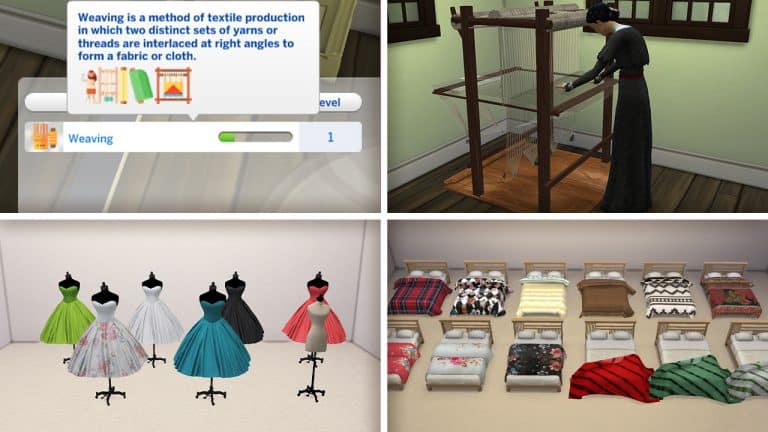
Click on the loom and select Weave Fabric to bring up a list of what you can craft. At first, your Sims will only be able to craft bolts of fabric but as they level up in the Weaving skill, they will unlock more types of items they can weave. When Sims are weaving, they will do a new custom animation on the loom.

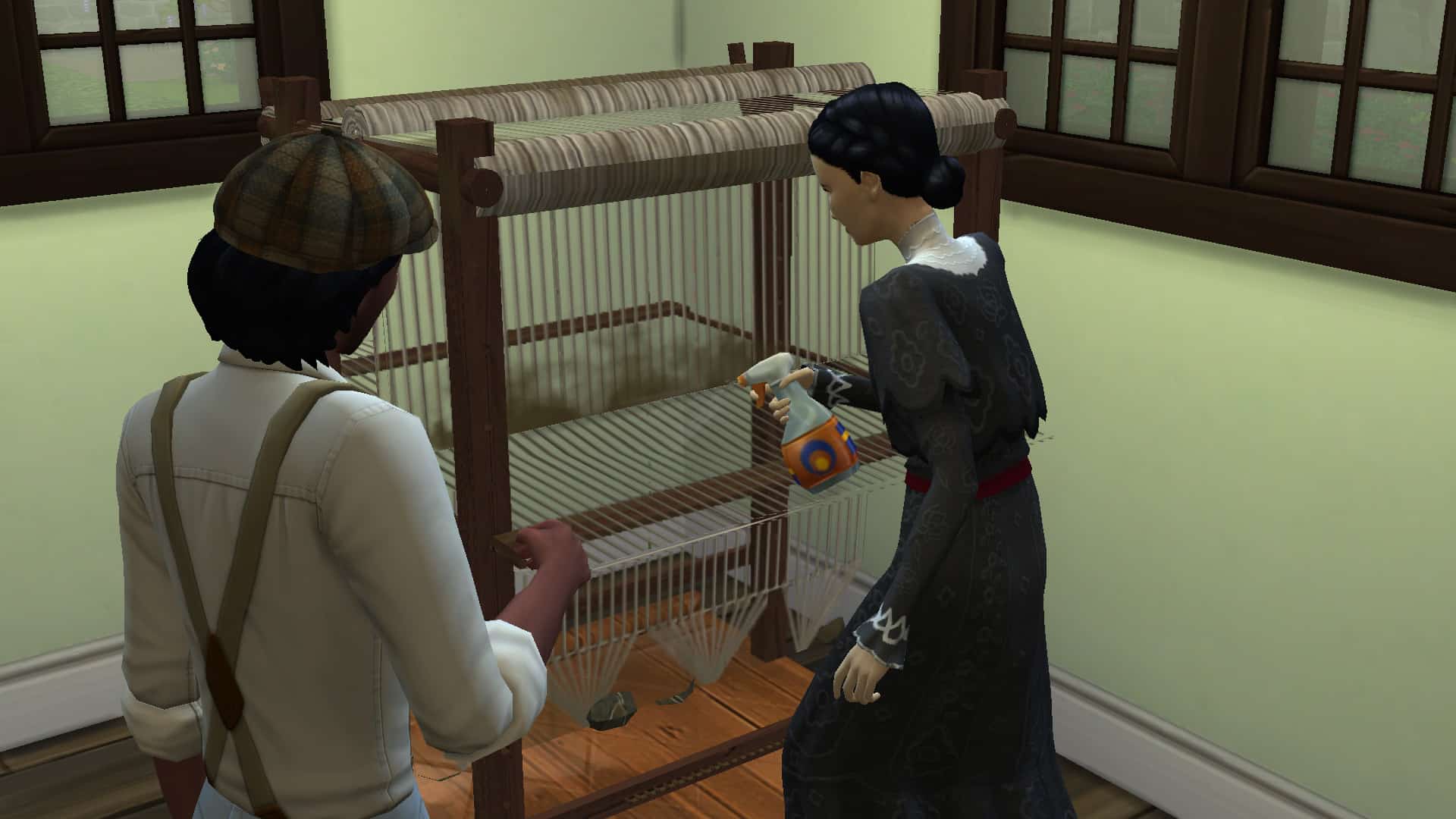
A few funny little quirks I noticed when using the loom; when the loom breaks, it sparks as if it’s an electronic and a Sim has to use a screwdriver to fix it. The loom will periodically get dirty and need to be cleaned with a spray bottle. Also, when a Sim finishes weaving a very large item, like a rug, they will carry it whole to the nearest surface to set down, making for some very funny screenshots. None of this was anything that ruined the experience for me; if anything, it gave me a good chuckle.

Selling Your Woven Items

If you want to make a living as a weaver, you can certainly do that. Once you’ve finished weaving an item, your Sim will put it down somewhere nearby unless it’s a wall hanging; then they will put it in their inventory. With the item displayed on the lot somewhere, click it to bring up options to sell. All weavable objects are compatible with the online marketplace, Plopsy, which comes with the Nifty Knitting Stuff pack but PiedPiper has also added custom sales options.

Starting at level 3 of the Weaving skill, your Sims can start selling their woven items at Charity Trading. You will receive immediate payment for the item. As you level up in the Weaving skill, you will unlock two more ways to sell your items for more money than using the charity Trading option.

Full Walkthrough of the Functional Loom Mod for The Sims 4

At Weaving level 6, your Sims will unlock the ability to sell their woven items on Simzon but you’ll need to create an account, first. Click on any computer and under the Order category, you’ll find the option to create a Simzon account. Once you’ve created your account, you can click on your woven items to sell them on Simzon for a bigger payout than selling them via Charity Trading. If you own the Get Famous expansion pack, Sims will also be able to gain fame from selling their items on Simzon! Or, if you’re looking to decorate your house or buy some new clothes without the hassle of weaving, you can also Browse Simzon as a customer to find ready-made woven items to purchase. You can Browse Simzon on the computer under the Order category or on your phone.

After mastering the Weaving skill at level 10, Sims will also be able to sell their woven items directly to a Fabrics Company. Selling to Fabrics Companies will give you the biggest payout for your items but your Sims won’t gain fame for doing this. If your Sim seeks to become a celebrity fashion designer or home fabrics designer, it may be best to continue selling on Simzon, instead. If you just want the largest profits, then sell to a Fabrics Company.

Skill Guide

Full Walkthrough of the Functional Loom Mod for The Sims 4

Here is the full breakdown of each skill level of the Weaving skill and what you unlock at each level.

[table id=98 /]

Full Craftables List

Here is the full breakdown of every weavable item, what skill level it unlocks at, the cost to make, and the ingredients. Keep in mind that you need PiedPiper’s silk and cotton processing mods to see silk and cotton as available ingredients in your game. We only had the silk processing mod installed alongside this mod so only the silk ingredients are listed. Cotton ingredients may also be needed for some recipes. If you do not have the silk and cotton processing mods installed, you will still be able to weave the items. You just won’t need to have the silk and cotton ingredients.

[table id=99 /]

Craftables Overview

Below are pictures of every weavable item that comes with this mod, as well as deco objects that can be purchased from Build/Buy.


CAS Overview

Below you can see all the different wearables on a Sim in CAS. Wearable items can also be displayed in-game as shown in the section above. To have a Sim wear a displayed wearable in-game, click the item to have your Sim put it on.

Final Thoughts

So what are my final thoughts on the Functional Loom mod after exploring it? I am deeply and thoroughly impressed! Just calling it a “functional loom mod” doesn’t do it justice because it’s far more than just a functional object. Not only does it add a new functional object to the game but it also adds a new major skill, a total of 115 custom objects and clothes you can craft, a new animation, a new activity preference, a new club activity, a new holiday tradition, and not one, not two, but THREE different ways to sell your crafted items. The clothes come in both wearable and display forms, plus it’s fully integrated with several other packs like Get Together, Seasons, Nifty Knitting, Cottage Living, and Get Famous. Seriously, can we just rename this mod “Nifty Weaving Stuff?” Because all the content in it warrants a proper stuff pack title.

The clothing having display versions is also super handy for retail lots! You can display tonnes of the custom clothes in your retail store without worrying about the mannequin limit. All the trendy bags and boxes will look amazing on your store shelves as well. Instant high-end boutique! In fact, I really want to do some builds themed around this mod now, so keep an eye out for that soon.

If you’d like to get your hands on this mod, it’s available now for subscribed patrons of PiedPiper and should be released to the public sometime this month.

[mks_button size=”large” title=”Functional Loom (Patreon)” style=”squared” url=”https://www.patreon.com/posts/functional-loom-58334660″ target=”_blank” bg_color=”#bc482b” txt_color=”#FFFFFF” icon=”” icon_type=”” nofollow=”0″]

Don’t Worry – A New The Sims 4 Expansion Pack Is In Development

2

During the recent Maxis Extra Life Livestream where the team were raising funds for the UCSF Benioff Children’s Hospital, The Sims team covered a wide selection of topics as well as jumping into a variety of different games.

While the team discussed elements of design, concepts & modelling and general development of The Sims 4, there was one particular moment during the stream that players may find interesting. This exact moment took place while the team were playing games from Jackbox 6 and there was a moment where everyone introduces each other. The first came from SimGuruJessica.

Now, what was interesting about this moment in particular is that SimGuruJessica introduced herself as Senior Game Designer and Lead Designer on an upcoming The Sims 4 Expansion Pack.

Take a look at the clip of the stream below.

Click here to view the clip

At this moment in time this is purely speculation and no further information is known. It will be interesting to see if and when we do find out more about this potential next expansion, although it is unlikely to be anytime soon. Previously, we reported that for this year, there would only be one expansion pack released. You can read more about that here.

You can watch a full replay of the Maxis Extra Life livestream here.

Let us know what you think the next expansion pack could be about in the comments below!

Creating A World with The Sims 4 Create A World Mod!

TwistedMexi has been working hard on their upcoming Create A World mod that has well and truly captured the communities’ attention! While the mod itself is still in the Alpha stage, TwistedMexi has released a new overview video showcasing the mod in more detail as well as a work in progress world from one of the Alpha Testing members.

During the video, we are given a quick update on how the alpha phase of the mod is progressing and that it is currently progressing well. We also see the installation process for the mod, as well as how to start creating a brand-new world. As the video progresses, we also get a glimpse of the World Builder menu, as well as the catalogue of items that you can use to create your worlds.

Creating A World with The Sims 4 Create A World Mod!

As well as seeing how to start creating your own world, TwistedMexi talks us through the different features and controls that are currently a part of the mod in the alpha stage, but also mentions those that will be coming as the mod development progresses.

Even now, the Create A World mod looks incredible and with more updates on the way, we can’t wait to see what else TwistedMexi has in store for the mod!

Take a look at the video in full below for a closer look at the Create A World mod!

You can find out more about TwistedMexi’s Create A World mod by heading over to their Patreon here.

Don’t forget, you can also follow TwistedMexi and find out more about their other mods via the links below!

Countdown to the release of The Sims 4 Blooming Rooms Kit

0

This countdown is specifically designed for all the plant enthusiasts out there!

The Sims Team is releasing their 8th official Kit for The Sims 4 next week. To be more precise, The Sims 4 Blooming Rooms Kit is set to release on November 9th, 2021 for PC, Mac, Xbox One and PS4.

Just like with previous Kit releases this one is set to release at 10AM Pacific Time. Since we’ve just recently gone through daylight time savings it’s a bit difficult converting and listing all of the time zones. Which is exactly why we’ve included a handy countdown below!

As soon as the timer turns zero The Sims 4 Blooming Rooms Kit should be populated on official online stores including Origin, Steam, Microsoft Store and Playstation Store.

The Blooming Rooms Kit is retailed just like previous Kits at $4.99 – or a price equivalent to your local currency.

[janky target_time=”1636480800″ color=”#52aba2″]

Countdown to the release of The Sims 4 Blooming Rooms Kit

The Sims 4: All Sentiments and their Effects (Packs Included)

0

Sentiments are temporary feelings Sims have towards each other based on experiences that those Sims have shared together, both good and bad. They make relationships feel more immersive and realistic. They give you insight into exactly how a Sim is feeling about someone in the present moment. They’re one of the best additions to the base game we’ve seen to date and we’re going to explain all the different types of sentiments and what they do.

General Info

Sentiments can be short term or long term. For example, enjoying a hike together will create a short term positive sentiment. Hikes are a nice way to bond with someone but you probably won’t remember it as much ten years down the road. However, if you catch your partner cheating on you, that is a long term negative sentiment. You aren’t likely to forget a betrayal like that for a very long time.

The Sims 4: All Sentiments and their Effects (Packs Included)
Sims will get moodlets from their sentiments when they are near that Sim.

Sentiments inform the way a Sim will feel and act around the other Sim. For example, if a Sim has the Furious About Cheating sentiment with their partner, they will get pretty powerful angry and/or sad moodlets related to the cheating every time they are around the Sim that cheated on them. They are also more likely to autonomously use Mean or Mischevious socials with that Sim and any attempts at friendly communication will fail much more often. On the flip side, a Sim with the Deeply in Love sentiment with their new spouse will have strong Happy and/or Flirty moodlets around their spouse and be more likely to use Friendly and Romantic socials with them.

There are four types of positive sentiments and four types of negative sentiments but there are many more individual sentiments within these eight types. The positive types are Adoring, Close, Enamored, and Motivating. The negative types are Guilty, Hurt, Furious, and Bitter. There are a total of 30 base game sentiments and 54 sentiments across all DLC packs for a total of 84 sentiments.

A Sim can have up to four (4) sentiments at once for a single Sim. If the Sim gains a fifth (5th) sentiment, then it will replace the weakest of the previous four (4) sentiments. Sentiments are not always mutual! A Sim may have a positive sentiment towards a Sim while the other Sim could have a negative one for the other Sim. This adds a lot of storytelling potential and can make for some interesting social situations.

List of Sentiments

Here is the list of all 84 sentiments in the game and their descriptions. Sentiments with a DLC pack abbreviation in brackets before it indicate that it is exclusive to a DLC pack.

The names and descriptions of each sentiment give you a pretty clear idea of how to trigger that sentiment in-game but keep in mind that doing an action to trigger a sentiment may not always result in your Sims gaining that sentiment. When interacting with and doing activities with other Sims, there is only a chance that they may gain sentiments towards each other. It is not guaranteed to happen 100% of the time for every sentiment.

Legend:

  • SD – Spa Day
  • SE – Snowy Escape
  • DHD – Dream Home Decorator
  • CoL – Cottage Living
  • MWS – My Wedding Stories

Positive Sentiments

[table id=96 /]

Negative Sentiments

[table id=97 /]

Table Info Credit: The Sims Wiki

Other Notes and Observations

The Sims 4: All Sentiments and their Effects (Packs Included)
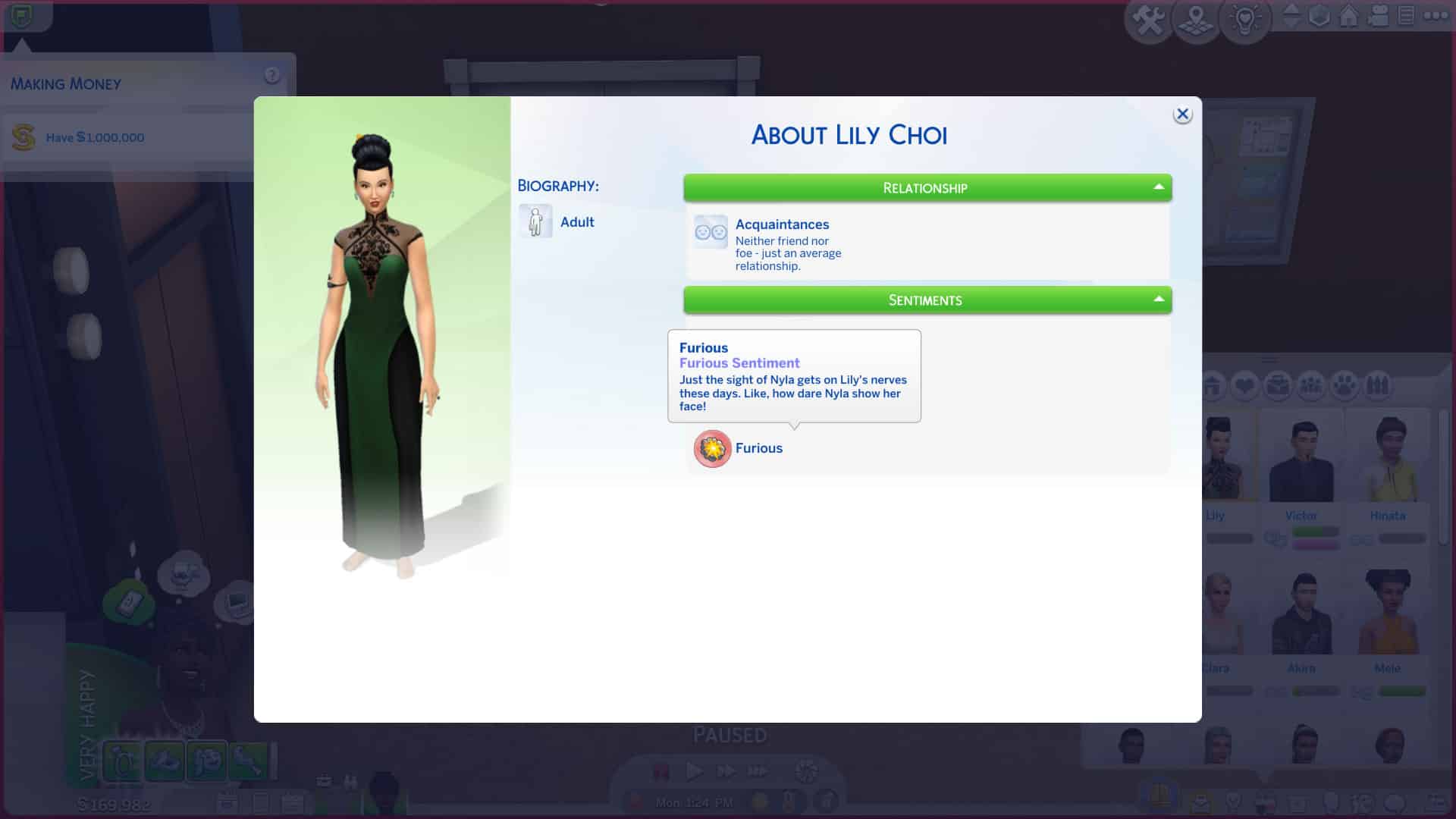
We can see Lily is furious that her now ex-husband cheated on her.

As stated above, you can get a pretty good idea of how to trigger most of the sentiments by reading the sentiment names and descriptions. For sentiments that are more vague, they can usually be triggered through general conversation. For example, the Closer From Happy Memories sentiment pops up quite frequently while having a pleasant conversation with another Sim. I’ve even gotten this sentiment immediately upon giving a friendly introduction to a new Sim. It’s probably the most common sentiment that pops up during gameplay because almost any friendly or funny exchange between Sims can trigger it.

The Sims 4: All Sentiments and their Effects (Packs Included)
Lily can’t stand to be around her ex-husband’s new wife, the woman he cheated on her with.

Other more specific sentiments, like Awed by Lifesaving Hero and Close After a Close Call, require more specific actions. These sentiments can only be triggered by saving a Sim from death. I have received these sentiments on two separate occasions; once was when a Sim was on fire and another Sim extinguished them. The other time, a Sim drowned in the pool and the other Sim used a death flower to convince the Grim Reaper to spare their life. When you save a Sim from death, the Sim who was saved will receive the Awed by Lifesaving Hero sentiment. The other Sim will get the Close After a Close Call sentiment.

The Sims 4: All Sentiments and their Effects (Packs Included)
I used the UI Cheats mod to make Lily furious with Victor’s new wife since I thought that was pretty appropriate.

Again, it’s important to remember that not all sentiments are guaranteed to trigger 100% of the time. In my experience, the “big” sentiments like Deeply in Love after a wedding or Awed by Lifesaving Hero after being saved from death will always trigger but the smaller, less important sentiments like Closer From Happy Memories may not. The smaller sentiments gained through random conversation only have a chance of triggering, while the big sentiments from important life events will almost always trigger when those events occur. The game places more emphasis and importance on large milestones in Sims’ lives, which makes sense. If you just got divorced, you aren’t going to care very much about a funny joke someone just told you because you’re sad about something much bigger.

If you’re a PC player and a savvy mod user, you may be interested in the UI Cheats Extension mod by weerbesu to give you more control over sentiments. The Mod has just recently been updated with new functionality that allows you to attribute (and remove) any Sentiment in the game. You can right-click the Sentiments panel in a Sim’s info page to assign or remove any sentiment you want between those two Sims. This can be very handy for storytelling purposes.

The Sims 4: All Sentiments and their Effects (Packs Included)

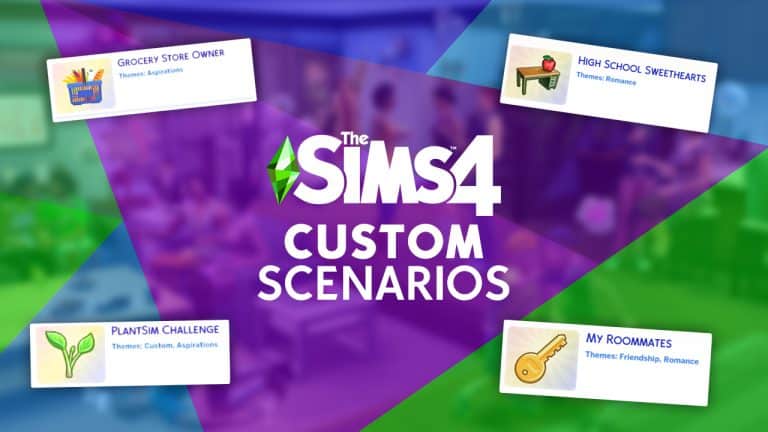
Modders are already creating Custom Scenarios for The Sims 4

It hasn’t taken long for the modding community to explore all of the potential there is to Scenarios that have just recently been released to The Sims 4. In fact, just hours after their release modders were able to confirm that creating Custom Scenarios for The Sims 4 is completely possible!

Modder @ChippedSim reported shortly after the update that they were able to implement a Custom Scenario to The Sims 4:

It hasn’t taken a lot for other modders to follow suit with their own iterations of Custom Scenarios. @SrslySimsMods has shared their current development of two Custom Scenarios that they’re working on. One of the Scenarios is focused on the concept of being a Grocery Store Owner:

…while the latter one focuses on bringing back the PlantSim occult, which are for some odd reason still locked away after the limited-time Spring Challenge in 2016:

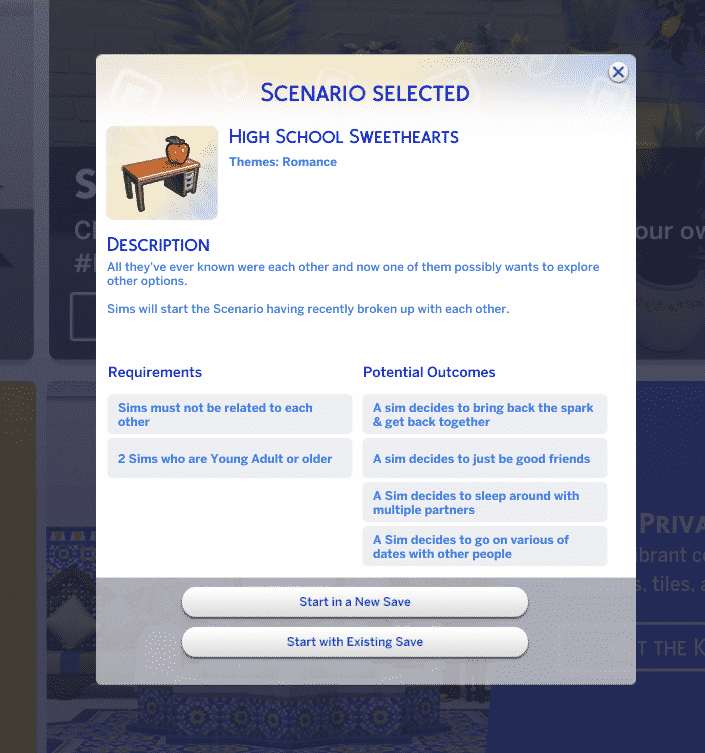
Modder @KawaiiStacie has already been hard at work checking out all the modding options for Scenarios. That’s exactly how their first ever Scenario Mod came to life – High School Sweethearts!

This Custom Scenario comes with a backstory, simple requirements and 4 different potential outcomes:

Modders are already creating Custom Scenarios for The Sims 4

This Custom Scenario can be downloaded right away to your game by clicking the Download button below. The instructions for installing Custom Scenarios are the same as for installing Mods / Custom Content – simply paste the .package file to your Electronic Arts > The Sims 4 > Mods folder. Ensure you have Mods / CC enabled in your Game Options!

[mks_button size=”large” title=”DOWNLOAD!” style=”squared” url=”” target=”_blank” bg_color=”#6cc43c” txt_color=”#FFFFFF” icon=”fa-arrow-down” icon_type=”fa” nofollow=”0″]
KawaiiStacie is already working on another Custom Scenario called My Roomates! You can check out the Scenario Preview below:

The Scenarios Feature is still fresh to the game which is why we should be patient just for a little bit longer to see the full potential of Custom Scenarios. The Sims Team shared with the release of Scenarios that this is only the “first version” of Scenarios, which is giving hope to both the players and the modding community that there will be more complex tools to play with in the future.

The Sims 4: Check Out These 14 Households to Enrich Your Game!

Have you ever wanted to fill your Sims 4 worlds with diverse, unique Sims but didn’t have the energy to make a bunch of Sims yourself? While The Sims Team has definitely stepped up their game with the premade Sims in recent expansions, I think we can all agree that Simmers add the most diversity and creativity to the game.

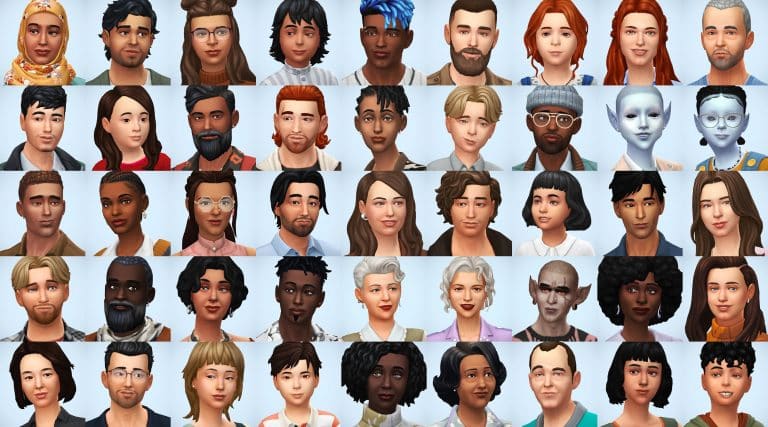
simsontherope has just uploaded a total of 14 households (48 Sims) to the Gallery that add more diversity and depth to your game! All of these Sims already come with careers, likes and dislikes, skills, some extra reward traits, and even lifestyles! The Sims are very diverse, with Sims from many different backgrounds and cultures. Many of the households have unique family structures and do not follow the traditional nuclear family archetype. There are even some occult Sims in the mix for players who enjoy fantasy-style gameplay! Some households have pets as well for the animal lovers out there. Every Sim comes with three different everyday outfits so they won’t always be wearing the same thing.

If diverse Sims who are already all set up to play sounds great to you, then read on for a quick summary of each household below! simsontherope does not give backstories for any of the households, leaving that up to you but they have put a lot of care and thought into each Sim’s personality which shows through in their traits, interests, skills, careers, and lifestyles. This gives you lots of inspiration to make up your own stories for them.

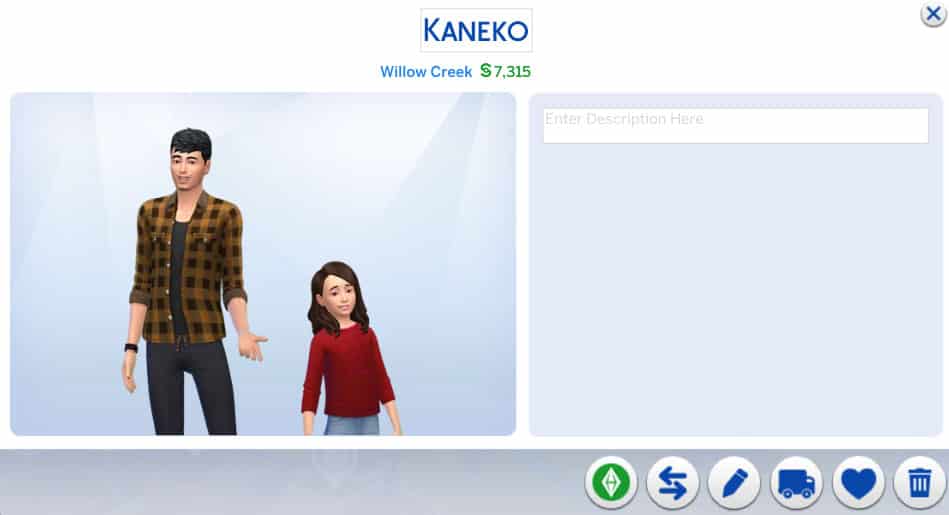
Kaneko Household

The Sims 4: Check Out These 14 Households to Enrich Your Game!

Single dad and salaryperson Daiki is raising his daughter Mai on his own. That can’t be easy given his demanding job and long work hours! No wonder he’s a coffee fanatic! He needs the caffeine to keep up with work and parenting! His daughter Mai is a Goofball and Great Storyteller with high Responsibility and Empathy character values so I guess Daiki’s been doing a pretty good job raising her.

Lecaster & Barois Household

The Sims 4: Check Out These 14 Households to Enrich Your Game!

Camille and Hélène are roommates who start out as acquaintances with each other. While Camille is a very proper, highly educated woman of culture, Hélène seems a bit… shady. She’s working as a secret agent and has the klepto trait as well as a bad reputation. There’s definitely potential for drama in this household.

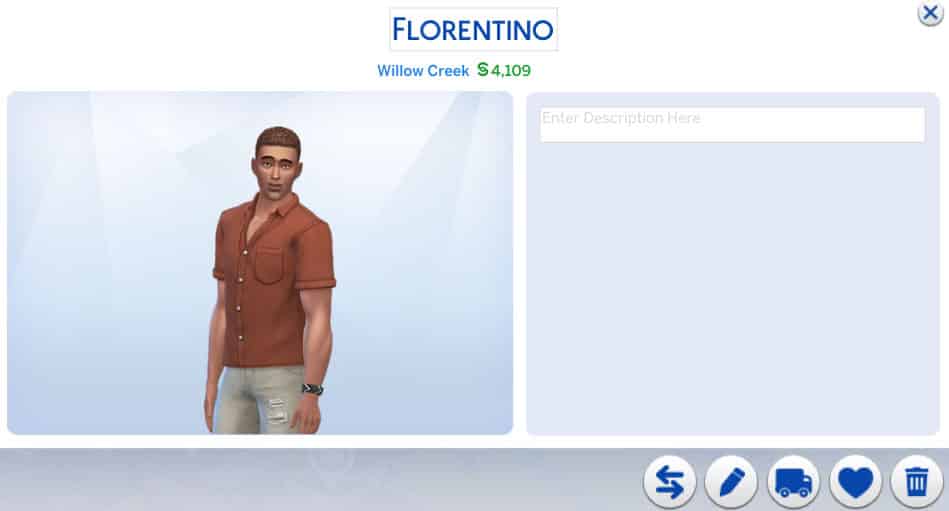
Florentino Household

The Sims 4: Check Out These 14 Households to Enrich Your Game!

Oscar might look like an ordinary dude who’s just trying to do his part to save the planet but don’t be fooled; Oscar is a merman! Since he spends a lot of time in the water, it only makes sense that he’d feel very passionate about keeping the oceans healthy and clean. He’s a Conservationist and a pretty argumentative one at that. He’s not afraid of confrontation to spread his environmental values.

Inoue Household

The Sims 4: Check Out These 14 Households to Enrich Your Game!

Married couple Tetsuya and Megumi are quite high up in their careers and are raising their two children, Nanami and Tsubasa together. While the entire family have good relationships with each other, there is some potential to stir up a bit of controversy if you’re into that. Tetsuya is a workaholic but also very involved with his family so maybe he’s being pulled in two different directions. Megumi is also very career-minded. Their teenage daughter is jealous and wants to be a serial romantic while her little brother is adventurous and a night owl. Maybe Tetsuya and Megumi are starting to lose control of their kids while distracted with work. It probably doesn’t help matters that Tetsuya is self-absorbed and Megumi is Insensitive.

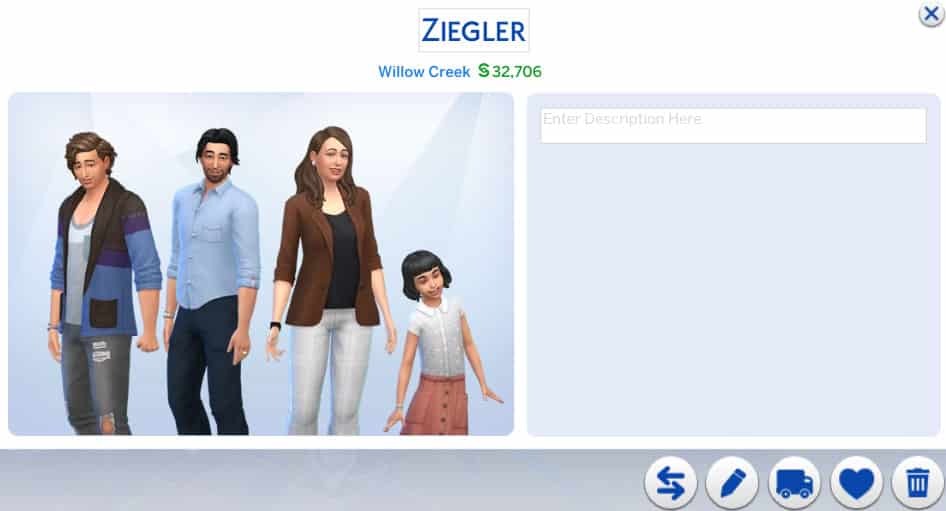
Ziegler Household

The Sims 4: Check Out These 14 Households to Enrich Your Game!

Olivia and Lanzo have an… odd relationship. They have two children together, Basil and Darna, yet they are only acquaintances with each other. Lanzo is irresponsible and a slacker with the Hungry for Love lifestyle while Olivia is an art loving perfectionist with an Art History degree. Perhaps these two are exes trying to co-parent their children peacefully together? They don’t have the Broken Up or Divorced relationship bit but hey, it’s up to you to interpret this family’s story.

Laridan Household

The Sims 4: Check Out These 14 Households to Enrich Your Game!

Valentina and Marc are a happily married couple raising their son Olivier together. This family seems mostly stable with not much drama going on but of course, you can change that. Valentina has somewhat of a “Mean Girl” vibe to her; she’s very social and charismatic, seeking popularity but she’s also mean. Her husband seems very fun-loving and laid back, which is perhaps how he still manages to have a good relationship with Valentina. Olivier is a storm chasing gym rat and a slob which could prove to be a nuisance to his parents.

Parnell Household

The Sims 4: Check Out These 14 Households to Enrich Your Game!

As you might be able to tell from their picture, Tonya and Moriah are aliens! Tonya is happily married to her human husband, Sammy, and they are raising their daughter, Moriah, together. Tonya is a scientist with the paranoid trait and Sammy is in the Tech Guru career with a Computer Science degree. Why is Tonya so paranoid, I wonder? Did she shirk her responsibilities on Sixam to run away and raise a family on earth with her human lover? Are there angry aliens from Sixam looking for her? Is she in hiding? She is Indoorsy… All that is just my oen speculation, of course, but maybe it will provide some inspiration if you choose to play with them.

Olven Household

The Sims 4: Check Out These 14 Households to Enrich Your Game!

The Olven household is quite the interesting one! Marie and Margaret are sisters and Cassim is Marie’s son, making him Margaret’s nephew. What’s so interesting about that, you might ask? Well, Marie and Cassim are spellcasters but Margaret is a vampire! Margaret works in the education career and has Perfect Sun Resistance, among other vampire abilities. I initially thought she might be trying to live an ordinary human life until I saw that she has an awful reputation. Maybe she likes to snack on her students’ plasma? Who knows! It’s up to you! Her sister Marie, meanwhile, has a great reputation but her son Cassim seems to take after his Aunt Margaret a bit more even though he’s a spellcaster. They also have an adorably derpy dog named Goblin. Lots of interesting ways to play this household!

Jéquel & Morvan Household

The Sims 4: Check Out These 14 Households to Enrich Your Game!

Guénaël is Solen’s father. Solen is married to Andrev. Solen and Andrev have a daughter named Iana. This family seems quite happy and unproblematic on the surface but dig a little deeper and potential for drama is bubbling with this family. Andrev is an animal loving, outdoorsy, adrenaline junkie who makes his living as a career criminal. His wife, Solen, has the Non-Committal trait but also has the Companion trait, making her loyal to her husband but also kind of flighty in general. Andrev’s father-in-law, Guénaël, is a proper sort of fellow who is a detective! Will Guénaël find out about his son-in-law’s illegal activities? When he does, will Solen stay with her husband or bail out of the marriage? And who will get custody of Iana and the family dog, Iael? I guess that’s for you to decide.

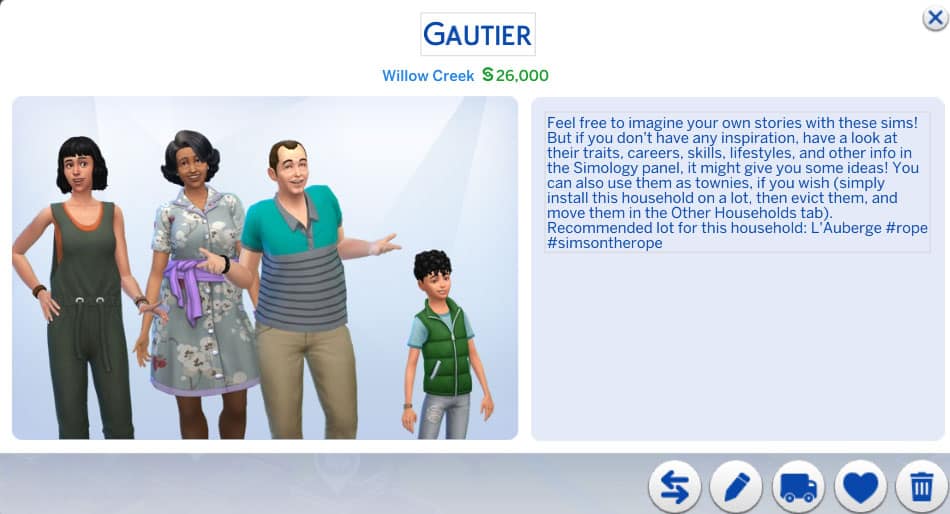
Gautier Household

The Sims 4: Check Out These 14 Households to Enrich Your Game!

Briac and Rashida are raising their grandkids, Noela and Malo. Briac is a politician and Rashida is a florist. Both of them seem like loving, attentive grandparents who are doing their best to raise their grandkids right and both Noela and Malo seem like good kids as well. However, one must wonder why Briac and Rashida are raising their grandkids. What happened to Noela and Malo’s parents? That’s a topic you can explore in your own game.

Bennabi Household

The Sims 4: Check Out These 14 Households to Enrich Your Game!

Karima and Tahir are a married couple raising their two kids, Jayla and Anouar, together. Both Karima and Tahir have family aspirations but they both also have demanding jobs. Karima is a salaryperson and Tahir is a food critic. Their daughter, Jayla, seems to be a bit of a rebel and wild child. She has the Dastardly trait and a Mischief aspiration. Perhaps Karima and Tahir might struggle to keep control of their rebellious daughter while juggling their careers and with all the attention on Jayla, will poor little Anouar get forgotten about?

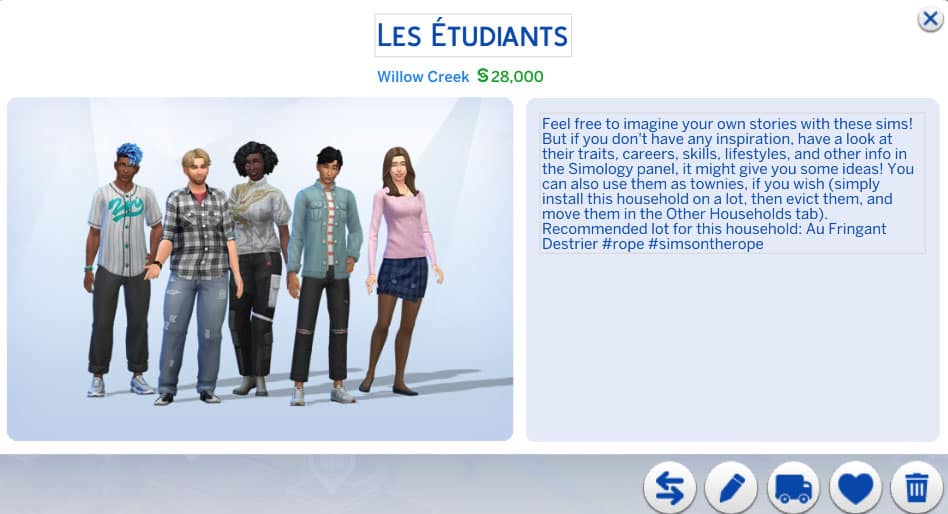
Les Etudiants

The Sims 4: Check Out These 14 Households to Enrich Your Game!

This household is comprised of five university students who are all acquaintances with each other. Some of them attend the University of Britechester while others attend the Foxbury Institute. They’re all in different programs, both standard and distinguished, and have a very diverse set of personalities. Of course, any college roommate situation is bound to have potential for messy drama so hop right in and see how you can mess their lives up… or you know, make them all happy and successful, I guess.

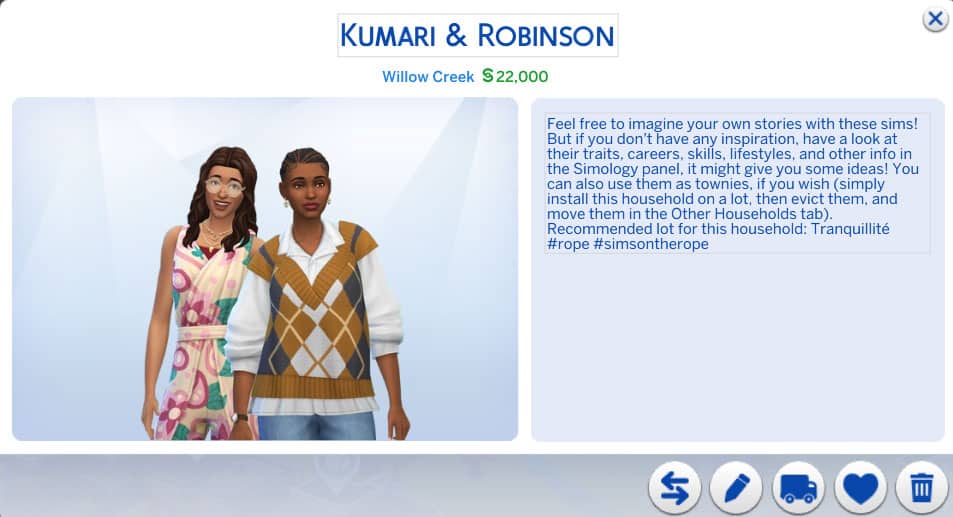
Kumari & Robinson

The Sims 4: Check Out These 14 Households to Enrich Your Game!

Brie and Nadiya are a married couple who seem to live a somewhat offbeat or hippy lifestyle. Nadiya has a wellness aspiration which comes with a spa membership. Brie is high maintenance and works in the entertainment industry. They have a good relationship; however, in spite of her wellness aspiration, Nadiya is argumentative and hot-headed. Maybe rightfully so, working in customer support. Those traits seem to clash with Brie’s personality, who has all good traits apart from her high maintenance lifestyle. Is… Brie only using her wife for her spa membership? Hmmm.

Patil-Bagiel

The Sims 4: Check Out These 14 Households to Enrich Your Game!

Éric and Narayan are a married couple with a young son together named Otis. Éric also has a teenage daughter from a previous relationship named Carine. Éric is a travel junkie with the Jungle Explorer aspiration and the Frequent Traveler lifestyle while his husband Narayan is a domestic Sim with a family aspiration. This adds some potential for conflict between them. Carine also has the Hates Children trait which will no doubt make it difficult for her to get along with her younger brother. The family also has an adorable cat named Vaillant.


If you loved these unique households as much as we do, you can download them all from simsontherope’s Gallery! They are all CC-free but do use a variety of DLC packs.

You can also download individual .tray files for each seperate Household from simsontherope‘s blog, which we’ve linked down below!

[mks_button size=”large” title=”Download Page” style=”squared” url=”https://simsontherope.tumblr.com/post/666864650344873984/families-pack-ii-finally-its-done-if-you-are” target=”_blank” bg_color=”#1e73be” txt_color=”#FFFFFF” icon=”fa-arrow-down” icon_type=”fa” nofollow=”0″]

I just gave a brief summary and some story inspo ideas for each household but there’s much more to each Sim that I did not cover in this article. Download them for yourself and see just how interesting all of these households are!

The Sims 4 Custom Content: Child Dream Kit

Max20 is back with another exciting and fantastic Custom Content Kit, the Child Dream Kit!

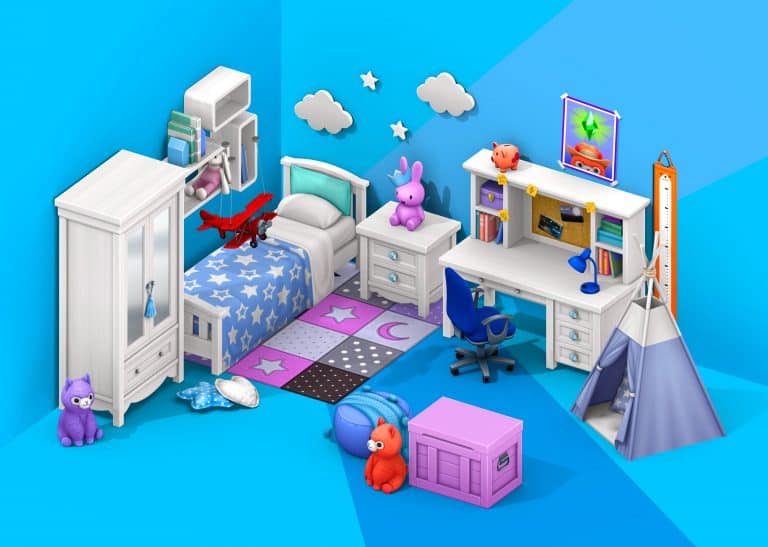
The upcoming Custom Content Kit contains twenty-two new items that are perfect for creating your younger Sims’ dream bedrooms!

The trailer was made in collaboration between Max 20 and JPluiy. It showcases all the new items from The Sims 4 Child Dream Custom Kit as well as how they work alongside a number of the current in game options!

Item Overview

Each of the twenty-two items come in a variety of different swatches, including neutral wood swatches and colourful swatches. With plenty of combinations, you’ll be able to create the perfect dream bedroom or even playroom for your younger Sims!

Building

I jumped into build mode to take a look at the variety of items and build several different rooms using the pack. I had a lot of fun creating different rooms, and each of the items from the Kit work perfectly in so many different ways!

Take a look at the gallery below!


ARTICLE UPDATE: This Custom Kit has just gone public! You can get it by downloading the .package file linked on the download button below. To install simply extract and/or paste the .package file to Electronic Arts > The Sims 4 > Mods folder.

[mks_button size=”large” title=”DOWNLOAD!” style=”squared” url=”https://www.patreon.com/posts/child-dream-kit-56194801″ target=”_blank” bg_color=”#1e73be” txt_color=”#FFFFFF” icon=”fa-arrow-down” icon_type=”fa” nofollow=”0″]

The Sims 4 Child Dream Custom Kit is out now as an Early Access pack on Patreon and will be publicly available shortly! Click here to visit Max 20’s Patreon page for more details and how to download the pack!

Check out the links below to keep up to date with Max 20’s latest creations and more!

The Sims 4: Let’s Build The Roost From Animal Crossing

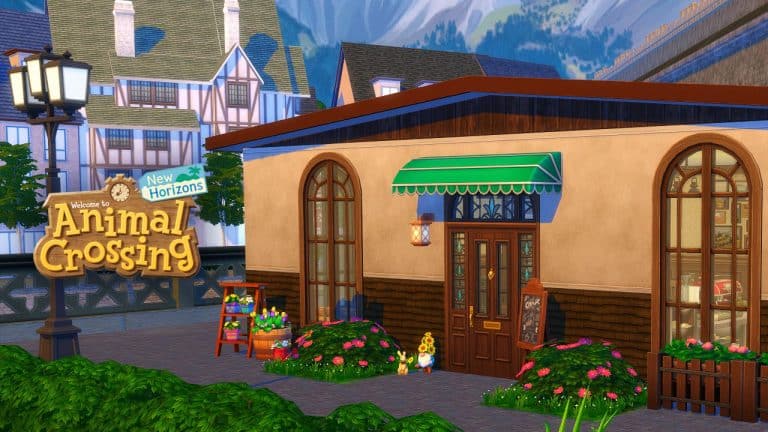
On the 5th November 2021, we see the long-awaited return of Brewster and The Roost to Animal Crossing New Horizons. I thought it would be fun to recreate The Roost in The Sims 4. Not only was I looking forward to recreating this, but also it would be a bit of a challenge too. I rarely make non-residential lots at the moment, so I felt a little out of the loop when it came to building one.

I decided to build this version of The Roost in Windenburg. After being torn between which neighbourhood to build within, I settled on the Olde Platz neighbourhood, where I chose a small 20×20 with views looking over the water.

The Sims 4: Let’s Build The Roost From Animal Crossing

After a quick bit of searching on Google and YouTube to get some reference points for this build, I was ready to go. While I have played Animal Crossing New Leaf, I wasn’t confident in my memory of what The Roost looked like, especially as it also appeared in earlier games too. Most of my Animal Crossing knowledge is limited to Animal Crossing New Horizons, as well as Animal Crossing Happy Home Designer. For the purpose of this build, I was going to use the New Leaf version of The Roost as my main reference.

Now that I was feeling a little more confident in what I was building, I set about creating the basic shell of The Roost.

The Sims 4: Let’s Build The Roost From Animal Crossing

Initially I considered setting the Lot Type to a Restaurant so that I could utilize The Sims 4 Dine Out’s features, but after looking into it more felt that doing that would take away the charm of The Roost and simply overcomplicate things. Instead, I kept it simple and set the Lot Type to a Café.

With the basic shell taking shape, it was time to start furnishing the inside of the café.

As this was a much smaller build than what I normally build, it didn’t take me too long to furnish it. In fact it was relatively straight forward. While I was looking back at the photos and videos of The Roost from Animal Crossing New Leaf, the interior of the café was pretty simple and straight forward. I tried my best to stay true to the original look of The Roost as best as I could, using the items from the game.

I found myself gravitating towards using items from The Sims 4 Cottage Living, Get Together and Industrial Loft. There was a lot of trial and error, but overall I think it came together nicely. I’m sure Brewster would be proud, at least I hope he would be!

Check out the gallery below and take a closer look at the inside of The Roost!

This was definitely a lot of fun to create, and I know this will be somewhere that my Sims will be visiting on a regular basis be it to catch up with friends or even take to the stage!

Whether you will be visiting The Roost in Animal Crossing New Horizons or in The Sims 4, I’m sure Brewster will be happy to see you!

The Sims 4: Let’s Build The Roost From Animal Crossing

You can download this lot from The Gallery using the information below

  • Gallery ID – LeeksEverywhere
  • Lot Name – The Roost
  • Lot Size – 20×20
  • Type – Café
  • Value – $30,458

Let us know if you download The Roost, as we would love to see your screenshots of it in your game!

Why not take a look at 10 ways that The Sims and Animal Crossing franchises are similar in this post here.

The Sims 4 Scenario Playthrough: Too Many Toddlers

Yesterday, The Sims 4 added a new feature called Scenarios to the game; challenge-style goals for players to work towards. Today, a new scenario has been added to the game. The Too Many Toddlers scenario will only run for a limited time. It will be available for two weeks until November 17th, 2021 so if you want to play the scenario, you will have to start it before then.

The Sims 4 Scenario Playthrough: Too Many Toddlers

To start the scenario, click the New Scenario tab in the main menu and select the Too Many Toddlers scenario. A popup will inform you of the scenario requirements and outcomes. This scenario has two household requirements and one possible outcome. You will need to create a household with one young adult or older Sim and three toddlers. The objective of the scenario is to have all three toddlers reach level 3 in 4 skills before their birthday.

The Sims 4 Scenario Playthrough: Too Many Toddlers

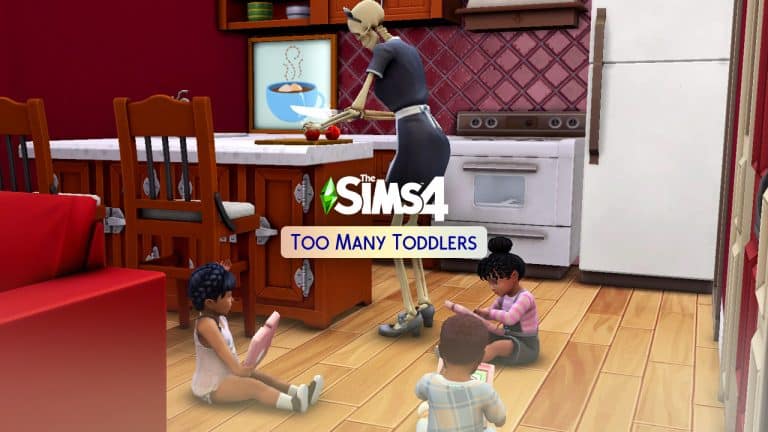
I decided to use Bonehilda as my young adult Sim for entertainment value and just randomised three toddlers quickly in CAS. I then plopped them down into a starter home I built a while back and I was ready to start the scenario. If you’d like this house, it’s called Daisy Hovel and it’s in my Gallery under the ID SnarkyWitch. Bonehilda is also available to download.

The Sims 4 Scenario Playthrough: Too Many Toddlers

I made a few minor edits to the house to accommodate three toddlers and got to work. I had a feeling when I started this scenario that it was going to be rather uneventful and dull. Unfortunately, I was right. I loved the potential drama of the previous two scenarios but this one was just skill grinding and wasn’t even challenging at all. Anyone who has played the 100 Baby Challenge or the Seven Toddler Challenge will not find any kind of challenge here. Three toddlers is laughably easy to handle.

The Sims 4 Scenario Playthrough: Too Many Toddlers

Since Imagination and Thinking are the two skills that can only be learned with an adult or with the tablet before level 2, all the toddlers got their tablets out and started playing the Imagination and Thinking skill-building games. Bonehilda didn’t really have a lot to do. The toddlers were busy skill grinding, after all. Bonehilda’s only duties regarding the toddlers were diaper changing, cooking, and bathing. The rest of the time, they were busy building skills on their own. Since I’m a 100 Baby Challenge veteran (and the original author of The Sims 4 version of the challenge), I know better than to waste my time with high chairs. The toddlers simply grabbed their own helping of whatever Bonehilda made for them and ate it wherever they wanted.

The Sims 4 Scenario Playthrough: Too Many Toddlers

The first day, all the toddlers made it to level 2 of the Thinking skill and had almost made it to level 2 of the Imagination skill. By that point, they were hungry and tired so Bonehilda made them dinner and off to bed they went. To ensure that the toddlers slept through the night, I had lullabies playing in their room and a night light in their room. One of the toddlers still woke up from a nightmare but the lullabies and night light still greatly reduced the number of nightmares the toddlers had. In fact, that was the only time any of the toddlers had a nightmare during the whole scenario.

The next day after breakfast and diaper changes, the toddlers polished off the Imagination skill by playing with toys and began using the blocks to build the Thinking skill to level 3. Again, it was mostly just a matter of watching them sit on the floor with their toys and spamming the same interaction in their queues. The only time Bonehilda intervened was to give the kids baths when they started getting smelly. Pro Tip: Toddlers will not get taken away for being smelly, lonely, or exhausted. The only thing you have to do is feed them, so the baths are optional. The only reason I gave them all baths was because I was so… incredibly… bored…

The Sims 4 Scenario Playthrough: Too Many Toddlers

Once Thinking and Imagination were taken care of, the toddlers started rotating between the other skills. I didn’t bother to put toddler potties in the house since this scenario only required 4 skills to be built. It was easier to do the other 4 skills and ignore the Potty skill. The toddlers could go in their diapers while building other skills. While one toddler played with toys, another one would be babbling to the teddy bear to build Communication skill, and the other one would be outside in the backyard using the slide to build Movement skill. If you play with toddlers a lot and don’t own the Toddler Stuff pack, I very much recommend it. The toddler play equipment builds Movement and Imagination skill twice as fast as any of the base game skill building objects. You can start and max out the Movement skill in a single afternoon just using the slide.

The Sims 4 Scenario Playthrough: Too Many Toddlers

By the end of day two, all three toddlers were almost finished the scenario requirements. Each toddler only had one more skill to polish off, so once again, it was bedtime for the sleepy toddlers. The next morning, they all got fed and off they went to complete their last skills. It didn’t take very long since they were all almost done the previous day. I got that happy little notification that I completed the scenario and all of my Sims got 5000 satisfaction points as a reward. The toddlers did not have access to their satisfaction points since they don’t have an aspiration panel but once I aged them up, they were able to access their satisfaction points as children and spend them on rewards.

The Sims 4 Scenario Playthrough: Too Many Toddlers

So what are my final thoughts about the Too Many Toddlers scenario? As you might have already guessed, I was underwhelmed. I really enjoyed the other two scenarios. They offered a lot of wiggle room to create drama and excitement while working towards the goals but this scenario was too linear to be interesting. All I did for three Sim days was skill grind and it wasn’t even challenging. I played without any mods or cheats and I was quite bored. Three toddlers aren’t very difficult to take care of. Seven toddlers would have been a much more satisfying challenge. I’m not sure why the scenario only required three toddlers when this is clearly supposed to be based on the Seven Toddler Challenge. My advice? Just play the Seven Toddler Challenge which is a lot more challenging and a lot more fun. Or play the Making Money or Finding Love After a Breakup scenario. Those were a lot more fun to play, too.


Credit: reshade by sunflowersyrup

The Sims 4 Scenario Playthrough: Making Money

The 2nd November 2021 game patch introduced a new game feature in the form of Scenarios. Throughout this article, we shall be going through a number of different aspects of the Making Money Scenario, as well as looking at a variety of different ways your Sims can make money!

Getting Started

First things first, you will notice on the main menu that you have an extra button. The New Scenario button is where you can choose and start a new scenario.

The Sims 4 Scenario Playthrough: Making Money

From there, you will then be presented with the Challenge Scenarios pop up. Here is where you’ll be able to have a look through all of the available scenarios, as well as further details about each one.

Once you have settled on a scenario you would like to play, you’ll see another pop up. This is the Scenario Selected screen. Here you will find all the information you need about the scenario including the description, any requirements for the scenario as well as potential outcomes. You will also notice that you will be able to choose between starting the scenario in a New Save or an Existing Save. It’s important to remember that you will be starting with a new Household as well.

The Sims 4 Scenario Playthrough: Making Money

For this article, we will of course be looking at the Making Money scenario. While there are currently only two scenarios for players to chose from at the moment, more will be added over time.

You can find more information about Scenarios in the Lessons menu. Just head to the Live Mode drop down menu in Lessons, and Scenarios will be the first one listed.

Let’s Begin our Scenario

With your chosen scenario in place, it’s time to jump into Create A Sim! Don’t forget, you can also import Sims/Households in from The Gallery. This is useful if you want to use a specific Sim or Household you have previously created.

Note: While the Making Money scenario doesn’t contain any Household Requirements, it is worth noting that you’ll see a new icon next to The Gallery icon in the top right of your screen. Here you will find any requirements that you must have as part of the scenario. You can toggle this on and off, and you’ll also be able to see a summary of the scenario too.

The Sims 4 Scenario Playthrough: Making Money

For our article, we will be using the Pancakes Household that I downloaded from The Gallery.

Now, once we move into our chosen house, it’s important to remember that our household funds will be set to zero. With no funds, you’ll need to keep in mind that you will still have household bills to pay for as well as food.

For the purpose of this article, I chose to go with the 20×15 Nookstone lot located in Oasis Springs. While you can chose any lot that you wish to live in (including apartments) starting in a smaller lot will help when it comes to Household bills.

The Sims 4 Scenario Playthrough: Making MoneyLive Mode UI

When loading into Live Mode, you will notice in the top left-hand side of the screen a new icon. This is icon allows you to view details of the scenario that you are currently playing through. Much like the Scenario UI you now find in Create A Sim you can toggle this one on and off as required.

Making the First Simoleons

The first thing I would recommend doing once you have moved your Household into their new home is to explore the area around the lot. Look for Collectibles, harvestable plants and fishing spots. While doing this only provides a small amount of Simoleons each time, it is enough to get started.

The Sims 4 Scenario Playthrough: Making Money

Another straight forward way of making money is ensuring your Sim has a job of some description. Be that that full-time, part-time or as a freelancer, it’s a good way to get a steady amount of money.

As you start to earn some money, your Sims can then branch out into other ways. While you may have to pay out initially to buy a particular object, it may well pay off in the long run.

Other ways of Making Money

  • Painting
  • Fishing
  • Gardening
  • Writing
  • Programming
  • Performing
  • Woodworking
  • Content Creation (Get Famous)
  • Archaeology (Jungle Adventure)
  • Offering Spa Treatments (Spa Day)
  • Odd Jobs
  • Using the Wishing Well (Romantic Garden Stuff)

The Sims 4 Scenario Playthrough: Making Money

Helpful Tips

  • Utilize Public Lots. This is handy if your Sim is a writer or a musician. It will also keep your household outgoings lower.
  • Starting in a smaller lot/apartment will keep your household bills lower.
  • Lights off! Use the Auto-lights option to also keep your Household bills down.
  • Pop-ups, especially career related ones, may reward you with bonus Simoleons depending on the outcome you chose.
  • Keep an eye on what your Sims find while fishing! You may find a Future Cube or two, or maybe even a Digital Sketchpad.
  • Use the perk systems to your advantage. Certain perks may help you along the way!
  • Traits and Aspirations will also play a part, to a point, when it comes to earning money.
  • Skills! The higher your Sims skill level, the more options your Sims will have when it comes to activities for that Skill, as well as higher payouts.
  • Choose a career with a good salary. Acting, Tech Guru, Science and Astronaut careers are known to pay well.
  • University degrees can help your Sims start at a higher career level.
  • Complete Whims to earn Satisfaction Points. Redeem those points in the Reward Store on perks that will help your Sims along the way. (We see you Money Tree!)
  • You can use the  multiselect to sell multiple items at once from your Sims inventory. Don’t forget to check your Sims Household inventory to. No more selling each item individually!

There are a number of different ways that your Sims can earn money in the Making Money Scenario, and these are just some of the many ways you can. There is no right or wrong way as to how you earn those Simoleons throughout the Scenario. You can, if you want, use the Motherlode cheat to complete the scenario quickly. It is really up to you!

The Sims 4 Scenario Playthrough: Making Money

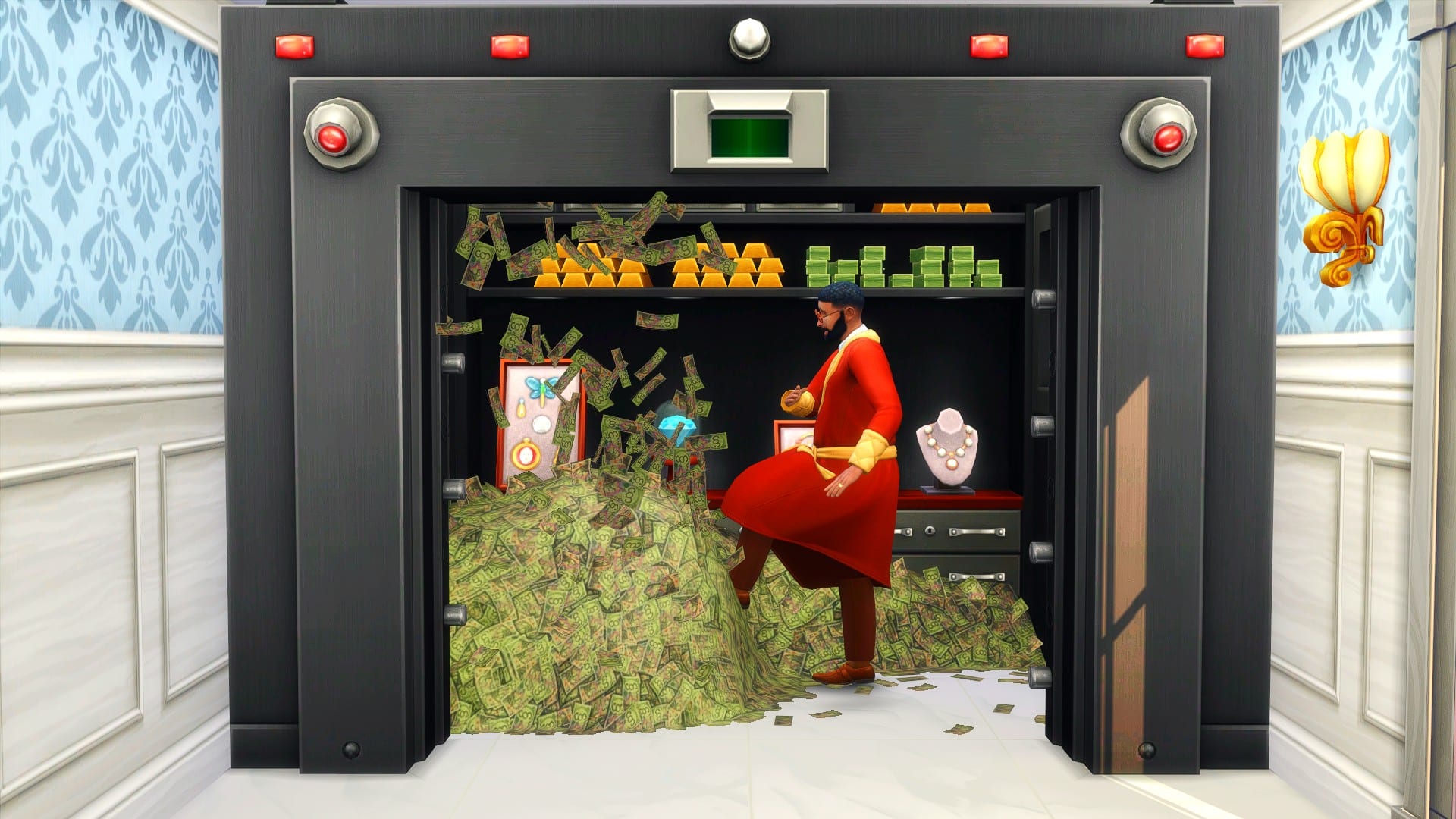
Once you have completed the Making Money Scenario, you will be rewarded with some Satisfaction Points which you can spend in the Reward Store, as well as now having one million Simoleons in your household funds. You will be presented with one final pop up and a notification that gives you an overview of the outcome you achieved, and it also lets you know how long it took to complete the scenario.

The Sims 4 Scenario Playthrough: Making Money

What you do next is up to you! You can continue playing your household like normal or even move onto a new Scenario with a different household!

Let us know what you think of the new Making Money scenario and any ways you plan on making one million Simoleons in the comments below.

The Sims 4: “Too Many Toddlers” Scenario Starts Today!

0

UPDATE: SimGuruDuck has shared a statement saying that the Too Many Toddlers Scenario will be launching soon, and that it will be extended to 2 weeks!

Yesterday we reported on the 3 limited-time scenarios that are coming to The Sims 4. The Sims Team didn’t specify the exact dates of when these Scenarios will begin – up until today thanks to a report from PCGamesN.

This news site reports that The Sims 4 devs shared with them that the Too Many Toddlers Scenario will begin TODAY, and shockingly it will only last for 3 days. We’re not sure why this Scenario is being locked away again after November 6th. Either way, if you wanted to play this Scenario you should expect it to go fully live at around 10AM Pacific Time today!

The Too Many Toddlers scenario launches on November 3 and will be removed as of November 6, the devs have announced in a press release, though if you start the scenario before that end date, you’ll still be able to play it to completion after it’s removed. There are no details yet on how that scenario will play. The devs previously announced that another limited-time scenario called Perfectly Well-Rounded would come shortly after the feature’s launch.

What will the Too Many Toddlers Scenario bring? Check out in the Scenario Preview below:

The Sims 4: “Too Many Toddlers” Scenario Starts Today!

The Sims 4 Scenario Playthrough: Finding Love After a Breakup

In case you missed it, The Sims 4 got a pretty big feature update today! The game now has a brand new Scenarios feature where your Sims can work towards completing specific challenge goals in exchange for satisfaction points to spend in the Rewards Store. I was personally quite excited about this new feature, being a storytelling and challenge enthusiast. I was pleased to see how open-ended the scenarios were. Even though I had a goal to strive towards, the way I achieved those goals was completely up to me.

Today, I’ll be sharing my experience playing through the Finding Love After a Breakup scenario! I’ll also be explaining how to start and work towards the goals of this challenge scenario.

The Sims 4 Scenario Playthrough: Finding Love After a Breakup

When you first start up the game, you’ll see a new Scenarios option in the right sidebar. Click it to see a list of available scenarios! Currently, there are only two scenarios available but more will be added in the future so keep checking back for new scenarios to play! I went ahead and selected the Finding Love After a Breakup option. Currently, you will not be able to start a scenario with an existing household. You can only start a scenario with a new household but the Sim Gurus have said they will be implementing the ability to play scenarios in existing households in the future.

The Sims 4 Scenario Playthrough: Finding Love After a Breakup

When you select your scenario, you’ll get a breakdown of potential scenario outcomes, the household requirements to play that scenario, and a description of the scenario circumstances. For this scenario, it explains that I’ll need to have two adult Sims who are not related to each other and that when I start the scenario, these two Sims will have recently broken up. I’ll be able to choose between three potential outcomes; I can rekindle the dead romance, have the two Sims stay broken up but become friends, or have one Sim move on with someone new.

I already had two Sims in my Gallery I’d made previously that I thought would work well for this scenario; a vampire named Xavier Nightbloom and a spellcaster named Serena Crowe. Both of these Sims have backstories involving being unlucky in love. If you’d like to play with Xavier or Serena, they are both CC free and in my Gallery under the ID SnarkyWitch!

The scenario requirements in the top right of CAS informed me that I now met the household requirements to play this scenario. I had two Sims who weren’t related to each other. I could now start the scenario. I selected a house in Glimmerbrook for them to move into and the scenario began!

When I first started the scenario, I immediately noticed the popup in the top left of the screen with the possible outcomes. I could work towards any one of these goals to complete the scenario. At first, I felt disappointed; I was hoping for more guidance or some kind of step-by-step thing. Something more like the StrangerVille mystery, I suppose. I wasn’t sure how exciting working towards these goals was going to be. I was proven wrong very quickly after I started playing!

When Xavier and Serena started out on the lot, they were both sad from their breakup. They also had a completely negative romance bar and a somewhat negative friendship bar. They also both had the Bitter About Breakup sentiment towards each other. As I started playing with them, I realised very quickly that achieving the goals of this challenge scenario wasn’t as straight-forward as I thought it was going to be.

The Sims 4 Scenario Playthrough: Finding Love After a Breakup

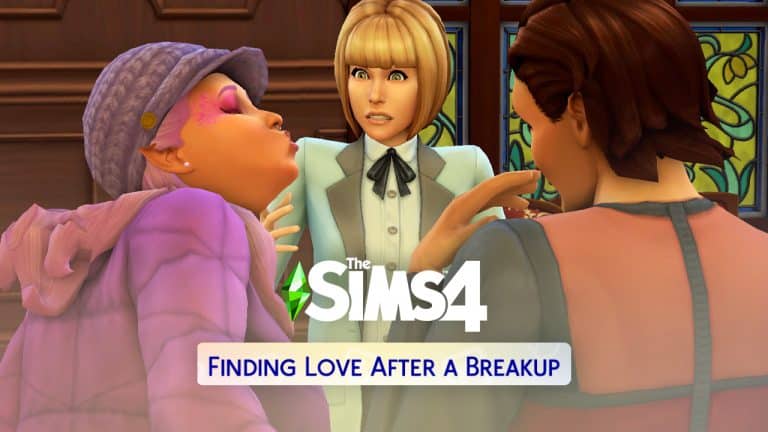
I initially planned to have Xavier and Serena rekindle their dead romance but Xavier and Serena made it very difficult to do that. So difficult, in fact, that I had to switch tactics and work towards one of the other goals, instead. No matter what they said to each other, no matter how many times they tried to apologise or discuss their problems, the conversation would always go sour and they’d end up fighting all over again. Their bitter sentiment towards each other, combined with their breakup moodlets and negative relationship bars made it virtually impossible for them to have a positive exchange with each other. Xavier even ended up with the Hurt sentiment towards Serena after she lost her temper with him and shouted at him autonomously.

The Sims 4 Scenario Playthrough: Finding Love After a Breakup

When the Welcome Wagon showed up to greet them, I was starting to think maybe this wasn’t going to work after all. Maybe getting to know the neighbours would allow me to complete the scenario a different way. So Serena and Xavier invited Minerva, Darrel, Grace, and Tomax into their home.

Since I was pretty sure falling in love with Xavier or becoming his friend weren’t going to happen, that left one option; falling in love with someone else. Luckily for Serena, she and Darrel Charm formed an instant connection. They had a lot more in common than she and Xavier did. They were both spellcasters and Xavier was a vampire. They came from completely different worlds and Serena was starting to see that the more she chatted with Darrel. Xavier definitely noticed how well his ex was getting along with a new guy right in front of him because he disappeared into the bedroom to sulk.

The Sims 4 Scenario Playthrough: Finding Love After a Breakup

By the time the welcome wagon left, Serena had found out a lot about Darrel… including the fact that he was currently engaged to someone else but apparently, he didn’t feel that strongly about his fiancée because he had struck up a bit of romantic banter with Serena. Perhaps Darrel was also looking for a way out of a bad relationship. That would be one more thing he had in common with Serena, anyway.

The Sims 4 Scenario Playthrough: Finding Love After a Breakup

Serena and Darrel’s flirting did not improve the situation in the house. It made it ten times worse. Xavier was extremely upset that she would have the nerve to cozy up with another Sim right in front of him in his own house so soon after their breakup. Was she trying to be cruel and rub salt in the wound?! Serena didn’t see the problem; they were broken up, weren’t they? And she lived here, too. She could do what she wanted with who she wanted.

Things just got more and more tense until Xavier couldn’t take it anymore. He’d had enough of being yanked around by her. It was time for some payback. He was a vampire, he was hungry, and his ex had plenty of plasma. If she was going to play dirty after their breakup, then so was he. He hypnotized Serena and drank her plasma! Yikes! This living arrangement was getting more and more toxic by the second!

The Sims 4 Scenario Playthrough: Finding Love After a Breakup

Serena knew she needed out and fast. It was bad enough living with her ex-boyfriend but living with her vampire ex-boyfriend who had no issues with feeding off her was the last straw! That’s just rude and completely unacceptable! So she left to go see her new love interest, Darrel, at his house. Darrel took pity on Serena and let her sleep and have a shower at his house after hearing all about what happened with her and her ex. At first, his fiancée, Emilia, was perfectly happy to help out a neighbour in need… until she realised her fiancé was being a little bit more than neighbourly with the girl next door.

The Sims 4 Scenario Playthrough: Finding Love After a Breakup

Emilia was, understandably, furious that the man she was about to marry had been snuggling up to some other spellcaster and started following Serena and Darrel around to harass them and yell at them. She made it so unbearable for Darrel and Serena to be in the house that they actually had to take a walk together around Glimmerbrook where no one would bother them in order to have a proper conversation.

The Sims 4 Scenario Playthrough: Finding Love After a Breakup

On their walk, finally free of other people intruding on them, they really bonded and opened up to each other about everything going on in their lives. It became clear to Serena that things with Xavier could never be mended and that Darrel was a better match for her. Darrel also realised that he’d been looking for an excuse to call off his wedding and leave Emilia for a while now and Serena had finally given him a reason to walk away. He told Serena he was going to leave Emilia for her and Serena promised she was done with Xavier once and for all.

They shared a very romantic kiss and that completed the scenario for me! Serena became Soulmates with someone new and was finally able to move on from her ex! When I completed the scenario, I got a popup of the scenario results, including which outcome I achieved and how long it took me to complete the scenario in Sim days. I was grinding to complete this scenario as fast as possible so it only took me 2 Sim days but I could easily see these events unfolding over a longer period of time if I had been balancing the scenario with work, school, hobbies or other aspects of the game. Xavier and Serena also received a hefty 5000 satisfaction points each for all the trouble they went through. Not bad!

The Sims 4 Scenario Playthrough: Finding Love After a Breakup

Once you complete a scenario, you can continue to play that save and enjoy your satisfaction points any way you like. I felt like this story still needed some closure, so I sent Serena home to tell Xavier she was moving in with Darrel and they were over for good. Darrel, meanwhile, went home and called his wedding with Emilia off. Emilia promptly broke up with him and moved out. Serena took her place and all’s well that ends well… sort of.

The Sims 4 Scenario Playthrough: Finding Love After a Breakup

So what are my final thoughts after playing through this scenario? I was pleasantly surprised at how much freedom I had to complete the scenario my way. Not only were there three different ways to complete the scenario but the way the events unfolded in my scenario were unique to my game. Someone else’s scenario could have played out very differently even if they chose the same goal I did. The scenarios really show that The Sims 4 is as limitless as your imagination and I think I will be having a lot of fun playing more of these scenarios in the future!

Did you play this scenario, too? How did things play out for you? Let us know in the comments or come chat with us on social media!


Credit: reshade by sunflowersyrup

The Sims 4: Get the “Industrial Loft” Window Right Away!

4

In last week’s Maxis Monthly The Sims Team confirmed that they’ll finally be adding the infamous Window from the Industrial Loft Kit Render. Plus, it was shared that it will be coming for free to The Sims 4 Base Game!

The Sims 4: Get the “Industrial Loft” Window Right Away!

They had confirmed that the window will be coming in “late November” however, modders have spotted the window in the game files after today’s update.

@littledica reports finding the Industrial Loft Window in debug:

It’s not certain why The Sims Team is waiting out to officially release the Window fully in Build Mode. Still, there is a method that you can use to get the Window right away in your game without even modding! You will need the latest version of The Sims 4 for this!

Modder @nandoandstitch has uploaded a Room that you can download in The Gallery that features this Window! Simply search for the nandoandstitch Origin ID in The Gallery and download the “New Moschino Window” Room.

Screenshot 2021 11 03 at 00.00.52

After placing down the room on your Lot you are able to use the eyedropper tool and apply the windows onto your lot freely.

11 02 21 114541 PM

There are also some different variants included with this debug Window:

The Sims 4: Get the “Industrial Loft” Window Right Away!

Since this is not officially released yet (and the Window still needs its name and description) you won’t be able to find this through Build Mode until late November. However, this workaround works just fine for now!

11 03 21 120815 AM

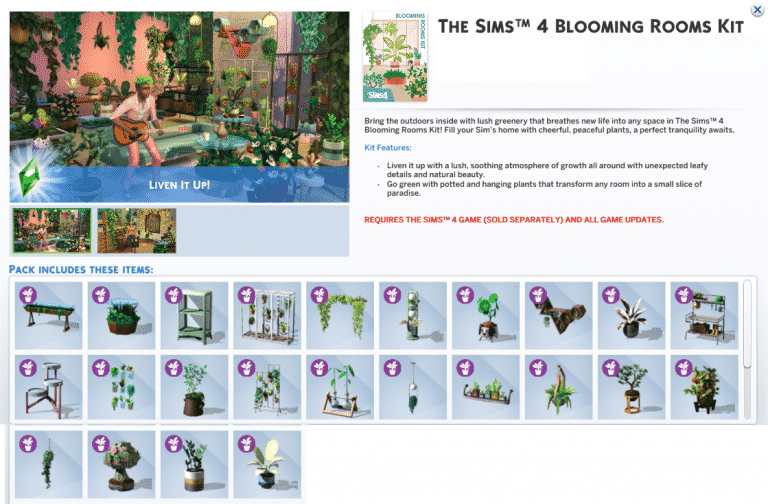
The Sims 4 Blooming Rooms Kit: Preview of New Objects

2

The latest update for The Sims 4 has prepared the game for the upcoming release of The Sims 4 Blooming Rooms Kit.

If you’re wondering which objects exactly are coming with the latest Kit you’re in luck. Huge thanks to our reader Anadius who provided us with the following preview of the new objects coming with Blooming Rooms!

You can also check out the welcome message down below:

The Sims 4 Blooming Rooms Kit: Preview of New ObjectsThe Sims 4 Blooming Rooms Kit: Preview of New Objects