The Sims 4 still has a lot more content to provide according to the latest interview with Graham Nardone, Snowy Escape’s Lead Producer.
In the interview with Gamesradar Graham talked about the meaning and development of Snowy Escape as well as some of the game’s core features like Lifestyles and Sentiments:
“Players did not expect that out of us,” Nardone admits. “But it is something that they have been highly discussing and requesting… I think that increased depth to the simulation is a big thing for players.” EA’s strategy, when filling a long-time request for more depth, is to occasionally subvert expectations. “I think it’s cool, playing with those expectations a little bit while still delivering on the things that people really want at that core level,” Nardone says.
Later in the interview Graham talked more about the community’s requests for adding disability options such as wheelchairs, disabled-friendly home objects, service dogs and more:
“We’ve had active outreach with players in the community and asked, ‘what are better ways that we can represent you? What are some of the things that we can do to recreate those moments, or lived experiences, respectfully within The Sims 4?'” Nardone points out. “I think the thing that we want to avoid is turning it into a feature.”
When asked about if there are any plans for a next installment of The Sims Graham stated the following:
“There’s such a diverse range of topics and features that we could cover, the possibility space of what we can do within The Sims 4 is just humongous,” Nardone tells me when I ask about the potential of a new game. “I think that just goes to show that there’s way more that we can still do within this title, and our players are plenty hungry for more content that we can give in. That’s a good problem to have.”
If you’re thinking that this means that EA is still only focusing on The Sims 4 don’t worry. Developers can’t talk about or confirm something major as a next generation Sims game. If you’re wondering if the next Sims Game (or The Sims 5 if you will) is being developed we can answer that for you – yes. There’s more than enough evidence, even a confirmation from EA’s CEO, that Maxis is working on a next Sims Title. Check out some of the articles here:
There are different development teams working on the next-gen Sims Game and on The Sims 4, and according to the latest interview there’s a lot more left in store for The Sims 4!
The Sims Spark’d has a new challenge waiting for you in The Sims 4!
From November 23rd to December 14th 2020 create and submit Sims, Builds and Stories that revolve around holidays!
You’ll be able to submit your creations straight from The Sims 4’s Gallery for CAS and Build portions and upload your Storyline videos via YouTube. For a full set of information check out the rules breakdown for each category:
HOLIDAY MAGIC: STYLIST
Create four Sims living in your snow globe. Are they mystical creatures, mischevious sprites, an adventure seeking family? Style and showcase their life inside.
Style four Sims using the Everyday Outfit category living in a snow globe.
Your Sims do not have to be winter themed, so find inspiration in anything from holiday characters to mischevious troublemakers!
Each Sim should have a distinct personality, so try to be as original and unique as possible!
STYLIST GUIDELINES
Submission Window: 10am PST November 23 – 10am PST December 11, 2020
Voting Window: 10am PST November 30 – 10am PST December 14, 2020
DLC not required.
Sims’ ages must be toddler and up
Do not use the CAS Stories feature
No Simoleon (§) limit
Full edit cheat (cas.fulleditmode) and Unlockable CAS Content allowed
Custom Content (CC), custom thumbnails, poses, and mods are not allowed (Stylist, Builder)
HOLIDAY MAGIC: BUILDER
Imagine and create a magical snow globe world and what it would look like given a swirl.
Build a scene inspired by a shaken snow globe!
Pull inspiration from any theme, not just a winter scene. Build your world in any season and surprise us with something special!
What happens when you shake up your build? Are houses turned upsidedown, have structures crumbled, has a holiday wreaked havoc?
STYLIST GUIDELINES
Submission Window: 10am PST November 23 – 10am PST December 11, 2020
Voting Window: 10am PST November 30 – 10am PST December 14, 2020
Any gallery sorting lot size and type, in any world
DLC not required.
No Simoleon (§) limit
All build cheats and hidden object allowed
Custom Content (CC), custom thumbnails, poses, and mods are not allowed (Stylist, Builder)
Use of mods for building (TOOL, Red Shelf) is not permitted
HOLIDAY MAGIC: STORYTELLER
Portray what happens when Sims living in a magical snow globe are taken for a swirl. Share your Holiday Magic story!
Tell us a story about the world inside the snow globe, and what happens when it’s shaken up by an outside force! • How did this happen and how did it affect the Sims inside?
Was it an accident? Or was the chaos intentional?
Make your story as original or creative as possible. It can be holiday themed, fantastical, or something completely new!
STORYTELLER GUIDELINES
Submission Window: 10am PST November 23 – 10am PST December 11, 2020
Voting Window: 10am PST November 30 – 10am PST December 14, 2020
Must be in English or contain English subtitles
Must be original content created by the uploader
Video length cannot exceed three minutes
Any genre of storytelling (horror, sci-fi, romance, comedy, etc.)
DLC not required
No Simoleon (§) limit
Use of Custom Content (CC)/Mods for video creation is allowed only for the Storyteller Challenge (not permitted for Stylist/Builder)
Certain retailers in United States have already started launching some crazy offers for video games. Those now include both Amazon US and Best Buy, who are now the only one at the moment offering The Sims 4 Snowy Escape Expansion Pack for 50% off!
The copy that both of these retailers are selling is a physical one, meaning that you’ll have to either wait for the delivery or go directly at Best Buy and purchase Snowy Escape for only 20USD.
It’s not known how long will the sale last but it’s better if you act quick before Black Friday deals run off after November 27th!
Sims in The Sims 4 all speak one language – Simlish. However, what if there were different language branches within the Simlish universe?
Over the last few years we’ve gotten packs for The Sims 4 that explored numerous cultures. Now, with the Language Barriers mod you’ll be able to have different Languages within the game for different cultures that have been introduced through some of the previous packs!
Within the Language Barriers Mod there are six different languages your Sims can learn: Komorebigo (Snowy Escape), Selvadoradian (Jungle Adventure), Simlish, Sixami (Get to Work), Sulani (Island Paradise) and Windenburgish (Get Together). Sims who live natively in one of the worlds from these packs will automatically have a proper language assigned to them – for example Sims from Mt. Komorebi automatically getting the Komorebigo language skill. However, if other Sims want to communicate with such Sims fluently they’ll have to get to work and learn all about the language of the Sim they want to speak with.
There are many ways Sims can learn languages including reading a textbook, using the “Simlingo” app and interacting with other Sims who speak the language.
This great Mod is fully functional with the latest Sims 4 Update and pack and will provide great depth to social interactions! You can learn more about the mod, along with the download link listed below:
A world where everyone speaks the same language is unrealistic. This mod adds new languages to the Sims universe, which introduces a unique challenge to the game.
features
Six languages: Komorebigo, Selvadoradian, Simlish, Sixami, Toki Sulani, and Windenburgish.
Native languages are assigned to sims (children and older) depending on their home world, traits, and occult type.
Toddlers will acquire their native language(s) once they become children. The languages they acquire depends on which ones they have been exposed to while growing up.
Sims can learn another language by using Simlingo, reading a textbook, or interacting with other sims who speak it.
Communication between sims is limited when they do not share a language. New interactions unlock as you learn more of the other sim’s language(s).
Sims may miscommunicate when they do not share a language. This results in an embarrassed, angry, or tense moodlet that will get worse the more they talk.
Looking to get into the world of The Sims 4 Snowy Escape Expansion Pack or just want to know more about a certain feature in the game? We’ve got you covered!
Down below is a full list of articles, guides and overviews from Snowy Escape that we’ve created over the last couple of days. These articles will help you find out more about what’s included within the pack, which features are included, how to unlock a certain something and more!
From Lifestyles to Hiking and which objects are included – it’s all there. We’ve categorized the guides in several different categories that you can check out below:
Hey Simmers, long time no speak, this year has been crazy! But I’m back with a quick article on my must have mods for The Sims 4. If you’re an avid player like me chances are you already know about these mods but there’s probably some Bob and Betty Newbies out there looking to mod their games for the first time, so I hope this helps!
1. UI CHEATS EXTENSION:
Want to be able to control everything about your game with a few clicks or a button? This is the mod for you!
The UI Cheats Extension mod allows you to do just about anything you could dream of, does your Sim need a certain skill level for a promotion? Don’t have the time? Just right click the desired skill and cheat your way to the top. It’s the same for almost anything, Right click almost anywhere on the UI and something should pop up, more money? add it. Better relationships? set them. It’s as easy as that.
An example of using UI cheats to set relationship values.
To install this mod just locate your mods folder and drag in the files, I recommend using a sub folder for this mod.
2. MC COMMAND CENTER:
Now this mod lets you control pretty much the whole game on a level easy enough to understand for everyone, and I know for a fact me trying to describe it wouldn’t do it justice so here’s a link to the components and how they enable you to control your game. Give it a try, I promise it’s not as overwhelming as it seems!
An example of MC Command Center with all the modules installed.
to install this mod drag the files into your mods folder, you are able to pick and choose the components, I recommend putting this mod in its own sub folder
3. MORE CAS COLUMNS:
Does exactly what it says on the tin, adds more columns in Create A Sim, for simmers with wider screen resolutions or people who just want to be able to navigate their content better, we all know two is not enough, this mod allows you to have three, four or even five columns for you extra wide bois out there.
To install this mod just drop it in your mods folder, I suggest a sub folder for your important mods such as this.
4. BETTER BUILD/BUY:
This mod right here saved The Sims 4’s build/buy catalog. Organized, swatched and named debug? Yeah, you’re not dreaming it’s real. This mod is an entire overhaul of the debug section, remember having to scroll endlessly to find something because it wasn’t named? Now you can search for it! If it comes in more than one colour there are now swatch options to flick through to avoid having duplicate items taking up room in the catalog, it’s also organized so the objects can be found in their proper categories such a decor, plants trees and so on, this is not all, the mod also comes with many more great features, check it out for yourself below!
An example of the new filters added to build/buy and a named debug object.
To install the mod just extract the .rar file into your mods folder, there a folder should appear named Tmex-BetterBuildBuy, DO NOT remove the files from this folder and it should work fine.
And there you have it, these are the mods I can’t play my game without, I hope this helps you enhance your gameplay. Please leave any questions or suggestions on what you’d like to see an article on next and I’ll see you soon!
There’s a HUGE Black Friday promotional offer for all EA Games this year – including The Sims 4 its packs!
Like every year I’ve gathered all the important Black Friday Deals on various websites for various platforms. Please note that what I’ve listed below might be subject to change – meaning that some discounts may be increased / changed as we get closer to Black Friday on November 27th so make sure you bookmark this post!
There are plenty of good deals for Simulation games over at Origin! Down below we’ve listed all the important ones and YES – even The Sims 4 Stuff Packs are included for a very generous discount!
All the deals that you see listed below are valid until December 1st, 2020 at 10AM PT!
The Sims 4 Base Game – 88% off
The Sims 4 Expansion Packs (excluding Snowy Escape) – 50% off
The Sims 4 Game Packs – 25% off
The Sims 4 Stuff Packs – 50% off
SimCity – 75% off
Steam
The sale is live right now! The Steam Fall Sale offers almost exactly the same deals as on Origin and will last until December 1st, 2020!
The Sims 4 Base Game – 88% off
The Sims 4 Expansion Packs (excluding Snowy Escape) – 50% off
The Sims 4 Game Packs – 25% off
The Sims 4 Stuff Packs – 50% off
Playstation Store
Plenty of Sims 4 titles for PS4 are up for the Black Friday Sale on the official Playstation Store! Check out the full list of titles available below:
The Sims 4 Base Game – 75% off
The Sims 4 Eco Lifestyle – 50% off
The Sims 4 Seasons – 50% off
The Sims 4 Realm of Magic – 25% off
The Sims 4 Parenthood – 25% off
The Sims 4 Movie Hangout Stuff – 25% off
The Sims 4 Vampires – 25% off
The Sims 4 Dine Out – 25% off
The Sims 4 StrangerVille – 25% off
The Sims 4 Toddler Stuff – 25% off
The Sims 4 Kids Room Stuff – 25% off
The Sims 4 Backyard Stuff – 25% off
The Sims 4 Laundry Day Stuff – 25% off
The Sims 4 Outdoor Retreat – 25% off
The Sims 4 Cool Kitchen Stuff – 25% off
The Sims 4 Moschino Stuff – 25% off
The Sims 4 Spa Day – 25% off
The Sims 4 Romantic Garden Stuff – 25% off
The Sims 4 Jungle Adventure – 25% off
The Sims 4 Fitness Stuff – 25% off
The Sims 4 Perfect Patio Stuff – 25% off
The Sims 4 Plus Cats & Dogs Bundle – 25% off
The Sims 4 Vintage Glamour Stuff – 25% off
The Sims 4 Spooky Stuff – 25% off
The Sims 4 Bowling Night Stuff – 25% off
The Sims 4 Luxury Party Stuff – 25% off
The offers are available right now and will end on December 1st, 2020!
Microsoft Store
Looking for cool discounts for The Sims 4 on Xbox? Check out the official deals from Microsoft’s Store!
The Sims 4 Base Game – 75% off
The Sims 4 Plus Cats & Dogs Bundle – 75% off
The Sims 4 Cats & Dogs Plus My First Pet Stuff – 50% off
The Sims 4 Bundle – City Living, Vampires, Vintage Glamour – 50% off
The Sims 4 Bundle – Get to Work, Dine Out, Cool Kitchen – 50% off
The Sims 4 Expansion Packs (excluding Cats & Dogs & Snowy Escape) – 50% off
The Sims 4 Game Packs – 25% off
The sale is active right now and will end around December 3rd, 2020!
Amazon
The deals over at Amazon are almost exactly the same as from the official platforms we’ve listed above. However if you want to check out the catalogue yourself you can do so here!
Ever wanted to meet up with other Simmers, share your creations and stay up to date on all the latest? We’ve got you covered!
Announcing the Sims Community Discord Server – a place where you can do all that plus more! This Discord server is a collection of mutliple different channels that allow you to chat with all your fellow Simmers, share your creations, Mods, CC, Stories, Videos, Streams – basically ANYTHING Sims related.
For those who are out of the Discord loop – Discord is a social networking platform available on both desktops and smartphones that allows you to meet up with fellow gaming community members. The tools within the Discord platform have been specifically adjusted to suit any gamer so they can meet fellow gamers and share their passion for their favorite video game.
With the Sims Community Discord we’re inviting ALL kinds of Sims Players – no matter if you’re playing The Sims 4 or are still in The Sims 1 era (there are seperate channels for each Sims game).
Another thing about the Sims Community Discord – we’ll be closely watching for all your creation submissions as they might just get published on Sims Community and our social media!
So what are you waiting for? The Sims Community Discord is NOW OPEN! Click the button below to join us:
It’s finally here! The hot fix update that solves all your crashing issues on PC, Mac and PS4 / Xbox One has begun rolling out. It’s currently available for download on PC and Mac and will begin rolling out very soon on Consoles as well.
To download the latest version of The Sims 4, simply open your Origin program and if the game doesn’t update automatically, right click on The Sims 4 and select ”Update”.
In case you have Mods or Custom Content, the game will automatically disable them for you after first launching The Sims 4 after the update. To re-enable all your Mods and Custom Content, select the Settings option in the Menu and select Settings. Under the”Other” section you’ll find the ”Enable Custom Content and Mods” option. Check it and restart your game in order for it to take effect!
Patch Notes
PC: 1.68.156.1020 / Mac: 1.68.156.1220
Console: Version: 1.34
This update addresses the pesky crashes that cropped up with the previous update. If you used the audio workaround , please remember to undo that so you can enjoy the game in all its audible glory.
This update also resolves the PC problem where attempting to purchase packs from the main menu resulted in an Origin error.
Thank you as always for your reports and assistance in tracking down these issues.
The Sims 4 Snowy Escape Expansion Pack comes loaded with new gameplay elements and normally with them also come cheats that help you progress through such features!
Down below we’ve listed all the cheats uncovered from the pack including Skill Cheats, Career Cheats, Trait Cheats, Lifestyle Cheats, Death Cheats and more!
However, PLEASE NOTE: Most of these cheats only work if you’ve enabled the testingcheats true cheat first! You can access the cheats console by pressing CTRL + SHIFT + C or by pressing L1 + L2 + R1 + R1 (PS4) / LT + LB + RT + RB (Xbox One).
You can check out how to apply the Sims 4 Snowy Escape Cheats below in our video walkthrough:
Skill Cheats
Down below are cheats for the new Skills that come with the pack. Please note that you can change the last segment of each cheat listed below and change it to the value from 1 to 10, depending on which skill you want to level up to.
Rock Climbing Skill – stats.set_skill_level major_rockclimbing 10
Snowy Escape Career Cheats
Get promoted in the new Salaryperson Career! If you want to demote your Sim in the new career simply change the value from careers.promote to careers.demote.
Salaryperson Career – careers.promote corporateworker
Create A Sim Unlockable Clothing
Snowy Escape comes with new CAS Clothing that’s exclusive through certain activities, skills and the new career. If you want to unlock all of the CAS content from Snowy Escape simply use the following cheat:
cas.unlockbytag EP10
Sims 4 Snowy Escape Lifestyle Cheats
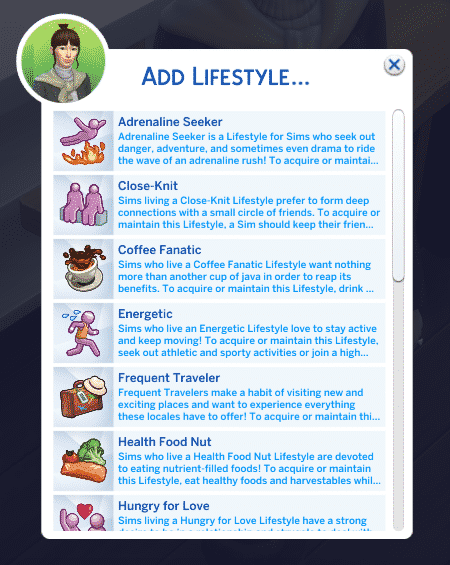
You can easily apply any Lifestyle of your choice immediately to your selected Sim without using the cheat console! If you’ve already enabled the testingcheats true cheat, you can then Shift Click your Sim > Cheat Sim Info > Add Lifestyle. If you already have a Lifestyle that you want to get rid of right away you’ll also have a “Remove Lifestyle” option available.
From the Lifestyles menu you’ll be able to select any Lifestyle of your choice and apply it to your Sim! Be wary of the 3 lifestyles only limit as adding up more might result in your game breaking.
Trait Cheats
There are various new Traits that you can unlock through gameplay. You’ll easily be able to obtain these traits by applying the following cheats:
Just like any video game and DLC, The Sims 4 Snowy Escape went through various different production stages and features that have been considered and added to the game. However, various different reasons during the game’s development may lead to reconsidering such features – whether it’s from community feedback or just coming to conclusion that a certain feature just doesn’t fit in.
After playing The Sims 4 Snowy Escape I’ve noticed there have been a few things modified compared to the Snowy Escape Early Alpha version that I played a few weeks ago thanks to the EA Game Changers program. Here are some of the features that some community members and I’ve noticed that have been changed and / or removed from the final version of The Sims 4 Snowy Escape!
New Roof Trim
During the very early production stages of The Sims 4 Snowy Escape, The Sims Team considered adding a new roof brick trim. You can check out what it looked like below:
This image was uncovered by the community from one of the EA Game Changers’ who had a chance to build the official lots for Mt. Komorebi. As explained by the Game Changers, they would get a new version of Snowy Escape every week or so containing some new objects that they can use on their builds. It seems that the Roof Trim seen above was one of them – but unfortunately it wasn’t included in the final version of the game. There could be several different reasons why the roof trim hasn’t made to the final cut – the texture, not fitting in into the rest of the catalogue or simply because of the fact that it wasn’t really matching completely with the new roof tiles.
Taking Selfies with the Mt. Komorebi Tombstones
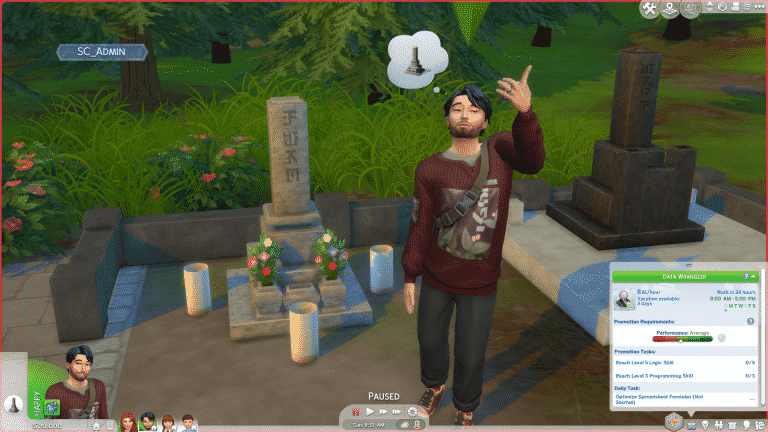
In the Senbamachi neighborhood there’s a graveyard area with two interactable tombstones. Your Sims are also able to take a stop at the graveyard during their hike and view the tombstones. However, during the Early Alpha days I’ve noticed that my Sim had approached one of the tombstones and started taking selfies. That’s when I’ve discovered that there was a whole “Take A Selfie” interaction available on one of the two tombstones.
I really couldn’t believe it at first on why would The Sims Team make a decision to implement an interaction like this, until I’ve noticed that the game itself warned me that this wasn’t the best idea, making my Sim embarassed for acting inappropriately.
Honestly, I liked the whole concept of the “Irresponsible Tourist” that Snowy Escape tried to bring with this feature. It lowkey reminded me of the whole Logan Paul fiasco that happened in early 2018.
However, in the final version of the game your Sims can’t perform this interaction as it’s been completely removed.
Festival of Lights Outfit Modification
In Early Alpha the Festival of Lights outfit had stripes on top of the fan patterns that were scattered throughout the outfit mesh. The stripes had been removed in the final version:
Not sure if this has been mentioned, but I noticed the files for Snowy Escape have both the original and the changed version made after the controversy in the FullBuild and the DeltaBuild. Here’s a comparison of what they both look like. pic.twitter.com/WYcvYICwRQ
The ability to bow in front of the new shrines in Mt. Komorebi has been removed in the final version of the game. The decision of this feature being removed and the Festival of Light outfit modification was announced by SimGuruGraham, just 3 weeks before the pack’s release:
Mountain Excursions are a brand new social event that comes with The Sims 4 Snowy Escape, but these social events are unlike any other social event in the game. Sims must brave the harsh conditions of Mt. Komorebi in an epic quest to reach the summit; failing could mean certain death! It’s important to prepare for these excursions with plenty of practice, food, and knowledge of the conditions on the mountain to ensure a successful expedition.
Preparation is Key
Before you even think about starting an excursion, you’ll want to make sure your Sim’s Rock Climbing Skill is up-to-snuff. We recommend having a Rock Climbing Skill of at least level 9 before embarking on an excursion. This will ensure that your Sim can complete all of the objectives on the excursion for even the most perilous sections of the journey.
Next, don’t forget your Rock Climbing Gear! It could save your life on the excursion! Purchase Rock Climbing Gear from a computer and equip it from your Sim’s inventory. Make sure it’s in tip-top shape and do any maintenance or repairs it needs before you set off.
Supplies like tents and food are also a must. Purchase a tent from Build/Buy and put it in your Sim’s inventory to take it with you on the mountain. If your Sim is at least level 7 of the Rock Climbing Skill, they can craft Energy Bars that will help them keep up their strength on the long and difficult journey. Make sure you bring some apples and cherries to make them! You can also use blackberries and strawberries to make Protein Bars if your Sim is at level 9 of the Rock Climbing Skill.
Finally, do your research about the conditions you’ll be facing. You can check the conditions on Mt. Komorebi by looking at any information board; there is one in Yukimatsu at the base of the big slopes you can consult. Don’t be lulled into a false sense of security; just because weather conditions look good when you first arrive in Yukimatsu, that doesn’t necessarily mean it will be that way further up the mountain. You could run into a sudden thundersnow storm midway to the summit!
Beginning Your Mountain Excursion
To start a Mountain Excursion, use the Social Event option under the Social tab on your Sim’s cell phone. Unlike other social events, goals are not optional for Mountain Excursions; you will always be forced to choose a goaled event. Select your Sim to be the team leader and at least one other Sim to be a team member to get your excursion started.
Once the excursion begins, you’ll be presented with a series of goals to complete in order to move on to the next area of the excursion. Your team must earn at least a silver medal in order to unlock the next area of the mountain to advance to. Can your Sims brave potentially deadly hazards and make it all the way to the summit?
Area 1: Yukimatsu
Main Goal
Gather excursion members near the Trail Map Marker at the top of the Climbing Route.
Other Goals
Check Excursion Leader’s Climbing Readiness
Have a Sim perform any exercise to warm up
Rewards
None
Walkthrough
Your journey begins at the Onsen Bath House in Yukimatsu but the first trail marker is all the way at the top of the hill behind the big slopes. You and your team will have to make your way up the medium height rock wall here to gather at the trail marker. The marker is a small wooden signpost sticking out of the snow at the top of the rock wall.
Your team members should autonomously climb the wall to gather at the marker, but if you’re having trouble corralling everyone in one spot, click on them and select Actions > Add to Group, then click on the ground near the marker and select Go Here Together. Since gathering at the marker is the main goal, this will push the excursion to a silver medal, which will allow you to move on to the next section.
However, if you want to excel and get a gold medal, you’ll have to do some of the other goals listed. I found this was very easy; my Sim autonomously Checked Excursion Leader’s Climbing Readiness when she reached the marker, which pushed the excursion performance to a gold medal without much effort on my part.
Area 2: Mt. Komorebi Base Camp
Main Goal
Gather excursion members near the Trail Map Marker at the top of the Climbing Route.
Other Goals
Inspect Climbing Route Conditions
Climb Up a Rock Wall
Have a Sim rest for at least an hour
Rewards
Mountain climbing t-shirt (Gold Medal in previous area)
Mountain climbing t-shirt. Unlock by reaching Mt. Komorebi Base Camp on a Mountain Climb Excursion at Gold level.
Walkthrough
Base Camp is a good place for your Sims to stop and rest before tackling the most dangerous part of the mountain ahead. There may be a tent already set up in the area for your Sims to take advantage of, but if there isn’t, hopefully you brought one with you, because resting is one of the goals for this area.
First, use a tent to take a nap or sleep if your Sims are very tired. This should complete one of the goals for this area. Then head over to the rock wall in this area. Click the wall to Inspect Climbing Conditions. This is another goal checked off the list. You have an important decision to make here. If conditions are bad and the success odds are low, you may want to stay at Base Camp for a night and wait for better weather. You can choose to push ahead and climb up to the next marker anyway, but it’s risky. Remember, Sims can be injured and even die on these dangerous mountain routes.
Once you’ve made it up the rock wall, all that’s left to do to get a gold medal in this area is to gather at the marker once again. Then move on to the next area.
Area 3: The Croft Icefall
Main Goal
Gather excursion members near the Trail Map Marker at the top of the Climbing Route.
Other Goals
Have a Sim eat something
Have a Sim Climb Courageously
Light a bonfire
Rewards
Group Leader receives Middling Mountaineer reward trait (Silver Medal in previous area)
Group Leader receives Capable Mountaineer reward trait (Gold Medal in previous area)
Walkthrough
This is the most dangerous section of the mountain, but your team is so close to the summit if they’ve made it this far! First, your Sims should take the opportunity to eat something. Hopefully they came prepared with provisions, because this is a goal for this section of the mountain. Then have your Sims warm up by lighting a bonfire. There should already be a wood pile waiting for them to light in this section.
Next comes the scary part; your Sim will have to Climb Courageously up to the top of the tallest rock wall they’ve encountered yet. Your Sim will need to be at level 9 of the Rock Climbing Skill to complete this goal. As expected, making it all the way to the summit of Mt. Komorebi is not for the inexperienced climber! This will be the most dangerous climb of the entire excursion so be on your toes. If weather conditions are bad, or if your Sim is injured or carrying damaged Climbing Gear, you might want to seriously consider camping out until conditions improve. Not doing so could end in tragedy for your team.
Assuming you and your team have made it to the top of the rock wall alive, head further up the path where the trail marker is to gather and complete the main objective, allowing you passage to the summit. There is also a cave along this path your Sims can use for shelter, exploration, and even some romance if they need it.
Area 4: Mt. Komorebi Peak
Main Goal
None! Celebrate!
Other Goals
None! Celebrate!
Rewards
Group Leader receives Capable Mountaineer reward trait (Silver Medal in previous area)
Group Leader receives Expert Mountaineer reward trait (Gold Medal in previous area)
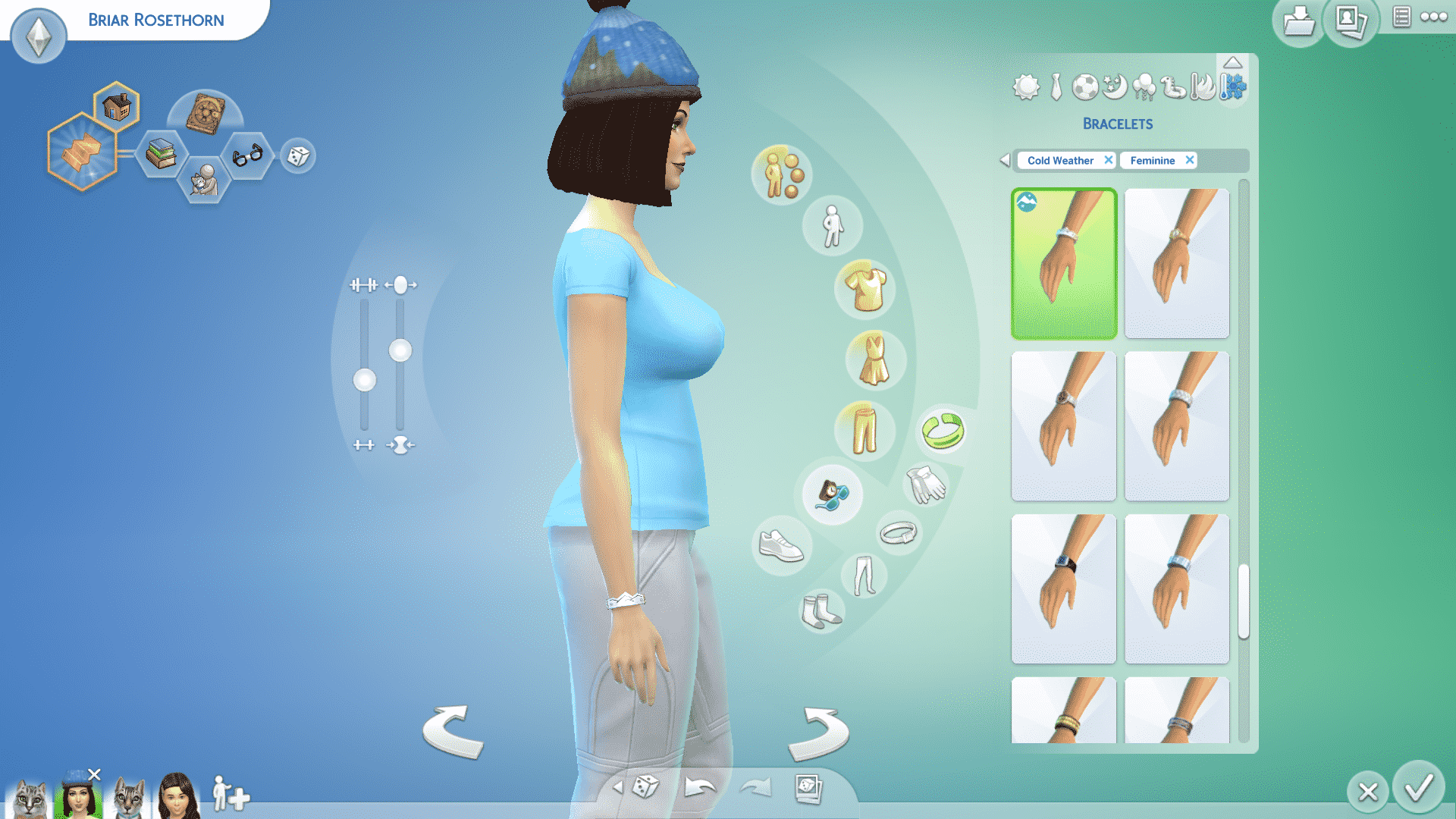
Mountain climbing bracelet (Gold Medal in previous area)
Mountain climbing beanie
Group Leader receives silver wall plaque (Silver Medal in previous area)
Group Leader receives gold wall plaque (Gold Medal in previous area)
Ability to build on the 20×20 lot at the summit
300 simoleons
TS4 x64 2020 11 16 15 01 23
TS4 x64 2020 11 16 15 00 23
TS4 x64 2020 11 16 15 03 48
Walkthrough
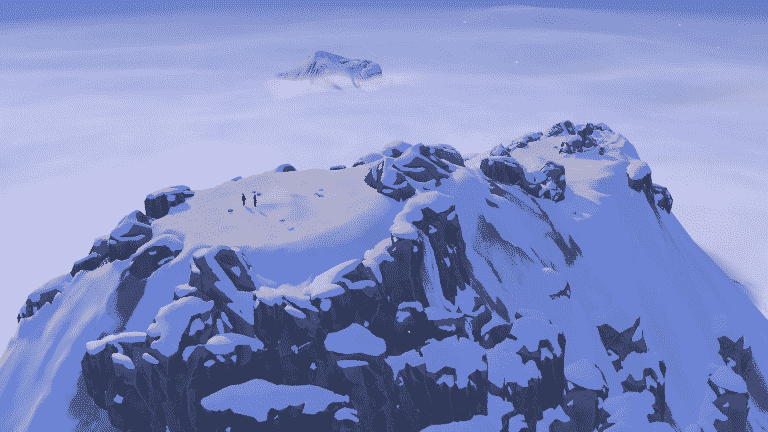
Congratulations! Very few Sims make it to the summit alive, but you and your team have braved the worst of hazards and ultimately prevailed! Your reward? An absolutely breathtaking view high above the clouds (along with a few other goodies).
The best part? There is a 20×20 lot at the summit just waiting for you to build anything your heart desires on it. Perhaps a cozy little mountain cabin for your tired Sims to rest and recharge? Or how about a natural hot spring? Both? It’s completely up to you, but remember; this lot is hidden on the map, so your Sims will need to brave the mountain again on a future excursion in order to pay a second visit.
Fun Fact
If the player owns the Realm of Magic game pack and goes on a Mountain Climb Excursion with a skilled Spellcaster, they can completely bypass a lot of the challenges they might face on the excursion, making it extremely easy to reach the summit. I was able to use the transportalate spell to teleport myself to the top of all the rock walls. My team members completed most of the climbing goals for me, except for the Climb Courageously goal. I was also able to complete the Have a Sim Eat Something goal by casting Delicioso, and fill up my motives as I pleased with plenty of Potions of Plentiful Needs (but if I had run low, I could have cast the Copypasto spell on my last bottle to make as many as I needed).
The Sims 4’s latest update brought lots of new things to the table…including crashes. Many players have reported their game causing weird sound glitches just moments before the game instantly crashes and shuts down. The issue is most persistent among PC and PS4 players, although some Xbox players have also reported that their game crashes.
The Sims Team acknowledged the issue and shared that they’ll be releasing a Hot Fix Update for The Sims 4 sometime this week, but until then there’s a solution that can prevent your game from crashing until the Hot Fix Update arrives.
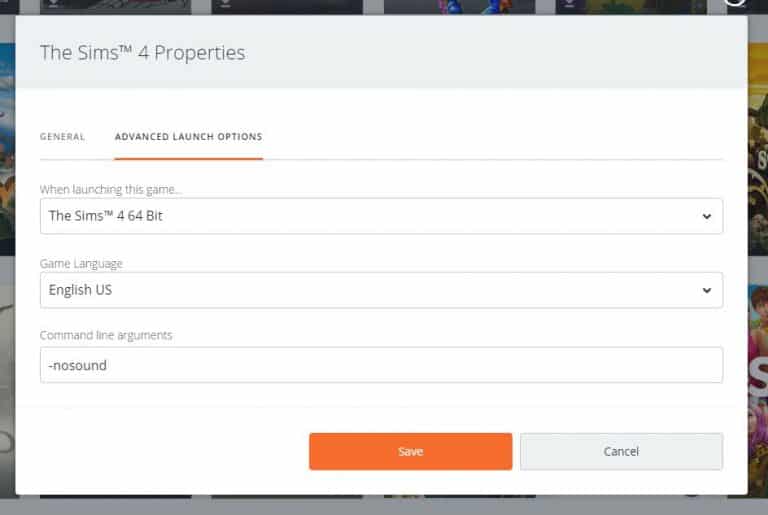
The workaround involves disabling the in-game sound straight from the Game Launcher (Origin and Steam) as well as turning off the sound on your PS4.
Origin (PC/Mac)
Go to “My Game Library”.
Right click on The Sims 4 and select “Game Properties”.
Select the “Advanced Launch Options” tab.
In the “Command line arguments” text field, add -nosound and select “Save”.
Steam
Go to “Library”.
Right click on The Sims 4 and select “Properties”.
Click the “Set Launch Options…” button.
Add -nosound in the text field and click “OK”.
PS4
You can try adjusting the master volume in the Game Options to be 0%. However, this workaround hasn’t been proved as 100% effective for everyone.
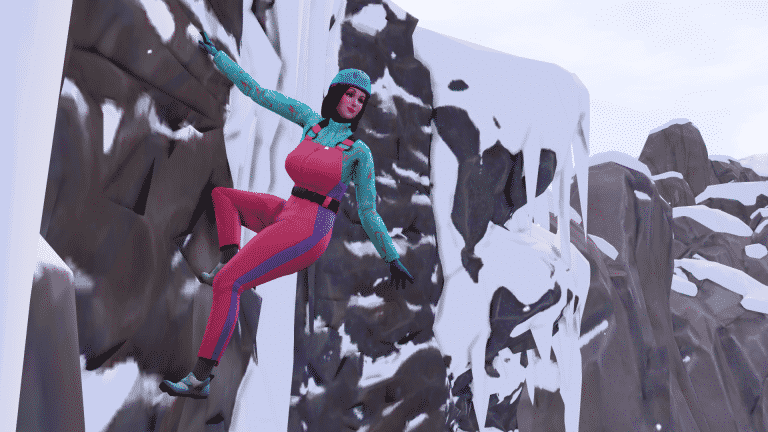
Rock Climbing is a brand new 10 level skill that comes with The Sims 4 Snowy Escape. Sims can rock climb in Mt. Komorebi in the neighbourhood of Yukimatsu, where there are plenty of rock faces just waiting to be conquered. At first, they will only have access to the small rock wall but as they gain more skill, they will be able to tackle taller rock walls and even make it all the way to the peak of Mt. Komorebi by braving its tallest, most dangerous rock walls!
Sims who excel in rock climbing can unlock a new pair of snow goggles and a new climbing suit!
Rock Wall Previews
When you first arrive in Yukimatsu, it can be hard to find a rock wall to climb. The area is so large and I had to spend some time looking around for where I should get started building this skill. Luckily, you won’t have to, because I’ve got all the rock walls and their locations right here for you! Some of the taller rock walls can only be accessed through mountain excursion social events.
TS4 x64 2020 11 16 09 09 58
TS4 x64 2020 11 16 09 10 22
TS4 x64 2020 11 16 09 11 39
TS4 x64 2020 11 16 09 13 23
Come Prepared
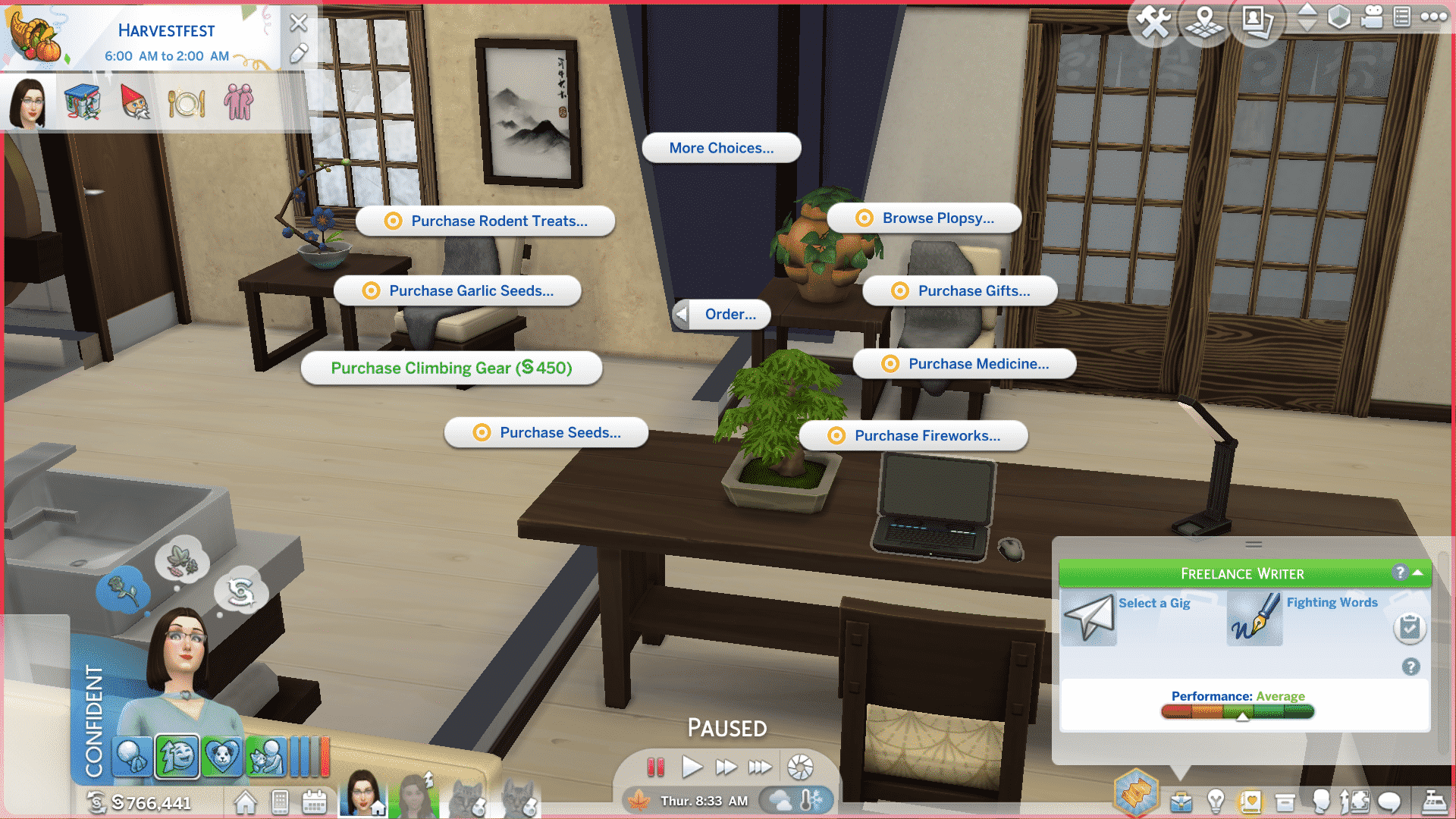
Before you start tackling rock walls, make sure you order some Rock Climbing Gear through the computer. Rock Climbing Gear costs 450 and will greatly increase your Sim’s chances of a successful climb. It doesn’t last forever, though! Rock Climbing Gear becomes worn out and damaged over time. It’s important to keep it maintained and repair it when it breaks. Eventually, not even maintenance and repairs will salvage your Rock Climbing Gear and you’ll have to purchase a new set.
To prolong the life of your Rock Climbing Gear, we recommend checking on its condition after every climb. You can equip/unequip, maintain, and repair your Rock Climbing Gear from your Sim’s inventory by clicking on it. Hovering over the Rock Climbing Gear in your Sim’s inventory will show you its current condition. Equipped Rock Climbing Gear cannot be maintained or repaired. Unequip the Rock Climbing Gear first, then do maintenance and repairs.
TS4 x64 2020 11 15 19 39 21
TS4 x64 2020 11 15 19 40 57
Another way to prepare for a climb is by clicking on any rock wall and choosing Inspect Climbing Conditions. You will be informed of your Sim’s chances of success based on their skill, Rock Climbing Gear condition, the difficulty of the wall, and current weather conditions. If conditions are icy, or if your Sim’s Rock Climbing Gear is in rough shape, it’s smarter to just postpone your climb until conditions improve and your Rock Climbing Gear is in top shape.
Finally, while it might sound counter-intuitive, taking breaks in between climbs can help your Sims perform better on climbs, too. It’s not a good idea to try and grind this skill constantly. Your Sims can become tired and sustain injuries on climbs. Injured Sims have much lower chances of successful climbs; they can even fall to their deaths on tall rock walls! For the best results, take a breather in between climbs and if your Sims are tired, injured, or if conditions are bad, postpone your climb.
Level 1
Can climb Small Rock Walls (Cautious & Normal)
Can Equip and Remove Rock Climbing Gear
Level 2
Can climb Small Rock Walls (Courageous)
Can do Breaking Point Climbing Sessions on Small Rock Walls
New Snow Goggles
Snow Goggles unlocked at Level 2 of the Rock Climbing Skill.
Level 3
Can do Pre-Climb Stretching
Can climb Medium Height Rock Walls (Cautious & Normal)
Level 4
Chalk Hands self-interaction, which improves chances of a successful climb
Can climb Medium Height Rock Walls (Courageous)
Level 5
Can do Breaking Point Climbing Sessions on Medium Height Rock Walls
New climbing suit
Climbing Suit unlocked at Level 5 of the Rock Climbing Skill
Level 6
Can climb Tall Rock Walls (Attempt Climb)
Chat About Beta of a Route interaction
Level 7
Can craft Energy Bars
Can climb Tall Rock Walls (Cautious)
Level 8
Can climb Tall Rock Walls (Normal & Practice Sessions)
PLEASE NOTE: This post contains speculative information and does not contain any official confirmation from EA / The Sims Team.
Since the release of The Sims 4 we’ve goten a lot of improvements and updates that were definitely needed for the game. The last life stage update we’ve gotten was in January 2017 when we finally got Toddlers – a fully fleshed out life stage that pretty much surprised everyone because for a long time it was thought that adding a whole new life stage to the game just wasn’t possible. After the update it was certain what needed to be improved next – the Baby life stage.
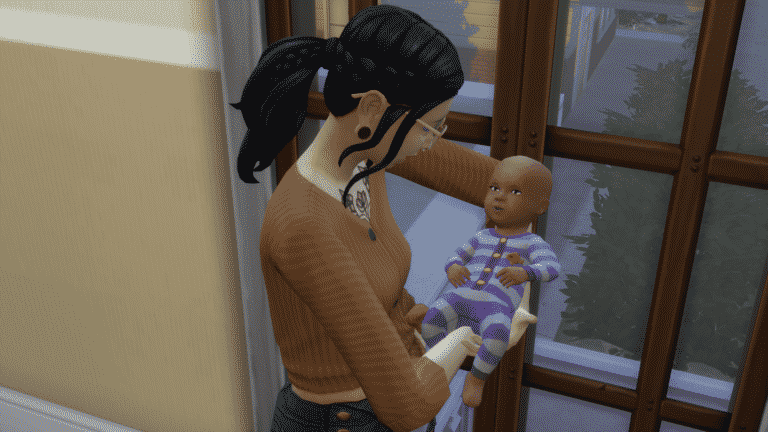
You’ve probably played with them already in the game and noticed there isn’t much to do with them considering they are basically “objects” since they’re locked to the baby bassinet. The community wasn’t shy to let The Sims Team know that they’re worthy of an improvement and making them more than just an object.
Although it’s not known officially that The Sims Team would update the Baby lifestage they’ve definitely acknowledged the community’s demand for their improvement in numerous occassions, tweets and even official blog posts. Now, it seems there’s actual evidence that The Sims Team is doing something for this lifestage!
Modder @RAVASHEENCC has uncovered a new portion of game code that’s been added to the game since the latest Sims 4 update. The game code is “used to test the age of a sim for an interaction” and previously the baby tag was never used in this particular coding segment.
After last week’s patch I am seeing something new in the sims tuning/coding – BABY!!! BABIES!!! This ‘test_global’ snippet is used to test the age of a sim for an interaction… and there was never a baby tag before… sooooo just saying!!!!! pic.twitter.com/tFub0vGBJH
Although this could be a sign that The Sims Team is working on improving the Baby lifestage, it could also mean nothing else but a pure accident / coincidence while the code was being developed.
Zerbu, who is also a modder, explained that this could be nothing more but residue code that was forgotten about before releasing the latest patch:
Regarding the apparent “improved babies” leak: sorry to break it to you all, but it’s nothing new. Plenty of interactions have “BABY” tags. All it means is that the employee who coded the interaction didn’t uncheck it in their internal tools because ages are checked elsewhere.
It wouldn’t be the first time The Sims Team left residue code in the game files that were early signs of upcoming content. Still, it’s best taking this speculation with a grain of salt considering that there’s, at least for now, not enough information that would prove otherwise.