Hey Simmers! Your virtual building playground just got a whole lot more exciting! With the latest Q&A video drop, Community Manager Rosio takes us on a tour around the new building features that await us.
So, shall we dive into the details and see how it stacks up against our beloved Sims 4? Buckle up; it’s going to be a fun ride!
Table of Contents
Color and Trim Customization: A Palette of Possibilities
The memories of the iconic color wheel from Sims 3 still bring a twinkle to our eyes. Now, Life By You invites us into a vast canvas where the trim customization goes a notch higher! Unlike in Sims 4, where you might feel the color options for trims are a bit on the skimpy side, Life By You throws open a palette of materials and colors for your trims, perfectly aligning with the walls’ design. This new build mode is your canvas, with a spectrum of materials and colors to make your walls echo your style, be it quirky, classy, or somewhere in between!
Multiple Trims: Double, Triple the Fun!
Who would’ve thought that trims could get this exciting? The feature of adding more than one trim to your walls, as showcased in the video, is something we haven’t seen in Sims 4 so far. This innovative feature in Life By You is a ticket to a world of endless creative explorations, allowing you to split your walls in a wide range of ways! So do some tiling work, or create patterns; trust us when we say the sky’s the limit!
Roof Over Your Head: More Than Just Shelter
Crafting the roof in Life By You is like piecing together a Lego masterpiece, only with more customization! The control over the roof’s overhang, body, and even its interaction with chimneys is something Sims 4 could take a leaf from. The game allows you to tweak the roof’s actual size, the angle of the overhangs, and much more! Though one of the most prominent features include the ability to customize every aspect of the roof, including the upper trim angle! These features aim to help you craft roofs that are not just shelters but a statement of your architectural prowess, showing that Life by You is aiming for realness!
Ever since the Sims 2, I always wanted to have the ability to build a hedge fence on the edge of my lot. Well now, building fences right on the edge of your lot is a reality in Life By You! This feature, which we longed for in Sims 4, brings a new level of freedom in defining your lot’s boundaries. Plus, the video hints at a realm of fence customization, where you can mix and match different railings, extend fences, and even add corners to carve out your private oasis.
Like the new fence feature? Check out the Top 3 Life by You Gardens to create a first sense of your virtual backyard!
Curtain Call: Dressing Up Your Windows
The curtain conundrum is real in the virtual architectural world. Life By You comes to the rescue with a customizable curtain option! Unlike the preset sizes in Sims 4, here you can adjust the height and width of your curtains or blinds to ensure they are a perfect match for your windows, making window dressing a breeze.
Table and Chair Tango: Move As One
No more tedious chair rearranging every time you decide to move a table. In Life By You, a simple drag moves your table and all the attached chairs, a feature that would have saved many a nerve in Sims 4! And oh, anything placed on the table comes along too. Talk about moving in harmony!
Cooling Off: Beat the Heat
Summer realism is dialing up in Life By You, as air conditioning is introduced for those scorching Summer days! Now, your choice of cooling mechanisms will reflect on your electricity bill, adding a layer of real-world mechanics to the gameplay. This feature not only brings a slice of reality to the table but also nudges you to manage your resources wisely, something that is lacking in the Sims 4.
Shortcuts and More: Smoothing the Edges
The promise of shortcuts in Life By You is like a cool breeze on a hot day, set to make your building experience easier and more fluid. The video also teased more robust wall and floor customization, height-adjustable walls, and a no-limit floor feature, depending on how beefy your PC is. The seamless zoom-in and zoom-out feature is like icing on the cake, allowing a closer peek into our characters’ daily adventures
This, along with the ability to create diagonal walls, gives a fresh spin to architectural creativity, making every building project an exciting adventure!
So, What Do You Think?
In wrapping up, Life By You is shaping up to be a game-changer, bringing a fresh wave of customization features that beckon us to a new era of virtual architecture! While our love for Sims 4 remains unshaken, the new building mechanics in Life By You are irresistible, making it a definite try-out when the game releases!
Lastly, Community Manager Rocio mentioned at the end of the video they love reading players’ feedback, and so do we! Don’t hesitate to let us know what you think of the new build features in the comments below! Who knows one of the developers might read it!
Love to cook? Love simoleons? Learn how to make simoleons from cooking!
Stuff packs are back from the grave and the latest stuff pack, Home Chef Hustle, offers new ways to start a Sims 4 chef business! Prepare tasty waffles, pizza, and focaccia bread with freshly prepped ingredients using the new waffle iron, pizza oven, and stand mixer. Then break out the new food stand and start selling your delicious creations on your own terms!
We’re going to show you how to start your own Sims 4 chef business with Home Chef Hustle!
Table of Contents
Start Your Sims 4 Chef Business!
The best part about starting your Sims 4 chef business is that it’s YOUR business. That means you work when you want, where you want, and how you want. No schedules, no daily work tasks, no boss breathing down your neck or work rivals, and you never need to worry about getting laid off.
All it takes is some cooking skill, a few handy appliances, a food stand, and some good business sense and you’ll be on your way to creating your own home chef hustle!
Stock Up on Inventory
Of course, you can’t run a food business without any food to sell! So before you set up your food stand, spend some time in the kitchen cooking. It’s your business so you decide what you want to make and sell. Have a deep love for just waffles or just pizza? Specialize in what you love and run a waffle stand or a pizza stand. Or prepare and sell a variety of dishes. It’s up to you.
The new stand mixer will be your best friend when it comes to running a Sims 4 chef business. This nifty gadget makes 5 servings of prepped ingredients from just a single ingredient so you get more bang for your buck. It also eliminates the prep time when cooking which will make restocking go much faster. Prep all your ingredients beforehand so you can keep turning out more food quickly during a sale.
Invest in a Food Stand
A Sim selling food at the park
Once you have a nice stock of food prepared, it’s time to invest in a food stand! You can find the Anywhere Any Fare Food Stand in the Build/Buy catalogue for 585 simoleons. Place it down on any lot that your Sim owns and it’s yours!
But the food stand doesn’t have to stay on your own lot. This handy object is portable! Drag it around anywhere you want and put it in your inventory to take just about anywhere! You can plop it down wherever you are to start selling your cooked dishes and raking in that dough. We took our food stand to a café and sold our food on the patio and to the local park.
Take the food stand anywhere you want! It’s live-draggable and can be stored in the Sim inventory.
If you’re running food sales at home, you might want to block the doors to your home with a large object Sims can’t get through or temporarily delete the doors. Even when we locked our doors, customers still wandered through our house during a food sale. And if you’re running a food sale on a public lot, make sure your Sim owns the stand. If you try to use a stand that’s already on the lot, Sims will just steal all your food without paying for it.
Now that you know how to get and place a food stand, you should probably know how to operate it. The food stand is where you control most of your Sim 4 chef business. You can brand your business by giving it a name, mark up the prices, equip it with small appliances, clear and stock the table, start food sales and tend the table during a food sale. By default, your Sims will automatically restock the table with anything in the table’s inventory during a food sale but you can disable this if you find it annoying. You can also put the food stand in your inventory to pack it up and set up shop somewhere else.
Brand your Sims 4 chef business by giving it a name
Set Up Shop Anywhere
So you have the food and the food stand. Now what? Take your food stand and food anywhere you want to set up a Sims 4 chef business and start selling your food!
Drag the food stand out of your inventory and place it down anywhere you think you can make money. Then drag all the food you have to the table and any small appliances. The food stand can hold two small appliances. When you drag food to the table, it will disappear but don’t worry! It’s in the table’s inventory which is exactly where it’s supposed to be. And don’t worry about stocking the table with too much food, either. Any extra food that can’t fit on the table will just stay in the table’s inventory until there’s space on the table for your Sim to restock.
A Sim selling food on the patio of a café lot
Once you have your table set up and stocked with food, start a food sale by clicking on the food stand. Starting a food sale will start a mini-event where potential customers will spawn on the lot to browse what you have for sale. Make sure you actually tend the table during the sale event if you want to turn a profit.
For best results, we recommend setting up your Sims 4 chef business in highly populated locations during the daytime hours between 8am-8pm. Sims will spawn to browse your stock no matter where you are but you can boost the number of customers by enticing Sims who are already there, too. We found that our food stand was busiest during the day. After 8pm, business started slowing down and after 9pm, we had almost no customers showing up.
Business gets slow after 9pm so sell during the day
You’ll be able to see exactly how much money you made and how much you sold at the end of a food sale. This information is extremely helpful because it can show you what types of dishes are popular with customers and what dishes are making you the most money. This can help inform your decisions when it comes to what you want to sell in future sales for your Sims 4 chef business.
A business summary after a food sale
Be a Smooth Talker
While you are able to just sit back and let customers make purchases on their own, you can boost your sales by being a smooth talker. Your Sims 4 chef business will really take off if you know how to give a good sales pitch and be convincing.
During a food sale, you have the option to Give a Sales Pitch and Convince to Buy on any customers perusing your culinary wares. They are easily found in the social menu because they aren’t under any category. Your Sims can Give a Sales Pitch as many times as they want but there is a cooldown period of about 1 in-game hour for the Convince to Buy interaction.
Giving a Sales Pitch can increase the odds of that Sim making a purchase if they’re receptive to the pitch. In our experience, you should use this as often as possible on as many customers as possible even if the customer rejects the sales pitch sometimes. Having a sales pitch rejected didn’t seem to negatively impact our sales in any way, but making successful sales pitches boosted our sales. You have nothing to lose and a lot to gain by giving sales pitches!
The Convince to Buy interaction is a very powerful sales tool for your Sims 4 chef business, which is why it has a small cooldown period. With this interaction, you can convince a customer to purchase a specific dish. This means you have the power to make someone buy the most expensive item you have available. This interaction doesn’t always work, but it’s still worth using whenever it’s available.
Restock, Restock, Restock
However, don’t worry too much about constantly making sales pitches during a food sale. The best part about running a Sims 4 chef business from the food stand is that you can multitask! Even when you can’t deal directly with customers, you will still make sales as long as you are tending to the table with a food sale event active.
Cook, restock, and run your business all at the same time
And while you’re tending the table, you’re able to focus on other aspects of your Sims 4 chef business at the same time. Like restocking! If you have prepped your ingredients beforehand with the stand mixer and have some appliances at the food stand with you, you’ll be able to quickly cook up more delicious food and stock the table with it when you start running out during a food sale! No need to close up shop to do more cooking. You can do it on-site while you’re running a sale which is incredibly handy!
With auto-restock enabled, all you’ll need to do is drag the food to the food stand and your Sim will automatically put it out for purchase when the food stand has room for it. If this setting is disabled, you’ll have to do all the stocking manually. Some players might prefer this in order to have greater control over their Sims 4 chef business but we found the auto-restock feature to be a big help and highly recommend it!
Don’t forget to mark up your prices, too! By default, you’ll be selling at a 0% markup, which means you’re selling at cost. If you are sourcing all the ingredients yourself, you can still make a good profit off of selling at cost since you are not paying for the ingredients. However, if you’re purchasing your ingredients, you’ll want to make sure you’re selling at a higher markup in order to turn a profit.
Be careful not to get too greedy! Your Sims 4 chef business will suffer if you price your food too high as customers will be more reluctant to buy it. It’s important to strike a balance so that you are still making steady sales at a good profit.
Want to earn satisfaction points from your Sims 4 chef business as well as simoleons? Check out our aspirations guide!
With today being Friday the 13th, it’s time to prepare for your own ultimate Sims 4 Spooky Day! Known as Simmerween, Simblrween and Spooky Day to name a few, there are a vast number of ways you can have a spooktacular time this year!
A Sim Striking a Spooky Pose. Pose Set, Witch by Pandorasims4cc
From hosting your own Spooky Day, wearing your best costumes, exploring a haunted house and more, there are plenty of options out there. That’s not to mention taking the time to look at some of the excellent Custom Content and mod creations from our talented community!
Table of Contents
In Game Content & Activities
Firstly, let’s explore the current in-game features and additional content that can be used to create the ultimate Sims 4 Spooky Day experience.
Activities
There is a wide range of activities that you can jump into straight away in the game. Whether you only have the Base Game or a selection of additional packs, there is plenty that you can get involved with!
Here are a few ideas of Sims 4 Spooky activities you can do in the game:
Create Spooky/Halloween-inspired builds
Host a spooky photoshoot with your Sims
Tell/Recreate a Spooky Halloween Story
Create your own spooky story
Host a costume party with your Sims
Host Spooky Day in your game
Visit a haunted house
Visit Haunted locations
Learn and master an Occult
Day of the Dead Content
You can also find a selection of Day of the Dead-inspired objects and CAS items as part of The Sims 4 Base Game. To find the objects simply search Day of the Dead in the Build Mode Catalogue.
You can find the Nine Sugar Skulls in the DEBUG Menu
As for the CAS options, you’ll be able to find a child full-body outfit, a female Sim full-body outfit, face paint and a floral hairstyle.
Day of the Dead CAS items
Downloadable Content
If you haven’t already picked up these packs, there are a number of packs that you can consider purchasing that will allow you to add additional occults or Halloween-inspired content to your game.
While the Calendar Feature is available in The Sims 4 Base Game, having the Seasons Expansion adds more in-depth customization.
Create your own Spooky Day Holiday in the Calendar
While not primarily Spooky Content, you could also consider incorporating The Sims 4 Basement Treasures or Grunge Revival Kits for either your Builds or Looks.
Player Created Content
Custom Content and Mods can really enhance your Sims 4 Spooky Day looks and events. While it can sometimes take time to find that perfect piece of Custom Content or Mod it is worth the searching!
Custom Content & Mods
Custom Content and Mods can really take your Sims 4 Spooky Day looks, events and stories to the next level. They can add an extra level of depth to your gameplay and help emphasise existing in-game assets and features.
Mods on the other hand can add more gameplay features that expand on those within the core game.
Here are some of the places where you can find Custom Content and Mods for The Sims 4:
You will find that many creators who use Tumblr will showcase their content there, but downloads will redirect you to Patreon and/or Sims File Share. Be sure to read the creator’s full posts for all the details when it comes to downloading custom content or mods.
Tumblr is also a great resource for custom content, with a number of Tumblr’s dedicated to finding and sharing various different items. It can feel a little overwhelming sometimes, especially if you don’t know where to start.
Cassandra Goth gets in a Spooky Mood in her Fairy Costume
Here are some prompts that cover some general searches for custom content and mods online. Of course, if you are looking for something more specific, try combining some of these search terms with what you are looking for.
You’ll also find that many creators will use a variety of tags to help the content be discovered more in searches. Be sure to check these out too!
Don’t forget to keep an eye out for Spooky Day-inspired poses too!
The Gallery
The Gallery is a great place to find even more Spooky Day creations from fellow Simmers. From Households to Rooms as well as Builds spanning a number of different Lot types, there are plenty of haunted creations in The Gallery to check out!
An idea of what you can find for Spooky Day on The Gallery from other Players
Challenges & Prompts
Challenges are a great way to get creative, regardless if you are creating Sims or building! Here are some of our favourite Sims 4 Spooky Challenges! Create a spooktacular build or the ultimate Spooky Day look. Check out the list of challenges and prompts below!
There are plenty of ways that you can get involved and even take part in the Sims 4 Spooky Day fun! Regardless if you creating content to share with the community, taking part in one of the challenges or creating your own spooky stories and memories, we hope you have fun!
The Sims 4 Base Game comes with some excellent Final Fantasy XV and Star Wars costumes!
Social Media
Throughout the month of October and even into early November, you’ll find Simmers across a multitude of social media platforms sharing their creations. Whether it is the latest instalment to your story, a new build, a look or general spooky gameplay, there will be plenty of content out there to discover and interact with.
However, a popular yearly tradition that has continued to grow year upon year is Simblreen!
Hosted over on Tumblr, creators take their Simblr’s (Sims-inspired/based Tumblr) and join in the Sims 4 Spooky fun!
There are a number of ways you can take part. From getting involved in the Trick or Treating activities or sharing your spooky creations there are plenty of ways to take part.
Luckily, the official Simblreen Tumblr account has everything you need to know, including a more in-depth frequently asked questions section, visual guide and participants list.
Currently, there are over one hundred and thirty creators taking part in Simblreen with content for The Sims 4. You will also find participants with content for The Sims 3 and The Sims 2.
The dates for this year’s Simblreen activities are:
20th October to 22nd October 2023
27th October to 29th October 2023
Be sure to make a note of these dates and keep your eyes on the Simblreen Tumblr/participating creators for all the latest information!
Bob Pancakes enjoying a rather spooky evening. Pose Set, Halloween Hey Hey Hey by Helgatisha
Tell us how you will be spending this Sims 4 Spooky Season below in the comments below! You can also tag us in your Spooky Day creations across social media platforms!
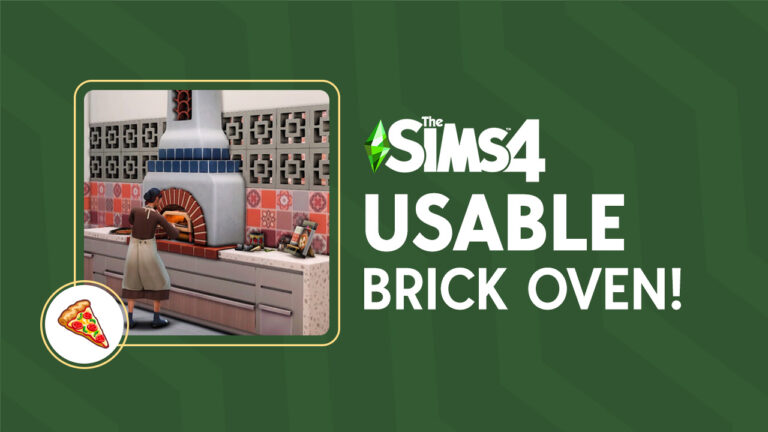
After a long two-year wait without new stuff packs in Sims 4, the much-anticipated Sims 4 Home Chef Hustle has arrived! Beyond the fresh CAS and Build & Buy additions, this latest pack introduces three transformative kitchen appliances: a stand mixer, a waffle maker, and, notably, the Brick Pizza Oven.
Table of Contents
How to Craft Your Dream Rustic Brick Pizza Oven
While the pizza oven already looks pretty standard for any kitchen, it wouldn’t hurt to add a bit more *spice* to your kitchen. Why not make it look more appropriate for a rustic pizzeria or a homestyle kitchen by creating a brick pizza oven out of it?
Step 1: Setting Up the Space
Before building anything, open the cheat bar with Ctrl + Shift + C and make sure to type in the cheat bb.moveobjectson for this build tutorial to work without a hitch. Now, let’s-a go!
Start off by lining up your kitchen counters before adding any kitchen appliances. Then add the pizza oven from the Home Chef Hustle and lastly, create a basement or lower floor room directly below your pizza oven.
PRO TIP: As much as possible, keep counters placed on full-tiles instead of half-tiles or quarter tiles. This is to make it easier to create a full room below the counter with a pizza oven.
Step 2: Adding the Brick Pizza Oven
Next is to add this brick fireplace from Jungle Adventure in all its vibrant textures and colors! Size it down first by clicking the ‘[‘ key on your keyboard (or RT + LT + left in your controller) and then place it on the room below.
Then simply elevate the fireplace by pressing Ctrl+9 (or RT + LT + up for console) until the item’s green grid reaches the top of the wall. Once it reaches that point, elevate it 9 more times for the fireplace to be levelled on top of the counters on the floor above.
Step 3: And Now the Finishing Touches
For a more realistic experience, don’t forget to add similar lighting on the floor below so that the fireplace can blend easily with the items on the above floor. You can elevate it again with Ctrl+9 (or RT + LT + up for console), or size it down with the ‘[‘ key on your keyboard (or RT + LT + left in your controller)
And now, your Sims are free to use the pizza oven with a brick façade for that extra touch of pizza flavor realness. Look at how snug the pizza oven fits inside the fireplace grate!
If you’re building the pizza oven on the 2nd floor, don’t worry about ruining your build’s 1st floor! Just do all the steps above and delete the walls you built on the lower floor. The fireplace may be seen on the 1st floor during Live mode BUT it won’t block your Sims’ path nor can it be seen when viewed in first person mode.
Need More Help? There’s a Video Tutorial!
Watch how this brick pizza oven’s actually made in the Sims 4 with this quick and entertaining tutorial:
Other Brick Pizza Oven Designs You Might Like
Don’t stop with just 1 brick oven pizza—experiment with other fireplaces from other Sims 4 packs! You would be surprised with how much flexibility with various kitchen styles your pizza oven can be built in.
Desert Luxe KitSnowy Escape EPEco Lifestyle EPCats and Dogs EPHorse Ranch EPCottage Living EPCottage Living EPCats and Dogs EPSnowy Escape EP
Taking the Final Slice
With the Sims 4 Home Chef Hustle pack, the door to culinary creativity has been flung wide open! This guide not only introduces the new kitchen marvels but also reimagines the pizza oven with a rustic twist, making it perfect for Simmers looking to bring a little Italy to their game.
Get cooking and making money with the new waffle iron, pizza oven, stand mixer, and food stand!
The first Sims 4 stuff pack in two years is exciting all on its own but we know Simmers want to see some Home Chef Hustle gameplay! In addition to lots of nifty Build/Buy objects and CAS assets, this stuff pack also comes with four functional objects that add new gameplay. The stand mixer can prep ingredients for you, making cooking go a lot faster. Make delicious pizza, focaccia bread, and waffles in the new pizza oven and waffle iron. Then sell all the tasty things you’ve made at the new food stall and turn your cooking hobby into a booming side hustle!
Table of Contents
Home Chef Hustle Gameplay Overview
Check out all the object features in the latest Sims 4 stuff pack! Learn how to make the most of the waffle iron, pizza oven, stand mixer, and food market stall!
Stand Mixer
The stand mixer is a surprisingly useful kitchen appliance! Its main purpose is to prep your ingredients for cooking. This doesn’t sound very useful on its own. Why add in another unnecessary cooking step when you can just use unprepped ingredients like always, right? We thought so, too, until we actually started using it and realised how useful it really was.
Not only does prepping your ingredients speed up the cooking process but you can actually create a lot of ingredients from a few ingredients with the mixer. Having prepped ingredients means your Sims don’t have to prep their food on the counter before they cook it. The mixer is also automatic; your Sims don’t need to stand at the mixer while it’s prepping food. They can turn it on, leave to go do something else, and then return to collect the prepped ingredients, so it really is a big time saver.
The best Home Chef Hustle gameplay when it comes to the stand mixer, however, is how it magically turns one ingredient into five ingredients! It’s true! Every time you prep an ingredient in the stand mixer, it creates five containers of prepped ingredients! This means if you need a vegetable for five different dishes, you can put one vegetable in the stand mixer and end up with enough prepped veggies to make all five dishes instead of having to obtain five vegetables.
The stand mixer can also consolidate multiple ingredients into one ingredient to make life easier. For example, you can put eggs, flour, and sugar into the stand mixer to get five containers of cookie dough which you can then use in cooking instead of needing 5 eggs, 5 bags of flour, and 5 bags of sugar.
Waffle Iron
If you’re a fan of breakfast food, you’ll want a waffle iron in your kitchen. This small countertop kitchen appliance offers plenty of Home Chef Hustle gameplay in the form of tasty waffle recipes! Prep some batter in the stand mixer and bring it over to the waffle iron to start cooking up a tasty breakfast.
The waffle iron comes with 11 new varieties of waffle, from plain waffles to the all-American chicken and waffles and even fish waffles! Of course, your Sims will need to have the cooking skill to have access to every waffle recipe so keep practicing in the kitchen to learn every recipe.
Some handy Home Chef Hustle gameplay when it comes to the waffle iron is the ability to let your waffles cook while you do something else in the kitchen. Just like the stand mixer, Sims can pour in the batter, turn it on, and walk away until their waffles are done. But beware! The waffle iron is a fire risk when left unattended for too long! Make sure you return to fetch your waffles as soon as you hear that beep telling you your waffles are ready.
Pizza Oven
The pizza oven makes a triumphant return to The Sims series but this time, it’s compact and portable! It also comes with new Home Chef Hustle gameplay in the form of both delicious pizzas and focaccia bread! Make sure to build your cooking skill to unlock all the recipes.
There are 17 different pizza and focaccia bread recipes available on the pizza oven and just like the other appliances that come with this stuff pack, Sims can walk away and let their pizza or focaccia cook while they handle other tasks in the kitchen. When it’s done, your Sims will be able to enjoy or sell fresh pizza and focaccia bread anytime they want, anywhere they want!
To save time, prep your dough in the stand mixer before putting it in the pizza oven. Either way, you’ll get to enjoy some fun animations of your Sims kneading and tossing the pizza dough before it goes into the oven!
Food Stand
Last but certainly not least when it comes to Home Chef Hustle gameplay is the food stand! This functional object is the key to turning your cooking hobby into a lucrative side hustle! Place it anywhere you want, stock it with all your yummy creations, and start making simoleons!
To start selling your culinary creations, just drag any food you want to sell to the stand and start a sale by clicking on the stand. Starting a sale will create a mini-event where Sims will spawn on the lot to purchase your goods. You can make a sales pitch to them or convince them to buy something but they will also make purchases on their own if they like what they see. When the sale ends, you’ll get a breakdown of what you sold and how much money you made. That kind of Home Chef Hustle gameplay makes running a small business easy!
Although we have market tables in other packs that function in a similar way to this Home Chef Hustle gameplay object, the functionality of the new food stand has been optimized and cleaned up quite a bit. Rather than purchasing a whole platter of food and just walking away, Sims will purchase a serving and eat it right there so you’ll get to see their reactions to the food. Your stock lasts longer this way, too.
Another Home Chef Hustle gameplay feature we love about the food stand is the space to put two small appliances on the tables attached to it. When you run out of stock, you don’t have to close up shop to go make more food. You can cook right there on location without disrupting sales. We were pleasantly surprised to discover that our Sim could continue running a sale event at her stall while using the appliances on the tables with no issues.
The food stand also has an auto-restock feature! This is probably our favourite Home Chef Hustle gameplay feature. Your Sim can keep cooking while they sell their goods to keep the table stocked. Whenever the table has space for new dishes, your Sims will automatically restock the display with whatever you dragged into the food stand’s inventory. You can also disable this feature if you find it annoying.
Oh, and did we mention you can brand your food stand by giving it a name and mark up the prices during sales? Yup!
Final Thoughts on the Home Chef Hustle Gameplay Objects
We have to say, we are pretty impressed with the Home Chef Hustle gameplay objects. We are not particularly enthusiastic about cooking in The Sims 4 in general but we can definitely appreciate the use and versatility of the new gameplay objects. It was such a pleasant surprise to us how much fun we had exploring all the new recipes and selling our food.
Appliances that we didn’t think were useful at first, such as the stand mixer, proved to be an incredibly valuable tool in the kitchen. We love that this object does so many things so efficiently. It consolidates multiple ingredients into one ingredient, it creates 5 servings of prepped ingredients out of one ingredient, and it saves a tonne of time cooking when your Sims don’t have to prep their food by hand!
The pizza oven and waffle iron’s portability is a huge plus and they both come with some great recipes that are brand new, which any avid cook in The Sims will love. We do wish the waffle iron in particular came with a few more varieties of waffles but all-in-all, these new kitchen appliances are a great addition to the kitchen.
As for the market stall, this is another Home Chef Hustle gameplay object we were skeptical of at first but ultimately ended up being impressed with. We already had market stalls in the game so we didn’t see the value in this one and didn’t consider it to be new gameplay until we played with it. After running a few sales with the food stand, we definitely understand why it’s a new gameplay object. Between the auto-stock feature, branding, sales interactions, profit summary, better tuning regarding customer behaviour, slots for small appliances, and the ability to multitask while running a sale, we would absolutely consider this food stand to be an all new Home Chef Hustle gameplay object.
Looking for more Home Chef Hustle gameplay? Check out the aspirations that come with this stuff pack!
From creating the perfect house to throwing the most talked-about pool parties, with the Sims 4 DLCs, we can do it all. But let’s not forget that every swanky expansion pack and aesthetic kit is a whole new investment on its own.
So are you curious about the cost of the complete Sims 4 DLC experience? Sure, with all the expansions, stuff, and game packs, you can make your Sim world as fun as you’re feeling. But what’s the price tag of the perfect Sims universe? Let’s break down the costs and see if we’re living the dream or pinching those Simoleons!
Table of Contents
Getting Started with the Sims 4 DLCs
Ever since the Sims 4 hit the scenes in 2014, Maxis has been serving us non-stop with heaps of bonus content. For real, with all these juicy bits they keep dishing out, sometimes it feels like a maze trying to tell your Game Packs from your Expansion Packs. We’re not complaining though, so Maxis keep ’em coming!
But in fact, it can get a little overwhelming from all the choices you have available. Don’t stress though, we got you covered. To make it easier, we created the most up-to-date list of all the Sims 4 Expansion, Stuff, and Game packs, with all the Kits too!
Dive into our curated list of all the Sims 4 DLCs, organized by release date and broken down by each DLC type.
How Many Sims 4 DLCs Are There?
As of September 2023, The Sims 4 features a total of 70 pieces of DLCs: 14 Expansion Packs, 12 Game Packs, 19 Stuff Packs, and 25 Kits. Each offering unique content and its own part in enhancing the gameplay experience.
Type of DLC
Number of Packs
Expansion Packs
14
Game Packs
12
Stuff Packs
19
Kits
25
Total of Sims 4 DLCs
70
Want to know how it all started? Sims Community features a complete timeline of how the Sims 4 Journey Started!
The Sims 4 Base Game: Free!
The Sims 4 itself? That’s a free ticket into the virtual world. Yep, since October 2022, the gateway into this virtual realm hasn’t cost a penny. That’ll lighten the load when you see the total for all those Sims 4 DLCs. Just a heads up, all prices are the original, non-discounted figures. Bargain hunters might snag these for less during a sale!
The Sims 4 Digital Deluxe Upgrade: $9.99/£8.99/R$49
Wondering if it’s worth diving into the additional features on offer? Well, there are compelling reasons to consider it. First off, there are exclusive items and chic outfits that’ll make your Sim the talk of any party scene. Secondly, the game comes with its fantastic soundtrack – and believe it or not, those Buy Mode tunes can genuinely boost productivity! Back in the day, securing these extras might’ve set you back a bit, but nowadays, upgrading the base game to enjoy these perks is surprisingly affordable. So, why not elevate your Sims experience to the next level?
Running Total: $9.99/£8.99/R$49
The Sims 4 Expansion Packs: $39.99/£34.99/R$209
Expansion Packs are the crème de la crème of Sims 4 DLCs. They come packed with fresh gameplay features, unexplored worlds, and a plethora of new Create-A-Sim and Build/Buy items. To get you in the loop, here’s a rundown of all 14 Expansion Packs currently spicing up the Sims 4 universe:
Whatever your thoughts on Maxis’ affinity for Sims 4 DLCs, at least they’re consistent with their pricing. Barring any sales, expansion packs will always run at $39.99. But these packs deliver for their price, bringing significant depth to gameplay and expanding the game’s universe. And I mean come on, who can resist adding pets to their Sim world? Including the Sims 4 Digital Deluxe, we’re counting so far $569.85 USD/£498.85/R$2975. Already a big number, but let’s add the game packs.
If Expansion Packs are your thing, you’re in for a treat! We have an entire dedicated News Category that branches out to all Sims 4 Expansion Packs. You can find the latest Tips & Tricks, as well as in-depth overviews for each EP!
What Expansion Pack do you think is the best? Let us know in our Community Poll!
The Sims 4 Game Packs: $19.99/£17.99/R$109
Stepping down from the Expansion Packs, we have the Sims 4 Game Packs. Now, Game Packs are unique to The Sims 4 and are situated between Expansion Packs and Stuff Packs in terms of content volume. Presently, there are 12 of these intriguing Sims 4 DLCs available:
They offer a good chunk of themed content, allowing your Sims to do everything from managing their own restaurant, indulging in a spa day, or embracing their darker side as a mythical immortal in the eerie Forgotten Hollow. Sure, there might not be a ton more Game Packs than expansions, but with a $19.99 price tag each, they still pack a punch to the wallet. So far we’re at the running total of $809.73 USD/£714.73 GBP/R$4283BRL, let’s move on to the Stuff Packs.
If Game Packs are on your radar, get ready to level up! Dive into Sims Community’s Game Pack Central, packed with articles, guides, and all the insider tips.
The Sims 4 Stuff Packs: $9.99/£9.99/R$49
Diving deeper into the world of Sims 4 DLCs, now we’ll talk about those fun, not-so-essential purchases. Stuff Packs, while compact, have a longstanding history, dating back to the Sims 2 days. These packs bring in a niche set of items, barring a collection of 19 to choose from:
See, there’s a perspective to consider: Stuff Packs aren’t just frivolities; they’re custom tweaks to enhance your personal Sims 4 experience. Instead of viewing them as must-haves, think of them as flavor enhancers. By now, the total of Sims 4 DLCs comes to $999.54 USD/£904.54 GBP/R$5214 BRL, shall we round it up with the Kits?
If Stuff Packs are what you’re about, then you’re in the right zone! Jump into Sims Community’s Stuff Pack Hub, filled with fresh articles, walkthroughs, and the lowdown on all things pack-related!
The Sims 4 Kits: $4.99/£4.99/R$29
When it comes to The Sims 4 DLCs, Kits are the bite-sized delights of the bunch. These mini packs, though lighter on the wallet, still pack a punch with their curated theme-centric items, be it decor, attire, or specific gameplay elements. What’s fascinating is that while Kits typically roll out in clusters, there’ve been a few solo launches. So far, the Sims universe has been graced with 25 of these compact gems:
Don’t let their size fool you. While Kits may be tinier (and more budget-friendly) than Stuff Packs, they bring a one-of-a-kind ensemble to the table. Now that we listed out the Sims 4 Kits and their price, let’s see what’s the grand total!
If Kits have caught your eye, then gear up for some epic content! Slide into Sims Community’s Kit Corner, bursting with the latest articles, how-tos, and the inside scoop on everything kit-related!
The Complete Cost of All Sims 4 DLCs
So what is the total cost of all the Sims 4 DLCs? It’s pretty obvious that immersing yourself fully into every aspect of the Sims 4 universe comes with a hefty price tag. If you’re looking to unlock every piece of downloadable content available, brace yourself for an investment of $1124.29USD/£1029.29/R$5939!
While the rounded-up cost of these Sims 4 DLCs might initially raise eyebrows, remember it’s for a ten-year journey of continuous gameplay expansions, features, and aesthetics that have made The Sims 4 the iconic life simulator it is today!
Dress your Sims in functional and fashionable styles designed for the kitchen!
The Sims 4 Home Chef Hustle stuff pack adds new clothing and accessories across all ages (yes, including infants)! The Sims 4 Home Chef CAS assets focus on comfort and function which makes sense considering that this is a kitchen and cooking-themed pack. Dress your Sims up in stylishly comfy styles that will make them look right at home cooking up a storm in the kitchen. Don your aprons and oven mitts and see what’s cooking with The Sims 4 Home Chef CAS catalogue!
Table of Contents
Sims 4 Home Chef CAS Overview
Below, you’ll find previews of every item that comes in The Sims 4 Home Chef CAS catalogue. The stuff pack comes with a variety of comfortable, casual, and functional hairstyles, accessories, and clothing to help your Sims look like a pro in the kitchen. You’ll find a lot of aprons and over-the-shoulder kitchen towels. Cute and campy accessories such as pizza earrings and a whisk necklace add some fun to the catalogue. A mix of solids and funky patterns provide something for every Simmer and Sims of all ages.
You’ll notice that we’ve done our best to provide you with multiple screenshots of the same item in different swatches, as well as give you an idea of how each piece looks on masculine and feminine frames. However, rest assured that there are plenty more swatches than what’s pictured. We just focused on the more unique and interesting ones!
Adult
Adult (and older) Sims certainly were not left out of all the fun in this catalogue. There are lots and lots of bright colours, funny and cute patterns, and overall fun designs in many of the outfit options.
Hair
Accessories
Tops
Bottoms
Shoes
Full Body Outfits
Child
Kids luckily get some new hair in this pack along with a hat, top, and full-body outfit in fun and youthful patterns that are perfect for a young budding chef.
Hair
Accessories
Tops
Full Body Outfits
Toddler
While toddlers unfortunately don’t get any cute new clothes, they do at least get a new hairstyle and the same adorable cupcake hat that the other ages get.
Hair
Accessories
Infant
We’re always happy to see new stuff for infants. They’re still very new to The Sims 4 and therefore, they don’t have as much CAS and Build/Buy content as other age groups. It’s nice that infants also get the cute cupcake hat and an adorable onesie.
Accessories
Full Body Outfits
Home Chef Hustle CAS Review
In our opinion, The Sims 4 Home Chef CAS catalogue is very much a “love it or hate it” selection. While some players will no doubt love all the flour-dusted aprons and funky patterns for their foodie Sims, other players may find the catalogue selection to be kind of frumpy and unflattering. Let’s put it this way; we probably wouldn’t want to send our Sims out somewhere to have a good time wearing any of these outfits.
However, the outfits and accessories are very on-theme for this pack. This stuff pack is all about kitchens and cooking so a Sims 4 Home Chef CAS catalogue full of dirty aprons and loose-fitting, comfortable clothes makes a lot of sense for a pack like this. We don’t know any avid chefs in real life whose clothes are completely clean and put together when they’re working in the kitchen. In that respect, we definitely applaud the realism.
Some of our favourite pieces in this catalogue include the feminine and masculine apron tops, the long apron dress, the patterned jumpsuit, and of course, the pizza earrings which are just too cute! We’re also happy to see infants get some love in this pack.
Overall, the Sims 4 Home Chef CAS catalogue doesn’t stand out to us in the same way as the Build/Buy catalogue does but since the bread and butter of this pack is the kitchen items, we’re not too disappointed by this. The CAS catalogue still offers some nice pieces in lots of fun patterns.
Want to see what else comes with The Sims 4 Home Chef Hustle? Check out our Build/Buy Overview!
Design your kitchen with the latest in European function and design!
Sims 4 Home Chef objects galore! It’s been over two years since The Sims 4 saw its last stuff pack but it looks like they’ve risen from the grave with Home Chef Hustle! This stuff pack comes with objects and gameplay that will help your Sims make money from cooking and do it in style. The pack was inspired by contemporary European function and design and it shows in a lot of the visual elements of this pack. Especially when it comes to the new gameplay objects which are inspired by European cuisine, like Italian pizza and focaccia bread, as well as Norwegian waffles.
Let’s dive right into everything The Sims 4 Home Chef Hustle’s build/buy catalogue has to offer!
Table of Contents
Sims 4 Home Chef Objects Overview
Among The Sims 4 Home Chef objects include 4 new gameplay objects. The stand mixer, waffle iron, and pizza oven are all functional objects with new gameplay and recipes attached to them. The market stand that comes with this stuff pack is also functional and offers a way for your Sims to sell their home cooked goods wherever you want.
Catalogue Overview
Here are the catalogue descriptions and prices for all of the Build/Buy objects that come with Home Chef Hustle.
Styled Room Catalogue Previews
In-Game Previews
Below, you’ll find in-game previews of every item that comes with The Sims 4 Home Chef Hustle. Many of the cabinets and shelving units are backlit, providing extra light for countertops. The decorative plates are also stackable, allowing you to customize the look of your kitchen better.
Styled Room In-Game Previews
The Sims 4 Home Chef Hustle stuff pack also comes with two styled rooms in three colour palettes each. Both rooms are obviously kitchens, given the theme of this pack. The EuroFusion Food Experience styled room is a small, more compact kitchen with bar stool island seating rather than a dining table in order to save space. The Danish Coffee Kitchen styled room is a larger kitchen with a dining table large enough to seat 4 Sims aged child and up as well as a toddler or infant.
EuroFusion Food Experience
Danish Coffee Kitchen
Home Chef Hustle Objects Review
We’ll have a more detailed review of the gameplay objects that come with this pack in a later article but we do want to focus on the overall style and function of The Sims 4 Home Chef objects a little bit. There’s a lot of attention to small details in this Build/Buy catalogue that we want to draw attention to.
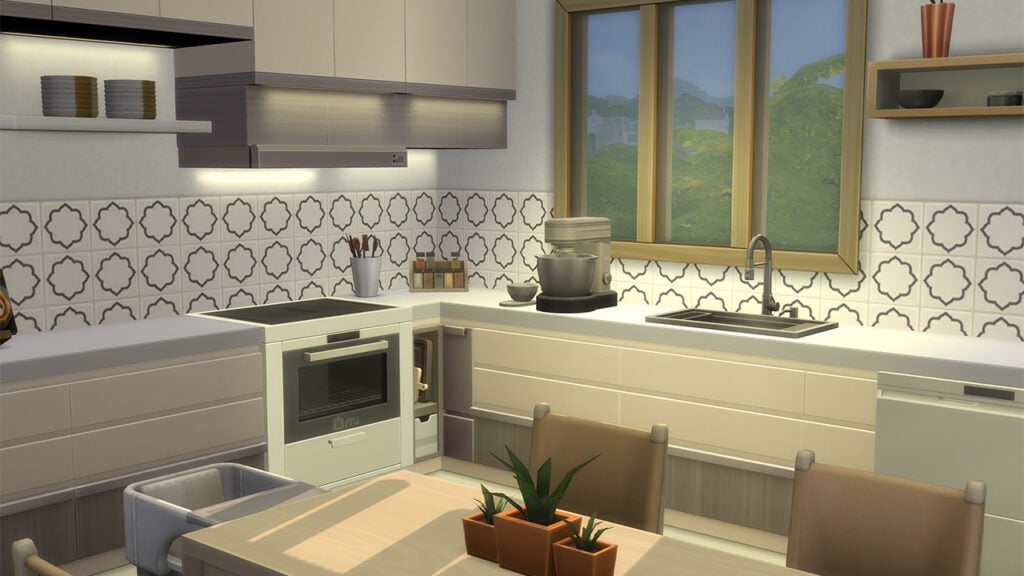
Like the backlit cabinets and shelves! Any avid builder knows how dark and dingy a kitchen can get the more cabinets you have. They cast deep shadows over the countertops, blocking a lot of the light from the ceilings. Players typically have to resort to hiding small lights behind the cabinets with build cheats to avoid this problem. Not anymore with these Sims 4 Home Chef objects! The backlit cabinets and shelves make building a bright, inviting kitchen easy!
Other details we really appreciate in this pack include the stackable decorative plates and the knife set. We noticed that many of the swatches have beautiful designs on the knife blades which is a nice little visual detail we weren’t expecting. The compact dishwasher is also a nice touch to this pack, allowing Simmers to save space which they’ll need given that we have so many new appliances to fit in our kitchens now.
When it comes to decorative clutter, however, our favourite Sims 4 Home Chef objects are the wall-mounted dish rack with a hanging cutting board and the open cookbook on a wooden stand. We might just be a little bit jealous at that kind of organization. Why can’t our real life kitchens look that put together?
Loved our Sims 4 Home Chef objects overview? Check out all the other details we noticed in the reveal!
Learn all about the new aspirations in Home Chef Hustle!
Want to know more about the two newHome Chef Hustle Aspirations? Then we’ve got you covered!
Grab your Sims and get cooking with these two new aspirations. Whether your Sim wants to keep it cool and become an Appliance Whiz to learn about all about small kitchen appliances or become a Market Magnate and have the best Food Stall, both of these are welcome additions to the Aspirations family.
Bob Pancakes making Waffles using the new Waffle Maker Small Appliance
The Home Chef Hustle Aspiration Overview
Appliance Wiz Overview
“This Sim knows their way around the small kitchen appliances!“
The new Appliance Whiz aspiration can be located under the Food section of the Sims 4 Aspirations panel. It comes with four Milestone levels each having several sub-milestones for Sims to complete. It doesn’t look like this is a difficult aspiration to complete and will have your Sims raising their cooking skills and knowledge throughout!
The milestones your Sim would need to complete for the Appliance Whiz aspiration are as follows:
Chop Chopper
Collect Prepped Ingredients 5 times while Inspired
Own 1 small kitchen appliance
Slicer and Dicer
Experience Sped Up Cooking 5 timers
Collect 3 Prepped Ingredients that were made using Fresh Ingredients
Flavor Fusionist
Collect 1 excellent quality Prepped Ingredient
Cook 5 times while listening to music
Cook meals using 6 unique Prepped Ingredients
Mixing Maestro
Make Pleasantly-Unpleasant Waffles
Make a Prepped ingredient using a Stand Mixer with at least one Upgrade
Cook 2 Pizzas or Waffles at a single Goaled Social Event after reaching Silver
Completion Reward
Upon completion of the Appliance Whizz aspiration, your Sim will be awarded with the Batch Cook Reward Trait.
Batch Cook Reward Trait: Sims with this trait get duplicates of any recipe they cook with Prepped Ingredients.
Time to whip up some Cookie Dough!
Are you ready to take a look at what it takes to be a Market Magnate?? Let’s check out the next Home Chef Hustle Aspirations from the new Stuff Pack.
Market Magnate Overview
“This Sim wants to operate the most profitable food stand!“
The Market Magnate Aspiration can be found under the Fortune section of the Sims 4 Aspirations Panel. What looks like to be another fun Home Chef Hustle Aspiration to complete but could also provide a little bit of a challenge. Especially if you want to be the best and most profitable Food Stall in town!
The milestones your Sim would need to complete for the Market Magnate aspiration are as follows:
Carb Commerce
Run a Food Sale from a residential lot
Sell 5 excellent Pizzas or Waffles during a Food Sale
Nom Nom Nomad
Run Food Sales from 2 different lots
Convince customers to buy something 5 times during a Food Sale
Hustling Hawker
Earn $500 during a single Food Sale
Tend a Food Stand for more than 6 hours
Sell a poor quality item for $100
Street Stall Sage
Resurrect a Ghost by selling Ambrosia
Earn $10,000 by completing Food Sales
Sell one meal for $300
Completion Reward
Upon completion of the Market Magnate aspiration, your Sim will be awarded with the Booth Boss Reward Trait.
Booth Boss: Booth Bosses can set higher markups and are more successful at Convincing Customers to Buy while using Food Stands and Sales Tables.
Bob Pancakes hosting his first ever Food Sale
That’s everything you need to know about the new Home Chef Hustle Aspirations from the latest Stuff Pack! If you are looking for more guides and articles about the expansion, why not head over to our dedicated section for The Sims 4 Home Chef Hustle?
Are you a fan of Avatar the Last Airbender or just looking for a new legacy challenge to do? Well, we have just the thing for you!
Created by KimbaSprite, this Sims 4 Avatar Challenge takes inspiration from the highly popular Avatar the Last Airbender as well as some memorable characters, events and locations from Avatar. Play through four to thirteen generations of this legacy challenge. The great thing about this challenge is there is plenty of leeway to make it fit your own play style.
The Sims 4 Avatar Legacy Challenge by KimbaSprite
Are you ready to experience Avatar The Last Airbender in a way you haven’t done before? Keep reading to find out more about this Sims 4 Avatar Challenge!
Table of Contents
The Sims 4 Avatar Challenge Overview
The Avatar Legacy Challenge for The Sims 4 not only is inspired by the hugely popular television show but also aims to get players exploring a variety of features in The Sims 4. Additionally, this Sims 4 Avatar Challenge was also inspired by the Not So Berry Challenge.
The great thing about KimbaSprite’s Avatar Legacy Challenge is that you can play either four generations or go through all thirteen. The choice is really up to you!
So, are you ready to get started?
The Challenge Rules
While each individual generation comes with its own rules, there are a few basic rules for this Sims 4 Avatar Challenge to keep in mind!
Let’s have a closer look at the challenge rules from KimbaSprite!
The purpose of this challenge is to complete the Avatar cycle by playing with 4 generations of the same family, but you may play up to 12 generations + 1 bonus gen with the current outline!
Each heir should represent their element or location by colour scheme/style. You can base this on the show or your personal likes/dislikes.
You can live in any Sims world unless otherwise specified in the rules of a generation.
You can have as many children as you’d like, unless otherwise specified in the rules of a generation.
Every generation is required to complete both the career and aspiration of the heir, unless explicitly stated otherwise.
Every generation is required to max out at least 4 skills to represent the 4 elements in the cycle.
If you decide to play this challenge, I’d love to see it! Use the tag #avatarlegacy in your posts to share!
Avatar Legacy Challenge: Book One
Like the cycle of the seasons, the cycle of the Avatar must begin anew.
The first book of this Sims 4 Avatar Challenge covers generations one through four. You will also need The Sims 4 Island Living, Seasons and Get to WorkExpansion Packs as well as the Tiny LivingStuff Pack.
Generation One: Water – Southern Water Tribe
Just like water, you’re used to going with the flow. You’ve arrived in a new neighbourhood with a mere one Simoleon to your name. You’ll need to have your wits about you as you start a new life and consider making your own customs along the way.
Aspiration: Freelance Botanist
Traits: Creative, Self Assured, Glutton
Career: Entertainer, Comedian
Colour Theme: Blue, White and Purple
Rules:
Live near the water
Master the Comedian branch of the Entertainer career
Complete the Freelance Botanist aspiration
Max the Comedy skill and three other skills
Have at least two children
Bonus Challenge
Play with the “Simple Living” lot challenge
Generation Two: Earth – Omashu
Strong and diverse, that is exactly what Earth is. When growing up, you were in constant competition with your sibling. Despite that, you are someone with brains and brawn. Why choose both? Either way, you just want to be stronger than your sibling!
Aspiration: Bodybuilder
Traits: Genius, Active & Jealous
Career: Detective
Colour Theme: Green, Yellow and Brown
Rules:
Be “Best Friends” with your sibling and become partners in crime
Master the Detective career
Complete the Bodybuilder aspiration
Max the Fitness skill and three other skills
Have two children with different partners
Bonus Challenge
Live to meet your great-grandchild
Generation Three: Fire – Capitol City
Sent away to live with your Aunt/Uncle through your teen years has you feeling like the black sheep of the family. Despite it feeling like a punishment, you take the opportunity to use it as a time to grow and become the best you can be.
Aspiration: Friend of the World
Traits: Bookworm, Good and Hot-Headed
Career: Politician
Colour Theme: Red, Gold, Black
Rules:
Have a negative relationship with your one sibling
Move in with your Aunt/Uncle after the Earth Generation is complete
Master the Politician career
Complete the Friend of the World aspiration
Max the Charisma skill and three other skills
Have only one child
Bonus Challenge
Become friends with a child with the Gloomy trait. Fall in love and marry them as an adult
Generation Four: Air – Southern
Step out from the shadow of your parents and live your life the way you want to. Feel the freedom just like the air does and get out there and explore the world, nature and life!
Aspiration: The Curator
Traits: Clumsy, Dance Machine and Vegetarian
Career: Conservationist
Colour Theme: Yellow, Orange, Light Blue
Rules:
Live in four worlds throughout your life
Live in a tiny house for your entire Young Adult life
Master the Environmental Managers branch of the Conservationist career
Complete The Curator aspiration
Max the Logic skill and three other skills
Never get married
Bonus Challenge
Fall in love with a mermaid
Avatar Legacy Challenge: Book Two
Congratulations! You’ve completed the Avatar Cycle. This can be the end–or, a new beginning.
The second book of this Sims 4 Avatar Challenge covers generations five through eight. You will also need The Sims 4 Eco Living, Seasons, Get Famous and Cats & DogsExpansion Packs as well as the Dream Home Decorator and Spa Day Game Packs.
Generation Five: Water – Foggy Swamp
They say to never judge a book by its cover, and that is true for you. Your love of animals and treating them like family, despite annoying your family from time to time. Being a child of a famous conservationist inspired you to live off the land. Why pay for something if you can get it for free and upcycle it?
Aspiration: Angling Ace
Traits: Freegan, Animal Enthusiast, Slob
Career: Gardener, Botanist
Colour Theme: Blue, Teal and Yellow
Rules:
Always have at least one animal (pet or livestock)
Move out as a Young Adult and thrift your first set of furniture and appliances exclusively through dumpster divings
Complete the Fish Collection
Master, the Botanist Branch of the Gardener career
Complete the Angling Ace aspiration
Max the Gardening skill and three other skills
Bonus Challenge
Play with the “Off the Grid” lot challenge
Generation Six: Earth – Ba Sing Se
Growing up, your childhood home could be described as eclectic or a mixture of different mismatched themes. Either way, you are now a Cheerful Sim who has big big dreams! Being an expert networker, anyone who you meet will soon be befriended.
Aspiration: Fabulously Wealthy
Traits: Snob, Materialistic and Cheerful
Career: Interior Decorator
Colour Theme: Gold, Green and Silver
Rules:
Achieve a Pristine Reputation
Marry for money (Inheritance Call, Lottery Winner, etc.)
Master the Interior Decorator Career
Complete the Fabulously Wealthy aspiration
Max the Charismas skill and three other skills
Have only one child
Bonus Challenge
Achieve the People Person Lifestyle
Generation Seven: Fire – Ember Island
You took to the stage as a child but are you ready to do so again? By day you are an Actor however at night, you’re hard at work on your next screenplay. It’s always non-stop for you which makes the critics both love and hate you but you don’t let that stop you!
Aspiration: Bestselling Author
Traits: Self-Absorbed, Goodball, Music Lover
Career: Actor
Colour Theme: Red, Pink and Orange
Rules:
Play an instrument and busk at least one night a week
Have at least three good friends and three enemies
Master the Actor Career
Complete the Bestselling Author Aspiration
Max the Acting, Mischief and Comedy Skills and at least one other skill
Bonus Challenge
Only publish Screenplays
Generation Eight: Air – Western
Become the wind and prepare to take on new experiences and adventures. Either die a hero or live to see your wildest dreams become reality. Spurred on by your parent’s vanity, you find yourself seeking acceptance amongst the injustice.
Aspiration: Soulmate
Traits: Neat, Ambitious and Gloomy
Career: Astronaut, Space Smuggler
Colour Theme: Brown, Grey and Blue
Rules:
Achieve a Bad Reputation
Marry a Sim in the Criminal Career
Master the Space Smuggler pathway of the Astronaut Career
Complete the Soulmate aspiration
Max the Fitness and Wellness skills as well as at least two other skills
Bonus Challenge
Build and fully upgrade a rocket and visit Sixam
Avatar Legacy Challenge: Book Three
All things come to an end…. And all things must start somewhere. Complete another cycle?
The third book of this Sims 4 Avatar Challenge covers generations nine through twelve. You will also need The Sims 4 Get Together, Get to Work, Discover University and City Living Expansion Packs as well as the Vampires and Jungle Adventure Game Packs.
Generation Nine: Water – Northern Water Tribe
Growing up, you were always used to the mayhem at home. While your form of freedom was chaos, you developed a special interest in Vampires and Occults from a young age. Now as a Young Adult, you’ve chosen to become a doctor to not only form better connections with others but also to feel just a little powerful.
Aspiration: Leader of the Pack
Traits: Perfectionist, Family Oriented and Loner
Career: Doctor
Colour Theme: Blue, Red and Black
Rules:
Create a Club and maintain weekly Club Gatherings through your Young Adulthood
Live in a different world than the one you were raised in
Master the Doctor career
Complete the Leader of the Pack aspiration
Max the Master Vampire Lore skill and three other skills
Have at least two children – one of them being a girl
Bonus Challenge
Become or Marry a Vampire
Generation Ten: Earth – Kyoshi Island
Longing for adventure, romance and meeting new people has always been your thing. Despite your parents working long hours at the hospital, you were always making the most of that time with your own adventures. If there’s an opportunity for an adventure, you’ll take it.
Aspiration: Jungle Explorer
Traits: Adventurous, Bro and Romantic
Career: Secret Agent, Diamond Agent
Colour Theme: Green, Red and Gold
Rules:
Must be a female and only have female friends until the end of your Teen-hood
Complete the Ancient Omiscan artifacts and Omiscan treasures collections
Marry someone with blue eyes
Master the Diamond Agent Branch of the Secret Agent career path
Complete the Jungle Explorer aspiration
Max the Archaeology skill and three other skills
Bonus Challenge
Have a secret and well-maintained garden
Generation Elven: Fire – Boiling Rock
Surrounded by art and artifacts, it’s no surprise you are an Art Lover! While liking the finer things in life, Simoleons were not always on your side, at least not legitimately. The life and soul of the party and forever hosting events, your chaotic behaviour can sometimes land you in trouble but you won’t let that stop you.
Aspiration: Party Animal
Traits: Art Lover, Kleptomaniac and Outgoing
Career: Criminal, Boss Branch
Colour Theme: Black, Red and Pink
Rules:
Complete the City Posters Collection
Must get in five fights and declare five enemies over your lifetime
Must accept every invitation to outings with your friends and family
Master the Boss Career Branch of the Criminal career
Complete the Party Animal aspiration
Maz the Mischief skill and three other skills
Bonus Challenge
Live on a lot with the Volcanic Activity lot challenge
Generation Twelve: Air – Northern
Forever being the kid who responded, “Why?” you had a thirst for knowledge. Learning the ins and outs of something and making things brings you joy. Your home is a constant work in progress that would give the Winchester Mansion a run for its money! Ultimately, you just want to experience an exciting world full of amazing and funky gadgets!
Aspiration: Nerd Brain
Traits: Geek, Genius and Erratic
Career: Engineer, Mechanical Engineer
Colour Theme: Orange, Green and Gray
Rules:
Must attend every GeekCon, even if it means missing school or work
Must live in the same house from Young Adult through Elder, and never remove outer walls – you can only add more.
Master the Mechanical Engineer Branch of the Engineer career
Complete the Nerd Brain aspiration
Max the Robotics skill and three other skills
Bonus Challenge
Build a Servo Bot to be your child’s caretaker
Avatar Legacy Challenge: Epilogue
All things come to an end…. And all things must start somewhere. Complete another cycle?
The final part of this Sims 4 Avatar Challenge covers generations thirteen only. You will also need The Sims 4 Eco Living and Snowy Escape Expansion Packs, as well as the Parenthood Game Pack.
Generation Thirteen: Republic City
You and your family have come a long way and experienced many adventures during that time. You feel pride due to their ambition as well as seeing the desire to do better. At times, you feel that you miss out on being carefree as a child. You are aware that you’re not perfect and have your own challenges but you still give your best to proceed with your legacy and heal the world alongside your own family trauma.
Aspiration: Super Parent
Traits: Non-Commital, Proper and Family Oriented
Career: Civil Designer, Civic Planner
Colour Theme: Black, Gray and Purple
Rules:
Volunteer once a week with your household
Never have a romantic relationship with labels (boyfriend, girlfriend, fiance, spouse etc.)
Max the Wellness and Parenting skills before having any children of your own
Master the Civic Planner Branch of the Civil Designer career
Complete the Super Parent aspiration
Bonus Challenge
Achieve a Green Neighbourhood Eco-Footprint
That’s everything you need to know about The Sims 4 Avatar Legacy Challenge!
Does this Sims 4 Avatar Challenge sound like your next Legacy Challenge to playthrough? Then let both KimbaSprite and us know your progress in the comments section below.
A huge thank-you goes out to KimbaSprite for the creation of this The Sims 4 Avatar Legacy Challenge! Do make sure to check out more of their content here.
KimbaSprite’s Playthrough
Want to see this Sims 4 Avatar Challenge in action? You can follow KimbaSprite as they play through the challenge over on YouTube!
Looking for more challenges for The Sims 4? We’ve got you covered with our dedicated Challenge section right here.
Credit: All of the Challenge information and images used within this article are courtesy of KimbaSprite.
The official livestream for The Sims 4 Home Chef Hustle begins today!
Electronic Arts has announced that they’ll be doing a special Sims 4 Home Chef Hustle Livestream. The developer livestream will be hosted by Sims creator EnglishSimmer, along with some of the official devs who worked on the Stuff Pack.
Down below we’ve included a full watch screen from Twitch. We’ll update you with the replay and information from the stream shortly afterwards!
Table of Contents
Watch the Sims 4 Home Chef Hustle Livestream
The Sims 4 Home Chef Hustle Livestream is scheduled for September 27th at 11AM Pacific Time / 8PM Central European Time. To make things easier for you we’ve included a simple countdown below.
EnglishSimmer and The Sims 4 Developers will be going over the new CAS and Build Items. We’ll also get to see the Home Chef Hustle Stuff Pack gameplay live for the first time!
You can watch the stream below. As soon as the timer turns zero you should expect the livestream to begin!
The livestream has ended! You can catch The Sims 4 Home Chef Hustle Livestream replay down below:
In case you miss out on the livestream don’t worry. There’s going to be a Twitch Replay available immediately after, followed by a YouTube replay afterwards. We’ll keep you posted!
Home Chef Hustle Launch
The Sims 4 Home Chef Hustle Livestream is being held just a day before the full release of the Stuff Pack. If you’re wondering when the Home Chef Hustle Pack is coming out in your area we recommend this countdown!
Are you looking forward to seeing the pack live stream? Let us know in the comments below and stay tuned for the full summary on Sims Community!
Learn how to evict Sims, transfer household funds, manage your neighbourhood stories and more!
If you’re new to The Sims 4, you might find yourself wondering how the Manage Worlds screen works. There are a lot of different icons, menus, and submenus and it’s not always obvious which tools do what. How do you move Sims to a new house? Evict Sims? Manage all of your households in large saves? Can you transfer money between households? Don’t worry; Sims Community is here to walk you through the Manage Worlds screen!
Table of Contents
The Sims 4 Manage Worlds: A Quick Tour
The Sims 4 Manage Worlds
If you’re starting a brand new save or loading an older save from the Load Game menu, you’ll begin in Manage Worlds right away. If you choose to resume your last played save, you’ll begin in Live Mode in your last played household. Just click the icon of a grid with a map marker on it to go to Manage Worlds.
Lot Type Menu in Manage Worlds
Navigate between different worlds via the globe icon in the top left corner. You can see each world name in the centre of the map. Click the info icon to open and read the world description. You can edit the description if you like here, too. You can also see what lot types this world has by clicking the key icon above the description, as well as look for those lot types in the Gallery.
Oasis Springs Eco Footprint
For players who own the Eco Lifestyle expansion pack, they’ll be able to check their world’s eco footprint by clicking the icon next to the world info icon. Each neighbourhood in the world will become highlighted with its eco footprint. Neighbourhoods highlighted in green indicate a green eco footprint. White highlights mean a neutral eco footprint, and brown highlights mean an industrial eco footprint. You can check out all our articles on Eco Lifestyle for more information!
Foundry Cove Neighbourhood Description in Willow Creek
Each world also has its own info popups for each neighbourhood. Hover over them to see these neighbourhood descriptions.
You can see destination world maps by clicking the compass needle icon next to the home icon on the main world selection screen. You can’t move Sims into destination worlds but you can build in them.
Destination Worlds
While in any residential world map, click the large icon of a Sim and an arrow to go into CAS and make a new household to move into the world.
Manage Sims in Manage Worlds
The BFF Household Info
What if you want to manage individual households? That’s 100% doable. There are a couple ways to do this. The first and most direct way is to click on the home of any Sim living in that world. New icons will pop up in the bottom corners. On the left, you can see more information about the household by opening up the portraits. On the right, you’ll see Build, Visit, Play, and More icons. To manage this household, you’ll want to click the More icon.
How to Evict Sims
How to evict Sims? Evicting a whole household is very fast and easy to do. Select the household, click More, then Evict Household. Confirm that you want to evict the Sims and you’re done! That household has been kicked out, leaving the home vacant for a new household to move in.
Evict Sims in the Bottom RightConfirm you want to evict
When you evict a household, they leave behind all their furniture in the house but keep any simoleons they had, plus the value of the home. They are no longer living in any world and are considered to be homeless townies now but you can still find them in the Manage Households menu in the upper right corner.
How to Move Sims
Move households by clicking the truck icon shown above
Moving Sims via Manage Worlds in The Sims 4 is similar to evicting them; however, you can choose whether they take their furniture with them or leave it behind. You can also move them into a new home right away without needing to go looking for them in the Manage Households menu. Basically, when you want to just kick a Sim out into the ether and be done with them, evict them. When you know where you want to move them to, use the move option.
Choose whether to keep or sell the furniture before you move
Select the household, click More, then Move Household. Then pick another home for them to move into that they can afford. When you select a new home, you’ll be asked if you want to sell the furniture from your old home or keep it. If you want to leave the furniture behind, choose Sell Furniture. The old house will keep all its furniture for any future Sims that move in. If you want to bring the furniture with you to furnish the new house with, click Keep Furniture. The furniture will go in the household inventory, leaving the old house empty.
Manage Households Menu
If you want even more control over your households, especially managing multiple households, the Manage Households menu is your best friend. Click the icon of two Sims with a pen in the top right of the world map to bring up the Manage Households menu. You can access any household from the game here, including randomly generated townies.
My Households TabOther Households Tab
Households are separated into two categories. My Households and Other Households. Played households get moved to My Households while unplayed households stay in Other Households. You can move households back and forth between the two tabs by clicking the heart icon under the household portrait. We recommend keeping all your main households in the My Households tab so you can find them faster when you need them. By default, you can have up to 80 Sims (including pets) in the My Households tab. You can increase the limit to 150, 200, or Unlimited. The game recommends a maximum of 200. Unlimited is not recommended unless you have a top-of-the-line gaming desktop.
Sim Limit
Click any household in either tab to see the household description and manage that household individually. You can transfer Sims between households, edit the household in CAS, move the household, or delete the household all together. Be sure you want to do this! Deleting a household is permanent and can’t be undone!
Neighbourhood Stories
A recent(ish) update for The Sims 4 added story progression to the game; however, it’s not called story progression in The Sims 4. It’s called Neighbourhood Stories! Neighbourhood Stories are what allows households you aren’t playing to start or leave careers, get promotions, have children, and more while you aren’t playing with them. You control the Neighbourhood Stories from Manage Worlds in The Sims 4.
There are two places to access Neighbourhood Stories; there is a global toggle in both the My Households and Other Households tab. Each household also has its own settings so you can adjust the Neighbourhood Stories individually.
Configure Neighbourhood Stories Globally or Per Household
By default, Neighbourhood Stories will be enabled for Other Households and disabled for My Households. You can change this by clicking the icon in the top right of either tab. Click it to customize whether all households in this tab will die in accidents, adopt kids or pets, have babies, join/leave careers, move in/out, or retire all on their own while you’re not playing them. You can select all, none, or just some of them.
If there are specific households in these tabs you want to enable/disable different Neighbourhood Stories for, click the icon on the individual households and make your desired changes. Neighbourhood Stories set on individual households will always override the global settings.
If you don’t want to deal with Neighbourhood Stories at all, disable them in the Game Options.
For a more detailed walkthrough of the Neighbourhood Stories system, check out our guide!
Transferring Sims in Manage Worlds
Transfer Sims
It’s easy enough to move entire households wherever you want but what if you just want to move a single Sim? What if your Sims’ kids have grown up and you just want the kids to move out on their own? Or what if your married couple divorces and you don’t want the ex-spouses living together anymore? This can be done in Manage Households as well.
On the Manage Households screen with the household selected, click the icon of two arrows pointing in opposite directions. This is the Transfer Sims Between Households tool. A new menu will pop up, as shown below:
Split and Merge Households
On the left, select any Sims you wish to move out of the household. Click the Create a New Household button on the right to move them into a new household by themselves. You can also click on any world and select a household in that world to merge with.
Keep in mind you cannot transfer a Sim into a household with 8 Sims and/or pets. Pregnant Sims count as two Sims (or three/four if they are carrying twins/triplets). You cannot move children, toddlers, babies, or pets into a household that does not have a teen or older Sim in the house to care for them, either.
Transferring Simoleons
You can transfer simoleons the same way you transfer Sims. In the transfer Sims menu, you can see the household funds for both households displayed at the bottom of the menu. Type in the amount you want and then click the arrow to indicate which household to transfer the funds into.
Transfer funds between households on this screen
You cannot transfer more money than what the household has. You also can’t transfer funds unless you transfer a Sim along with the funds. However, if you just want to transfer funds, you can get around this. Transfer the Sim along with the funds, then transfer the Sim back immediately without moving any funds with them.
Transferring funds between households is great for many purposes. Giving children an inheritance from their parents, allowing a Sim from a wealthy family to move out on their own with more than $20,000, or simply a way to “cheat” without actually cheating by taking some money from wealthier households and moving them into poor households.
Free Real Estate Cheat
Speaking of cheating, there is actually a cheat many players might find helpful when navigating Manage Worlds in The Sims 4.
This notification means you successfully entered the free real estate cheat
Bring up the cheat bar with CTRL+SHIFT+C (PC) or all four back triggers (Console). Then type in freerealestate on and press Enter (PC) or X/A (Console).
This cheat makes all homes free! You can move your Sims anywhere you want without having to purchase the home.
Did you like this guide on The Sims 4 Manage Worlds? We have plenty more! Why not check out our emotions guide while you’re here?
Official Stuff Pack features and a whole leaked set of objects!
The full Sims 4 Home Chef Hustle Items list has been leaked! All thanks to The Sims 4’s Sep 26 Update that came out today.
The game contents have revealed a full catalogue preview of CAS and Build objects, as well as official Pack features and description. We’ve got it all covered together in this post!
Down below you’ll see a full breakdown of the official Stuff Pack Features and Item Previews.
Table of Contents
Sims 4 Home Chef Hustle Items
The new update for The Sims 4 has revealed the full Sims 4 Home Chef Hustle items list. Our reader was able to capture the thumbnail previews of the Create A Sim and Build Mode catalogue. Revealing almost all of the objects you can expect with this Pack!
Home Chef Hustle CAS Preview
Sims 4 Home Chef Hustle Items list has a lot to show for in Create A Sim! This Stuff Pack contains 45 new CAS options for infants, toddlers and all the way up to elders!
This Pack also brings back the good old ombre hairstyle! Letting you pick between the single color variant or the one with colorful gradients.
Oh, is that a new tattoo that we spot in the corner?
Build Mode Preview
When it comes to Build Mode, you’ll be able to instantly find 26 new Sims 4 Home Chef Hustle items! The catalogue focuses on delivering new gameplay kitchen appliances, a whole new set of islands and kitchen counters. As well as bringing in some fresh colors with the new tile wallpapers.
See the first look below:
Sims 4 Home Chef Hustle Features
Beside the new Sims 4 Home Chef Hustle items, the latest Patch for the Base Game has also revealed official Pack features and description in the game files.
Take a look below:
Grow your culinary skills with new small appliances and turn cooking into cash with The Sims 4 Home Chef Hustle Stuff Pack! Design an efficient kitchen with all the tools vou need to become a masterful home chef. Sims will look the part in stylish aprons and other kitchen accessories, and amateur chefs can even turn cooking into a lucrative side hustle with their own food stands.
Stuff Pack Features
Small Appliances. Big Upgrade – Outfit vour kitchen with small appliances like a stand mixer, waffle maker, or countertop pizza oven to expand your culinary horizons. As Sims upgrade their skills. they’ll be able to do more with these new appliances and discover more delicious recipes.
Feed the Neighborhood – Turn your love of cooking into a side hustle! Sims can open their own small business with the new food stand and sell tasty treats and mouthwatering meals to neighbors. Stands can be named and customized to reflect your Sim and the kind of food they choose to serve.
Fresh Chef Styles – Your cooking adventure wouldn’t be complete without the right fashion. Kitchen-ready hairstyles, food themed accessories, and aprons for the whole tamily will have your Sims looking like serious amateur chefs.
Ready for the release?
Now that you’ve seen The Sims 4 Home Chef Hustle Items – what are your thoughts so far? Let us know in the comments section below!
In case you don’t know, The Sims 4 Home Chef Hustle Stuff Pack is releasing September 28th across PC and Consoles. You’ll be able see the full release time in our launch party countdown! There’s a fun surprise waiting for five lucky cooks.
Cool Kitchen upgrade, better recipe organisation and more!
To prep the game for the upcoming Home Chef Hustle Stuff Pack release this Thursday, there is a Sims 4 update September 2023 available today. The latest game update brings some new features to the game, mostly centred around cooking, along with a bunch of bug fixes for both the base game and various packs. We’re going to cover all the most important changes to the game so you can make the most of today’s update!
Table of Contents
The Sims 4 Update September 2023 Overview
Recipe Filters
The Sims 4 has received so many new recipes both in the base game and in packs over the years that the recipe list we had previously just wasn’t cutting it anymore. It was a cumbersome chore trying to find what you wanted to cook in a never-ending, jumbled list, especially if your Sims had certain dietary restrictions.
The Sims Team agreed that the current recipe UI no longer suits Simmers’ needs and have revamped it in this Sims 4 update September 2023. Now when you open up the recipe list to cook something, you’ll be able to click through different filters to find exactly what you want much more easily.
The recipe filters have five categories: Vegetarian dishes, lactose-free dishes, meat dishes, seafood dishes, and sweets. So if your Sim is a vegetarian or lactose-intolerant, you’ll be able to click on those filters to find everything your Sims can eat in one list.
#FreeTheCupcakes
Did anyone ever actually use that freakishly big Willy Wonka fever dream of a cupcake factory? Yeah, neither did we. Mostly because the darn thing was the size of an entire kitchen in and of itself. The good news is that the #FreeTheCupcake movement is a success! Today’s Sims 4 update September 2023 allows your Sims to bake cupcakes in a regular oven at last! Oh, and did we mention that toddlers can eat cupcakes now? Let them eat cupcakes!
The cupcake recipes can be found in the Sweets filter of the new recipe list. Get baking!
Live Draggable Appliances
The Sims 4 Home Chef Hustle Stuff pack will come with two new small appliances that are live-draggable. This is to help your Sims out with cooking for quick cash on the go.
But the new pizza oven and waffle iron aren’t the only small countertop appliances that are live-draggable! A variety of countertop kitchen appliances have been made live-draggable as well to help your Sims get their home chef hustle aspirations off the ground.
Here’s the full list of every kitchen appliance that can now be dragged around following the Sims 4 update September 2023:
The Wavescatter
The Food Annihilator
The Omniwaver
The Schmapple Micro
Luxe Drink Tray
Sugar Kane Popcorn Popper
Summer Drink Tray
Sweet Tooth Ice Cream Machine
Fountain of Mirth
The Gravy Fountain Mark IV Stand
Vintage Glamour Beverage Fountain
Blazin’ Ladles’ Over The Counter Oven
“No Space” Electric Oven Space Saver
Kids Scream for Ice Cream!
For players who own the Cool Kitchen Stuff pack, you’ll be happy to know that children can now make ice cream with the ice cream machine!
Just click on it with a child Sim active and direct them to make ice cream. They’ll pull out a little step stool to reach the top of the counter. How cute is that?
Other Cooking Tweaks
Today’s Sims 4 update September 2023 also came with a handful of smaller cooking tweaks. Recipe quality and ingredients both got some fine-tuning.
Cooked meal quality will now better reflect your Sim’s cooking skill, emotional state, and appliance quality.
Cooking, Gourmet Cooking, and Baking skill-based recipes have all had their ingredients updated to include more ingredients added in various packs. For example, players who own both Cottage Living and Get To Work can use the flour, sugar, and egg ingredients from Cottage Living in the baking recipes from Get To Work.
Bug Fixes
For a full breakdown of all the bug fixes in the Sims 4 update September 2023, check out the official patch notes!
Need to catch up on some of The Sims 4’s more recent features? Check out what’s new with the game in an earlier update this month!
You can download the latest Sims 4 Update by checking for a Patch through the EA App. Or Origin if you play on Mac. If you have Automatic Updates enabled the update will automatically download through your client program. In case your EA App is not working properly ensure you’ve cleared your app cache!
If you play The Sims 4 on Xbox Series and Playstation 4 and 5 you can request a new update by checking for updates under The Sims 4 game in the Main Menu. If you’ve enabled automatic updates the Patch should download right away.
In case you have Mods or Custom Content, the game will automatically disable them for you after first launching The Sims 4 after the update. To re-enable all your Mods and Custom Content, select the Settings option in the Menu and select Settings. Under the ”Other” section you’ll find the ”Enable Custom Content and Mods” option. Check it and restart your game in order for it to take effect!
Console Glitch: Official Statement from EA
The Sims Team has shared an official statement in regards to a Console Glitch in The Sims 4 caused with the latest Game Update. Players have started reporting that they’re unable to switch in-between the new Food Filter categories in the Cooking UI.
Learn more in the official statement below:
Hey all,
This issue is related to a bug we’re investigating with the shoulder bumpers on console controllers at the moment.
The bumpers will work when you first open the new cooking UI, but once you move up or down in the UI they become unresponsive until you leave and reopen the cooking UI.
Thank you for reporting this to us, and for your patience. We hope to have more information soon to share.
Update 26 September 2023 PC: 1.101.290.1030 / Mac: 1.101.290.1230 Console: Version 1.81.2
Ciao, Dia Dhaoibh, Hola, Hej Hej, Moikka, Привіт, Sveiki, Merhaba, Hello and Sul Sul, Simmers!
In just a few days we’ll be turning up the heat and getting cooking with the release of The Sims 4 Home Chef Hustle Stuff Pack. There are some fresh Base Game updates and bug fixes rolling out to make the experience even better. Get hungry!
-The Sims 4 Team
What’s New?
Today’s update has a variety of improvements across different features in the game.
The Recipe UI has received a well deserved update, bringing filtering to your fingertips. Now you can filter recipes by: “All, vegetarian, lactose free, meat, seafood, and sweets!”
Let them eat (cup)cakes!
Speaking of sweets… this update includes freeing the sweetest treat, cupcakes! Your Sims can now prepare delicious cupcakes by using an oven, in addition to the traditional method of using the Whipped Dream Cupcake Factory. Plus, Toddlers can now experience the joy of eating a delicious cupcake.
We’ve delved deep into cooking, recipes, and ingredients. Expect to see the quality of food that’s prepared better reflect your Sim’s skill level, current mood, and appliance quality. Additionally, recipes across the Cooking, Gourmet Cooking, and Baking skills have been updated to better utilize more of the expected ingredients of the food that’s being prepared. One example of these updates: Players who own both Cottage Living and Get To Work can use the sugar, flour, and egg ingredients from the former with the baking recipes from the latter.
This Sims 4 Update doesn’t stop here. We gave the Cool Kitchen Stuff Pack some love too! I scream, you scream, now Child Sims can scream for Ice Cream! Child Sims can now use the Sweet Tooth Ice Cream Machine.
New Cool Kitchen feature for Kids!
One last update we’d like to tell you about relates to the Small Appliances in game. We’ve added the ability for many different small appliances to be dragged around within the game world while in Live Mode, as well as being able to place small appliances into your Sim’s inventory to take them with you on your travels. Find the full list of compatible appliances below:
The Wavescatter
The Food Annihilator
The Omniwaver
The Schmapple Micro
Luxe Drink Tray
Sugar Kane Popcorn Popper
Summer Drink Tray
Sweet Tooth Ice Cream Machine
Fountain of Mirth
The Gravy Fountain Mark IV Stand
Vintage Glamour Beverage Fountain
Blazin’ Ladles’ Over The Counter Oven
“No Space” Electric Oven Space Saver
The Sims 4 Update Fixes
Garden plants now should remain as plants instead of sometimes crumbling into piles of dirt. Be strong and live your best life, garden buds!
Visual effects for Sim Traits in Create a Sim have returned from an unplanned summer holiday.
Some text was updated to properly gush about Newborns.
Take a big whiff, we’re growing trash! Trash Fruit will now properly grow from any pile of trash outside, no matter its source.
It was getting a little lonely out there! Sims will once again receive calls and invitations from other Sims and NPCs.
City Living
We all were very hungry working on this update. But not so hungry that vegetarians would eat meat! Your Vegetarian Sims should no longer grab meals that upset their stomachs when using the “Get Leftovers” interaction.
Gelatin Rainbow Cake isn’t Vegetarian?! We’ve updated a lot of recipes that weren’t properly flagged as Vegetarian-Safe – and some that shouldn’t have been flagged in the first place.
Seasons
Bees will no longer become Enraged or Irritated after applying Mite Treatment. They will BEE a little more grateful to their caretaker Sim!
Eco Lifestyle
Photographs taken following today’s patch will no longer turn black when stored in the Storage Box.
Cottage Living
Some vegetables weren’t being recognized as vegetables for recipe ingredients! We’ve fixed this; make as many vegetable based dishes as your heart desires!
Now your Sims can make more informed choices on if they want to suffer the consequences of eating dairy when they are Lactose Intolerant. We’ve done a large update to food for a more accurate Lactose Free experience.
High School Years
Set your boundaries! There should be fewer invitations to become BFF with other Sims.
Ranch Hands now stay hired until you dismiss them.
Riders going from using Horse Barrels or Horse Jumps to doing something on foot no longer sometimes linger on horseback.
Movie Hangout
When using the Sugar Kane Popcorn Popper, Sims will now have visibility into what Cooking skill level they must reach to be able to prepare the various popcorn recipes.
What are your thoughts on the latest Sims 4 Update? Join the conversation below and stay updated on Sims Community for the full Update Overview!