Home Blog Page 99

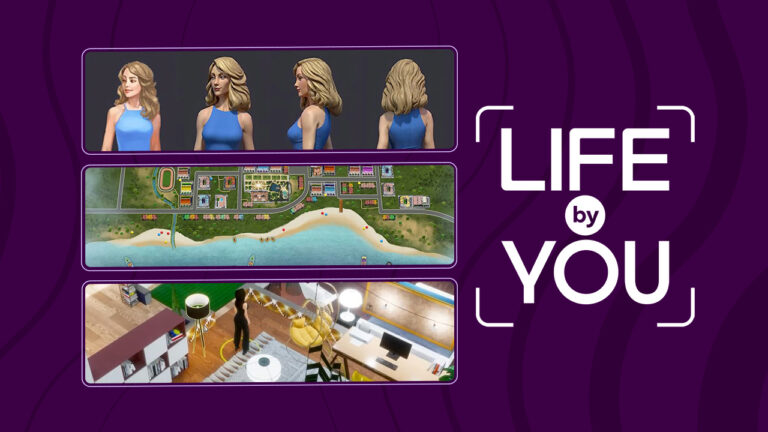
Life By You Art Style: Latest Dev Stream Shares Art Love!

0

Get a closer look at the art direction for Life by You!

Life by You art style

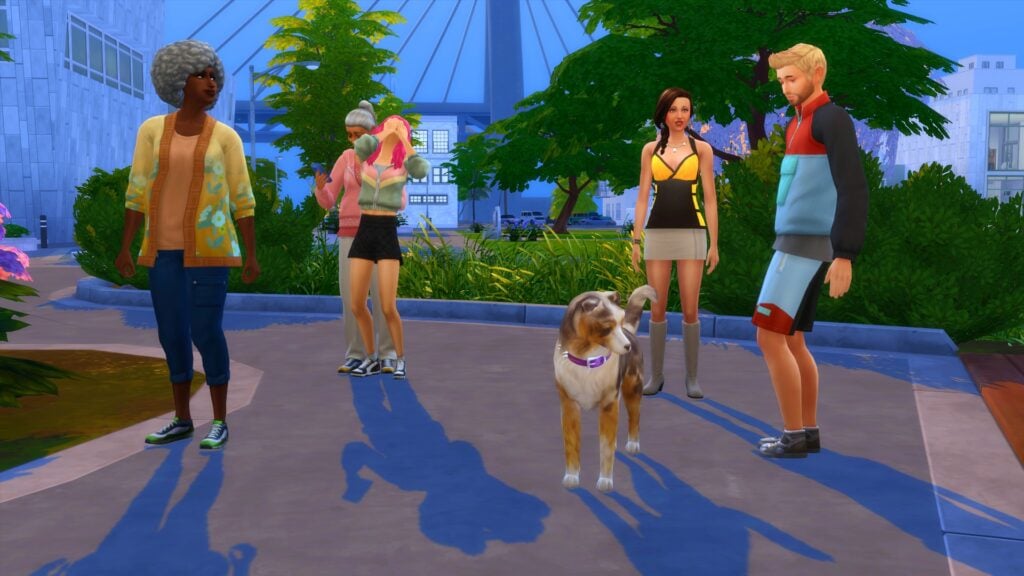
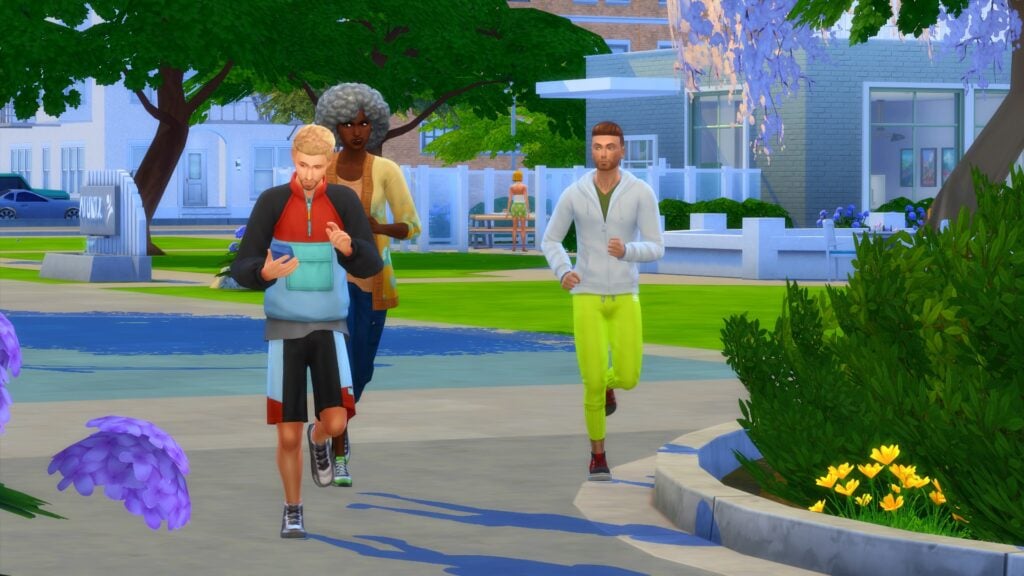
The Life by You art style has received mixed reactions from players anticipating the release of Paradox Tectonic’s upcoming life simulation game. Some people love the realism. Others aren’t a fan of it, saying that the humans have a distinct uncanny valley vibe going on with them. Whether you love or hate the art direction for Life by You, you might be interested in learning a little more about how the current art style came to be in Life by You.

The Life by You team hosted a developer livestream today on their YouTube channel that focused exclusively on the Life by You art style. Let’s go over everything that was covered in the stream!

Life by You Art Style: Escaping Childish Cartoons

Life by You Art Team Dev Stream 2 30 screenshot

Of course, players are eager to know why the team chose to develop a life sim with a super realistic art style. Many people anticipating the release of Life by You have become accustomed to The Sims franchise which is known for its youthful cartoony aesthetic. Breaking away from this well-established art direction certainly comes with risks but as Art Director, Richard, explains, they know their target audience.

Life by You art style

The people playing Life by You are most likely going to be mature adults who grew up playing “other life sims” (aka: The Sims) and want something more than that now. The team didn’t want the Life by You art style to copy any other game. They wanted it to have its own distinct style and a style that is going to appeal to adults, not children. The team recognises that the children who grew up playing The Sims are not children anymore and will want a game that is more reflective of a more mature player base.

Another reason for the Life by You art style is that this visual design is easier for players to modify. One of the biggest selling points of the game is that it’s the most moddable life simulation game on the market. So the visuals of the game are intended to serve that purpose and allow players to create whatever they want for the game and have it look seamless and like it belongs there. It’s an art style that doesn’t commit to any one particular aesthetic which allows it to become any aesthetic players want it to be.

Making an Open World Feel Alive

Life by You Art Team Dev Stream 1 56 screenshot

One of the biggest challenges that comes with designing an open world game is making it feel dense and lived-in. Rabbitholes and buildings that are just background set dressing can be a good way around this; however when it comes to the Life by You art style, they didn’t want to put anything in the game that doesn’t add to the gameplay.

Every building you see in Life by You’s beachside world is a real destination your humans can explore. Every business and every home is a fully functional lot with humans working and living there. NPC humans live out their lives fully within the world and do not travel to the edge of the map and disappear somewhere. It’s this kind of dedication to real, livable spaces that the dev team feels is going to meet the challenge of making an open world feel alive.

On that note, the dev team confirmed that the world shipping with early access is a beachside world. They even included multiple screens of some concept art maps for the world. Keep in mind these are early development maps so they may not be 100% accurate to the final world we get in September, but you can get a feel for the general aesthetic of the world from these images.

Lighting Effects

One aspect of the Life by You art style players might not immediately think about is the lighting. Lighting is so important to set the tone and feel of a game so technical artist, Chris, discussed how he helped contribute to the Life by You art style through dynamic lighting.

Life by You art style

In Life by You, every individual light source is dynamic. This means that it casts its own shadows and has its own light source that reflects off of whatever surface it is near. So a crackling fireplace, a candle, and a ceiling light are all going to have their own distinct glow and interact with their surroundings differently, in a more realistic way. Having this dynamic lighting system sets the whole mood of the game both indoors and outdoors. The lighting in Life by You is so detailed that you can even faintly see dust particles floating in rays of light filtering through a window.

Life by You Art Team Dev Stream 10 26 screenshot

The world lighting will of course change with the day/night cycle and if players want to skip the game ahead several hours or even days to get a particular lighting effect, they can do that. Rod Humble mentioned in a previous stream that players can skip time ahead a decade if they want to.

Players can also control the lights themselves. Their humans can turn lights, candles, and fireplaces on and off. There is also settings for auto-lights, so lights can automatically turn on and off as humans enter and leave rooms or go to sleep for the night. Businesses have their own auto-light setting that will turn the lights on when the business is open and turn them off when the business is closed.

Character Customisation

Another important piece of the Life by You art style is the character customisation. Players can give their humans variety of unique scars and tattoos that they can free place, rotate, and scale to their desired position and size.

There are also sliders to adjust wrinkles and glossiness of the skin. Irises, pupils, and scleras can be adjusted individually to create humans with heterochromia.

Life by You art style

Every facet of the face has adjustable sliders. Weight painting was used to control how a part of a humans face morphs with the slider positions. While there are still some issues to work out with the weight painting, the team is happy with their progress so far and feel like they are very close to getting the face customization to a fully polished state.

When it comes to hair texture, the Life by You art style needs to match the rest of the game while still being versatile enough for players to customize. The team is actively working on things like hair tints, eyebrows, and hair textures that are diverse and detailed. While the early access will start with a small number of basic hairstyles, the Life by You art style team plans to add many, many more styles that are unique and diverse.

Watch the Stream

Want to watch the Life by You art style stream for yourself? Check out the full stream below!

https://www.youtube.com/watch?v=ecaXgm_WBdI

Life by You’s early access begins on September 12th, 2023! You can preorder the game now on Epic Games and save it to your wishlist on Steam.

For more Life by You news, bookmark our Life by You category!

The Sims 4 Horses: Everything We Know

The clues are leading up to the next Expansion Pack being Sims 4 Horse Ranch

In case you missed all the buzz lately, The Sims 4 horses are rumoured to be the next expansion pack coming to the game. How do we know this? Well, we don’t for sure; however, all the signs appear to be pointing to horses. As always, take all speculation with a grain of salt until we get official confirmation from The Sims Team but if you’re curious about why so many people are convinced horses are coming to The Sims 4, read on! We’ve compiled all the most compelling clues and information to date!

Sims 4 Horses Pack Leak

One of the most compelling pieces of evidence for The Sims 4 horses is the recent leak on several key sale sites, including Instant Gaming and CD Keys. While these websites are not official sources, they have successfully predicted upcoming packs in the past. The Instant Gaming listing uses a custom box art image using a Sims 3 Pets render. This isn’t uncommon for these kinds of websites when they list games that don’t have released box art yet.

This supposed Sims 4 horse pack is listed as The Sims 4 Horse Ranch with a release date of July 20th, 2023. We wouldn’t recommend putting much stock into this date at the moment, especially not a date that is so close without any official announcement from The Sims, but it’s still interesting that a release date is popping up on these key sale sites.

sims 4 horse ranch release date

Concept Art

One thing we do know for sure is that there are two expansion packs scheduled for release sometime in 2023. This was revealed during The Sims Summit back in October of 2022. We already got Growing Together back in March of 2023, which leaves one more expansion pack for this year. During the Summit, we got a glimpse of some early concept art for both upcoming expansions.

One piece of bedroom concept art clearly depicts many of the Build/Buy items that came with Growing Together; however, the kitchen concept art shows off a lot of unfamiliar pieces in a Western ranch-style home. This would fit the theme of a horse ranch.

Behind The Sims Summit Stream Event 9 29 screenshot

New World Concept

More concept art from The Sims Summit shows off two different worlds from the two expansion packs for 2023. One is clearly San Sequoia, the world that has already shipped with Growing Together. The other, pictured below, looks more rustic and colourful. It could possibly be inspired by somewhere in South America. Either way, it looks a little more rural than the small city of San Sequoia.

Could this possibly be a world designed for Sims 4 horses? Maybe!

sims 4 horses unreleased concept art

Leaked Sims 4 Horses Game Code

We know that oftentimes, expansion packs are planned out years in advance. By the time a new expansion is released, it’s the product of up to 5 years’ planning and development by The Sims Team. Back in 2019 (conveniently about five years ago), a Simmer noticed specific references to horses in the game code. Horses were named multiple times in animation cues and interactions with Sims.

Due to the timing of this code being found, it’s possible that horses were originally planned to be part of Cats & Dogs and then abandoned. However, it’s also possible that this was the beginning of The Sims Team preparing the game for Sims 4 horses later on in the game’s lifespan.

Hints from Growing Together

Of course, we cannot forget the more heavy-handed Sims 4 horses references being slipped into the game recently. Most notably, the Growing Together expansion pack released earlier this year is packed with horse references almost everywhere you look.

The children’s school drawings feature a horse and a pegasus, there is a pegasus in the puzzles Sims can complete at the game table. There are references to horses in a bunch of the catalogue descriptions in Build/Buy. It just seems like there are too many Sims 4 horses clues for them all to just be a coincidence.

The Sims 4 Growing Together Expansion Pack Official Reveal Trailer 0 9 screenshot

Research from the Community

And that’s not all! Some Simmers in the community have been doing some research of their own into the Sims 4 horses rumours. SimMattically, who has frequently been correct in his predictions about upcoming Sims content in the past, has been sharing the findings of his own research on Twitter.

He confirmed in a tweet that the Sims 4 horses expansion is real and that it’s going to come with a desert world based on the state of Arizona.

https://twitter.com/SimMattically/status/1666458193541709825

Goats and Sheep

When asked about other animals that could be a part of the Sims 4 horses pack, SimMattically also hinted that goats and sheep specifically would enjoy the new landscape.

https://twitter.com/SimMattically/status/1667064247187128322

Sims Session teases Unreleased Country Song

This one might be a bit of a stretch, which is why we saved it for last, but the latest Sims Sessions has been teasing a new country song being added to the game in Simlish. Since The Sims Team has always focused heavily on mainstream pop music for the game’s soundtrack, this is an interesting break from tradition.

Perhaps this country song is meant to go with a Western horse ranch expansion pack?


What do you think?

It’s time to tell us your thoughts on all of this! Based on all of this information, are you convinced that The Sims 4 Horses is on the horizon? Or are you calling one big hoax on the whole thing?

[totalpoll id=”141632″]

Share your thoughts in the comments but remember to be respectful and kind at all times to your fellow Simmers. These are real people on the other side of the computer screen, so let’s make the discussion a positive experience for everyone involved.


Never miss out on news like this by bookmarking our News Category!

The Sims 4 Sick Sims: How to Cure the Most Severe Illnesses!

Help your sick Sims feel good as new again with medicine or tea!

Confused by your Sims 4 sick Sims in Get To Work? Not sure what illness they’re suffering from or how to treat their symptoms? Don’t worry; curing Sims 4 sick Sims is super fast and easy. You don’t even need to know which illness your Sim has because there is a cure-all for any type of illness. That’s right; miracle cures DO exist! In The Sims 4, anyway.

Read on to learn how to cure your Sims 4 sick Sims of any and all illnesses in an instant!

Please note that this article is about curing all illnesses that come with the Get to Work expansion pack. Other illnesses added with other packs, such as being poisoned or Rabid Rodent Fever must be cured in other ways.

How to Cure Sims 4 Sick Sims

You’ll know your Sim is sick if they have rashes on their bodies, start acting dizzy or nauseous for no reason, or burst into uncontrollable giggle fits at random. You can check their moodlets to see if they are experiencing any symptoms of illness.

There are quite a variety of illnesses Sims 4 sick Sims can be afflicted with. Is your Sim suffering from:

  • Llama Flu?
  • Triple Threat?
  • Itchy Plumbob?
  • Burning Belly?
  • Starry Eyes?
  • Bloaty Head?
  • Sweaty Shivers?
  • Gas and Giggles?

All of these illnesses manifest in different combinations of symptoms, making them difficult to diagnose. However, unless your Sim is a doctor working at the hospital, you don’t really need to worry at all about figuring out which illness your Sim has. Why? Because there is a single cure that will get rid of all of them! So don’t worry! All of these diseases can be cured in an instant. You don’t even need to visit the doctor! You can treat your Sim’s sickness at home.

Curing Illness with Medicine

Sims 4 sick Sims

The fastest way to cure Sims 4 sick Sims is by giving them medicine. However, it’s not the cheapest option. Medicine can be purchased on the computer. Click on a computer in the household and select Order > Purchase Medicine. If Seasons is installed, medicine can also be purchased through the Purchase Gifts option on the phone under the Shopping app.

TS4 2015-04-04 18-30-05-04

There’s only one type of medicine available but this medicine has the power to treat all illnesses. You can order more as much medicine as you want or need.

Sims 4 sick Sims

After you’ve made your purchase, you’ll be able to find the medicine in your Sim’s inventory. Click on the Inventory icon, find the medicine and select Take Medicine.

04-04-15_6-31 PM

The medicine will cure your Sim and give you a 4h Energy Emotion boost!

Sims 4 sick Sims

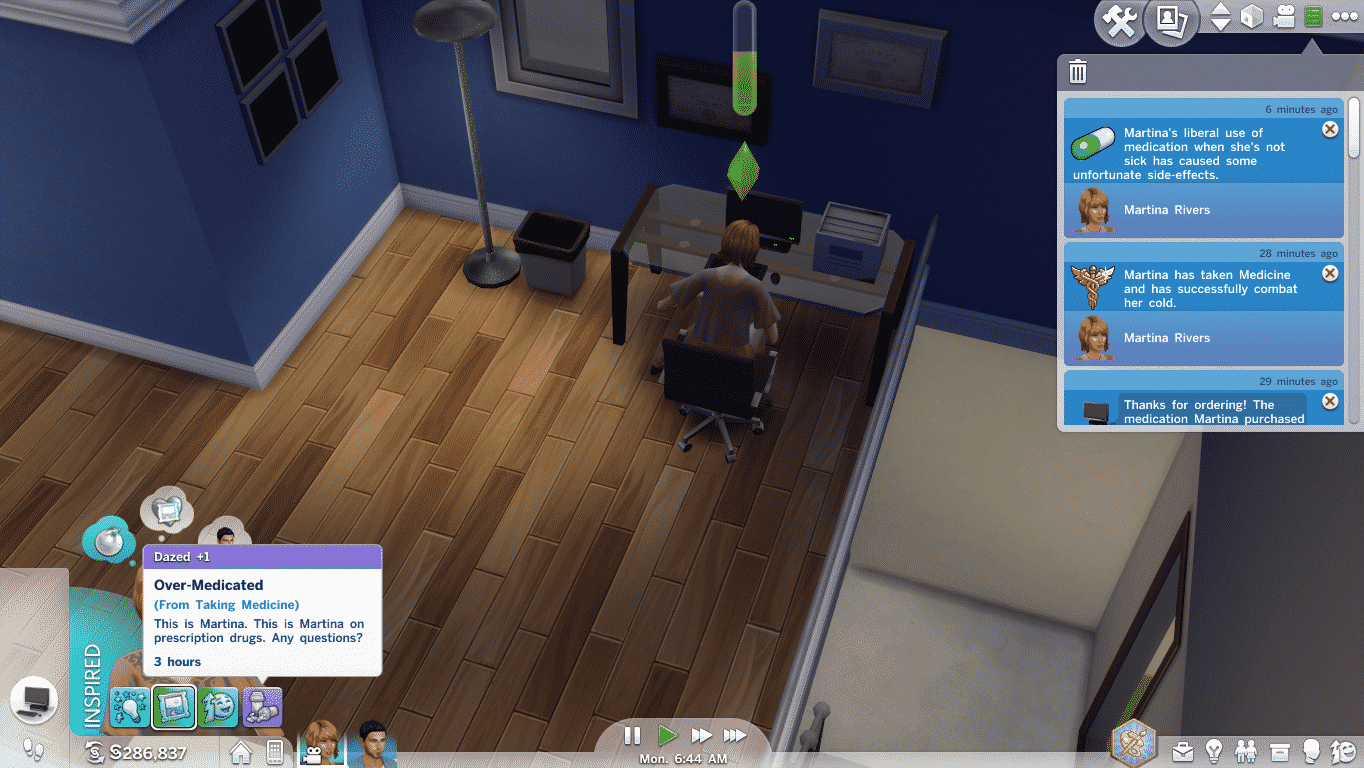
Depending on the severity of your Sim’s illness, they may need up to two doses of medication to fully get rid of their sickness. However, don’t overdose! Wait until you see symptoms of illness again before taking the second dose. If you use too much medicine or use it on a healthy Sim, it’ll give you a +1 Dazed Emotion boost that lasts for 3 hours.

TS4 2015-04-04 19-00-05-12

Curing Illness with Tea or Orange Juice

You can also cure illness with tea or orange juice! This method of treatment is cheaper than buying medicine but it works slower. It doesn’t instantly remove sick moodlets; it just decreases the length of time your Sim has the moodlet.

Sims 4 sick Sims
04-04-15_7-13 PM

You can brew a pot of tea with the Tea Magic Personal Brewer, found in the Small Appliances section of Build/Buy. Brew any type of tea you like; it doesn’t matter. All the different types of tea will help your Sim fight off any Get To Work illness.

To drink orange juice, just have your Sims grab a quick meal from the fridge and select Orange Juice.

Unlike medicine, you can drink as much tea and orange juice as you want to speed up your Sim’s recovery.

Curing Illness with Rest

2022 11 13 15 50 05 543 SunflowerSyrupGShade

If your Sims 4 sick Sims are too broke to afford medicine or a tea brewer, there’s always the good old fashioned way of kicking a pesky illness. They say rest is the best medicine for anything that ails you and it’s no different in The Sims! If your Sim is feeling under the weather, they can curl up for a nap or a good long rest.

Napping or sleeping while sick has the same effects as drinking tea or orange juice. It won’t instantaneously cure them but it will decrease the length of time that they are sick.


Want to cure Sims 4 sick Sims the cheater’s way? We’re not judging! Check out our Get To Work Cheats!

Sims 4 Grunge Revival Lookbook for Cool Kids!

He was a punk, she did ballet, what more can I say?

Another exciting new CAS Kit has launched which means it’s time to create some exciting looks that take us back to our pop-punk, rock, and emo days with The Sims 4 Grunge Revival! So, here we go again with an exciting collaboration lookbook from SnarkyWitch and Krista!

As always each of the looks featured in this Sims 4 Grunge Revival lookbook is CC-free and features clothing options from the Base Game, Grunge Revival, and one additional pack. That way players across all platforms can enjoy these looks and if you don’t own one of the packs mentioned, you can mix and match with the packs you own.

To make things less complicated, we’ve listed everything for each Sims 4 Grunge Revival looks below. So grab your guitar or your skateboard, and lets dance dance our way through four exciting looks!

The Sims 4 Grunge Revival Looks

Underdog

Sims 4 Grunge Revival

Just look at the mess you made!

Take it back to the ’00s with this nostalgic look! Featuring the iconic beanie and low-rider skate shoes this was one of the many stand-out looks for skaters. Comfortable yet practical. There was nothing to fault with this look and even now it’s still a go-to look for many just with a bit of a 2020’s update!

  • Hair: Dyed Swept Bangs(Base Game)
  • Top: Layered Shirt with Tee (Grunge Revival)
  • Bottom: Skater Straight Leg Jeans (Discover University)
  • Shoes: Low-Rider Skate Shoes (Grunge Revival)
  • Accessories: Beanie (Grunge Revival), Necklace (Grunge Revival), Bandage (Discover University), Nails (Grunge Revival)

That’s What You Get

grunge3

Flow to the music and let your heart win in this concert/music festival-ready outfit! In fact, this look not only is perfect for a concert but even just every day! From running into town to pick up the latest album from your favorite rock band to grabbing your guitar and rocking out. Whatever the occasion, this look is perfect!

  • Hair: Braids ( Realm of Magic)
  • Top: Music Festival Jumper (Grunge Revival)
  • Bottom: Striped Jeans (Realm of Magic)
  • Shoes: High Top Vans-Style Trainers (Grunge Revival)
  • Accessories: Earrings (Realm of Magic), Necklace (Realm of Magic), Ring (Base Game), Nails (Grunge Revival), Eyeshadow (Base Game), Eyeliner (Realm of Magic), Cheeks (MAC x Base Game), Lips (MAC x Base Game)

Running with Wolves

Sims 4 Grunge Revival

So you wanna be part of a pack. Run with the coolest Sims in town but they have a strict “no preps allowed” dress code. No problem. Shed those polo shirts and khakis, grow that hair into a party in the back, and rip up some old threads you found on the thrift store clearance rack. Now you’re ready to run with the wolves and howl at the moon!

  • Hair: Dyed Mullet with Rat Tail Braid (Werewolves)
  • Top: Long-Sleeve Netting over Tank (Grunge Revival)
  • Bottom: Patchy Jeans (Werewolves)
  • Shoes: Checkerboard Converse Sneakers (Grunge Revival)
  • Accessories: Tuque (Grunge Revival), Glasses (Base Game), Nose Ring (Werewolves), Necklace (Werewolves), Earring (Grunge Revival), Nails (Grunge Revival)
  • Other: Facial Hair (Base Game)

Call Me (Never)

Sims 4 Grunge Revival

Look pal, just because I’m wearing a faded tank that implies I want you to call me for a good time, I really don’t want you to call me. Ever. It’s like… an ironic statement. Or whatever. I don’t know man, I pulled it out of a dumpster and it didn’t smell too bad. What more do you want me to say? Anyway, call me… never.

  • Hair: Shoulder-Length Waves with Braids (Eco Lifestyle)
  • Top: Faded Graphic Tank (Grunge Revival)
  • Bottom: Torn Denim Skirt/Jeans Combo (Eco Lifestyle)
  • Shoes: Boots will Rolled Woven Socks (Eco Lifestyle)
  • Accessories: Beret (Eco Lifestyle), Eyebrow Piercing (Eco Lifestyle), Nose Piercing (Eco Lifestyle), Necklace (Grunge Revival), Scrunchie Bracelet (Grunge Revival), Nails (Grunge Revival)
  • Makeup: Eyeshadow (Base Game), Eyeliner (Base Game – MAC Cosmetics), Contour (Base Game – MAC Cosmetics), Lipstick (Base Game – MAC Cosmetics)
  • Other: Tattoos (Grunge Revival)

Want to find out more about The Sims 4 Grunge Revival Kit? We’ve got you covered with an in-depth overview and review!


Credits

This The Sims 4 Grunge Revival Lookbook was a collaboration between Krista and SnarkyWitch!

Don’t forget to show us your The Sims 4 Grunge Revival looks over on social media by using the hashtag #SCGrungeRevival.

The Sims 4: NEW UPDATE! (June 13th, 2023)

There’s a surprise new update for The Sims 4 on PC and Consoles.

Sims 4 Update

The Sims Team has just released a surprise Sims 4 Update across PC and Consoles. Not to be worried to much about your Sims 4 Mods and CC though – this Patch won’t affect them.

In fact, the latest update is only a mild one that covers ongoing development for The Sims 4 Gallery. The Sims Team is dedicated to re-optimize and repurpose Sims 4 Online services, and this is just one of the first steps according to the team.

How to install the latest Sims 4 Update

You can download the latest version of The Sims 4 by checking for updates through the EA App / Origin. If you have Automatic Updates enabled the update will automatically download through your client program.

If you play The Sims 4 on Xbox Series and PS4 / PS5 you can request a new update by checking for updates under The Sims 4 game tag.

In case you have Mods or Custom Content, the game will automatically disable them for you after first launching The Sims 4 after the update. To re-enable all your Mods and Custom Content, select the Settings option in the Menu and select Settings. Under the ”Other” section you’ll find the ”Enable Custom Content and Mods” option. Check it and restart your game in order for it to take effect!

Without further ado, let’s check out the Sims 4 patch notes!


Sims 4 Update

Patch Notes

Update 06/13/2023
PC: 1.98.158.1020 / Mac: 1.98.158.1220
Console: Version: 1.77

Here we go Simmers.

As part of our roll-out of the updated Gallery servers, we are continuing to monitor the system health as well as continuous work on addressing your feedback and issues, such as duplicate thumbnails showing up from one upload in the Gallery.

Now, let’s take a look at the fixes in this Sims 4 update.

Sims 4 Update: Bug Fixes

Base Game

  • We have some good news for El Capitan and Sierra macOS users. This update re-enables access to the Gallery, so be sure to try it out. It’s so fast!
  • Some Simmers on the new generation of PlayStation and Xbox could find themselves in a loop where the game would shut down before reaching the Main Menu if the console wasn’t set to be offline first. This should no longer occur, and you can now launch The Sims 4 while remaining online.
  • Removing an upload from the Gallery will no longer leave it as being in your profile if it was part of your Showcase.
  • When filtering on Households in the Gallery, selecting Size of 1 Sim would show all Households with 1 or more Sims. While it was technically accurate, there was 1 Sim in the results, it was meant to, and does, only return Households that have 1 Sim total now.

The Sims Team


What are your thoughts on the latest Sims 4 Update? Join the conversation below and stay tuned to all the latest Sims 4 News and Updates!

Life by You World Exploration: 3 Stunning Gardens!

Explore the natural beauty found in Life by You’s open world!

Life by You world exploration

Life by You world exploration is something players are eager to see more of. After all, the open world of this new life simulation game is a major draw for players. The Life by You team has released another informational video showing off some of the gameplay. Specifically, they showed off a small portion of the Life by You world exploration with three beautiful community gardens along with some gardening mechanics.

Let’s get into everything we saw in the video!

Life by You World Exploration Video

You can watch the full Life by You world exploration video below on Life by You’s YouTube channel. However, if you’re short on time today and just want a handy breakdown, you’re in the right place! We’ll walk you through everything shown in the video, complete with some of the best screens!

https://www.youtube.com/watch?v=oXS4ijGZHb4

Gardening at Home

We start out with one of Life by You’s humans in her front yard. She has a few garden plots with some planted seeds and the developer shows us how more seeds can be planted. Players will be able to place down as many garden plots as they want on their home lot and plant whatever seeds they would like in them. Lot sizes can also be edited so if your yard is too small for a big garden, you can expand the yard, too.

Lets Go Enjoy Nature 1 30 screenshot

Planted seeds need to be watered and can be fertilized, too, with higher Gardening skill. The time it takes for plants to mature depends on the type of plant it is. Some bushes and trees will take longer to grow than certain types of flowers, for example.

Humans who like nature will gain happiness while gardening and being outside interacting with nature. We see that gardening improves this human’s mood but the developer is not finished pampering her nature-loving heart just yet.

Visiting Community Spaces

Life by You world exploration

Of course, the open world is a huge selling point for Life by You and the developers wanted to show off some of what’s possible in the open world in this video. After tending the garden at home, this human takes a casual stroll over to not one, but two beautiful community gardens right on her street. As you can see in the video, there are no load screens of any kind and no delayed loading of textures, either. She easily strolls right up the street to another location seamlessly.

Lets Go Enjoy Nature 2 46 screenshot

This human then takes another trip to a third community garden that’s farther away and we can see her leaving a motorcycle at the sidewalk when she arrives. This is a nice way to show players that there are multiple methods of transportation available in Life by You, including walking and vehicles that are not just cars.

Life by You world exploration

Apart from the fact that these Life by You world exploration locations are beautiful and relaxing, we love that humans have some extra interactions with the plants, such as smelling flowers and even hugging trees! Very cute!

Other Scenic Locations

The Life by You world exploration video ends with a little montage of this human visiting various other picturesque locations in the world. We already know that pretty much the entire world and everything in it will be fully editable but this kind of tour is nice to show players that they don’t necessarily have to customize everything if they don’t want to. There is already a fully completed, beautiful world to explore if you just want to hop into the game and go!


Never miss any of the latest Life by You news by bookmarking our Life by You category!
The Sims 4: Remove Apartment Issues that are Plain Odd

Take control of apartment lots with these tips and tricks!

Sims 4 Remove Apartment Issues

If you’re looking for some Sims 4 remove apartment issues tips and tricks, you’ve come to the right place! The City Living expansion brought the exciting feature of apartments to The Sims 4 but placed so many unnecessary restrictions on them. We’ll show you some different ways to get around certain annoying features, like fixed lot traits, not being able to customize doors and windows, and issues with pets.

Sims 4 Remove Apartment Issues

Apartments in City Living leave a lot to be desired and they only seemed to get glitchier with more packs, especially Cats & Dogs. Here are some solutions to many common problems with apartments. These Sims 4 remove apartment issues tips will have you enjoying apartments again in no time!

Change Fixed Lot Traits

Unfortunately, if you’re a console player, there is no way to get around this one. Apartments with locked traits such as “Historical” or “Needs TLC” are stuck with those traits no matter what you do. For PC players, there is a mod solution, however.

Using MC Command Center, you can delete all those items and they will stay gone.  Please note that deleting them means they are gone FOREVER.  So be sure to save the apartment first in case you want to get them back. You can save the apartment intact using this handy article.

2023 06 09 14 44 01 840 ellanora by ellcrze

First off, go and download MC Command Center. We’ve linked to this mod on CurseForge so no complicated installation required. Just download the CurseForge app and then hit the Install button on the MC Command Centre mod page. Once the mod is successfully installed, click on any computer in your game and under the MC Command menu options, make sure that Debug Commands in Cheats is set to true. The default setting is false.

Sims 4 Remove Apartment Issues

With this setting enabled, you can SHIFT+Click any fixed objects on the lot, like mouse holes, exposed pipes, and electrical boxes. Select Destroy Object (Debug) and VIOLA!  They are gone and will stay gone.

Customize Exterior Windows and Doors

Unfortunately this Sims 4 remove apartment issues tip is another one that’s for PC players, only. We really wish console players had more options to fix these annoyances but sadly, there just isn’t a solution that doesn’t involve mods.

2023 06 09 14 48 27 387 ellanora by ellcrze

If you’re redecorating an apartment but the exterior doors and windows don’t match the style you’re going for, you can change them with the TOOL mod. Like MC Command Centre, all you need to do after installing the CurseForge app is hit Install on the linked mod page.

The TOOL mod has many features and uses, but it’s easiest to learn how to use this mod to replace windows and doors in apartments by watching a visual guide. You can see how it’s done in the below video by SimLicy.

Free Stuck Cats Behind Elevators

Console players will be happy to know that the following Sims 4 remove apartment issues tip can be done without any mods! If you play with the Cats & Dogs expansion pack and find your cat stuck behind the elevator, there is an easy way to get them unstuck. Dogs and even Sims can sometimes get stuck behind the elevator, too, so it’s useful to know how to get them out.

Sims 4 Remove Apartment Issues
If traveling with your pet and coming back doesn’t work, you can try resetting them.

Oftentimes, the Sims 4 remove apartment issues solution is as easy as just traveling to another lot with your pet and then returning home. But if this doesn’t work, you can also try resetting the stuck animal. They should reset in a routable location.

Open the cheat console with all four back triggers, or CTRL+SHIFT+C if you are on PC/Mac. Type in testingcheats true and confirm. Console players will get a warning that this cheat will permanently disable trophies and achievements on that save, so be aware of that.

With testingcheats on, hover your curser over the stuck animal and press X+O (PS) or A+B (Xbox) to bring up debug cheat options. Select Reset Object (Debug).

Let Your Dog Go Potty

Another issue with pets in apartments is dogs not being able to go potty. They get confused because the entire lot is indoors and they just don’t know where to go to pee. This Sims 4 remove apartment issues tip is a super easy one for both console players and PC players but it does require you to be more attentive to your dog.

Sims 4 Remove Apartment Issues

Your dog will let you know they need to go potty when they pace in a circle and a pee puddle icon appears above their head in a thought bubble. Put a leash on your dog and walk outside with them, then tell them to go potty. When they are finished their business, take them back up to the apartment and remove the leash.


Those are all our Sims 4 remove apartment issues tips! While you’re here, why not check out these cool apartment renovations?

This article was edited and updated by SnarkyWitch!

What’s going on with The Sims 4 on Console?

The Sims 4 Console Players have had enough with this year’s game revamps.

Are you a Sims 4 Console player? Then you are likely to be well aware of the various changes and improvements to the control system over the last few months.

A lot has happened over the last few months and the situation as a whole has become a very hot topic in not only the console playing community but The Sims community as a whole.

Whether you are a current console player or have played here and there in the past, we’ve got the low down on everything that has been happening from the start of the year right the way through to now.

mainmenu
The Sims 4 Console Main Menu

What Happened with The Sims 4 Console Controls?

Back in January 2023, The Sims Team made some improvements to the controls in Build/Buy Mode. The aim was to make the experience more streamlined and similar to what PC/Mac Players have. However, an update that was to make things easier for Sims 4 Console players only turned out to make things more difficult for them.

With this update, it left many players unable to play The Sims 4 Console without essentially having to plug in a keyboard and mouse to play.

While players were hopeful that the next patch would improve the situation when the game updates for February and March came, there were still no changes. Of course, the main game patch in March put focus on improving babies and introducing Infants to the game.

Console players were happy to see a Sims 4 Console Patch release at the end of March, however, this was solely to address an issue console players were facing with The Sims 4 Growing Together.

On the 18th of April 2023, there was another patch, while it did address some issues, it still wasn’t specifically targeted at the original issue that has been present for many players since January 2023.

Sims 4 Console
ConsoleSpecific Patch Notes from the 18th of April 2023 – The Sims

By this point, players were still frustrated at the lack of transparency as to what was happening with The Sims 4 on the Xbox and PlayStation platforms.

Now, we come to the end of May where we saw another large update, the first in over a month. This addressed multiple issues and also improvements to The Gallery across all platforms.

However, The Sims 4 Console Players were hopeful that this would address some of the issues they’ve been experiencing and revert the controls back to how they were prior to the 31st January 2023 patch.

Console Specific Patch Notes from 30052023
Console-Specific Patch Notes from 30th May 2023 – The Sims

Sadly, the improvements made to the controls on both Xbox and PlayStation didn’t have the desired effect and in fact, it made the game virtually unplayable for Console Simmers!

Community Reactions

Since the release of the 30th May 2023 patch, players have been sharing their thoughts and opinions across social media. Many, players have shared how they feel let down and that they are no longer able to play a game that they love and use as a way to relax.

Ultimately, The Sims 4 Console Players at this point just wanted to be acknowledged by The Sims Team and have their feedback heard. The main point is that players wish to see the control system be reverted to how it was before the January patch or have an optional switch between the two control styles. Many players have also stated how there were no major or glaring issues with the controls and don’t see why the changes were made in the first place.

The Sims 4 Console Controls Petition

In a bit to have their feedback heard by EA, players within the community have been encouraging others to sign and share a recent petition.

The main focal point of this petition is to allow players to have the option to manually choose between the old style controls (pre-Janaury 31st patch) and the new control system. While the petition itself explains the concerns of console players, it does highlight that a very small number of players have found improvements with the controls which is why the community is ultimately asking for an option to switch between the two.

Give The Sims 4 Console Players The Option To Change the Controls Petition

Sims 4 Console

EA Answers HQ & Forum Feedback

The official way to leave feedback and report issues relating to The Sims 4 is via the EA Answers HQ and the Official Forum.

The Sims Official Forum

The Official forum for The Sims does in fact have a dedicated area for The Sims 4 Console. Players have joined existing threads to share their feedback on the changes to the controls as well as highlight how the changes have made accessibility more difficult.

Here are several threads for the forums from players sharing their feedback about the changes made to the controls on The Sims 4 Console:

While the forums are orientated more toward the more general Sims 4 Console discussions, technical issues and bug reports are directed to the EA Answers HQ.

EA Answers HQ

However, over on the EA Answers HQ the most popular thread under The Sims 4 Console Technical Support section is infact the Feedback thread for console controls.

With the thread started by EA_Cade, players have been able to share their feedback based on performance, control, and UI.

This is a hot topic currently so the thread has been pinned at the top of the EA Answers HQ. Even though the thread was only created a week ago, there are already nineteen pages of feedback from players in the thread.

The Sims 4 Console – Feedback Thread

Here are some examples of feedback from The Sims 4 Console players regarding the changes made to the game over the past few months.

Sims 4 Console
Console feedback from Senlka21
AyseP Console Feedback
Console Feedback from AyseP
Console Feedback from HamCelerySammich

Player Feedback & Forum Bans

Sadly, it hasn’t been plain sailing for players to share their feedback regarding the console changes. Some players soon discovered that they were being banned from posting due to the content of their posts breaking the Terms of Service and guidelines for the platforms.

EA_Cade, who is a community manager on the EA Answers HQ and The Sims Forums, shared some information as to what could constitute a ban.

EACade Explination Pt1
Explanation from EA_Cade regarding post-removal and bans

While some players felt that the bans and post-removals they received were not against the terms of service or guidelines, the clarification from EA_Cade has had a slightly positive impact on feedback since it was shared.

Updates from EA

Over the past few days, we have also seen a few smaller updates showing that EA and The Sims Team have heard the feedback from the community. In fact, shortly after the post explaining the post-removal and ban situation, EA_Cade shared that feedback had been shared back with the team. Specifically that the request for the control to be reverted back has been heard loud and clear.

Sims 4 Console
EA_Cade informs players that feedback has been heard loud and clear

Even though it is not confirmation that the change will happen, it does show players that there is a possibility it could happen.

The Future of The Sims 4 on Console

At the moment, there is no official news as to when we will receive more information about the console controls. Many players are hoping that EA/The Sims Team communicate directly with console players so that the console experience overall is as best as it can possibly be.

The community is hopeful that The Sims Team will be able to share an update soon and be as transparent as possible regarding the situation going forward.

How to Share Feedback

If you are experiencing issues with the improved and updated console controls or experiencing technical bugs you can head over to the EA Answers HQ via the links below.

Let us know your thoughts on the changes to console controls and your overall thoughts on The Sims 4 on Console in the comments below.

Make sure you stay tuned to Sims Community for all the latest for The Sims 4 across PC, Mac, and Console!

The Sims 4 Childbirth Mod Gets a Significant Update!

New pregnancy activities and lactation options!

The Sims 4 Childbirth Mod

The Sims 4 Childbirth Mod by Pandasama is one of my absolute favourite mods ever made for The Sims 4. It has brought so much emotion and depth to my gameplay and storytelling, making each and every pregnancy feel like a unique and special adventure. So naturally, whenever there is a new update for this mod, I jump at the opportunity to explore and write about it!

The latest update for the mod adds some adorable early pregnancy interactions, along with new lactation options and activities for pregnant Sims. I had so much fun using all the new features so let’s dive right in so you can see them all in action!

The Sims 4 Childbirth Mod Update

Before we get into the latest update for The Sims 4 Childbirth Mod, we should note that this mod requires the Get To Work expansion pack in order to function. All features of the mod are also compatible with Lumpinou’s Relationship and Pregnancy Overhaul (RPO) mod, but players do not need to have the RPO mod installed in order to use the Childbirth Mod.

Lactation

2023 06 08 11 45 36 202 ellanora by ellcrze

Sims in late stages of pregnancy or who have recently given birth can now lactate! Some Sims might struggle to produce enough milk to feed their newborn while other Sims might produce an overabundance of milk with no trouble at all. Sims with high milk production might experience pain in their breasts and need to use a breast milk pump to alleviate the discomfort.

Sims with low milk production have the option to make baby formula for their newborn as an alternative to breast milk. They can also eat lactation cookies to try and stimulate milk production. Regardless of whether or not your Sim is able to produce enough breast milk, formula is always an option any Sim can choose for their newborn if they feel that’s best.

The Sims 4 Childbirth Mod

The lactation level of your Sim resets each pregnancy so just because they produced a lot of milk during their last pregnancy, that doesn’t necessarily mean they always will for every pregnancy.

When the baby is born, you can choose to feed them breast milk or formula milk by clicking on the bassinet.

Of course, lactation struggles can be a sensitive subject for some players. Many parents who’ve just given birth are shamed and made to feel guilty for not being able to produce enough breast milk to feed their baby. Pandasama knows not every player will want to be reminded of this so there are cheat options in The Sims 4 Childbirth Mod to control your Sim’s milk production. Just SHIFT+Click your Sim with the testingcheats true cheat enabled and the milk supply options will be under Childbirth Settings.

Early Pregnancy Activities

Lactation options are not the only new addition to The Sims 4 Childbirth Mod. There are also plenty of adorable new activities for Sims to do during their pregnancy!

Play Music For Baby

2023 06 08 11 28 58 491 ellanora by ellcrze

Starting in the second trimester, pregnant Sims will be able to use a pair of headphones to play music to their unborn baby. Doing so will give your Sim a cute moodlet.

Say Hi to Baby

The Sims 4 Childbirth Mod

In the second trimester or later, Sims can ask other Sims they are close to (+30 friendship or more) to say hi to the baby. You can also direct a Sim to do this with a pregnant Sim yourself. Toddlers and older Sims will be able to do this with a pregnant Sim. The interaction can be found under Friendly > Small Talk.

I had my Sim’s partner do this interaction with her. He kissed her baby bump, waved to the baby, and listened to her belly. I held my cheeks and grinned like a goof. Seriously, the animation for this part of The Sims 4 Childbirth Mod is SO stinking cute!

Read to Baby

2023 06 08 12 04 05 318 ellanora by ellcrze

Sims who have high romance (+30 romance or more) with each other will be able to read to the baby together on a double bed. Just click the double bed while your Sim’s romantic partner is on the lot and choose Read to Baby. Your pregnant Sim will approach their partner and the two of them will cuddle on the bed together, reading a toddler book.

This Sims 4 Childbirth Mod animation is very heartwarming with forehead kisses and loving gazes in between reading the pages. This one definitely gave me ALL the warm fuzzies.

Reading to the baby together gives your Sims some cute moodlets, too.

Belly Hug

The Sims 4 Childbirth Mod

The Sims 4 Childbirth Mod also adds a cute belly hug interaction for Sims who are romantic with each other. Sims with high romance (+30 romance or more) can do this interaction together. It can be found under Romance > Physical Intimacy.

Your pregnant Sim’s partner will hug their baby bump from behind while snuggling with them. It’s yet another super cute animation Pandasama is well known for. Her animations are always so beautiful and filled with emotion.

Check Baby Bump

2023 06 08 11 42 55 446 ellanora by ellcrze

Again, starting in the second trimester, your pregnant Sims can check their baby bump in a mirror to see how their little one is growing. They’ll stand at different angles, rubbing their baby bump for a bit. Depending on whether you just have the Sims 4 Childbirth Mod installed or if you also have RPO installed, your Sim could gain either positive or negative moodlets from this. With just The Sims 4 Childbirth Mod, they will get positive moodlets as long as they don’t have the Hates Children trait.

Idle Pregnancy Animation

If you’ve called the obstetrician and selected any birth option other than the surgery machine (the EA default), your Sim will occasionally rub their baby bump autonomously. They can do this anytime while doing other things so the animation doesn’t disrupt their action queue. They can do it standing, sitting, or even in the bath. Your Sim might feel their baby kick and get a moodlet from that when they do this.

Since this animation is an idle animation only, there’s no way to trigger it in-game. You should only see it once a Sim-hour at the most, so it shouldn’t feel spammy. We didn’t manage to catch a glimpse of our Sim rubbing her baby bump on her own but here’s a look at it from Pandasama!

The Sims 4 Childbirth Mod
Image Credit: Pandasama

New Functional Objects

In addition to all the new features, this update for The Sims 4 Childbirth Mod brings plenty of new objects to help enhance your Sim’s pregnancy. All of the new items are functional with their own custom animations! All of the new objects can be found in the Build/Buy catalogue easily by searching for the word “Pandasama.”

The Sims 4 Childbirth Mod
  • Headphones: Click these headphones anytime in the second trimester or later of a pregnancy to play music to the unborn baby! The headphones can also be placed in your Sim’s inventory.
  • Lactation Cookies: Eating these cookies can help stimulate milk production if your Sim has a low milk supply.
  • Tylenol: The brand name pain medication Tylenol (or acetaminophen, as its medical name) is often the only pain medication that is safe for pregnant people to take. Now your pregnant Sims can take some Tylenol to help alleviate any of those common pregnancy aches and pains.
  • Breast Milk Pump: Lactating Sims can use the breast milk pump to pump milk from either the right or left breast. If successful, your Sim will get a bottle of breast milk in their inventory from this. Breast milk will spoil after 10 in-game hours if not stored in a fridge.
  • Baby Formula: An alternative to breast milk is baby formula. Click the powdered jar of baby formula to have your Sim prepare a bottle of formula milk for their little one. Formula milk will also spoil after 10 in-game hours if not stored in a fridge.

Download the Childbirth Mod

This latest update for The Sims 4 Childbirth Mod by Pandasama is currently in early access for Patrons. It will be made public on June 20th, 2023. However, the previous version of The Sims 4 Childbirth Mod is available now to everyone!


We only covered the latest additions to The Sims 4 Childbirth Mod in this article, but there is so much more to this mod! Read all about vaginal deliveries, c-sections, home births, ultrasounds, birth emergencies and more, all available in the free version of this mod right now!

The Sims 4 Walking Experience: Take A Walk Around the Beautiful San Sequoia

Everything you need to know about San Sequoia Walks in Growing Together!

Let’s talk about The Sims 4 Walking experiences!

Do you want your Sims to explore more of the scenic side of San Sequoia? Take in all the little details that your Sims may usually pass by. Well, The Sims 4 Growing Together has just the thing for you!

Much like how we saw Hiking added with The Sims 4 Snowy Escape, this brand-new walking activity that comes with Growing Together is really easy to get started with!

The Sims 4 Walking Experience

So, how do you start going for a walk around San Sequoia? Well, it’s easy!

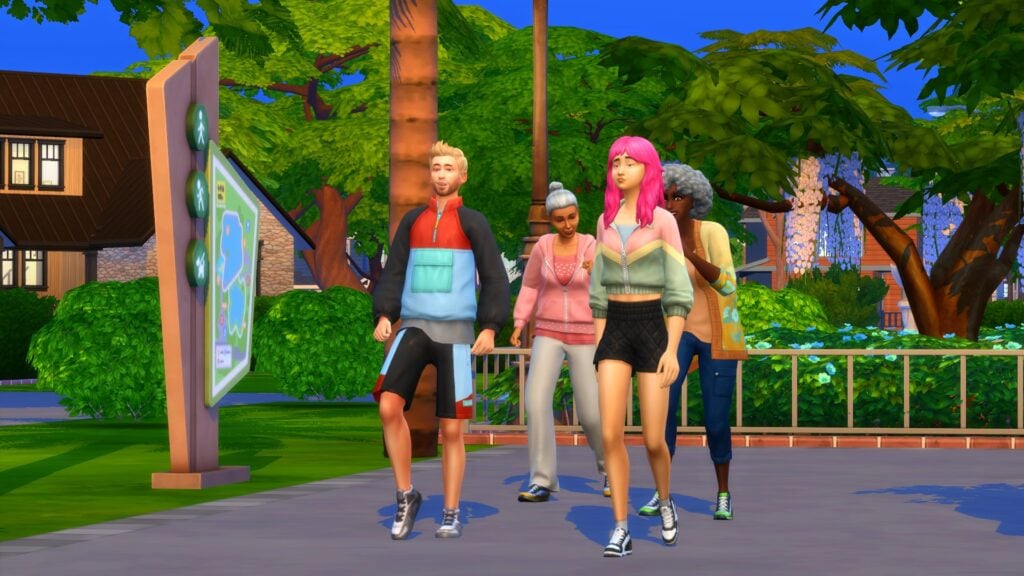
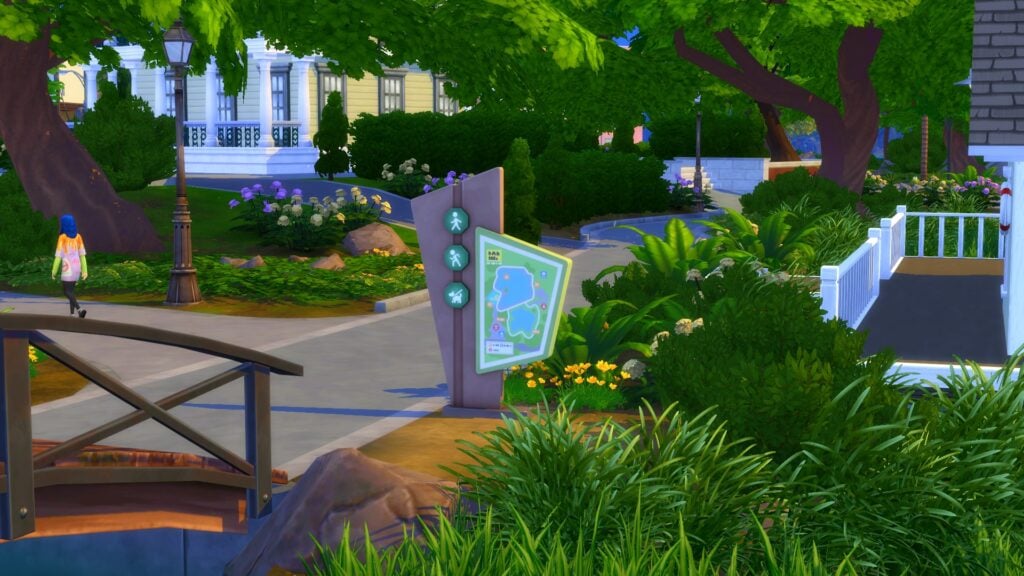
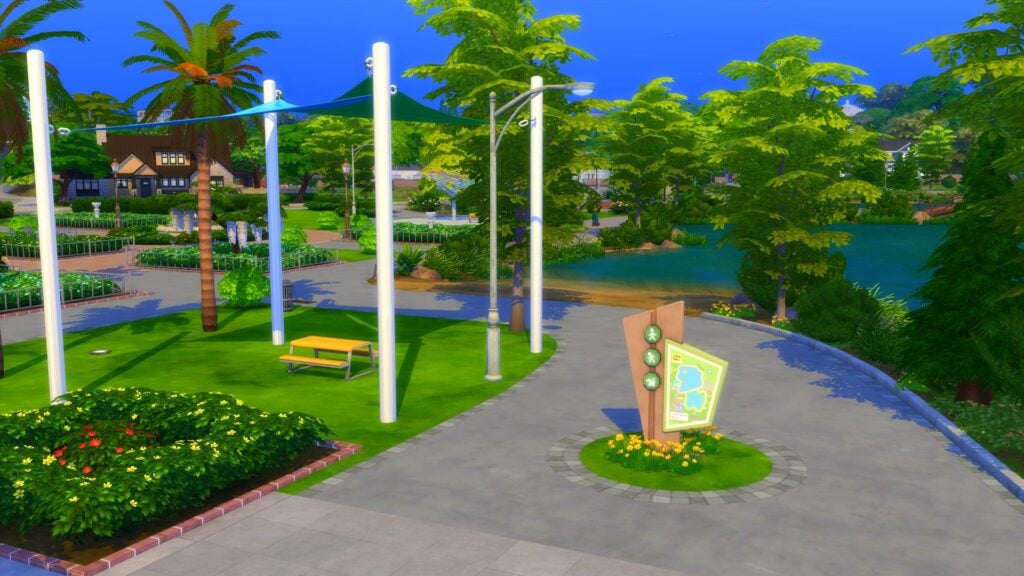
Simply travel from your current location over to the Recreation Center in Gilbert Gardens. Dotted around the area is a selection of signposts. These signposts will allow you to begin one of several different kinds of walking experiences.

TS4 x64 2023 03 22 15 05 58
Gather your friends and explore San Sequoia’s Gilbert Gardens

There are a total of three different signs posts, each allowing your Sims to take on a different kind of walk. Regardless of which walk you take part in, your Sim can go on their own, but there are other options too. These include in a group with other Sims, infants, and even dogs!

Your Sims will be able to choose a walk around the Lake, Pond, or Arboretum!

Location of each Walking Sign Post

With there being three different routes your Sims can take for their walks, you might be wondering where each of the different starting points are. In fact, they are located in very noticeable spots around the neighborhood.

The Pond

Located across the lake from the Recreation Center is the Pond Walk. Simply head over to where the wooden footbridge is and you’ll see it just next to where the tiny house is on the lake.

TS4 x64 2023 03 22 14 30 22
The Pond Signpost

The Lake

The easiest one to locate is the signpost for Lake Walking. Located just to the left-hand side of the Recreation Center as you look across the lake.

TS4 x64 2023 03 22 14 34 03
The Lake Signpost

The Arboretum

Located just over from the Lake Walking signpost and Recreation Center is the Arboretum Walk starting point.

Growing Together Walks Sign Post
The Arboretum Signpost

The Different Kinds of Walking Experiences

There are seven different types of walks that can be undertaken in Growing Together. These are the same regardless of which of the three locations your Sim goes to.

The types of walks you can undertake are:

  • Jog Around the Lake/Pond/Arboretum
  • Jog Around the Lake/Pond/Arboretum With
  • Power Walk Around the Lake/Pond/Arboretum
  • Power Walk Around the Lake/Pond/Arboretum With
  • Walk Around the Lake/Pond/Arboretum
  • Walk Around the Lake/Pond/Arboretum With
  • Reflective Walk
Growing Together Walks Sign Post
Walking Activity Sign Post

What Next?

Now that your Sims are on their walk, why not take a moment to take in your surroundings? Look for the smaller details on the route, things you might usually pass by or not have seen before. Go for a walk with Sims you might not normally hang out with. Get to know other Sims and of course, work on that fitness skill while taking it all in!

Growing Together with your Infant

Yes, infants can join you on your walks! Head to the Baby Care section for the infant you want to join you on the walk and have them sit in their carrier!

Growing Together, Infants on a walking activity
Exploring San Sequoia with Infants

Walk with your Pets

As well as other Sims joining you on a walk, why not invite your dog along with you too? Sadly, cats are unable to take part in the walks around Gilbert Gardens.

TS4 x64 2023 03 22 16 01 09
Taking a quick break!

Build Your Fitness Skill

Taking part in either a Power walk or Jog around any of the routes will also help your Sims build on their Fitness levels!

Growing Together, Sims Jogging
Sims Jogging around Gilbert Gardens

That’s everything that you need to know about the Gilbert Gardens Trails. So what are you waiting for? Why not take a trip to this lovely Growing Together neighborhood of San Sequoia today?

Life by You News: Build Your Perfect Dream Home!

Building your unique dream home has never been easier in a life sim!

Life by You News

We’ve got more Life by You news for you! Today, we’re talking about building a home in this new life simulation game spearheaded by Rod Humble. Players have been wanting to see all the tools of Life by You’s build mode in action and the Life by You development team delivered! Their latest YouTube video goes over all the main components of building a house and we are blown away by the sheer amount of freedom and customisation these tools offer to players!

Life by You News: How to Build a House

You can check out the full video tutorial below but if you’re strapped for time and want a quick summary breakdown, read on! We’re about to go over all the important details for you right here.

https://www.youtube.com/watch?v=27u4Tp4Xtxw

Laying Out a Floor Plan

Of course, every amazing home starts out with laying out a basic floor plan. We can see how easy it is to lay out, delete, and add rooms with a simple click and drag of the mouse.

How to Build a New House 0 17 screenshot

What we’re most excited about is the ability to build walls outside of the grid! In the above image, you can clearly see the developer dragging out a room shape that does not go along the grid lines on every side. The left and right sides are somewhere in the middle of two grid tiles. This is going to be huge for building houses that are proportioned exactly the way you want them to be.

Life by You News

You can continue expanding, deleting, and adding to sections of the house as you please. You are not limited to building box-shaped rooms, either. Create dividing walls for elegant partitions just as easily as you can drag out a room.

How to Build a New House 0 31 screenshot

You can build diagonally in any direction you want as well, both on and off the grid lines. Raise the first level higher or lower to create a foundation to your desired height or leave the foundation out entirely if you prefer. It’s your house. It’s up to you!

Adding More Floors, Balconies, and Stairs

But the exciting Life by You news doesn’t stop there. Of course you won’t be restricted to only building single-story homes. That would be incredibly unrealistic and super boring. House come in all shapes and sizes and so can your Life by You homes. Add multiple floors easily by just clicking and dragging rooms the way you want them on the second level.

Life by You News

Balconies can also be created easily with their own tool and as you can see in the above image, you can create them in any shape you want at any angle that you want. Of course, this example looks extremely silly but it does allow players wanting build mode Life by You news to see the versatility of the balcony tool. Players can choose between different styles of balcony and railings as well.

How to Build a New House 3 43 screenshot

This part of the video really blew our minds. In even more surprising Life by You news, we see a staircase being added to the second floor balcony but that isn’t the astonishing part. Look at where the stairs lead. The base of the stairs go outside the boundaries of the lot and it’s perfectly okay! They can be placed like that with no errors!

And if you’re wondering why everything looks white and has no texture applied to it, you can see the colour and pattern customisation tools here too. The developer quickly and easily applies a stone texture to the staircase.

Life by You News

Staircases can be built with or without railings and have the staircase texture customised separately from the railings. Drag the staircase out to make the staircase longer or more steep. Drag them outward or inward to make them wider or narrower. This piece of Life by You news is very exciting to see because it looks like placing staircases that fit the unique shape and layout of a house is going to be easier than ever with these tools.

Put a Roof On It!

The last tool we get to see in action here is the roof tool and like everything else, it can have custom patterns and colours applied to it. Pick a style of roof, drag it out however you want, and design it to match the rest of the house perfectly.

The piece of Life by You news that has us most excited when it comes to building roofs is the freedom players have to customize not only the exact colour shade and the pattern, but also the ability to scale that pattern larger or smaller.

Scaling patterns is not limited to roofs, either. Check out a video example of this being used on walls and floors!

Obviously, the quick house example whipped up in this tutorial looks completely bizarre but it does a great job of showing off just some of what’s possible with building in Life by You. That’s right; there’s more to discover but the developers are saving more Life by You news for more videos. We’ll be ready for them!


Never miss out on any of the latest Life by You news by following our Life by You category!

The Sims 4 Recreation Center: Gallery Spotlight

Find the perfect Recreation Center for your game!

A brand-new lot type introduced in Growing Together allowed us to build The Sims 4 Recreation Centers. This new lot type opened up multiple possibilities for players to create a one-stop place for multiple activities.

Need somewhere to host a Baby Shower or Family Reunion? Check out the local recreation center! Need a place for the children to play while working on your own skills or completing a work-out? Head to the recreation center. Want to just meet up and catch up with friends, you’ve got it, visit the local recreation center!

What ever the reason, recreation centers offer countless possibilities as to what they can offer to your Sims!

Sims 4 Recreation Center
Sims, visiting the Celebration Center in San Sequoia

We’ve searched The Gallery for our favourite The Sims 4 Recreation Center builds and have six exciting ones to share with you in this Gallery Spotlight!

SimFun Center

TS4 x64 2023 05 14 13 24 38
SimFun Center by CherrieeeX
TS4 x64 2023 05 14 13 24 55
Outdoor Space at SimFun Center

There is something for everyone at the SimFun Center!

From outdoor fun in the play park or basketball court to taking a moment to relax in or by the pool! Of course, there is more as this recreation center also features a gym space, live music performance room, wellness room, study space, lounge areas, dining and more! That’s not to mention the convenient Subway station right outside, too! With so much on offer, this The Sims 4 Recreation Center is the perfect place for Sims of all ages to visit!

  • Lot Size:  64×64
  • Price: $342,722
  • Gallery ID: CherrieeeX
  • The Gallery Link
  • Required Packs: Growing Together, Cottage Living Snowy Escape, Eco Lifestyle, Discover University, Island Living, Seasons, Cats & Dogs, City Living, Get to Work, Werewolves, My Wedding Stories, Dream Home Decorator, Jungle Adventure, Parenthood, Spa Day, Nifty Knitting, Moschino, Laundry Day, Fitness Stuff, Basement treasures, Bathroom Clutter, Every Day Clutter, Pastel Pop, Little Campers, Decor to the Max, Blooming Rooms, Industrial Loft, Courtyard Oasis.

Base Game Rec Center

TS4 x64 2023 05 14 13 57 52
Base Game Rec Center by AhhSoSpicy

This Base Game friendly The Sims 4 Recreation Center has plenty to offer. From large spacious rooms offering activities such as live music, arts and crafts, gymnasium, meeting room and an events space. That’s not to mention the jungle gym and indoor play zone, study space and indoor pool located in the basement!

  • Lot Size:  50×50
  • Price: $526,282
  • Gallery ID:  AhhSoSpice
  • The Gallery Link
  • Required Packs: Base Game Only

Celebration Center

TS4 x64 2023 05 14 14 21 52
Celebration Center by LostInSophie

Modern, spacious and with plenty of activities to offer, Sims will always have plenty to do while at the Celebration Center! With both indoor and outdoor play areas, two indoor swimming pools, gym and yoga activities, study space, basketball court, music performance space, arts and crafts as well as a small rooftop gardening area too. There is no shortage of fun at this celebration center!

  • Lot Size: 64×64
  • Price: $380,376
  • Gallery ID: LostInSophie
  • The Gallery Link
  • Required Packs: Growing Together, High School Years, Cottage Living, Discover University, Island Living, Seasons, City Living, Get Together, Get To Work, Strangerville, Parenthood, Spa Day, Nifty Knitting, Toddler Stuff, Backyard Stuff, Cool Kitchen, Bathroom Clutter, Desert Luxe.

San Fran Rec Center B.G

Sims 4 Recreation Center
San Fran Rec Center B.G by TMone54

This Recreation Center offers so much that your Sims will never want to leave! Not only that, there is so much detail, the creator has even stated you’ll need to make sure your Sims don’t get lost!

While this recreation center is split into apartment style builds rather than a traditional looking recreation centers, you will find places to eat, drink and sleep, lounge with fellow Sims, get involved in live music performances, hang out at the bar, go for a swim, get married and more! There is so much detail to this recreation that you will find yourself finding something you missed each and every time you visit!

  • Lot Size: 64×64
  • Price: $827.142
  • Gallery ID: TMone54
  • The Gallery Link
  • Required Packs: Base Game Only

San Sequoia Fun Complex

TS4 x64 2023 05 14 15 10 08
San Sequoia Fun Complex
TS4 x64 2023 05 14 15 11 05
Outdoor Space and Second Entrance

This The Sims 4 Recreation Center is the perfect addition to your game! A mixture of modern looks and full of beautiful greenery outside. Your Sims will never want to leave!

Take time to relax in the beautiful outdoor area while younger Sims play or listen to some piano music, get your gym face on by making use of the outdoor facilities, host an event in the events room, make use of the study space, let your younger Sims burn off some excess energy in the play zone and more! Again, this is another recreation center with something for every Sim!

  • Lot Size: 64×64
  • Price: $347,891
  • Gallery ID: vivdotcom
  • The Gallery Link
  • Required Packs: This build uses items from all packs, excluding Star Wars Journey to Batuu, Vintage Glamour, Spooky Stuff, Luxury Party, Basement Treasures, Greenhouse Haven, Courtyard Oasis, Country Kitchen, Bust The Dust and, All CAS Kits

New Celebration Center

TS4 x64 2023 05 14 15 22 51
New Celebration Center by Lixy170

Inspired by Art Deco architecture, this pretty in pink recreation center looks beautiful in San Sequoia! The use of the glass roof allows plenty of sunlight through from the roof, leaving some gorgeous patterns cast throughout this The Sims 4 Recreation Center.

With plenty of space for indoor and outdoor activities including, exploring the treehouse and jungle gym, arts and crafts, study space and a gym zone. Additionally, there is plenty of space to host an event be it a Baby Shower, Family Reunion or party. What ever the occasion is for your Sims to be visiting the New Celebration Center, there will always be something going on!

  • Lot Size: 64×64
  • Price: $312,248
  • Gallery ID: Lixy170
  • The Gallery Link
  • Required Packs: Growing Together, High School Years, Get Famous, Romance Stuff

That’s all for our The Sims 4 Recreation Center showcase. What other lot types would you like to see us shine the spotlight on? Let us know in the comments below!

Want to know more about The Sims 4 Recreation Centers? We’ve got a full breakdown here!

As always, be sure to stay tuned to Sims Community for all the latest news and information from The Sims franchise!

Sims 4 Book Nook Reno: Dull to Dazzling

We gave an ugly book nook two completely different makeovers!

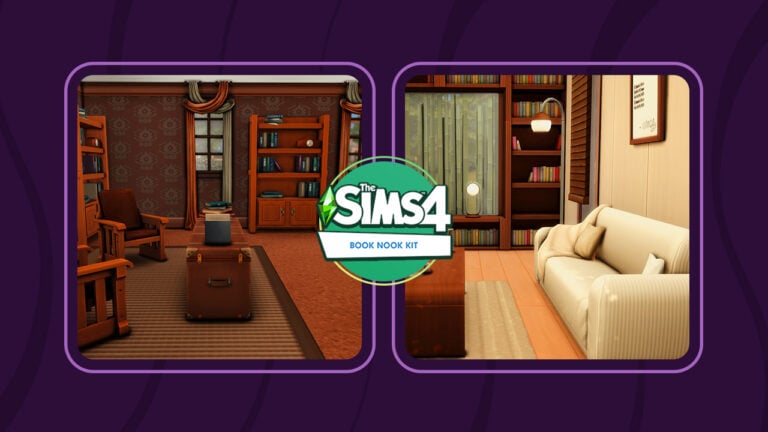
The Sims 4 Book Nook Kit adds a handful of objects to create a relaxing reading space with customisable shelves. Although the vibe of the kit is very minimalist and soothing, with a lot of clean lines and neutral colour options, that doesn’t necessarily mean that’s all it’s useful for. We decided to put this kit to the test by taking a plain, outdated reading room and redesigning it in two completely different styles using just one other pack and base game items!

The Sims 4 Book Nook Kit Makeover

We were interested to see how much we could do with this kit. Just how different would it make a space feel, especially a space that only used base game items? To test just how versatile this new build kit is, we started by building a very drab, outdated book nook using just base game objects. The goal was to take this dark, dreary space and do something interesting with it using as many of the new kit objects as possible.

Of course, just redecorating a room with kit objects would have been too easy. For an added challenge, we placed a couple rules on ourselves. We were free to change windows and doors, along with their placements, but we could not alter the shape of the room and we were limited to only one other pack apart from The Sims 4 Book Nook Kit.

Here’s the before look at this drab, dull space. I certainly wouldn’t want to read here!

sims 4 book nook
2023 06 05 15 14 51 479 ellanora by ellcrze
sims 4 book nook

It’s dark and dreary and not somewhere we’d be able to let our imaginations travel to all the places in our books. So let’s fix that!

Tranquil Pages

My colleague, Krista, and I collaborated to bring you these room makeovers. Each of us picked one additional pack to use alongside base game items and the Book Nook Kit. I picked Snowy Escape because I feel like the clean and soothing vibe of this pack’s build catalogue matches perfectly with this kit. I envisioned a bright, airy reading space with lots of natural light and unique shelving designs.

2023 06 05 15 16 06 033 ellanora by ellcrze

I love how The Sims 4 Book Nook Kit has a loveseat that slots perfectly between the modular bookshelves so I definitely took full advantage of this concept to create built-in seating. If I was a Sim, I’d want to read right here with an amazing view out the window for daydreaming.

sims 4 book nook

But on days where I really just want to tuck myself away from the world, this comfy couch in the back of the room with a view of a dense bamboo garden can offer the perfect private getaway, too. I can really picture myself curled up under that throw blanket.

2023 06 05 15 15 48 376 ellanora by ellcrze

A cup of coffee with an open book on a tray sitting on this end table makes this armchair near the entrance a tempting spot for some light reading, too. In fact, there are so many comfy places to sit and read in this space, I might have trouble deciding on where I want to read!

But The Sims 4 Book Nook Kit has so much more to offer still! Take a look at how Krista imagined a completely different space by pairing a very unexpected game pack with this kit!

Moonwood Nook

As we previously mentioned, SnarkyWitch and I have teamed up to bring you two room makeovers using the new The Sims 4 Book Nook Kit and one other additional pack. I’ll admit now, I had a tough time choosing which pack I was going to use to start with but I was ready for the challenge!

Initially, I had a vision of a cosy book nook primarily full of neutral colours featured within the new Sims 4 Book Nook Kit and then adding pops of colours from the High School Years expansion pack. As I played around with different ideas, there was something that didn’t sit right with what I was trying to create. I demolished it all and went for a completely different vibe altogether.

Sims 4 Book Nook

In an unexpected pairing, and as the title of the room suggests, I ended up using The Sims 4 Werewolves game pack to create my renovated book nook.

Instead of a light and colourful book nook, I was now creating a much darker and dreary space, perfect for any regular Sim or Occult Sim. Still functional yet incredibly cosy, perfect for grabbing your favourite book, a coffee and escaping into a whole new world.

TS4 x64 2023 06 05 19 04 16 [imkeegs] herbalhaze

The first aspect that I worked on in this Sims 4 Book Nook was the customizable bookshelves. There are two featured in this makeover. One surrounding the plant-filled fireplace and the second, albeit somewhat larger on the opposite side of the room. I opted for the darker swatches of the bookshelves and mixed them up between the different styles available. The empty spaces on the shelves filled with the odd bit of clutter to make them come alive. Of course, I had to place a small desk with a computer on it so that our budding writers could work on their next novels too!

Sims 4 Book Nook

Personally, I love this area of the room makeover. The new seating from the Sims 4 Book Nook Kit worked better than expected with the patched-up sofa from the Werewolves Game Pack. Even though it feels a little mismatched, I was surprised at how well it worked once everything was in place. The stacked book piles definitely help bring the cluttered book lovers feel to the room too!

TS4 x64 2023 06 05 19 04 55 [imkeegs] herbalhaze

Speaking of clutter, this gave the room overall an added cosy feel. The new floating bookshelves, book piles and even the new decor items really helped bring the room together overall. They are so versatile and pairing them with the Werewolves Game Pack, while unexpected actually turned out even better than I initially imagined.

Download These Rooms!

If you loved these Sims 4 Book Nook Kit makeovers, you can download them for yourself! Both of these rooms are available in the Gallery. Just click the buttons below to save them to your library. Or, look up SnarkyWitch and Leekseverywhere in the Gallery.

Did you have a different vision in mind when you saw our drab base game reading room? Why not try redecorating it yourself? Our ugly base game book nook is also available in the Gallery under the ID SnarkyWitch! There are no rules or prizes involved. Just have fun!


Thinking about purchasing The Sims 4 Book Nook Kit? Check out our overview and review!

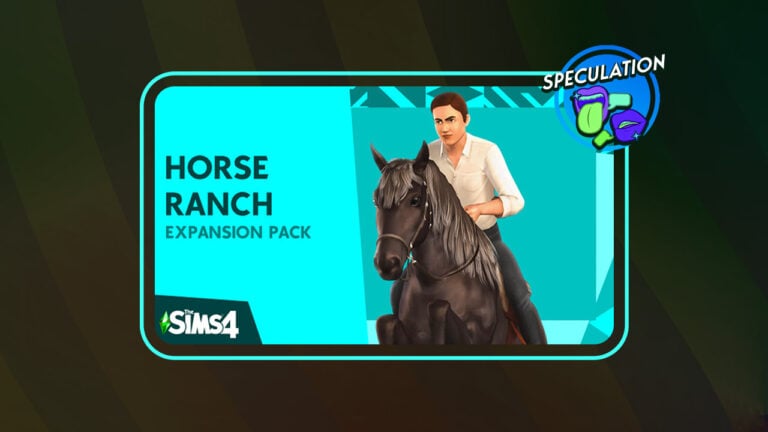
POSSIBLE LEAK: The Sims 4 Horse Ranch Expansion Pack

An interesting leak for The Sims 4 Horse Ranch EP has surfaced on two seperate websites.

Before we continue talking about The Sims 4 Horse Ranch that has seemingly surfaced the web, it’s important to give a disclaimer. This post is purely based on speculation for now and contains no official confirmation as of yet. All image assets shown below are recreated for the listing purposes.


A recent listing as spotted by @TheHenfordHen makes Simmers believe once again that Horses are coming. And according to the unofficial listing – in a seperate Expansion Pack!

There’s a new Sims 4 leak that hit the web recently, featuring the 14th speculated Expansion Pack. Learn more about what we know so far from the web archives, as well as the latest Sims 4 Horse Ranch Pack listing!


There’s a Release Date for The Sims 4 Horse Ranch?

We’ve just been tipped about the update for the Instant Gaming listing of the Horse Ranch Expansion Pack. According to today’s update of the Pack listing, The Sims 4 Horse Ranch will be released on July 20th, 2023. This information is unofficial and unconfirmed for now until we know more for certain.

the sims 4 horse ranch release date

The Sims 4 Horse Ranch Pack: Potential Leak

The listing for “The Sims 4 Horse Ranch” Expansion Pack, which would be the 14th EP in the series, appeared on key reselling websites. For this potential Expansion Pack leak we can thank Instant-Gaming and CDKeys. Both websites have put up the listing up on their platform just a few hours ago.

the sims 4 horse ranch ep on instant gaming
The Sims 4 Horse Ranch on Instant Gaming

On both websites there’s a custom put-together Box Art for The Sims 4 Horse Ranch EP, although they are not original. Rather, the Render image of a Sim riding a Horse has been used from a completely different title. Yes, we’re talking about The Sims 3 Pets!

sims 3 pets cover
Can you see it?

What about the release date and features?

When it comes to the release date and game information, there isn’t anything specific that would make the listings stand out. Both websites have set the Release Date for just “2023”, with Description and Key Features for The Sims 4 Horse Ranch being just the ones from the Base Game.

sims 4 horse ranch cd keys
Horse Ranch EP listed on CD Keys

The Sims 4 Horses: The TikTok Speculation

A few months ago we’ve gotten a silly teaser from The Sims Team on TikTok about Horses. Yup, we’re talking specifically about the reply down below:

Sims 4 Horse Ranch - TikTok Speculation

Still, many believed that the social media manager of the account was just playing around, as confirmed in a new reply that you can see below.

Fx4JQDsWIAA4e9N
Source: Iron Seagull

Can we trust the latest leaks?

I’d recommend that you all take this speculation and listings with a grain of salt. Still, there are a few times that these websites could predict a Sims 4 release in advance. There’s are examples with Instant-Gaming when they broke the news about The Sims 4 going free. They were also responsible for the name leaks of Sims 4 Island Living and Cottage Living Expansions. (Tip from @TheBoyXp)

Other than that, the CD Keys website seems to be affiliated with a popular gaming website Digital Spy, which could add some credit to the website. But it’s all speculative for now!


Keep in mind that it’s best to keep this Sims 4 Horse Ranch speculation with set expectations until we find out more. You can stay tuned on the latest Sims 4 News to be the first to know if this speculation gets debunked!

horses

Before you leave, we want to ask you a final question:

[totalpoll id=”141318″]


What are your thoughts on this piece of Speculation? Do you think that The Sims 4 Horse Ranch Pack is truly coming to the game? Join the conversation below!

11 Exciting The Sims 4 CAS Challenges To Check Out!

Looking to start a fresh Sims 4 CAS Challenge? Check out our recommendations!

Do you ever find yourself, sitting in Create A Sims wondering what kind of Sim to create? Well, we have a variety of Create A Sim Challenges for you to help beat the Create A Sim block.

We’ve got everything from summer themes to family-inspired Sims 4 CAS Challenges to occult inspired and even a K-Pop Challenge! With so many different themes and prompts there is something for everyone to check out.

The Sims 4 Create A Sim Challenges

30 Days of Summer

Madsimming has created this lovely summer-themed CAS challenge that is spread over the course of thirty days. Full of beautiful summer and exciting summer themes, dress your Sims to the theme to make the ultimate summer looks!

You can also use the hashtag, #maadsummer to see other player’s creations too!

Sims 4 CAS Challenges - 30 Days of Summer by MadsSimming
30 Days of Summer by Madsimming

Date Night CAS Challenge

Mickimagnum has created a lovely little Date Night-themed Sims 4 CAS Challenge. With a choice of fourteen different prompts, there is a theme for everyone in this romantic CAS challenge.

You can also use the hashtag, #datenightcas to see other player’s creations too!

Sims 4 CAS Challenge
Mickimagnum’s Date Night CAS Challenge

Growing The Family

Inspired by The Sims 4 Growing Together, why not have a look at the Growing The Family Challenge by MogSimmer! With twenty varied family-orientated prompts, grab your Sims and dress the part!

Have a look at the #GrowingFamilyCAS tag for more family fun!

GrowingFamilyCAS by MogSimmer

Sim Thru The Decade

Now, if you are looking for something a little different, why not have a look at this decade-inspired Sims 4 CAS Challenge? Created by Grenesims, you have nine different prompts focusing on the events of different stages of your Sims’ lives, what life events will you highlight at each stage?

Be sure to take a look at the #SimThruTheDecades hashtag to see more stories!

Sims 4 CAS Challenge
SimThruTheDecades by Grenesims

Elder-A-Day

Why not show those Elder Sims some love in this beautiful Elder-a-Day challenge by Plumdot! Featuring fifteen interesting prompts, explore a side of your Elders you might not normally think to do so!

Create the ultimate mini lookbook for your Elder Sims in this fun challenge!

Elder a Day by Plumdot

Teen-A-Day

We’ve talked about Elders but now it’s time for Teens! With everything from Cheer Captain, theatre kid, and more, there is plenty to explore in this twenty-eight-day challenge from Dizzywhims. So why not explore a range of themes with your Teen Sims today?

Don’t forget to check out the #teen-a-day hashtag too!

Sims 4 CAS Challenge
Teen A Day Challenge by DizzyWhims

K-Pop CAS Challenge

Are you a K-Pop fan? Well, this is the challenge by Ligyatrait is for you! With twenty-eight different concepts, many of which you see in various K-Pop music videos and comebacks on a daily basis. This time, however, it’s your Sims’ turn to explore them!

Don’t forget to use the #KPOPCASCHALLENGE tag when you upload your creations!

KpopCASChallenge by Mia
K-Pop CAS Challenge by ligayatrait

Summer Siren Challenge

The recent release of The Little Mermaid inspired Purmapup to create this summery siren challenge! With ten different prompts exploring a range of Siren-inspired themes, there will be something for everyone in this challenge!

Don’t forget to visit the #SirenSummer tag on Twitter!

Sims 4 CAS Challenge
Summer Siren Challenge by Purmapup

Mystical March Challenge

It might not be March anymore, but this challenge from Honeysylvan takes you through thirty-one different occult prompts. Typically, this is the kind of challenge that many of us would consider taking part in during Spooky Season, however, there’s nothing stopping us from exploring something more mythical and magical in the Summer months!

There are some amazing creations to be found under the #MysthicalMarchSims tag already, so be sure to check them out!

Mythical March CAS Challenge by HoneySylvan

28 Bloody Nights of CAS

Do you like occults and are looking for an Occult inspired Sims 4 CAS Challenge? Then this is the perfect challenge for you! Created by Nikatyler, this challenge features twenty-eight prompts to explore a variety of different themes to have a spooktacular time creating!

Do you dare look at what is lurking in the #28bloodynightsCAS tag? Choose wisely Simmer!

Sims 4 CAS Challenge
28 Bloody Nights of CAS by Nikatyler

Sims Bingo

Sims Bingo is a CAS Challenge with a difference. Instead of creating various looks over a specified timeframe, Sims Bingo still offers you prompts, but in a way that you can do them at your own pace. This is also a great idea for when you are looking for inspiration for a new Sim too!

This challenge by Kiara (MusicalWhims) and those similar are popular on Tumblr and it offers a vast selection of themes for players to explore.

Sims Bingo by Kiara aka MusicalWhims
Sims Bingo by Kiara (MusicalWhims)

That’s all for our Sims 4 CAS Challenges in this post. Make sure you check out all the creators and the challenge hashtags for the individual challenges!

Why not let us know if you take part in any of the challenges mentioned in this post or what other Sims 4 CAS Challenges you have taken part in down in the comments below?

Don’t forget to stay tuned to Sims Community for all the latest news, information, and original content for The Sims franchise!