EA has announced two new Sims 4 Kits – Grunge Revival and Book Nook!
EA and Maxis have just revealed two new Kits coming to The Sims 4. In case you don’t know, The Sims Team had announced in their Roadmap Reveal that there would be 4 Kits released from April to June.
After the release of Greenhouse Haven and Basement Treasures Kits, we get to see what’s next in store for The Sims 4. Let’s take a deeper look!
New Sims 4 Kits – Grunge Revival
The Grunge Revival Kit is a new Create A Sim Kit coming to The Sims 4. Including fashionable grunge pieces for Masculine and Feminine Sims. Take a closer look in the previews below!
Bring new energy & bold intention to your wardrobe with The Sims4 Grunge Revival Kit! Whether it’s rocking an old band tee or a baggy hoodie from the thrift store, challenge expectations with effortless fits.
Along with the official screens that showcase a lot of fun new CAS clothing, we also got a full look at the new cover art:
The Sims 4 Book Nook Kit
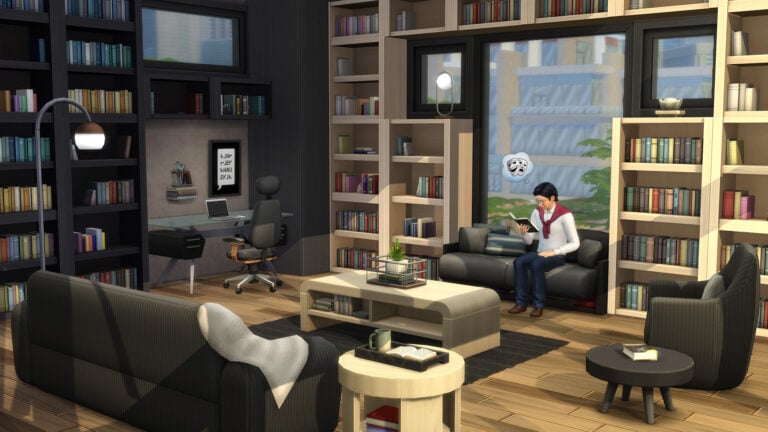
It doesn’t stop there with the new Sims 4 Kits! The second Kit for The Sims 4 that you should be expecting on June 1st is the Book Nook Build Kit.
Take a look at the first previews down below:
Create the perfect spot to curl up in after a long day with The Sims 4 Book Nook Kit! With stackable bookshelves & plushy sofas, design your Sim’s book nook to be their favorite spot in the house.
The team also released the official cover art for The Sims 4 Book Nook:
Looking for a full list of objects coming in these new Sims 4 Kits? We’ve got you covered!
Thoughts on the new Sims 4 Kits?
That’s all we have on the new Sims 4 Kits so far! Both Kits are retailed at $4.99USD, or a price equivalent to your local currency. You’ll be able to purchase them from the official online retail stores on June 1st, 2023.
What are your thoughts on the Book Nook and Grunge Revival Kits? We’ll make sure to keep you updated on all the latest Sims 4 Kits News right here on Sims Community!
Take a tour of two venues coming with Life by You!
Before we take a dive into these amazing Life by You lot tours, let’s just get everyone caught up on what Life by You is. In case you haven’t heard the news, a new life simulation game called Life by You is on the horizon. The game is being spearheaded by Rod Humble, who is highly regarded as the creative genius behind The Sims 2 and The Sims 3. The development team has been sharing heaps of information about the game and being very transparent with future players about what they can expect to experience during the upcoming early access period on September 12th, 2023.
Table of Contents
Life by You Lot Tours
While a lot of focus has been placed on how mod-friendly the game is, players who are not interested in customization and just want to dive in and play have been asking questions about how much this game offers by itself. The development team has been giving Life by You lot tours of prebuilt lots in the game to show future players that Life by You is not just for modders. Anyone can pick up this game, play it, and enjoy it without the need to spend hours customizing everything.
Lotus Gym
https://www.youtube.com/watch?v=GdhdChhUAI0
This lot tour of the gym venue shows off a lot of new and interesting content that is already in the game, ready for players to enjoy with no set-up required at all. Already, we can see that the architecture and interior design of this lot is far superior to the bland empty boxes that The Sims developers create for their players. It’s a fully functional, fully decorated and furnished space with care and thought put into the look and feel of this environment.
What has us most excited about the first of the Life by You lot tours is the variety of exercise equipment available for our humans to use. This is something Simmers are definitely not used to. There are yoga mats, aerobics step platforms, spinning cycles, exercise balls, treadmills, and several different kinds of weight lifting equipment. All of these will be available in the base game early access, which is really cool to see!
Of course, if there is anything about the look of this gym that you don’t like, you can freely go in and customize whatever your heart desires. The whole game is fully customizable but players who just want to play have everything they need to just hop in and relax in their virtual world for a while.
Food Mart
https://www.youtube.com/watch?v=Yi2vHXM54Ik
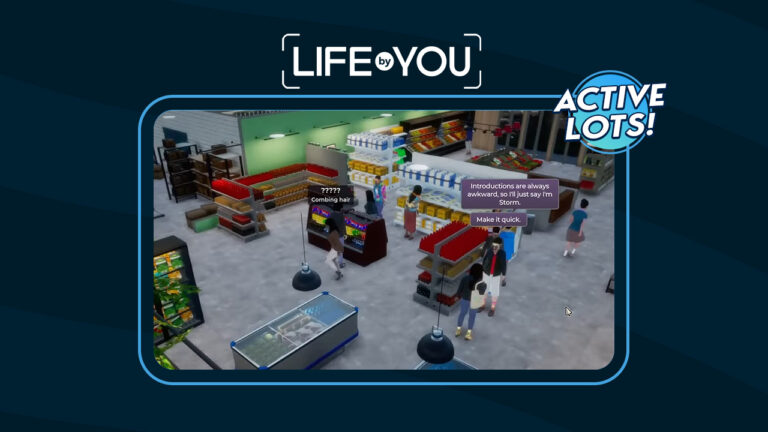
The second of the Life by You lot tours shared so far is the food mart! This already has us excited even before seeing the lot just because food markets and grocery stores are something that Simmers have wanted to see return to The Sims 4 for a long time. Of course, it is possible to make grocery stores with the Get To Work expansion pack but it’s not really the same and it’s a lot of work to set up. Players really just want a fully-functional grocery store in the base game already set up to visit.
Life by You’s food mart offers exactly that! The food mart features different sections and aisles of the market showcasing different types of foods and beverages. There are fruits and vegetables, meat, beverages, and plenty more to browse through. Humans can use the displays to take some free samples or browse and when they know what they want to buy, they can interact with the front desk to make their grocery order.
These Life by You lot tours have been great to see. It’s nice to know that there is already a fully fleshed out world available for us to jump in and play with. We don’t have to spend ages micro-managing little details if we don’t want to.
Never miss any of the latest Life by You news by bookmarking our Life by You category!
A much-loved glitch is being removed from the game and Simmers are NOT happy
The Sims Team just dropped their latest Laundry List and a Sims 4 photography boost glitch that has become a fan favourite is scheduled to be removed from the game. Simmers are in an uproar about this. It might seem strange to be upset about glitches being fixed; however, this particular glitch was actually beneficial to players. Simmers have grown to become extremely fond of this glitch because they can use it to their advantage in their gameplay.
Table of Contents
So What is This Sims 4 Photography Boost Glitch?
Ordinarily, Simmers would have to spend a lot of time investing in conversations with other Sims in order to make friends. While this isn’t such a big deal if your Sim just wants to have a small circle of friends, it gets tedious when you have extremely social Sims with aspirations like Friend of the World. You spend a lot of time mindlessly clicking and queuing up interactions. It isn’t fun and it’s repetitive for the player. I swear, making 20 friends in The Sims 4 is the most mind-numbing, robotic experience as a player. There is only so many times you can compliment someone’s outfit and brighten their day before you start feeling like a broken record.
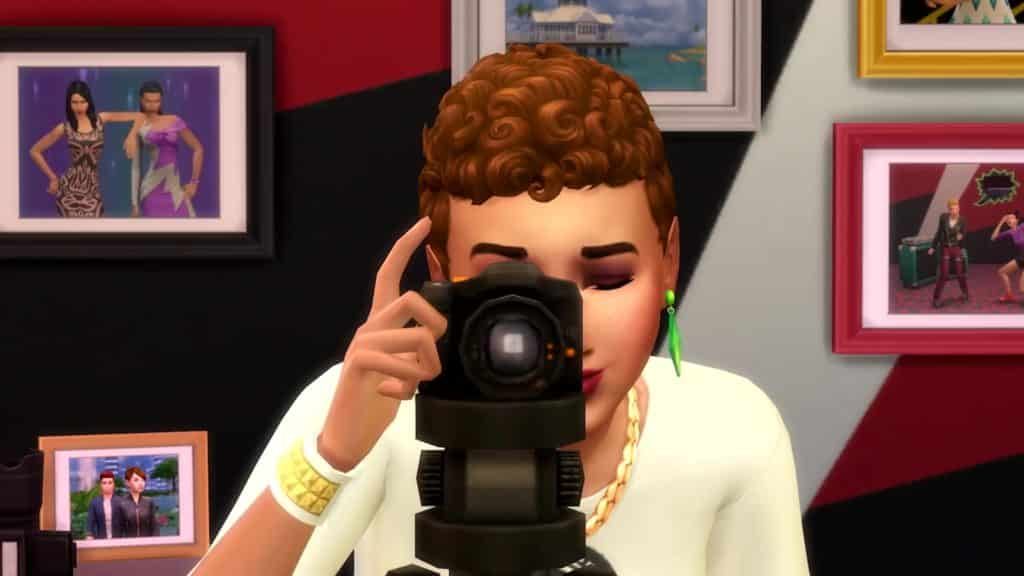
But Simmers have found a quick and easy Sims 4 photography boost exploit to make lots of friends very quickly. It involves photography, which is now a base game feature so all players can take advantage of it. Just use your Sim’s cell phone or any camera bought from Build/Buy and take a picture of the Sim you want to be friends with. You will have to introduce yourself to the Sim, first. It would be pretty weird and creepy to take a picture of a total stranger, after all. Taking another Sim’s picture massively increases friendship gain between those two Sims.
The Sims can go from barely knowing each other to Good Friends after just 5 to 10 pictures, which is just one or two photo shoots. It’s a very powerful Sims 4 photography boost exploit.
Surprising Community Reactions
Obviously, such a useful Sims 4 photography boost glitch is bound to be popular with players so upon hearing that this glitch was going to be “fixed” in the next base game update, Simmers made their discontent known.
Please do NOT fix the photography causing friendships to skyrocket. I love that little quirk
This is probably the first time we’ve ever seen a Sims 4 glitch get fixed and Simmers are angry about it. But honestly? We agree! Leave our Sims 4 photography boost exploit alone, please! We like it! The Sims 4 is a single player game so having this exploit doesn’t put anyone else at a disadvantage. Players who want a more challenging experience making friends can simply opt not to use this exploit. They can become friends, first, then start taking pictures for fun and decoration if they want to.
We just really don’t see how this Sims 4 photography boost glitch is problematic for players. In fact, a lot of players clearly like it and want it to stay.
So, if you need to make a lot of friends fast, you should probably use this Sims 4 photography boost exploit before the base game update drops next week.
Laundry Day Glitch to be Fixed
So, is The Sims Team actually fixing anything Simmers want fixed? Yes! Understandably, a lot of Simmers are focused on the photography bug that they don’t want fixed so it might have been easy to miss some of the annoying glitches that are getting fixed. Like the laundry bug.
Laundry Day Stuff has been plagued with glitches since it launched and while The Sims Team have released fixes for many of the issues over the years, a lot of those pesky laundry bugs seem to come back sooner or later. One such bug is a bug that prevents players from being able to wash or dry clothes inside a washer or dryer. Since doing laundry is the main gameplay draw of this pack, this bug makes the stuff pack pretty much useless. A lot of Simmers have just stopped putting laundry rooms in their homes all together.
Finally, they’re fixing the washing machine!! 👏🏽 I’d given up on using them in my games.
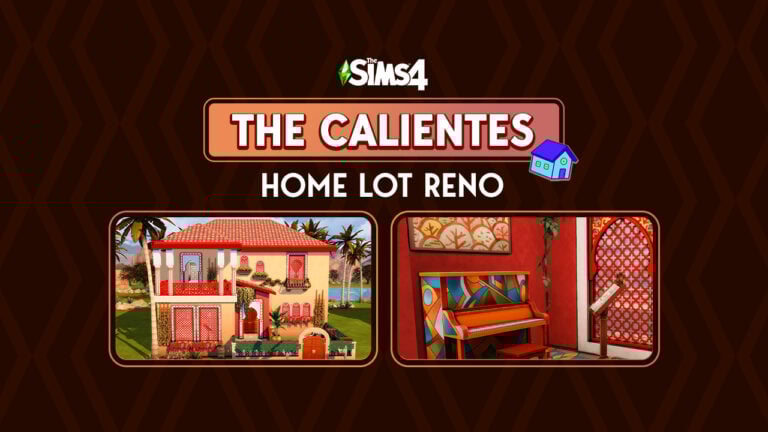
Let’s give the Calientes a home to match their new makeovers!
In case you missed it, The Sims 4 Calientes and Don Lothario were recently given a makeover by The Sims Team. The Caliente twins and their mother look more true to their Arab and Spanish roots now, which is fantastic to see! As for Don, well, players seem to find his makeover questionable to say the least.
Whether you love or hate the redesigned Caliente household, they are here to stay in our games (unless you delete them, of course) but their home does not reflect the improvements made to these Sims at all. The Sims 4 Calientes look incredible but their home still looks like a sparsely furnished, dimly lit dungeon in the middle of the desert. We decided that the Calientes deserve better than that.
So, we took it upon ourselves to use all the packs and kits in our arsenal to give the Calientes a beautiful home that matches their beautiful new aesthetic!
Table of Contents
The Sims 4 Calientes: A New Home for a New Look
Let’s take a tour through this remodeled home for the Caliente household! Nothing was done to the overall structure and layout of the original Sultry Springside home. I focused primarily on redecorating the existing structure, although I did replace all the doors, windows, fencing, and columns.
Exterior
As you can see, the Courtyard Oasis kit came in very handy for remodeling this house. The vibe of that kit is perfect for a desert environment like Oasis Springs and has a lot of colour and personality, just like the vibrant personalities of the Calientes themselves. I wanted to create a space that was as alive and fun as the people who live there.
Some more aerial shots of the home from different angles show off the updated windows and doors all over the house, many of them with floral embellishments to give some dimension to otherwise flat portions of the building.
While the Desert Luxe kit is not my favourite kit (I’m really not fond of the “50 shades of beige” style), it did work well for this back patio. The tiles, loungers, BBQ, and benches all provide a more neutral space to relax in this vibrantly colourful home. I turned the garden that used to take up half the backyard into a pool and hot tub combo. No one in the Caliente household has any interest in gardening so the garden didn’t make much sense at all. I feel like they are definitely pool and hot tub people.
Living Room
Once again, Courtyard Oasis really brought this room of the house together, with some help from Jungle Adventure, Island Living, and some other packs. This red and warm brown living space is colourful and full of personality, just like The Sims 4 Calientes! A large wall-mounted TV and gaming console provide modern amenities while the couch, coffee table, and rug offer that warm touch of tradition.
One of The Sims 4 Calientes, Katrina, is a musician and I wanted her to keep her music space in the front of the home, but that massive grand piano that was here before made the whole space feel claustrophobic. The wall piano that comes with Growing Together was the perfect replacement here, especially with its many colourful swatches. The extra space left room for a microphone, too!
Kitchen & Dining
I actually really liked the original layout of The Sims 4 Calientes’ kitchen. The bar island was perfect for Dina’s job as a mixologist so I stuck with that layout. I just updated the counters and appliances and gave the walls and floors a face lift.
The Sims 4 Calientes’ dining room is a bit more on the rustic side, but with lots of warm, inviting colours like yellow, burgundy, and rich brown tones. The hanging leaves over the windows bring a taste of the outdoors indoors and give the space that added touch of depth and visual interest.
Bathrooms
Katrina’s BathroomDina and Nina’s BathroomDon’s Bathroom
The three bathrooms in the home are all in a similar style. Blue tiles with mosaic tiled walls and a rustic bowl sink continue the overall theme of the home. Each bathroom has plenty of individualized clutter to suit the specific Sims who use it.
Hallways
First Floor Hallway
I absolutely love the mosaic flooring from the Courtyard Oasis kit with a matching staircase in this area of the home. The Sims 4 Calientes’ personalities really show through as soon as you step through their front door. An accent table with spare change, a cell phone and keys, and exercise equipment show off the interests of the Calientes.
Upstairs, the same floors and walls continue the flow of the house. A shared computer desk sits above the staircase with lots of artwork on the walls and more individualised clutter. Can I just say I love the focus on unique clutter kits recently? It’s taken visual storytelling to a whole new level.
Bedrooms
Katrina’s Room
Moving on to The Sims 4 Calientes’ bedrooms! Katrina gives off a very feminine, pampered princess vibe so I redecorated her master bedroom in shades of pink. More than one mirror in the room allows her to admire herself from any angle.
Curtains over the bed and a rose gold giraffe statue are just the kind of extra I’d expect Katrina to love. As the matriarch of the house, she also gets an open air patio and a whole bathroom with a whirlpool tub to herself.
Dina’s Room
I kept the general yellow theme of Dina’s bedroom but gave it a lot of personal touches that point to her ambitious and active personality. A sports drink by the side of her bed with an outdoorsy magazine and a baseball hat and basketball on display on the wall highlight her active lifestyle, while the trophy collection on her dresser show her ambitious side. A large shoe collection, a ring light, and lots of makeup throughout the room also show that she’s high maintenance and doesn’t settle for anything but the best.
Nina’s Room
This Sims 4 Calientes bedroom was designed for Nina! Nina Caliente is all about romance. She loves love and isn’t afraid to get it… by any means necessary. Of course, her bedroom is decorated in the romantic shade of red. An elegant canopy bed with floor to ceiling mirrors behind the headboard really set the mood, along with a poster for a romantic movie on the wall. This seductive, sultry space is dotted with makeup and candles to show she’s always ready for visitors… if you catch my drift.
Don’s Room
While Don is not part of The Sims 4 Calientes family, he does live here, too. I kept his room in the small addition at the back of the house and as you can see, it looks like a total bachelor pad. It’s a mess with random stuff strewn all over the floor and athletic clutter all over the place to show what a gym bro he is. The suitcase shows that he’s only moved in recently and hasn’t bothered to pack all his clothes away into a dresser yet. Knowing Don, he probably never will.
Download The Sims 4 Calientes’ Home
You can download The Sims 4 Calientes’ new home for yourselves! This build uses no CC so console players can enjoy it, too! Just click the download button below to save this build to your library. Or, look for SnarkyWitch in the Gallery and find the lot called Sultry Springside Remodel.
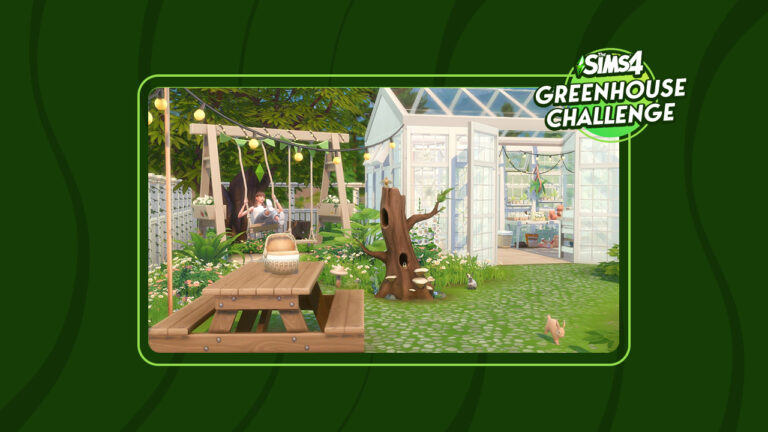
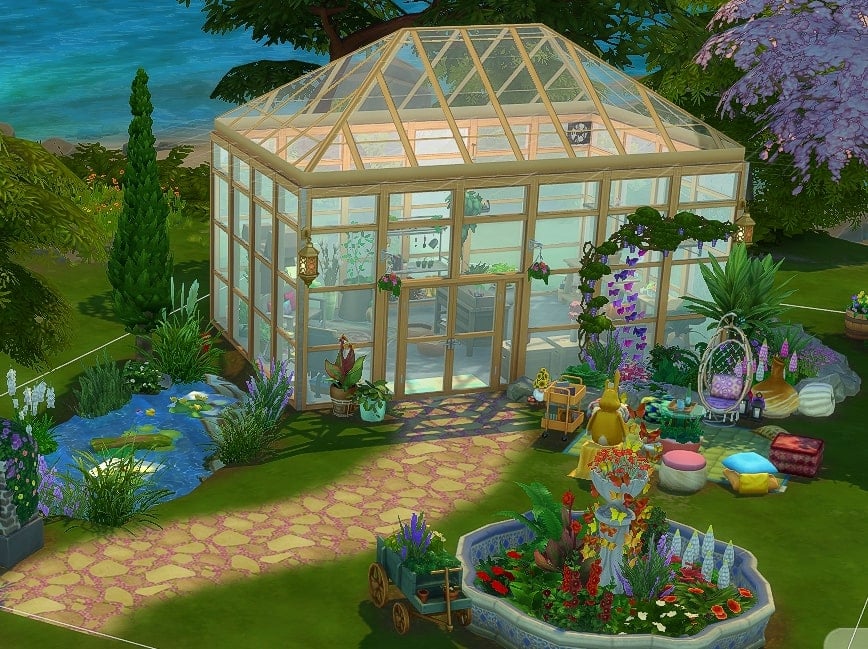
Our most recent Sims 4 Challenge required players to create a Gorgeous Garden Haven. However, instead of providing a shell this time, we gave players a set outline of features that these creations needed. As for the rest of the build, it was down to the player!
We had a variety of entries from both Twitter and our Discord server. It truly showed just how talented our community is when it comes to a good old-fashioned build challenge!
A cosy reading nook within the garden
Now, there were four compulsory aspects for this build challenge. They are as followed:
The Build must be on a 20×15 Lot
A 6×4 Greenhouse Building. This must be a one-story building and can’t have a basement
Use of the water tool – This can be as a pond or stream, for example
There is an overall budget of $27,000
The rest of the Gorgeous Garden Haven build was completely up to each individual’s own interpretation.
Before we take a look at some of the marvellous creations made for this Sims 4 Challenge, we would just like to say a big thank you to everyone who took the time to participate! We loved seeing everyone’s creations for this challenge!
Now, without further ado, let’s take a look at some of our favourite entries from this Sims Community Challenge!
There’s a new Sims 4 Laundry List! Here’s a list of fixes you should expect.
The Sims Team has just published a brand new Sims 4 Laundry List for May 25th, 2023! In case you don’t know, EA publishes a list of fixes a few days before the release of a new Update. All to note the players about upcoming bug solutions they should expect in The Sims 4 Base Game!
Let’s see what’s getting fixed in the upcoming update:
More after the Laundry List:
Sul Sul Simmers!
Welcome to this month’s Laundry List, where we share a list of the top community concerns we’re currently investigating and hope to resolve in the next patch. This is only a list of topics with upcoming fixes; there are more topics reported by players that are not listed and are still being worked on. This list is based on reports by players on Answers HQ and helps us continue our work of improving the user experience on a regular basis.
Please note that some topics can be tricky and may require an extended investigation on our end, so even though we are actively reviewing, it’s not a guarantee that we’ll have an immediate fix in the upcoming patch.
Here’s the list of the community concerns we’re investigating and aiming to resolve in the game update this month:
Thank you for all your patience and valuable help in reporting! Please continue sharing with us any issues you’re experiencing on Answers HQ.
We’ll continue to check in, and together we can make this game the best it can be.
Happy Simming!
When is the next Sims 4 Update?
According to previous releases of Sims 4 Laundry Lists, we should be expecting the next Sims 4 Base Game Update very soon! The last few Laundry List releases were 7 days before the update release. However, don’t take our word for final!
Thoughts?
Let us know what you think about the upcoming fixes coming to The Sims 4 Base Game by leaving a comment down below!
Stay up to date on all the latest Sims 4 News to be the first to know when the next Update drops.
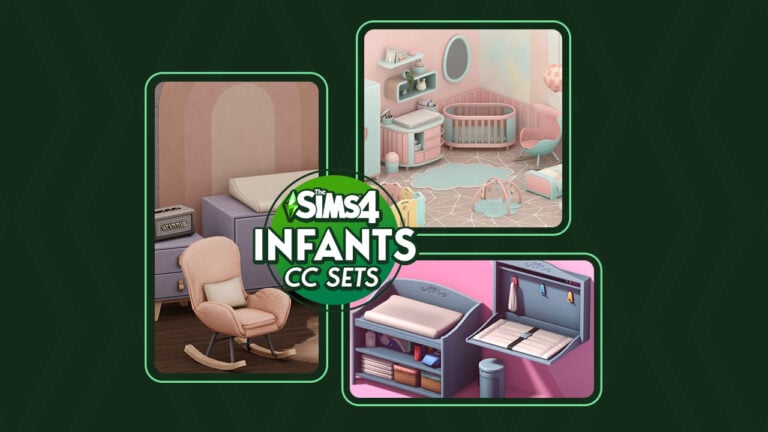
Fill your Build Catalogue with plenty of Sims 4 Infants CC objects!
In March 2023, Infants crawled into The Sims 4. For Simmers and modders alike, this new addition created a whole new category of cc to make and/or collect. We have collected a list of Sims 4 infants CC to help customize any Simmer’s new addition to their Sim family.
You can give both your infants and toddlers a nursery sweet enough to eat with this candy nursery by syboulette. It contains both a crib and a toddler bed, along with plenty of toys and early childhood learning tools to help your little ones reach their full potential in the cutest way possible. This Sims 4 infants CC set comes with a total of 31 new functional items in varying soft pastel shades of cotton candy.
Candy Nursery is available to download on Syboulette’s website for FREE.
For Simmers who don’t own the Growing Together expansion pack, you will love this Sims 4 infants CC set for its functional base game changing table that uses PandaSama’s functional changing table mod. This colourful, whimsical set also includes a functional rocking horse using PandaSama’s rocking horse mod! Remember to also download PandaSama’s mods as well as the Invisible Crib Mod to make the newborn bassinet functional. All of the required mods are linked on sixamcc’s download page below!
Boho-Baby Bedroom CC Pack is available to download on Curseforge for FREE.
This sweet Sims 4 infants CC set is inspired by the Care Bears, a classic cartoon for little ones for many generations! It features a collection of 16 items, including a rainbow crib and plenty of adorable other recolours for wall décor, the infant play mat, and other baby furnishings. This is a must have set for any Care Bears fan!
The Care-a-Lot Collab by PlutoNic and nicatnite88 is available to download on Tumblr for FREE.
The sweet lullabies nursery by Renorasims may not be a Sims 4 infants CC set per se, but many of its items can be used to help decorate an infant’s nursery. The decorative ladybug mobile is a beautiful touch to any young child’s room and much of the furniture can be used in an infants’ room, too. Plus, if you have the Invisible Crib Mod, you can use the crib in this set for your newborn babies.
Sweet Lullabies Nursery Set is available to download on renorasims’ website for FREE.
Myshunosun is a very talented creator in the Simming community and their latest Sims 4 infants CC set proves that! This collection of seven items adds a mid-century touch of cozy to your infant’s nursery, with a new crib, changing table, rocking chair, and other furnishings in perfectly matching muted, yet warm swatches. Even better; there is a base game version and a Growing Together version so players who have the latest expansion pack can use it with this set and players who don’t still get to enjoy base game versions of these items.
Lullaby Nursery by myshunosun is available to download on Patreon for FREE.
This Sims 4 infants CC set is somehow both adorable and morbid at the same time and we dig it! Based on the popular apocalyptic video game series, Fallout, this set features a collection of retro furnishings with nods to the Fallout universe. Even though this set was made before the release of infants, Surely-Sims has updated portions of the set with new functionality!
FALLOUT BABY! – A Pre-Atomic War Nursery Set by Surely-Sims is available to download on Patreon for FREE.
This Sims 4 infants CC set takes me right back to my childhood… and yes, I’m aware I’m aging myself with that statement. This Grandma’s Nursery set gives us all the warm fuzzy feelings of childhood nostalgia with its elegant antique crib, toys, and other furnishings. Honestly, it’s like a time capsule back to a simpler time and we absolutely love it.
grandma’s nursery cc by awingedllama is available to download on Patreon for FREE.
This Sims 4 infants CC playmat might look familiar to some long-time Simmers; that’s because this playmat was originally introduced in The Sims 2 as a Store item! Now, a talented creator has breathed new life into this classic object and brought it to The Sims 4! This playmat has the same functions as the portable infant crib and can even be upgraded to have a mobile just like an infant crib. The upgraded play mat looks adorably silly and we love it!
The Infant Playmat by SimsLabs is available to download on Patreon for FREE.
This Sims 4 infants CC set aims to fix a problem a lot of Simmers have with the base game infant gameplay. The Sims Team made the controversial decision to make changing tables exclusive to the Growing Together expansion pack. The Simming community pretty much unanimously agrees that changing tables are a basic necessity for raising infants and should have been in the base game. Now they are, thanks to littledica!
Little Whiners: Base Game Changing Stations by LIttleDica is available to download on Patreon for FREE.
This collection of changing tables, cribs, and play mats have recently been updated to work with The Sims 4 Growing Together, making this Sims 4 infants CC set completely functional! We love that so many creators are going back and updating their older baby nursery objects to give them all the latest gameplay options! Your infants will have a huge variety of options for where they sleep, play, and get their diaper changed now!
Functional crib, changing tables & playmats by Around the Sims 4 is available to download on the Around the Sims’ Website for FREE.
Learn how to care for your large farm friends; cows and llamas!
Presented by EA Game Changers
Looking for help with caring for your Sims 4 cows and llamas? You’re in the right place! In The Sims 4 Cottage Living, your Sims can own a wide variety of animals, including llamas, cows, and chickens! These animals will provide your Sims with high quality products they can use in cooking, cross-stitching, and more as long as you keep them healthy and happy.
Read on to learn how to take the best care of your new animal friends!
Table of Contents
Caring for The Sims 4 Cows and Llamas
There’s more to making the most of your Sims 4 cows and llamas than just feeding and brushing them. They need a clean place to live, lots of love, and for the most ambitious ranchers, they also enjoy a range of animal treats and being dressed in stylish clothes! Oh, and they definitely appreciate some upgrades to their sheds, too.
Animal Sheds
To obtain Sims 4 cows or llamas, you must first purchase an Animal Shed from Build/Buy, or purchase a lot with an Animal Shed already on it. Each shed only houses one animal, but there is no limit to the number of sheds you can have on your property. If you want multiple cows and llamas, you will need to have a shed for each individual animal.
Once placed, you can click on the shed to purchase either a cow or a llama to inhabit it. You can choose between two types of Sims 4 cows (brown and spotted) and two types of llamas (white and beige). Other colours can be obtained through feeding your cows and llamas animal treats.
Animal Sheds have to be cleaned regularly and stocked with feed for the animal living in it. You can see your shed’s status by hovering over it with your cursor. When the animal shed is dirty or needs more feed, make sure you clean it and refill the feed so your animal will stay happy and healthy.
Animal Sheds can also be upgraded to require less maintenance. Sims can install an auto-feeder in their sheds to ensure their animal always has enough to eat even if you forget to restock the feed. They can also install an upgrade that makes the animal more relaxed, leading to a longer lifespan. Animal Shed upgrades require a new type of upgrade part, called Livestock Upgrade Parts. Sims can obtain Livestock Upgrade Parts by running errands for Sims in Henford-on-Bagley.
ComfortCare Life Extender
Description: This upgrade extends the lifespan of the animal living in the shed.
Requires: 3 Livestock Upgrade Parts
Livestock Auto-Feeder
Description: This upgrade keeps the feed in the shed full forever! Your Sims never need to refill the feed again!
Requires: 6 Livestock Upgrade Parts
Taking Care of Your Sims 4 Cows & Llamas
There are two types of Sims 4 cows you can purchase for an animal shed; one traditional black and white spotted cow and one brown and white cow. Both types of cow only give normal milk but will produce other kinds of milk if given specific animal treats. For more information about animal treats, see our guide, The Sims 4 Cottage Living: All About Animal Treats. Milk can be used in cooking recipes and given as gifts to wild animals. It can also be useful in running village errands and be entered into the Finchwick Fair.
For llamas, there are white and beige llamas you can purchase for your shed. White llamas give white wool and beige llamas give beige wool, but more colours of wool can be sheared from them if you give them specific kinds of animal treats. Llama wool can be used for cross-stitching, wild animal gifts, and given to the Creature Caretaker in exchange for animal clothes to dress your animals in. For more information about dressing your animals, see our guide, The Sims 4 Cottage Living: All About Animal Clothes! Wool can also be useful in running village errands and be entered into the Finchwick Fair.
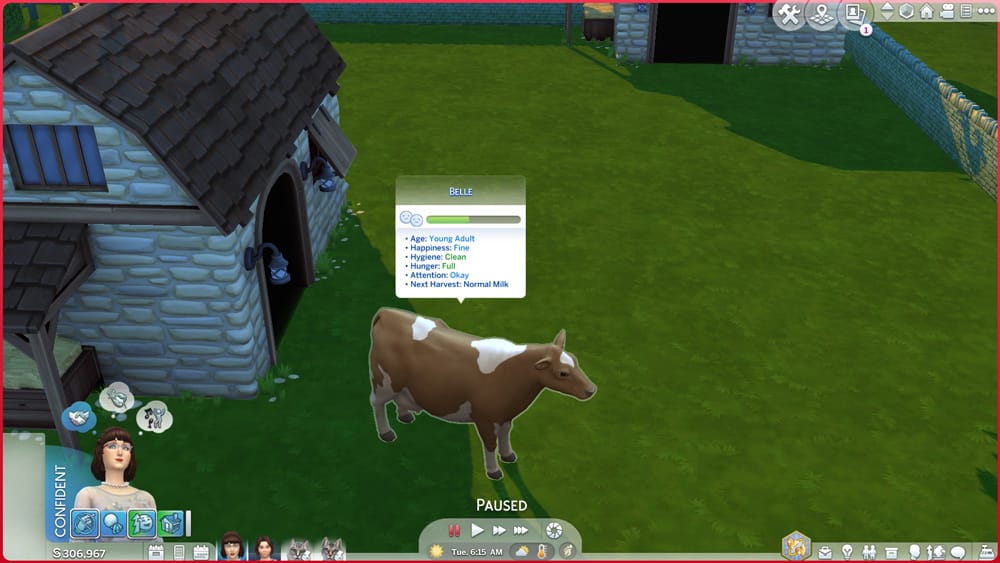
Sims 4 cows and llamas need to be kept clean, full, and happy in order to give the highest quality produce. You can view your animal’s stats by hovering over them with your cursor.
Age: This tells you how old your animal is. You cannot breed your cows and llamas; there are no baby cows or llamas. Only Young Adult and older animals, but this will tell you how close your animal is to passing from old age.
Happiness: This is a cumulative stat that takes into account both the shed’s condition and the animal’s condition. Keep both the shed and the animal clean. Restock the shed’s feed and socialise with the animal often to keep the animal happy.
Hygiene: If your animal is dirty, it will be obvious. They will be covered in dirt. Dirty animals become unhappy very quickly so make sure to keep your animal clean. They will usually need to be cleaned at least once a day.
Hunger: This shouldn’t be a problem if you keep the shed’s feed well-stocked but you can also feed your animal by hand for an extra relationship boost. Hungry animals are grumpy animals so don’t forget to feed them.
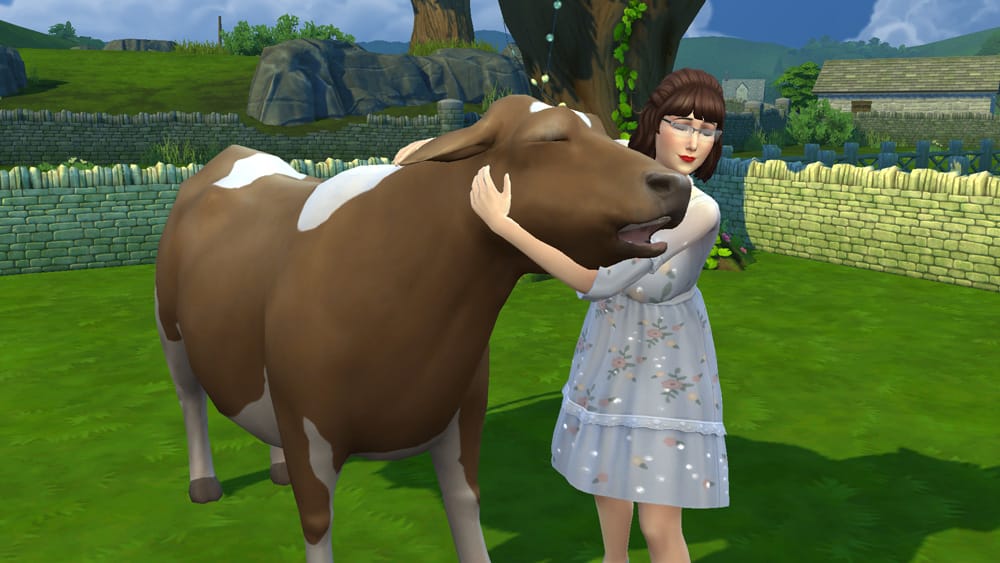
Attention: Socialise with your animal to keep its attention need satisfied. Hugging, petting, and talking to your animal daily will build relationship and keep them from getting lonely.
Next Harvest: This tells you what you can expect to receive from your animal the next time you milk or shear it. Cows will typically produce Normal Milk and llamas will produce either white or beige wool depending on their natural colour but feeding them different treats can cause them to produce different types of specialty milks and different colours of wool.
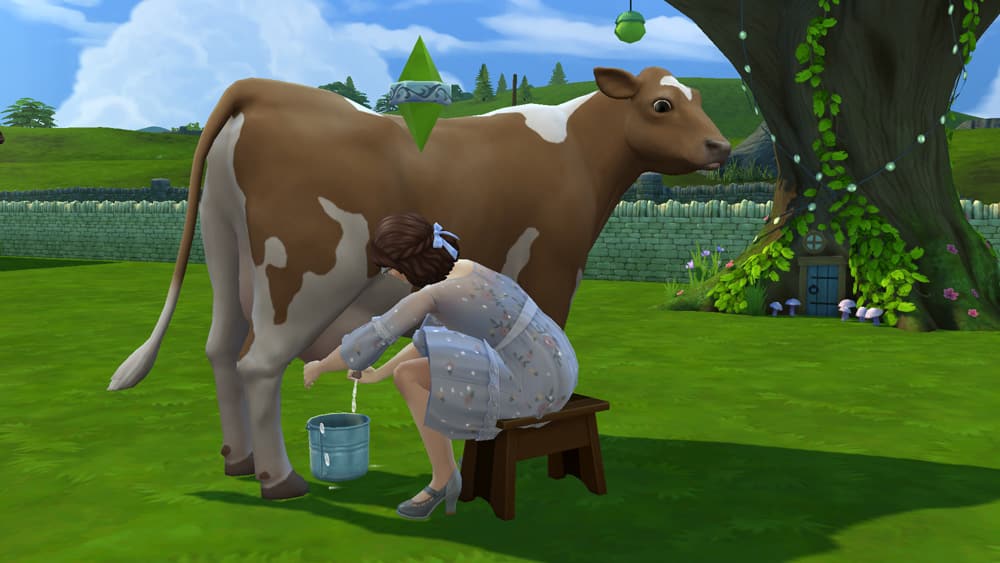
Depending on your relationship with your animal and what mood they are in, they might not be so receptive to being milked or sheared. Sims 4 cows will sometimes kick your bucket of milk over and llamas may bite the clippers out of your hands and toss them. Hugging and petting can also sometimes fail. Llamas in particular are fond of spitting in your Sim’s face if they aren’t in the mood to be hugged. Happy animals who have a high relationship with your Sim will do these things less frequently.
A Sim milking a cow and sheering a llama
Sims 4 cows and llamas do have a lifespan and will eventually grow old and die. When this happens, the Grim Reaper will come and give the animal a hug before escorting it to the afterlife. There are treats and shed upgrades that can extend your animal’s lifespan but if the idea of ever having to say goodbye to your animal friends is too sad for you, you can disable animal aging in the Game Options.
Animals can be called in and out of their sheds but this isn’t typically necessary. Unless something prevents them from doing so, Sims 4 cows and llamas will go into their sheds for the night at around 6pm all on their own and come back out in the morning at around 6am.
Trading Your Animals
If your farm is struggling to make ends meet or if you’re just looking to downsize the number of animals you have, you can trade in your animals for various rewards. If you click on a cow or llama and select the Actions option, you’ll see a Trade For option in the pie menu.
You can trade your animals for simoleons, animal treats, ingredients and produce and even… meat. Yes, you can send your beloved Sims 4 cows and llamas off to be slaughtered in exchange for their delicious meat. It’s not something I would ever have the heart to do, but hey, if your Sim’s really gotta eat… I’m just saying it’s an option.
Make sure you really want to get rid of that animal because once you trade it, it’s gone forever. If you want another animal, you’ll have to click on an empty shed again to purchase a new one.
Looking for the perfect Cottage Living soundtrack? Why not play some of our hand-picked tunes from Taylor Swift’s evermore album?
The Sims Franchise has a new logo, and a vague new strategy to take over the world.
We’ve got a surprise reveal of a new The Sims logo today in a PR announcement from licenseglobal. The website published an announcement for a partnership between EA / The Sims and Brandgenuity, a global licensing agency.
Before we talk about the partnership, let’s take a look at the new The Sims Logo that they’ve revealed:
Table of Contents
New The Sims Franchise Logo
New The Sims Franchise Logo
The new Sims Franchise Logo is closely similar to the Maxis logo and brand language when it comes to typography. It seems that EA and Maxis are trying to unify the brand and extend it to different markets. Still, we have more information in the press release!
The Sims x Brandgenuity
The PR statement that we’ve gotten from licenseglobal is a little vague. Besides the new The Sims logo, we have a short description of what could come in the future from this major deal.
Read the full statement below:
Brandgenuity Appointed Licensing Agent for ‘The Sims’
Brandgenuity has been appointed to develop a global licensing program for the life-simulation game franchise, “The Sims,” catering to its diverse and engaged Gen Z and millennial fanbase.
With a history spanning 23 years, “The Sims” has generated over 500 million downloads with the latest installment, “The Sims 4,” bringing more than 70 million players worldwide to the game. Furthermore, the franchise is poised for growth with “Project Rene,” a game touted as “The next generation of play,” which is currently in development.
“Simmers have eagerly asked for more – product, content, experiences, and with licensing, we’re excited to deliver to the fans, who are the heart of the brand,” says Julia Victor, head, brand, The Sims.
Brandgenuity will collaborate with “The Sims” franchise to extend the brand’s reach across various lifestyle categories, such as apparel, accessories, collaborations, collectibles, games and publishing. Its efforts will expand the brand’s online and offline presence, bringing “The Sims” universe to life in various new ways.
“‘The Sims’ is like no other interactive brand – creative, inclusive and mischievous,” says Jay Asher, partner, Brandgenuity. “We’re so excited to bring ‘The Sims’ from URL to IRL, to delight fans with the products they’ve been asking for and to deliver new ways for them to engage with and share the brand.”
So…thoughts?
It’s unclear which types of products from The Sims we’re getting just yet. Or how the creative platform and integration will turn out to be. Or if this could have any relation to The Sims 5 (Project Rene).
But we’re interested to see what gets revealed, possibly during the Licensing Expo in Las Vegas this June.
What are your thoughts on the new The Sims logo and deal? Join the conversation below and stay tuned on more The Sims News!
A bedroom perfect for the Slumber Party Animal aspiration!
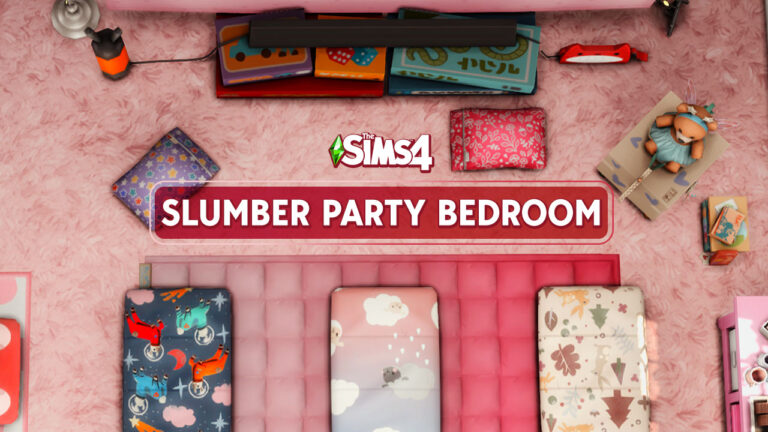
Throwing a slumber party in The Sims 4 Growing Together can be a lot of fun but sometimes, it can be hard to find space for all those sleeping bags! Building a Sims 4 slumber party bedroom becomes quite a challenge when throwing slumber parties in smaller homes. I wanted to build a child’s bedroom that was already perfectly set up to host slumber parties that I could just plop down whenever I needed it in my game. I’m sure many Simmers would like the same thing on hand whenever they need it so here’s how I built my Sims 4 slumber party bedroom!
Table of Contents
Let’s Build a Sims 4 Slumber Party Bedroom!
As with every room build, building a Sims 4 slumber party bedroom begins with constructing a simple box. However, remember not every room has to stay a simple box shape! It’s just a good starting point to work with. I like to start with a box and then play around with the shape later as I plan out the furniture layout. For this build, I mostly kept the box shape; however, to add a bit of visual variety, I created a small nook for the bookshelf with a bunk bed slotted in neatly next to it.
A Space For Fun!
There’s no getting around it; if I want a bedroom big enough for multiple sleeping bags and fun activities for children to do during a slumber party, the room has to be pretty big. But if it does need to be big, why not go… really big? As in, big enough to fit a homemade projection TV on a bedsheet!
As a kid, I was not allowed to have a TV in my bedroom (probably a good thing in hindsight, but I hated this rule as a kid). Anyway, this bedsheet projector is a super cool idea for kids wanting to watch movies with their friends in their room during a slumber party when they don’t have a television in their room!
Of course, I can’t forget about the other fun stuff, like friendship bracelet kits and a dollhouse for imaginative play!
Sleeping Bags for All!
Obviously, a Sims 4 slumber party room needs sleeping bags! The bunk bed already allows two children to sleep comfortably with a great view of the movie so I added three more child-sized sleeping bags to make a total of five kids. But maybe your kiddos have a couple of little cousins or siblings who want to be included in all the fun? No problem! There’s a couple of toddler sized sleeping bags, too, so no one misses out!
With space for 5 children and 2 toddlers to sleep and play, this bedroom is already looking like a pretty sweet place to host a slumber party. But… there’s still something missing…
Don’t Forget the Snacks!
Oh right! What’s a Sims 4 slumber party bedroom without snacks? How lame would it be if you attended a slumber party and the host didn’t have anything to munch on while watching movies, right? That’s why a side table filled with smores, snack boxes, and plenty of colourful mugs for hot cocoa is in order!
Yes, they’re decorative only but they really make the room feel like it’s ready for a slumber party. Plus, you can always have Mom or Dad pop some popcorn in the kitchen and take it back to this Sims 4 slumber party bedroom to enjoy some snacks during the movie for real.
Download Slumber Party Dream!
This Sims 4 slumber party bedroom is ready to be used and enjoyed by my Sims! It can be ready for your Sims, too! This bedroom uses no custom content and is available in the Gallery! Just click the download buttons below or search for SnarkyWitch in the Gallery and look for Slumber Party Dream!
Not a fan of this room in pink? No problem! It’s also available in blue, green, and yellow!
Let’s take a look at something a little different today. That being The Sims Machinima!
There’s no denying that The Sims community is incredibly talented! From building and creating Sims to custom content creators, mod creators and even storytellers, there is just so much to discover. Of course, one aspect of storytelling that is popular with The Sims is Machinima creators. Needless to say, there are some amazing stories being told through this style too!
Today, we want to share a brand new free service that has launched within the community. This being the iMachinima streaming service!
Table of Contents
What is Machinima?
The simplest way of describing what machinima is, is by the following definition.
A method of making animated films using software designed for making video or computer games.
iMachinima, is a brand-new streaming style platform for The Sims machinima. Having launched to the public earlier this week, the new platform is already proving to be hugely popular!
The platform describes themselves as leading streaming platform for The Sims machinima. A place where you can discover fascinating stories spanning across hundreds of different immersive series and movies.
Featuring content from a variety of creators, actors, directors and production companies, there is no shortage of content over at iMachinima. There will always be something new to discover.
With such a diverse variety of content, it is important to note that some machinima shows or movies will touch upon mature and potentially more sensitive topics. iMachinima does state in their FAQ’s that while they do allow R-rated content on their platform, they do have a category specifically for this content. This allows users to easily make the choice and to be able to free explore more mature content or explore something more to their liking.
Navigating iMachinima is easy! Simply head over to their website and jump in! Upon arriving at the homepage, you’ll be greeted with their featured machinima followed by a number of easily negotiable segments. From brand-new content, recently added and coming soon. You’ll also be able to dive deeper into individual genres.
From action, adventure, comedy, drama, fantasy, supernatural, crime, horror and more there is definitely something for everyone!
iMachinima homepage, showcasing various categories
Each series or movie gives you a breakdown as to what it is about, an advised age rating, genre and those who are staring in it.
Recommended Machinima
With such variety to choose from, here are two sims machinima series that caught our attention when we were exploring the iMachinima platform!
After the unexpected death of a young boy and the appearance of a mysterious girl named Ana – four teens from Macopa High School will unravel the secrets of the realms that used to intertwine with ours.
Scrim Rave for iMachinima
Lost Things by Scrim Rave was first released in 2022 and is rated PG. Featuring aspects of adventure, fantasy and comedy, this subtitled series caught our attention with it’s aesthetically pleasing artwork and trailer. Curious to find out more about the secrets of the realms and the mysterious happenings, we couldn’t wait to jump in and watch the first episode!
Meet Hannah, just a regular plain-jane high school student, who doesn’t really grab the attention of most but… could that be down to her own doing? Seeking shelter in her bedroom and hiding from the outside world, she lingers on the mistakes of her past but on one fateful day she encounters a bit of serendipity and takes a small step into the light to find her life may actually change for the better, or at least so she hopes.
Serendiptia for iMachinima
Invisible by Serendiptia was released initially in 2019 and is rated TV-14. With themes relating to romance, drama, mystery, teen and LGBTQIA+ Invisible follows the story of high-school student Hannah. The synopsis caught our attention as something that felt somewhat relatable to our younger self. As for Hannah’s journey, we’ll need to continue watching to find out more!
Our Thoughts
iMachinima is shaping up to be a wonderful streaming platform for Sims Machinima creators. With such a wide variety of different series and movies to choose from, it offers a one-stop website for players wanting to discover something new to watch. Don’t forget to leave a review on any of the Sims machinima series of movies you end up watching, too!
While the platform has only just publicly launched, we are intrigued to see what other fantastic Sims, Machinima land on the platform in the future.
Would you like us to showcase more The Sims machinima’s in the future? Let us know in the comments below, as well as what you’ve been watching over on iMachinima!
As always, be sure to stay tuned to Sims Community for all the latest news and information from The Sims franchise!
Your ultimate guide to every collection across all packs!
A while back, I put together a huge guide covering Sims 4 Collections. It was meant as a quick cheat sheet to get you looking in the right direction so you can complete each and every collection in the game. Since then, new packs have come out and that means new collections! Naturally, it was time that this guide got an update to include those new additions.
This guide has been updated to include the My Wedding Stories and Werewolves collections as well as the new moonprint additions added to the space print collection.
This is not a full breakdown of every item in every collection. This is a general guide about where to look to find those Sims 4 collectibles along with some tips and tricks for getting a few of the trickier ones. I will also be going over how to get those limited-time event collections!
Sims 4 Collectibles: Full List
How to get Frogs
Frogs are one of the more interesting Sims 4 collections in the game because you can actually breed your frogs to get new ones. And, they have a fairly detailed genetic system that dictates which frog you will get from each pairing. Carl’s Guide does an excellent job of breaking down the breeding mechanics. You don’t necessarily need to breed your frogs to complete the collection; all the frogs can be caught out in the world, but it is a lot easier if you’re breeding them.
Of course, you’ll need a decent selection of frogs to begin breeding the ones you’re missing so have your Sims look in logs (Willow Creek) and old watering holes (Oasis Springs) to start building up their collection. They can also catch frogs at any pond out in the world but a catch isn’t always guaranteed. They’re likely to slip out of your Sims’ hands more often than not but just keep at it.
Gardening
Gardening is easily the most varied and involved collection to complete in the game and it only gets more complex the more packs you have that add to the gardening collection.
The main way to complete the collection is by finding different plants growing out in the wild and grafting different plants together to create new types of plants but some plants can be fished up, too. If your Sim has high Gardening skill and a lot of simoleons to burn, it’s actually easiest to just purchase Uncommon and Rare seed packets from Build/Buy. You have a chance of getting all the uncommon and rare plants this way but it gets very expensive very quickly and you never know which uncommon or rare seeds you’re going to get out of any seed packet.
If you’d rather not waste so much money buying seed packets in bulk, here’s a few tips to help you get some of the more unique items:
Gardening Collection Tips
Leave garbage sitting on bare ground to get a Trash Fruit plant
Invest in a rocket ship and all the upgrades. You’ll need one to get the UFO plant from space missions. If you have Get To Work, you’ll also need one to go to Sixam for the Glow Orb, Quill Fruit, and Fang Flower.
Growfruit was part of a limited-time event and can no longer be found in the world… but you can still get them out of rare seed packets!
The Forbidden Fruit of the Plant Sim can still be acquired even though the event for it is over. It’s connected to the Magic Beans collection. Get all the Magic Beans from rare seed packets, then arrange them all in the Magic PlantSim Stump from Build/Buy. Water the stump and watch it sprout into a HUGE tree! Explore the tree to find the Forbidden Fruit of the PlantSim.
Sims 4 Collections: MySims Trophies
In theory, finding the MySims Trophies is easy. In practice, it can take quite a while to finish your collection. This is because they come out of rock spawners which also give out three other types of collectibles, so you’re not always guaranteed to find a MySims trophy in a rock. It could be a fossil, a metal, or a crystal.
Look around the world for clickable rocks that your Sims can dig up. Willow Creek and Oasis Springs both have quite a few in each neighbourhood but they can be found in other worlds as well. It can take a while for them to spawn when you first load into the area so leave the game running for a Sim hour or two before starting your search.
Whenever you dig up a rock and receive a capsule, you have a MySims trophy! Click the capsule in your Sim’s inventory to open it and see which MySims you got. Sometimes, you may receive a treasure map from digging up a rock. This treasure map will open up the “Dig for Treasure” option on other rocks. Using this option will always give you a MySims capsule, so if you are hunting for MySims, specifically, use up any and all treasure maps you find.
Where to find MySims Trophies
Violet and Goth Boy are extremely difficult to find. If you own Get To Work, they are much more common finds on Sixam, so try searching for them there.
Violet can also be purchased outright from Paddywack’s Emporium in Magnolia Promenade if you own Get To Work.
If you own Realm of Magic, some of the MySims trophies can be purchased from the apothecary vendor in The Magic Realm.
If you own City Living, the market table vendor at the flea market sometimes sells the entire MySims collection so if you’re lucky enough to find them there, you can buy up all your missing ones.
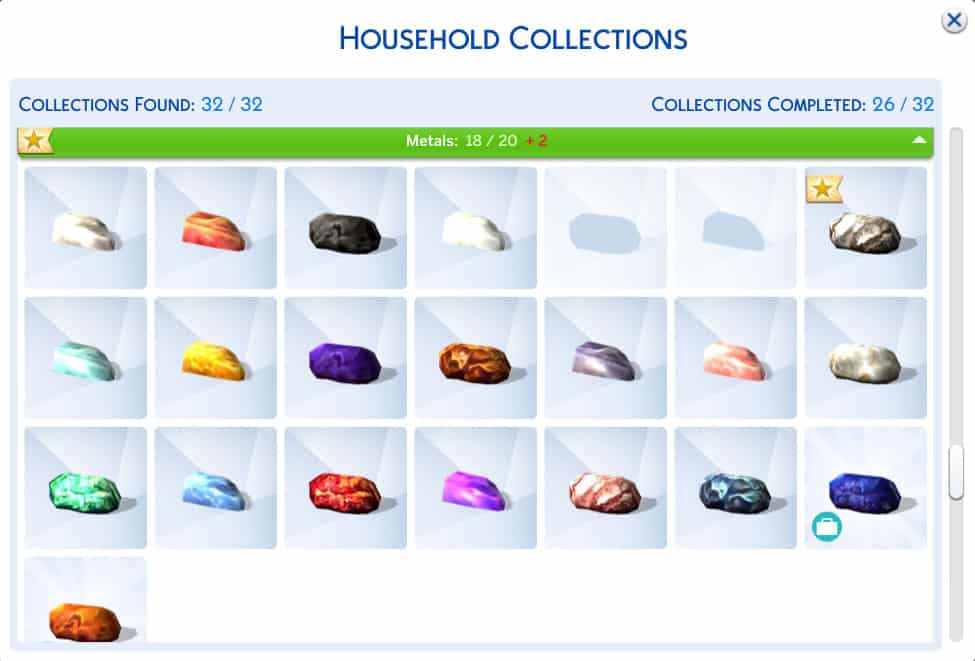
How to obtain Metals in The Sims 4
This is another collection that is found inside rocks. There is no particular pattern or strategy for finding them all; it’s mostly just luck, so keep smashing away until you’ve managed to find them all. Again, it can take quite some time because you can also get MySims, fossils, and crystals out of rocks, too.
Metals: Tips & DLC Walkthrough
Don’t sell all your extra metals! You need them to complete the Elements collection! Keep your spares so you can send them to the Geo Council and get the extracted elements in the mail! You’ll also need them to help with your microscope collections.
If you own Realm of Magic, some of the metals can be purchased from the apothecary vendor in The Magic Realm.
If you own City Living, the market table vendor at the flea market sometimes sells metals so if you’re lucky enough to find them there, you can buy some that you’re missing.
If you own Get To Work, the two metals that were added with this expansion can only be found on Sixam.
Crystals
Yet another collection that is found inside of rocks. You know the drill. Smash a bunch of rocks until you have all the crystals. Again, there’s no particular pattern or strategy and you’re also likely to find other collectibles in rocks, too, so… have patience. Lots. Of. Patience.
Crystals Tips & Packs Info
Don’t sell all your extra crystals! You need them to complete the Elements collection! Keep your spares so you can send them to the Geo Council and get the extracted elements in the mail! You’ll also need them to help with your microscope collections.
If you own Get Famous, there are quite a few crystals you can purchase outright from the computer, including a few rare ones.
If you own Jungle Adventure, the crystals that were added with this game pack can only be found in Selvadorada.
If you own City Living, you can sometimes find crystals for sale at the flea market. Always check the flea market tables when this festival is going on.
If you own Realm of Magic, some crystals can be purchased from Caster’s Alley in The Magic Realm.
Sims 4 Collections: Elements
Elements are an interesting collection because they can only be found through other Sims 4 collections. You need to send crystals and metals to the Geo Council for element extraction. You’ll receive whatever elements were extracted from the crystal or metal in the mail the following day.
To save you some time, you can call the Geo Council to ask about any metal or crystal you have. They’ll tell you what elements it’s made out of. If the item is made up of more than one element, you’ll only get one element from it and there’s no way to pick which one it will be. Still, calling ahead is a good way to find out if it’s worth sacrificing that metal or crystal for a chance at an element you don’t have yet or if you’re better off just selling it.
There’s an elemental table in Build/Buy you can purchase to display all your elements in but it does not include a slot for the Get To Work element.
Postcards
Unlike most Sims 4 collections in this game, your Sims never have to leave home to find all the postcards. All they have to do is make a lot of online friends.
On the computer under the Social option, have your Sims look for a pen pal. Come back a few hours later to see who’s connected with your Sim. Once your Sim has a pen pal, exchange a few letters back and forth until the option to ask them for a postcard becomes available. You’ll receive the postcard in the mail the next day.
There are pen pals from 14 different locations and each location has its own postcard. So once you’ve gotten the Appaloosa Plains postcard, that pen pal won’t send you a different postcard, for example. You’ll need to become pen pals with Sims from all 14 different locations to get all 14 postcards.
There is a corkboard you can display your postcards on in Build/Buy.
Tip:
If you own the My First Pet Stuff pack, this pack added 7 new postcards to the collection. These postcards can only be obtained from your pet rodent. Your rodent will occasionally go on adventures by themselves and will bring you a postcard from their travels when they return. The postcard is random but you can receive all 7 postcards from the same rodent. The rodent cages even have their own little corkboard to display all the postcards your rodent brings you. How cute!
Where to find Fossils in The Sims 4
Like the other collections that are found in rocks, fossils are a pretty random find. There’s no strategy or pattern to follow to ensure you get specific ones. Just keep digging up those rocks and hoping for the best.
When you find a fossil in a rock, you’ll need to extract it by clicking on it in your Sim’s inventory. Sometimes this will result in your Sim breaking the fossil but most of the time, you should get a proper fossil out of it.
Tips and DLC Info
Fossils can also sometimes be found on space missions.
I tend to get fossils fairly often as Winterfest gifts, either from the present pile or Father Winter. If you have Seasons, I wouldn’t skip the Winterfest presents if you’re trying to find all the fossils. My Sims have on occasion received other collectibles as gifts, too, like crystals and metals.
The market table vendor will sometimes sell fossils at the flea market if you own City Living.
If you own Jungle Adventure, the fossils that were added with this game pack can only be found in Selvadorada.
Microscope Prints
To complete this collection, you’ll need a microscope, high Logic skill, and some plants, fossils, crystals, and metals to take samples from.
To start with, focus on the Logic skill. This will unlock the ability to take and analyze samples. Plant samples unlock at level 2, fossil samples unlock at level 5, and crystal samples unlock at level 8.
Once you have the samples, analyze them under a microscope to get some prints. Make sure to use a variety of things to analyze because some of the prints can only be found from analyzing specific types of samples. There are also some prints you can find by using the microscope by itself.
Space Prints
This is probably the most straight forward collection in the game. Buy an observatory and use it. That’s it.
The only caveat with this collection is that there are specific interactions on the observatory you need to use in order to get specific prints. So if you’ve been stargazing at night for a while with no new prints, try observing the skies during the day, instead. You’ll also need to have Logic Skill Level 7 to unlock the Search for the Truth interaction on the observatory. Some prints can only be obtained through that interaction.
May 2022 Update: Previously, there were only 15 space prints to collect but the free base game update in May of 2022 added ten more prints, making the total number of collectible space prints 25. These ten new prints can only be obtained by using the Moongaze interaction on either the large observatory or the new smaller telescope that was also added to the base game in this update. Moongazing can only be done at night outdoors but if you begin Moongazing at night, you can continue Moongazing into the daytime hours as long as the interaction doesn’t get cancelled. The other 15 prints can also be obtained by using the smaller telescope now.
Finding Aliens in The Sims 4
Your Sims will need to blast off into space to complete this part of Sims 4 Collections. This collection itself is not bugged; however, the rocket ship that you need in order to get this collection is bugged. Currently, Sims cannot start building a rocket ship. No options come up on the launch pad to build it. A way to get around this is by having an NPC Sim start the rocket ship for you. You can also download a ready-made rocket ship from the Gallery.
You have a much better chance at coming home with collectibles if you’ve expanded the cargo bay on the rocket. Other than that, there’s no real set strategy for finding the aliens. You just have to keep doing space missions and clicking through the options, hoping to end up with one. It eventually got to a point where I was just mindlessly clicking on whatever the first option was without reading it. All because I’d been doing back-to-back space missions for days on end trying to find all the aliens.
A small, but tedious collection.
Space Rocks
This is another collection that requires your Sim to go into space. Luckily, there are only four space rocks to find so it’s not quite as tedious as collecting all the aliens. In fact, you’ll probably complete this collection while looking for the aliens.
Like the aliens, there’s no real strategy here. Just keep going on space missions and clicking through the options. You might come back with a space rock. You might not.
Completing the Fish Collection in The Sims 4
Fish are quite a large collection, especially if you have all the packs but they aren’t too hard to find. The key is to fish a lot and fish in many different places. You can use bait to increase your chances of getting specific fish but personally, I’ve never needed bait to finish this collection.
As you increase your fishing skill, make use of the new options that become available to you. Like Angle for a Big Catch, which will help increase your odds of catching larger, rarer fish.
Fishing Collection Tips:
The secret areas in Willow Creek and Oasis Springs are the only places you can catch some of the rare fish types. Make sure you find them.
If you own Outdoor Retreat, the fish that came with this pack can only be caught in Granite Falls.
If you own Island Living, some of the Sulani fish can only be caught in deep waters. This means taking an outrigger canoe out to where your Sim can’t see the bottom of the ocean and fishing from the canoe.
If you own Cottage Living, you can actually purchase a large chunk of the fish collection from Kim’s grocery stall in the Finchwick district of Henford-on-Bagley, including quite a few rare fish.
There is a fish that comes with the Werewolves game pack that can only be caught in Moonwood Mill
Insects (Outdoor Retreat)
The insect collection came with Outdoor Retreat. Insects can only be found while on vacation in Granite Falls so keep an eye out for them while you’re there.
Some insects can only be found during the day, while others only come out at night. Some bugs crawl on the ground while others fly. Some rarer types of insects only show up in the secret area of the woods in Granite Falls, too, so you’ll really have to do some exploring if you want to complete this collection.
Some of the insects are very small and difficult to see so I recommend leaving the game on regular speed and scanning the area close to the ground so that their movements catch your attention.
Geodes (Get To Work)
The geode Sims 4 collections comes with Get To Work and can only be found on the alien planet, Sixam. Max out the scientist career or install a wormhole generator on a rocket ship to get to Sixam.
While on Sixam, look for orb-like deposits sticking up from the ground and collect them. Open them up in your Sim’s inventory to see which geode you got.
Decorative Eggs
Decorative Eggs were part of a limited-time Spring event a few years back and can no longer be found in the base game. However, if you own the Seasons expansion, you can still find them in the game. Create a custom holiday with the Egg Hunt tradition and on that day, your Sims will be able to click on various objects and plants around their lot to look for decorative eggs.
If you don’t own Seasons, the only way to get the eggs is by using the bb.showhiddenobjects cheat and buying them out of Build/Buy. The upside to this is that this cheat doesn’t disable trophies on console. Meaning that you don’t have to sacrifice your trophy progress just to complete your in-game collections.
Experimental Food Photos (Dine Out)
This part of Sims 4 Collections is a pretty easy one to complete as long as you have enough simoleons and a Sim with a big appetite. To find all the experimental food photos, have your Sim go out to a restaurant that serves experimental dishes and order them. Then when the food comes to the table, click the dish to have your Sim take a photo of their meal.
The Chez Llama restaurant that comes with the Dine Out pack already serves all of the experimental dishes. All you have to do is plop it down somewhere in the world from your library and have your Sim order everything on the menu.
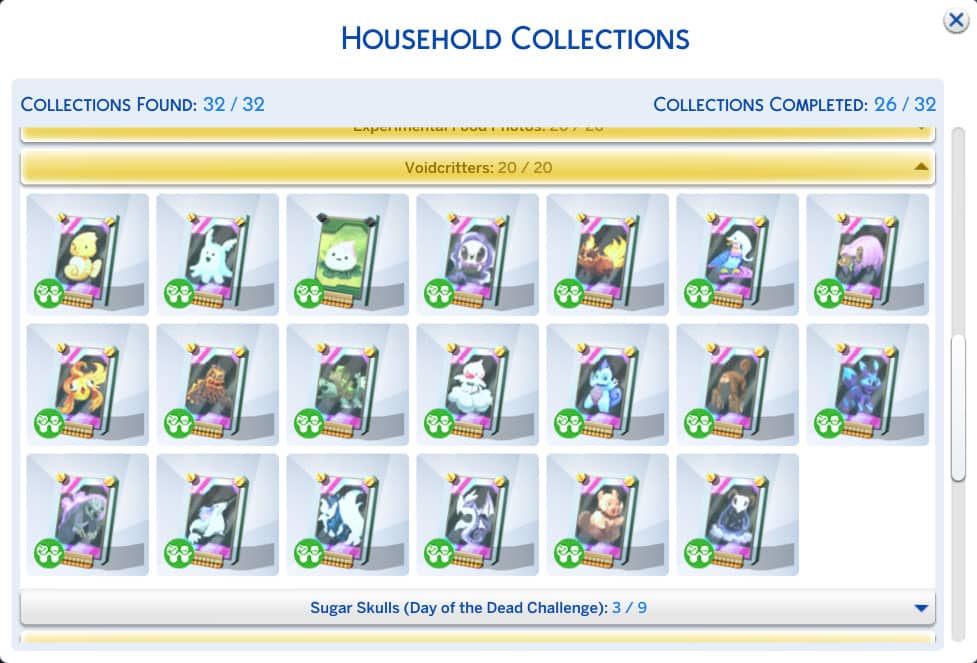
Finding Voidcritters in The Sims 4 Kids Room Stuff
Voidcritters are the Sims version of Pokémon cards and they came with the Kids Room Stuff pack. While only children can search for the cards out in the world and play with them, adults can still collect the cards by purchasing them on the computer.
Children can look in logs and garbage bins for discarded toys, which may yield a Voidcritter card. They can also trade their spare Voidcritter cards with other children in the hopes of receiving a new Voidcritter they don’t have, yet. There are 20 different Voidcritters to collect but each Voidcritter also has a limited edition foil variant so if you want both the standard and foil versions, there are a total of 40 cards to collect.
Children can train their Voidcritters on the battle station to make them more powerful and battle them against their friends on the battle station. The cards can also be displayed on surfaces for collection purposes.
If you’re an adult looking to complete this part of Sims 4 Collections, you’ll have to be prepared to spend a lot of simoleons. The only way to obtain Voidcritters as an adult is to purchase booster packs from the computer. There’s no strategy or pattern here; it’s just the luck of the draw so keep buying booster packs until you have the whole collection.
Sims 4 Collections: Sugar Skulls
Sugar Skulls were part of a limited-time Day of the Dead event but they are still available in the game!
Have a Sim leave a sugar skull offering at a tombstone at night. The Sim does not actually need to have a sugar skull in their inventory to leave an offering. The tombstone must be a real tombstone with a Sim’s ghost attached to it. A décor tombstone or a tombstone with a ghost that has faded away will not work.
If the offering is successful, you’ll receive a notification that a Day of the Dead Celebrator has shown up in the area. Scan the entire area for them. They should be wearing Day of the Dead makeup and/or clothes have the red Day of the Dead Celebrator role on their tooltip when you hover your mouse over them. Go over and become the Sim’s friend, then request a sugar skull from them.
Tips on obtaining Sugar Skulls in The Sims 4:
Making an offering doesn’t always work. Just keep trying at night.
If the Day of the Dead Celebrator refuses to give you a sugar skull, increase the relationship more and make sure it’s a pleasant conversation.
If you own Jungle Adventure, the Art skull can be purchased from the market vendor’s secret wares after mastering the Selvadoradian Culture skill.
The tenth and final skull can only be obtained after arranging the other nine skulls on the special display case designed for them. Once the nine skulls are in the display, click the display to Honour the Dead. This will give you the tenth skull which can be placed on top of the display.
How to find City Posters in Sims 4 City Living
You’ll have to explore all of San Myshuno to find all the city posters.
Each area of the city has a few utility boxes with some posters stuck onto the back. Go around grabbing the posters off the backs of these utility boxes to start accumulating your city poster collection. Myshuno Meadows in particular has quite a few of them scattered all throughout the area, so make sure you look everywhere in every district. If there are no posters available, just wait a while for them to respawn.
Snow Globes (City Living)
The snow globe collection is another City Living exclusive. Some of them can be purchased from the merch vendors at the various city festivals around San Myshuno. The rest have to be scrounged up out of old discarded boxes of junk around the city.
Each area of San Myshuno will usually have at least one or two cardboard boxes full of discarded junk lying abandoned somewhere along the sidewalk, in between buildings, or really just anywhere somewhat out of the way. Have your Sims rummage through these boxes to find the rest of the snow globes that can’t be purchased at the festivals.
If you’re having trouble completing the collection by rummaging through junk boxes, make sure to go to the flea market whenever it’s happening in the Spice District. Sometimes the market table vendor will be selling the entire snow globe collection. If you’re lucky enough to come across them for sale at the flea market, you can buy them all up and finish your collection in one day.
Sims 4 Collections: Holiday Cracker Plushies
The Holiday Cracker Plushies are part of the free Holiday Celebration DLC pack. Almost everyone will have this pack as it downloads automatically with the base game but if you don’t have it, it’s free to download from The Sims 4 Store page on Origin.
There’s no trick to completing this segment of Sims 4 collections. You just need a lot of time, patience, and simoleons. They come out of the holiday crackers you can order on the computer. Just keep buying heaps and heaps of holiday crackers and opening them up until you eventually complete this collection.
How to get Magic Beans in The Sims 4
Magic Beans were part of a limited-time PlantSim Challenge that ran a few years ago. The challenge is no longer active but the magic beans can still be found inside of rare seed packets. Max out the Gardening skill to unlock rare seed packets in Build/Buy for 1,000 a piece. They’re not cheap.
Just keep buying rare seed packets until you have all of the magic beans. Simple enough.
Tip on getting Sims 4 Magic Beans
If you’re also looking to complete the Gardening collection, it’s best to have two completed sets of magic beans. One to keep for display purposes and one to put in the PlantSim Stump. Water them in the stump to sprout the tree you need to explore to get the Forbidden Fruit of the PlantSim. The magic beans disappear once you water them inside the stump.
Feathers (Cats & Dogs)
Feathers were added in the Cats & Dogs expansion and they can only be collected by your Sims’ pets. Dogs can sometimes find feathers but generally, it’s best to have a cat to complete this collection. They tend to be better at catching birds than dogs.
It’s ideal to have a cat with the Prowler trait if you’re looking to complete this collection. Cats with this trait are more likely to go off on their own adventures and bring back presents for their owners… including feathers. Whenever your cat comes home carrying a wad of feathers in its mouth, click the feather pile to open it and receive some feathers from this collection.
Tip:
If you have any pack that comes with a “WooHoo bush” (Get Together or Jungle Adventure) place one on your lot. Your cat will frequently fight with critters inside the bush and can get a lot of feathers this way.
Ancient Omiscan Artifacts (Jungle Adventure)
It shouldn’t be any surprise that Ancient Omiscan Artifacts can only be found while vacationing in Selvadorada.
Your Sim will need to build their Archaeology skill and traverse through the jungle, opening up treasure chests and excavating dig sites whenever they come across them. You won’t be able to tell what you’ve found until you’ve cleaned off and authenticated the item at an archaeology table. Each artifact comes in different qualities but any quality artifact will count towards completing the collection. The higher your Archaeology skill, the better chance you have at uncovering Excellent quality artifacts.
Beware of fakes! Each artifact also has a fake variant. If you uncover a fake, it won’t count towards your collection progress but they do look pretty hilarious so you might want to keep them anyway just for amusement.
Omiscan Treasures (Jungle Adventure)
Like the artifacts, the treasures can only be found while in Selvadorada. Unlike the artifacts, they can’t be excavated from dig sites or found in regular treasure chests scattered around the jungle. The Omiscan Treasures can only be found inside of the special treasure chest located in the final room of the jungle temple.
To get to the temple, your Sim will have to make it all the way through the jungle. Then they’ll need to get through each level of the temple, surviving all of the traps along the way.
If they manage to make it all the way through the temple in one piece, they will be rewarded with a fancy gold treasure chest in the final room which will contain some of the Omiscan Treasures. There are 5 calendar plates and 8 gold frogs to collect so be prepared to make a lot of trips back to the temple. This collection could take you quite a while to finish.
Sims 4 Collections: Omiscan Treasure Tips
There is a way to speed up the process and bypass the waiting period to access the temple again. Normally, you can only explore the temple once a day; the game tells you it needs time to rearrange itself and to come back tomorrow. I discovered the temple actually rearranges itself as soon as you travel to another lot. So once you’ve explored the temple, travel back to the Belomisia Trailhead and make your way back to where the temple gate is. The gate will be locked but pan the camera over the gate to where you can see the temple and click on it to travel there!
Positivity Posters (Millie Bobby Brown)
Unfortunately, this is the only limited-time event collection in the game that’s completely inaccessible through regular gameplay now. Your only option to get these posters is by using the bb.ignoregameplayunlocksentitlement cheat and buying them directly out of Build/Buy.
There was a mod that re-enabled the challenge but the creator has gone on a hiatus and hidden all of their mods until they can maintain them again. If this mod ever does return, it will be located on Nexus Mods.
Seashells (Island Living)
Seashells Sims 4 Collections were added with Island Living and can be found by combing the beaches for seashells. They can also be found while diving, exploring the cave in Mua Pel’am, and by befriending dolphins.
No pattern or strategy. Just keep combing the beach and diving until you’ve found them all.
How to find Buried Treasure Collection in Sims 4 Island Living
The Buried Treasure collection is another Island Living exclusive. This collection is primarily found by diving in Sulani. You’ll need to purchase the Treasure Tool diving gear at any diving buoy in order to look for Buried Treasure. Sims can also sometimes fish up buried treasure while fishing in Sulani. They can also sometimes be found in the cave on Mua Pel’am and be gifted to your Sims by dolphins. Throwing a gold level kava party will also reward your Sim with a piece of Buried Treasure.
Again, no pattern or strategy. Just keep diving for treasure and fishing and you’ll find them all eventually.
Magical Artifacts (Realm of Magic)
The Magical Artifacts collection comes with Realm of Magic and consists of wands, brooms, and familiars in varying types and colours.
Some of the more common artifacts can be purchased in Caster’s Alley but the rest have to be won by dueling spellcasters for artifacts, so you’ll need to have a Sim in your household who’s a spellcaster if you want to finish this collection. Some of the rarest artifacts can only be won by winning a duel for artifacts against the Sages. Your spellcaster should be a Virtuoso like them in order to be evenly matched in the duel.
This part of Sims 4 collections is bugged! While it’s possible to technically complete the collection by obtaining the 26 items in their basic colours, the recolours of the wands and brooms do not appear anywhere in-game. They are never generated at the shops in Caster’s Alley, nor are they ever given out as loot from winning spellcaster duels. This means you can never fill out all of the empty slots in this collection. If you really want to fill out the entire collection in full while still feeling like you earned something, I would suggest getting all the familiars and at least one colour of each type of broom and wand. Once you have those, use the bb.showhiddenobjects cheat to purchase the missing colours and fill out the rest of the collection.
How to obtain Simmies from The Sims 4 Snowy Escape
This is another segment of Sims 4 Collections that just requires a lot of patience and a lot of money. Simmie capsules can be purchased from vending machines in Mt. Komorebi. Open the capsules in your Sim’s inventory to see which Simmie doll you got. The collection is considered complete once you’ve found all 12 standard versions but each Simmie also has a gold variant to find.
There isn’t a whole lot of strategy here but you do have a better chance at getting rare and gold Simmies at the festivals in Mt. Komorebi using the special festival vending machines. Children can also win a rare Simmie from Yamachan by participating in the Voidcritter hunt at the Festival of Youth. Kids can ask Yamachan for a Simmie whenever they see him around Mt. Komorebi, too.
Be careful in your hunt for all the Simmies! Your Sims can die from being crushed by a falling vending machine. When they get the Close Call moodlet after having a vending machine fall on them, take a Moodlet Solver potion or call it quits for a while. If the vending machine falls on them again while they have this moodlet, they will die.
Village Fair Ribbons (Cottage Living)
Surprise surprise! Another collection that’s bugged! Oh goodie…
Anyway, the Village Fair Ribbons come with Cottage Living and your Sims can get them by participating in the Finchwick Fair that happens in Henford-on-Bagley every Saturday afternoon. There are five different themes that rotate each week so make sure you check the calendar to see what sort of entries you’ll need to get ready for the fair that week.
Currently, there is a bug that prevents Sims from winning any ribbons for the “minor” entry of the week. For example, if you enter an oversized crop and a pie, you’ll receive a ribbon for your oversized crop but nothing for your pie. Ordinarily, Sims would place 1st, 2nd, 3rd, or earn a participation ribbon if their entry didn’t place. The bug prevents Sims from getting anything at all for their minor entries, not even a participation ribbon. This means you can’t complete the collection without cheating, since you’ll never get anything for your minor entries.
You’ll just have to use the bb.showhiddenobjects cheat to grab the ribbons you can’t get out of Build/Buy.
If you’re experiencing any issues with the Village Fair Sims 4 Bug, you can “Me Too” the bug on EA Help!
Lightsaber Parts (Star Wars: Journey to Batuu)
Lightsaber Parts come with the Star Wars: Journey to Batuu game pack and they can only be obtained in the Star Wars world of Batuu. The collection consists of lightsaber hilts and kyber crystals that can be combined to create functioning lightsabers.
There are a few different ways you can find lightsaber parts in Batuu. Some can be purchased from Dok-Ondar’s Den of Antiquities and Savi’s Lightsaber Worshop. Others can be earned from rising in the ranks of any of the three factions in Batuu by completing missions. You might also come across a few while exploring the cave in the Resistance encampment. Once you have a lightsaber, you can also complete Lightsaber Challenges by enquiring about them at Savi’s Lightsaber Worshop.
Batuu Records (Star Wars: Journey to Batuu)
A second Sims 4 Collections part that comes with the Star Wars Game Pack. You can obtain Batuu records by scanning different objects found around Batuu. Just walk around Batuu scanning anything and everything that’s scannable in order to find them all.
Message in a Bottle (My Wedding Stories)
Messages in bottles come with the My Wedding Stories game pack and they can only be found in the Mediterranean coastal beach world of Tartosa. The collection is fairly straight-forward to complete; walk up and down the two main beach shorelines in town looking for small mounds of sand at the water’s edge. Dig them up to uncover a message in a bottle!
There’s no strategy or trick to finding all the bottles. Just keep digging through those sand mounds daily and hope to get lucky with a bottle you haven’t found before. The sand mounds respawn about once every 24 in-game hours but your Sim will have to remain in the area for the game to count the time passed.
Moonwood Relics (Werewolves)
Moonwood Relics are from the Werewolves game pack and can only be found in Moonwood Mill. Scavenge through the dirt as a werewolf or explore the underground tunnel system in the world to collect all 12 pieces. There is a special display case for this collection in Build/Buy. Drag the pieces to this shelf and they’ll snap into their designated slots.
This part of Sims 4 Collections comes with added gameplay that involves deciphering the lore on each piece, which only werewolves can do. Learn more about this collection in our guide.
Tassels (For Rent)
The tassels collection comes with the For Rent expansion pack and can only be found in Tomarang. There are numerous ways to acquire tassels but they all involve exploring in the world of Tomarang. Players who want to find all the tassels should check the night market vendors, visit the tiger sanctuary, explore the well-hidden Beard Beard Cave, and look along the beaches.
Once your Sim has collected all 10 tassels, they can be combined to create a tassel shirt as a reward. You can find and put on the tassel shirt by going into CAS with your Sim and filtering for For Rent.
Colourful Marbles (For Rent)
The colourful marbles collection is an interesting one because it’s connected to gameplay. Children can use the marbles they find to play with other children. The best way for children to get new marbles for their collection is by Playing For Keeps when they play marbles with other kids. If they win, they’ll get a new marble, hopefully one they don’t already have so they can add it to their collection.
While teens and older Sims cannot play marbles and therefore cannot gain new marbles by Playing for Keeps, they can still find and collect the marbles via other methods. Marbles can be purchased on the computer, at a vendor in the night market, or be discovered while searching through toy boxes.
Marbles can be kept and displayed in a glass jar, which is also available or purchase in the night market but you can get it from Build/Buy mode, too.
Loved our Sims 4 Collections Guide? You should check out our Master Recipe List, too!
Ten challenges that go great with The Sims 4 Growing Together Expansion!
The Sims 4 Growing Together adds plenty of new gameplay opportunities for players. With the introduction of Milestones, giving an additional layer of challenge to the game, we wanted to take a look at some player-created challenges that would be perfect to play alongside the Growing Together expansion.
We wanted to find the best Sims 4 Growing Together Challenges for players. There are already a number of great challenges that would work perfectly with this expansion. We wanted to find those that, while following the challenge rules, can help create some wonderful storylines, exciting moments, unforeseen events, and more in your games!
Sims enjoying some family time
Table of Contents
The Sims 4 Growing Together Challenges come in a variety of different types. From gameplay to Create A Sim challenges, let’s take a look at some of the many challenges that work perfectly with the expansion pack.
Legacy Challenge
There is nothing wrong with a good old Legacy Challenge! Following a set of self-imposed rules, to add more variety, experiences, and, of course, challenge to your game!
By starting with a founding Sim, you start by moving to a large empty lot. You essentially start from scratch, building what will become your home for your Sim and future generations. Once your founding Sim passes, you’ll move on to the next generation.
Does this sound like your kind of challenge? You can read more about it, and all the rules, below.
Inspired by the stories of Disney Princesses, players can progress through the challenge by following the stories created about the Princesses or their own. This challenge is also inspired by the previously mentioned Legacy Challenge. While there is a slightly more flexible approach to this challenge, it does make for a great contender to consider playing as a Sims 4 Growing Together Challenge.
Want to know more about the Disney Princess Challenge? Take a look at the details below!
Another challenge that was inspired by the previously mentioned Legacy Challenge is the Zodiac Challenge. As the title of the challenge states, you progress through twelve different generations, each based on a different zodiac sign.
Family time with the latest addition to the family!
100 Baby Challenge
The 100 Baby Challenge was first seen back in The Sims 2 and has continued to be popular through the course of The Sims 3 and The Sims 4!
The ultimate goal of this challenge is to have 100 children in as few generations as possible. You complete this challenge once the 100th child has been born or you have broken the challenge rules.
You can read more about it, and all the rules, below.
Now, if you are up for a real challenge, why not try the 100 Infant Challenge instead? It’s not like the challenge was already difficult initially!
You can take a look at the full updated challenge rules, which include playing with infants, here!
Not So Berry
Just like the colours of the rainbow, the Not So Berry Challenge focuses on a different colour for each generation. Starting with the Mint Generation, players explore and mess around with features in The Sims in a way you haven’t done so before!
Find out more about the Not So Berry Challenge below!
Take your Sim, move to the most expensive and empty lot in your chosen world. Set your household funds to zero and off you go! As you start the challenge with nothing, your goal is to go from having nothing to having the riches your Sim always dreamed of! Of course, it’s not as straightforward as that as you’ll need to ensure you complete each of the goals along the way!
Interested in the Rags to Riches challenge? Hit the button below to find out more!
Your goal, become a master of everything with a singular Sim! That’s easy, right?
Starting off as an infant (you can start as an adult but age back down to an infant if needs be) your task is to master each and every aspect of their age. Without using mods or cheats, you will need to max out all skills, all milestones, aspirations, and more to become the one and only super Sim!
Your aim is to raise your Sim from a baby to a young adult while maxing out all five of the character values. Except there’s a twist, you can not take control of the child at all. Not at all during this challenge. You are just relying on the parents to guide them and help them navigate their childhood. This is where the Parenting skill and leveling it up come in. Leveling it up will help them perform the required character-building actions needed with the child Sim.
Want to know more? Take a look at everything you need to know about this challenge below!
A slight change of pace compared to other challenges. Since the release of The Sims 4 Growing Together, a number of Create A Sim-inspired challenges have appeared throughout the community. Essentially, you will have a number of prompts, usually spread across the space of a month, to help inspire you to create specific Sims.
Take a look at some of our favorites in the gallery below!
With so many challenges to choose from and discover, these are just some of our favourite Sims 4 Growing Together challenges that you can play right now.
Let us know what some of your favourite challenges are that you are playing in The Sims 4 Growing Together at the moment in the comments below!
Want to discover more challenges? Take a look at some of our Sims Community original challenges here!
Many players are reporting that they’re unable to connect to the EA App launcher.
ARTICLE UPDATE: The situation seems to be calming for now. We’ll keep you posted for updates in the future!
It’s happening again. Players have just started reporting that the EA App is not working. If you open either the EA App (for Windows) or Origin (for Mac), you’ll be greeted with a faulty server connection.
If you’re playing The Sims 4 on EA App, you could be expecting difficulties with either The Gallery. Or just accessing the game at all.
Many have also started massively reporting the crashed EA App servers on the downdetector.com website. As you can see, a massive spike has just turned upwards:
The new crash of EA App and Origin servers has just recently happened. We’re still waiting on the official statement from EA Help.
Stay tuned for more updates as the situation develops!
Are you experiencing any troubles with the EA App? Let us know in the comments!
Learn how household funds and relationships work in Life by You!
The team at Paradox Tectonic has been releasing a steady stream ofLife by You news to get players excited for the early access in September! There is lots of exciting information being shared on their social media channels and as always, Sims Community is here to round all of it up for you in one place! Let’s take a look at how managing funds, relationships, life stages, and more is going to work in Life by You!
Table of Contents
Life by You News Roundup
The Life by You team has shared plenty of information on many different aspects of the game on their Twitter in the form of handy, easy-to-read screenshots. Let’s check out everything they have to say about managing a household, wall and floor customisation, life stages, conversations, and even how the early access rollout is going to work!
We’re off to a good start with relationship customisation! Life by You’s character creator is confirmed to allow us to add partners, spouses, siblings, parents, housemates, teenagers, children, and babies! This is already an improvement over The Sims 4 which does not allow us to add romantic partners who are not married or engaged. We cannot add newborn babies to a household through CAS, either.
While we’re a little disappointed that family trees won’t be included in early access, we are glad to hear that they will be part of the base game. The dev team is just taking some extra time to perfect the design for generational playthroughs. We would much rather wait a bit longer for a feature that meets or exceeds all our expectations than get a rushed feature that has issues.
This is probably one aspect of household management we are most excited about! Players have been wanting funds to be managed at an individual level rather than always being shared by the whole household in The Sims for decades and this Life by You news confirms it’s going to deliver this feature! We love that our humans will be able to have their own money with an option to freely transfer their funds and belongings to anyone they want.
In other Life by You news, still no confirmation on how many humans we’ll be able to have in our households but it is confirmed to be more than five. We hope we will have the option to have at least 10 humans in a household but we’ll just have to wait and see what the final number will be.
The Life by You team has since showed off this tool in more depth in one of their recent videos! Check out exactly how you can manage anyone in your town quickly and easily through the Human Editor!
Wall and Floor Customisation
This piece of Life by You news is going to be a total game changer for builders! We will be able to build walls and flooring off the standard one-tile grid just by dragging the flooring and walls around! This is something that The Sims 4 still fails to offer players.
Trims and baseboards will be able to be customized separately from the rest of the wall coverings, which is some super exciting Life by You news! Once again, this is a build feature that The Sims 4 does not offer to players. Life by You is looking more and more appealing by the minute!
While players do of course have the ability to create custom walls and flooring for The Sims 4, it’s not exactly the most intuitive process for someone who has no modding experience or skill with photo editing programs. Life by You aims to make all of its modding structure and tools available directly in-game in a way that is easy for all players to use. So, suffice it to say, we are really excited to find out how this will be implemented with wall and flooring customisation.
This piece of Life by You news makes pattern customisation sound like something similar to The Sims 3’s Create-A-Style feature, which is something players of The Sims 4 have wanted to see make a return to the series. It looks like Life by You is going to bring this concept back in its own game and we’re looking forward to learning more about how patterns can be customised in Life by You.
Want to see all this in action? Check out a video showing off these features below!
We’ve previously discussed life stages in Life by You on our website but for the sake of rounding up all the Life by You news released thus far, we’ve included it here as well. For a more in-depth look at how life stages will work in Life by You, check out our previous article on this subject!
Conversations
Previously, Life by You showed off how their Conversation Editor works in both their reveal livestream and another shorter video. Players will be able to customize conversations as casually or as intensely as they like. This latest Life by You news confirms that we may see our own edited dialogue appear later in other conversations as long as the two humans interacting have the same type of relationship.
Autonomous conversations can happen between both non-controlled and controlled humans at any time. This is something common to both The Sims 4 and Life by You; however, this Life by You news assures players that autonomous conversations won’t be annoying like The Sims 4’s because you will not be pulled into that conversation unless you decide you want to actively be involved.
Naturally, conversations in Life by You will have an impact on the state of that relationship, as well as unlocking new interactions. This is all pretty much expected from human interaction in the game, but what intrigues us the most about this Life by You news is the mention of unlocking new quests! They haven’t shared much about quests yet but it seems like this life simulation will have a little bit of an RPG element mixed in, which is really cool!
No group conversations in the game yet, which may be either a relief or a disappointment to some players depending on their personal play style; however, it seems like the Life by You team wants to implement this eventually once they’re certain the 1-on-1 interactions are working as intended.
For avid storytellers such as myself, the Conversation Editor tools are going to be a must-have feature, but not every player is interested in writing stories and conversations. Don’t worry, the Life by You team knows this and has made sure that there is plenty of dialogue and unique conversations already in the game for you to play with. When you get bored of those conversations, you’ll be able to browse and download all the stories that your fellow players have uploaded.
For those passionate writers, here’s a look at the in-game Conversation Editor:
And last, but certainly not least, we have some Life by You news regarding early access! Currently, early access pre-order bonuses are only supported by Epic Games, but the team is trying to make the pre-order content available across all PC gaming store fronts. Exclusive Discord invites for the first 100,000 who pre-ordered will be sent out closer to early access. For Steam pre-orders, the team is investigating options for how to send out these invites. And finally, there are currently no plans to release Life by You on console. It will be on PC only for the time being, at least.
Never miss out on the latest Life by You news by bookmarking our Life by You category!