The Sims 4 Summer Sale has started and almost all Sims 4 packs are discounted across multiple platforms and official sales sites! If you were holding off on buying a new pack, now’s your chance to add it to your collection! The sale is happening right now across the EA App, Origin, Steam, and PlayStation and applies to expansion packs, game packs, stuff packs, and bundles. Kits are excluded from the sale.
And if you’re a Sims 3 player looking to complete your DLC collection, there are some Sims 3 packs on sale on the EA App and Steam!
Table of Contents
Sims 4 Summer Sale
Check out these Sims 4 Summer Sale deals below! We have the full list of packs currently on sale for PC/Mac, PlayStation, and Xbox, as well as all the Sims 3 sales.
EA App and Origin
Here’s the full Sims 4 Summer Sale list from the EA App/Origin! The sale ends July 13th!
Expansions
High School Years – 38%
Cottage Living – 50%
Snowy Escape – 50%
Eco Lifestyle – 50%
Discover University – 50%
Island Living – 50%
Get Famous – 60%
Seasons – 50%
Cats & Dogs – 50%
City Living – 50%
Get Together – 60%
Get To Work – 60%
Game Packs
Werewolves – 25%
My Wedding Stories – 25%
Dream Home Decorator – 30%
Star Wars: Journey to Batuu – 30%
Realm of Magic – 30%
StrangerVille – 30%
Jungle Adventure – 30%
Parenthood – 30%
Vampires – 30%
Dine Out – 30%
Spa Day – 30%
Outdoor Retreat – 30%
Stuff Packs
Paranormal – 30%
Nifty Knitting – 30%
Tiny Living – 30%
Moschino – 30%
My First Pet – 30%
Laundry Day – 30%
Toddler – 30%
Fitness – 30%
Bowling Night – 30%
Vintage Glamour – 30%
Backyard – 30%
Kids Room – 30%
Romantic Garden – 30%
Movie Hangout – 30%
Spooky – 30%
Cool Kitchen – 30%
Perfect Patio – 30%
Luxury Party – 30%
Bundles
Pet Lovers (Cats & Dogs, Parenthood, My First Pet) – 20%
Here’s the full list of Sims 4 Summer Sale packs for PlayStation systems! The sale ends July 5th!
Expansions
Cottage Living – 50%
City Living – 50%
Eco Lifestyle – 50%
Get To Work – 50%
Island Living – 50%
Game Packs
Dine Out – 30%
My Wedding Stories – 25%
Star Wars: Journey to Batuu – 30%
StrangerVille – 30%
Outdoor Retreat – 30%
Stuff Packs
Cool Kitchen – 30%
Luxury Party – 30%
Laundry Day – 30%
Kids Room – 30%
Nifty Knitting – 30%
Movie Hangout – 30%
Vintage Glamour – 30%
The Sims 3 Discounts
Looking for savings on The Sims 3? You’re in luck because The Sims 4 Summer Sale also includes some select Sims 3 titles on the EA App and Steam.
EA App
Expansions
Into the Future – 50%
Island Paradise – 50%
University Life – 50%
Seasons – 50%
Supernatural – 50%
Showtime – 50%
Pets – 50%
Generations – 50%
Late Night – 50%
Ambitions – 50%
World Adventures – 50%
Stuff Packs
Movie – 50%
70s, 80s, and 90s – 50%
Town Life – 50%
Diesel – 50%
Outdoor Living – 50%
Master Suite – 50%
Fast Lane – 50%
High End Loft – 50%
Worlds
Roaring Heights – 50%
Roaring Heights (Gold Edition) – 50%
Dragon Valley – 50%
Dragon Valley (Gold Edition) – 50%
Monte Vista – 50%
Hidden Springs – 50%
Barnacle Bay – 50%
Worlds Bundle – 50%
Steam
Expansions
Into the Future – 50%
Island Paradise – 50%
University Life – 50%
Seasons – 50%
Supernatural – 50%
Showtime – 50%
Pets – 50%
Generations – 50%
Late Night – 50%
Ambitions – 50%
World Adventures – 50%
Stuff Packs
Movie – 50%
70s, 80s, and 90s – 50%
Town Life – 50%
Diesel – 50%
Outdoor Living – 50%
Master Suite – 50%
Fast Lane – 50%
High End Loft – 50%
Not sure which pack to buy during The Sims 4 Summer Sale? Check out our Complete Pack Guide! It’ll help walk you through the features of every pack so you can pick the ones that best suit your play style!
Getting into The Sims 4 for the first time? Let us introduce you to the game’s culture!
Are you new to The Sims 4? Or maybe a returning player to the franchise, and you don’t know where to start? Don’t worry, as we have you covered with everything you need to know in our How to Play Sims 4: A Beginners Guide.
How to Play Sims 4 Contents
History of The Sims
The Sims was originally released back in February 2000 with The Sims. Since then, the franchise has gone from strength to strength. With four mainline games and various spin-offs across multiple platforms, The Sims franchise truly has a variety of content for both new and longtime players.
With the most recent iteration of The Sims games, The Sims 4 released back in 2014 the game and the community has grown significantly during that time and show no signs of slowing down!
Who are Sims Community?
We are the Sims Community. A dedicated and passionate group of players who showcase their love for the franchise through the content they create on this website. We’ve recently celebrated our tenth anniversary and we continue to share the latest news and information about The Sims 4. We also cover community creations, custom content & mods, walkthroughs, guides, and more!
The Sims Community Logo
Getting Started With How to Play Sims 4 Guide
With The Sims 4 now a free-to-play game, you will be able to obtain the Base Game via EA App if you are on PC, Origin on Mac as well as the PlayStation Store or Microsoft Store depending on which console you own. The Sims 4 can also be found on Steam and Epic Games.
Any additional content in the form of Stuff Packs, Game Packs, Expansion Packs, or Kits will still need to be purchased separately from the relevant storefront.
Now that you have the game ready to go, you might be wondering what to do next. Well, that is completely up to you.
First, let’s look at the home screen in The Sims 4!
The Sims 4 Home Screen the first time you launch the game.
While the home screen can look slightly daunting at first, it is actually relatively straightforward to navigate.
Navigating the Home Screen
At the top right of the home screen, you will find several different tabs:
My Home – This is your main loading screen when you first load up The Sims 4. Here you will find information about the game including the most recent patch notes, scenarios, Gallery Spotlight, and more!
Packs – The packs tabs show you all the additional packs for The Sims 4 but broken down into several smaller sections. These include sections for the packs that you own as well as Expansion, Game,, and Stuff Pack tabs and any Free Packs you own.
Kits – Similar to Packs, this tab shows you all the Kits that you own, as well as an overview of all available Kits for The Sims 4.
As for the right-hand side of the home screen, this is where you will find a few more options.
New Game – The start of your adventure in The Sims 4!
Play Scenarios – Play goal-based stories within The Sims 4 where your choices impact the outcome. Each scenario has different and multiple outcomes, and you can choose any way possible to reach those goals.
Gallery – The one-stop place to see creations from players all around the world!
Options – The Options menu contains a number of further choices from looking at Lessons, Game Settings, Release Notes, Credits, and more.
Note: Once you have started a new game, your screen will give you more options, including Resuming the save that you last played or choosing a specific save game. Your home screen will look similar to this the next time you load The Sims 4.
The Sims 4 Home screen when returning to play
Creating your First Sim?
Now that you are taking your first steps into The Sims 4, you will first be greeted with Create a Sim. There are two ways you can go about making your Sim or even multiple Sims.
Explore and play around with the different features of Create a Sim
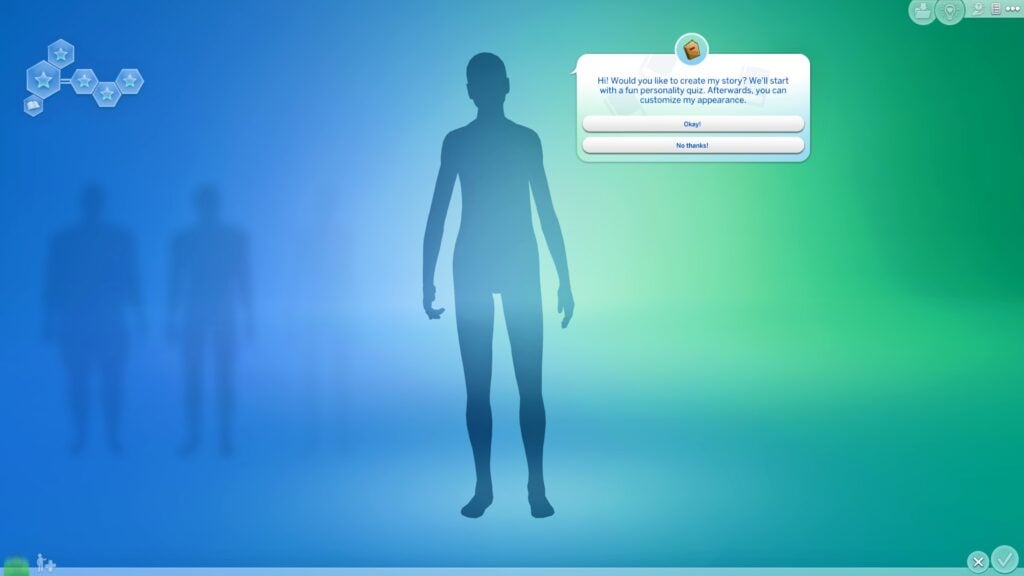
Use the Story Quiz to create your Sims’ backstory and then customize your Sim!
The Sims 4 Story Quiz in Create a Sim
Both ways are a good starting point for creating your first Household. If this is your first time Creating Sims in The Sims 4 or you are brand new to The Sims franchise, the main thing to remember is to have fun exploring what Create a Sim has to offer!
Your First Home
Once you have created your Sims, you can move your Sims into their first home. You will have a budget available to spend on purchasing a home or an empty Lot and create your own home! You’ll be able to choose a home in either Willow Creek, Oasis Springs, or the empty world of Newcrest.
With your Sims now moved into their new home, it’s time to begin your Sims adventure! Create your own storyline or legacy and see where it takes you!
Introducing Emily
Emily will be your helping hand, guiding you through the different features of the game! If you aren’t too sure how something works or need a bit of guidance, you’ll be able to count on her! She is your one-stop in-game help with learning how to play Sims 4.
If you need to call on Emily, you’ll be able to activate her by selecting her icon along the toolbar on the top right-hand side of your screen. This icon can be accessed throughout the game whenever you need a helping hand. The first time you will meet her is during Create A Sim and then throughout the game when needed.
Where to find Emily, The Sims 4’s New Player Assistant
You can find out more about Emily and her features here!
Commonly Used Terms
As you play through The Sims or engage with the community both in-game via The Gallery or on Social Media, you may hear and read a variety of terms you’ve not heard before.
We have compiled a list of some of the most common terms you’ll come across relating to The Sims 4!
CAS – Create a Sim
BB – Build/Buy Mode
Townies – Randomly generated Sims
Pre-Made – Sims created by the Maxis Team
CC – Custom Content
Mods – Player-created game modifications
Maxis Match/MM – Custom Content that matches the game’s art style
Alpha – Custom Content that is more realistic and doesn’t match the game’s art style.
Maxis Mix – A player who uses a combination of both Maxis Match and Alpha Custom Content
Challenges – Player created challenges for alternative gameplay options
Sims Delivery Express (SDX) – Small pieces of content shared from The Sims Team that do not require a game patch to be added
Patch Day – This is the day when The Sims 4 receivesan update. This can include bug fixes, and new content and prepares the game for a new pack release if one is scheduled.
Roadmap – An infographic shared by The Sims Team that gives players a clue as to what kind of content to expect over the next few months
Curseforge – The official Mod Manager for The Sims 4
Playing The Sims Forever in The Sims 4
How to Play Sims 4 Resources
Ready to find out more on How to Play Sims 4, here are some useful guides and resources for players to check out.
The Community – Center of How to Play Sims 4 Guides!
Want to find out more about The Sims and the community? You can join players on Twitter, Instagram, YouTube, and even Discord! Share your stories, highlights, lowlights, and more with players around the world!
Want to get connected? Click the image below and join us on Discord!
With channels for all of The Sims games, mods & custom content, technical support, challenges, and more how to play Sims 4 player resources, there’s plenty for everyone over on our Discord!
As this How to Play Sims 4 guide comes to an end, there are plenty of ways for you to discover how to Play With Life. Getting started is easy and with the handy points that have been covered in this guide, you’ll find plenty of ways to expand on your own experience in the game, create stories, memories, and more!
Create your dream spaces with these Sims 4 Study Room CC collections
Are you looking for some The Sims 4 Study Room CC or some collections to create your dream space? Then we’ve got you covered with a variety of collections to explore that are in the Maxis Match style as well as a number of which are Base Game compatible!
Whether your Sim is looking for a space to read, paint, make music or stream games, there are plenty of themes and ideas that you can use to create your spaces. Of course, you could also pair those ideas with additional in-game content such as The Sims 4 Pastel Pop and Book Nook Kits as well as various expansion packs too!
We’ve found some amazing pieces of custom content from a variety of talented creators within our community. These The Sims 4 Study Room CC inspired collections will give you even more reasons to explore different themes and ideas when you create your own creative spaces!
The Sims 4 Study Room CC
Functional Book Nook Decor
SixamCC has taken a selection of new book decor items to act as functional bookshelves. While it is only a small change, it will have an impact on how you furnish your spaces with these objects!
Functional Book Decory by SixamCC
You can download this small custom content set for free right now from SixamCC’s Patreon.
Naturally, we couldn’t wait to explore more creators to find the perfect The Sims 4 Study Room CC inspired collections! Needless to say, there was plenty to take a look at. Here are some of our favourites that we came across.
The Artist in Me
Love books and love painting? Take a look at this Artist set from Aira!
This gorgeous Base Game compatible Sims 4 Study Room CC collection features an array of objects which are perfect for use alongside those from The Sims 4 Blooming Rooms or Book Nook Kit! Combine your Sims’ creative passions and create their dream space!
Why not combine your Sims’ love of reading with their love of music? Well, thanks to Myshunosun you can!
Currently, there are two parts to the collection, both of which are Base Game Compatible! So why not create a music studio space along side your office using these Sims 4 Study Room CC collections?
Simmify Music Nook Pt1Simmify Music Nook Pt2
Both of these sets from Myshuonsun are free to download right now via the links below!
This collection from Brainstrip will bring your office spaces to life in new ways!
From the new desk options in this set to the decor that comes in this set and combining them with the likes of The Sims 4 High School Years and Discover University will create even more possibilities. From cute and cozy to more modern and colourful spaces, this collection is one to check out!
My Corner Part 1 by Brainstrip
This Base Game-compatible collection can be downloaded from Brainstrip’s Patreon now for free via the link below.
Create a Kozy Korner perfect for settling down with a good book with this lovely set from Kate Emerald!
The corner sofa would make the ultimate setting for book-loving Sims in their new study space, especially with the added built-in decor slot in the sofa too!
With a mixture of functional and decorative objects in this collection alongside some additional clutter and a functional camera to create a space perfect for your Sims to read and work while on the go!
That’s all for our The Sims 4 Study Room CC Showcase! If you find yourself looking for more custom content collection ideas, why not take a look at all of our Custom Content articles here?
Stay tuned to Sims Community for all the latest news and information from The Sims franchise!
Spice up your Sims’ WooHoo life with these frisky WooHoo spots!
Get ready to spice up your Sims’ WooHoo lives with some new Sims 4 WooHoo locations! WooHoo has been a feature in The Sims since the first game. Many players will recall the infamous Heart Shaped Bed from The Sims Livin’ It Up that was one of the first ways your Sims could WooHoo. Throughout the game since, The Sims has added a number of different ways that your Sims can WooHoo and The Sims 4 is no exception. This article will show you all the current places/ways that your Sims can WooHoo in The Sims 4.
Did you know that in The Sims 4, there are twenty-five different ways that your Sims can WooHoo?
Table of Contents
Sims 4 WooHoo Locations from Every Pack
Double Bed
Of course, the classic place to WooHoo is a double bed! Just make sure that bedroom door is locked to any unsuspecting Sims who might walk in on more than they wanted to see!
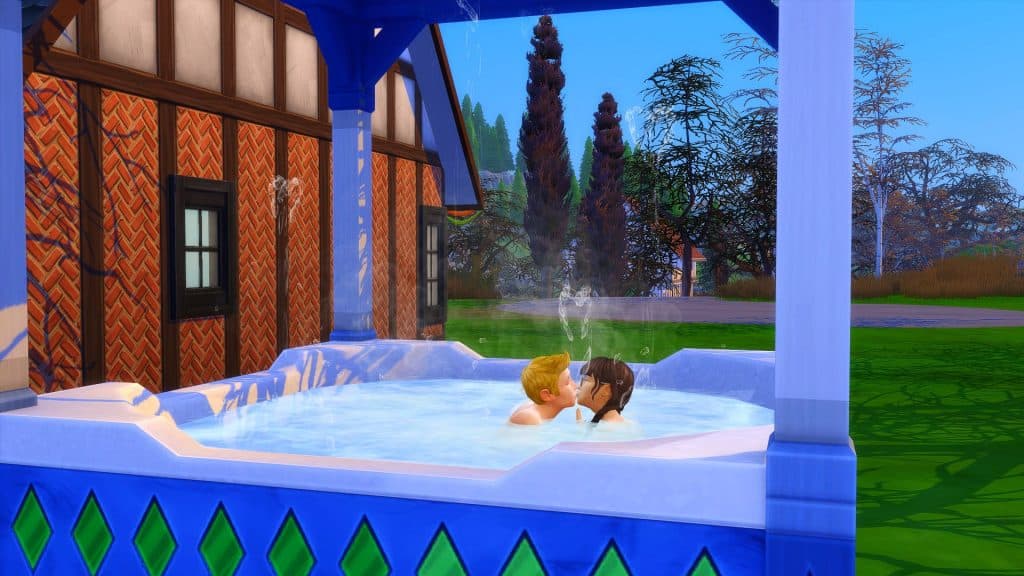
Hot Tub
Hot Tubs initially came with Perfect Patio Stuff, but there is now one in the base game that was added as an anniversary gift for players. Get your freak on in this (literally) steamy WooHoo spot!
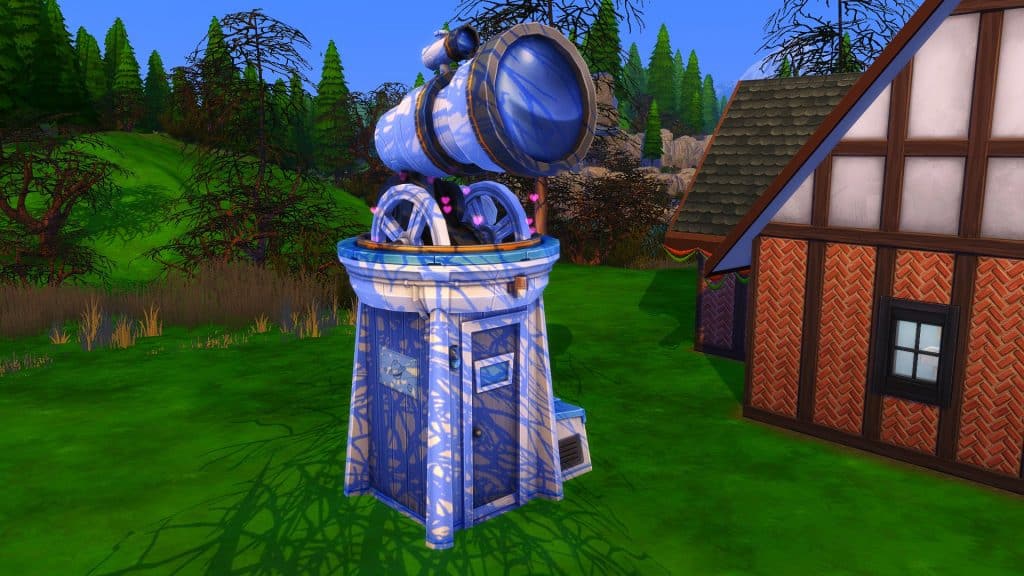
Observatory
You might think the base game observatory is oversized for no good reason but you’d be wrong! It serves a very important purpose; privacy for WooHoo!
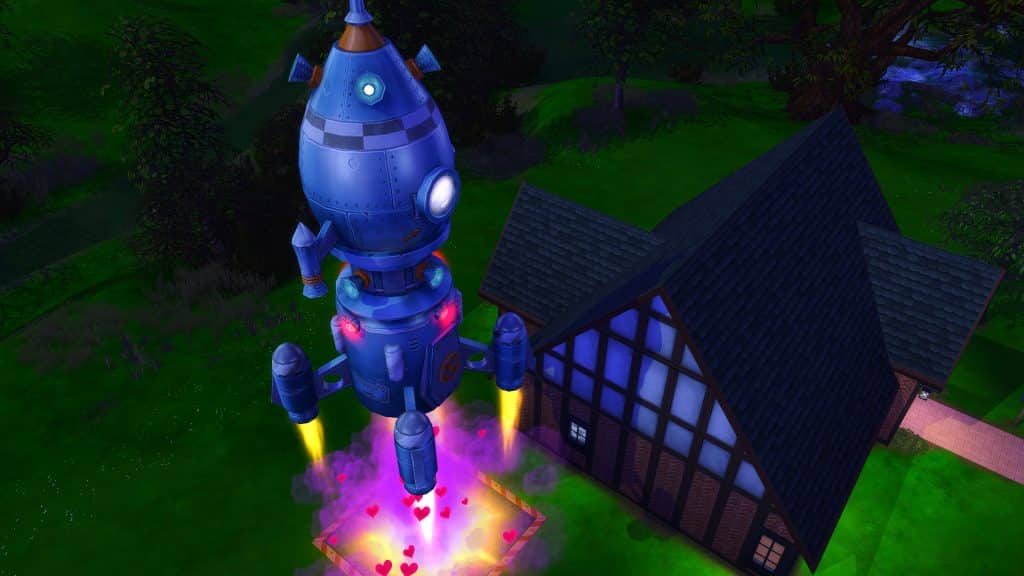
Rocket Ship
Ever wanted to know what WooHoo is like in space? Now you can find out for yourself! Send two Sims to the stars and allow magic to happen!
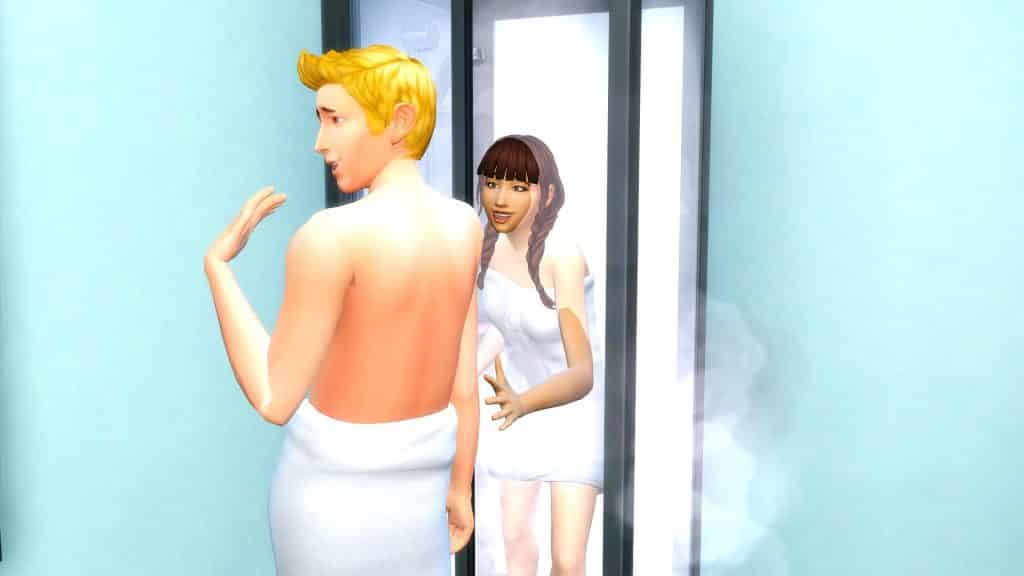
Shower (Discover University)
Players with the Discover University expansion pack will be able to make their Sims’ showers extra steamy with some WooHoo! Provided the shower itself is not an open shower. Sims do need some privacy, y’know!
Closet (Get Together)
Closets came with the Get Together expansion pack and yep, Sims can WooHoo in them! They’re great WooHoo spots for public lots if your Sims are into that.
Bush (Get Together)
Closets are not the only convenient place to WooHoo in public if you have Get Together. Hop into a bush and get it on wherever! You can also use them as a toilet. We, uh… we won’t judge. Much.
Don’t have Get Together? Jungle Adventure and Snowy Escape both also come with a WooHoo bush.
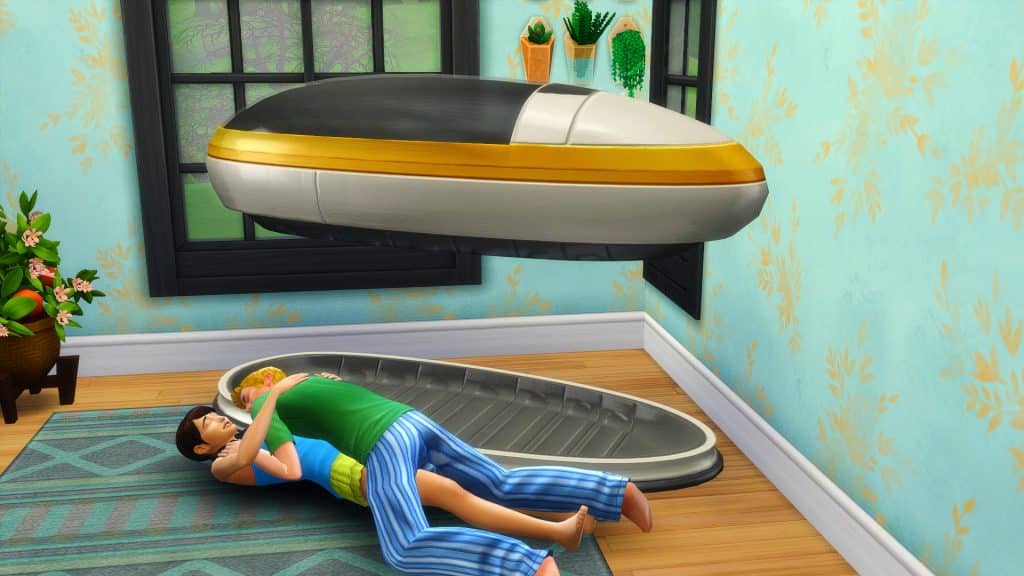
Sleeping Pod (Get Famous)
What do you do when you have more money than sense? Buy ridiculous objects to WooHoo in, obviously! This levitating sleep pod doubles as a WooHoo spot.
Money Vault (Get Famous)
Need a place to store your millions and millions of simoleons? Need a big pile of money to WooHoo in? No problem. The money vault from Get Famous offers both! One of the most private and secure Sims 4 WooHoo locations!
Dumpster (Eco Lifestyle)
And if your Sims aren’t too picky, Eco Lifestyle offers them the chance to WooHoo in a dumpster. Yeah. It’s as gross as it sounds.
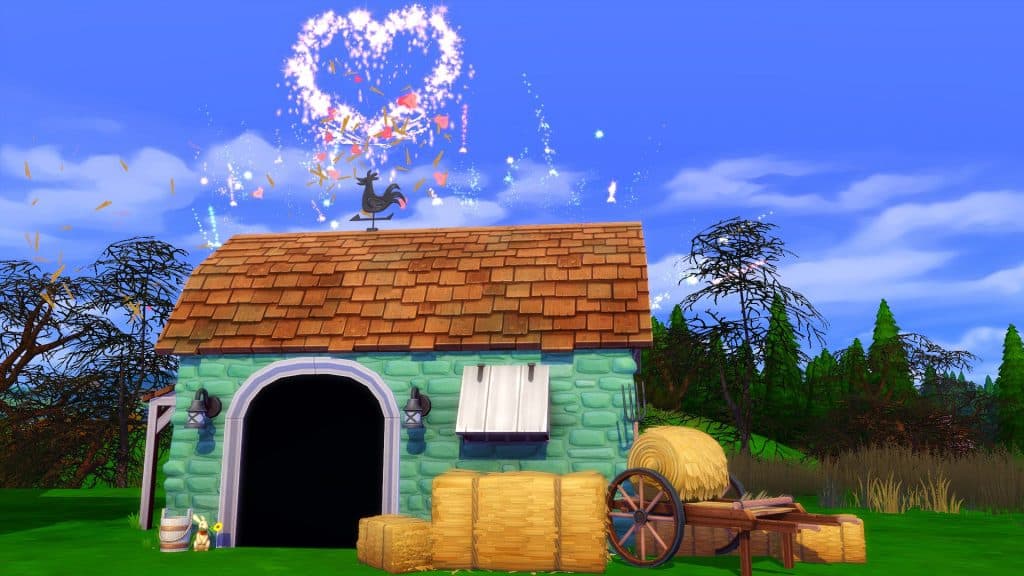
Animal Shed (Cottage Living)
Another questionable WooHoo location is the animal shed from Cottage Living. If prickly hay bales and llama poop don’t bother you, why not give it a try? Just make sure any animals are not inside the shed. Don’t traumatise that poor llama for life, please.
Lighthouse (Cats & Dogs)
The lighthouse in Brindleton Bay is located in the Deadgrass Isle neighbourhood. Travel to the nearby museum and head up to the lighthouse for both great views and great WooHoo! This is one of our personal favourite Sims 4 WooHoo locations.
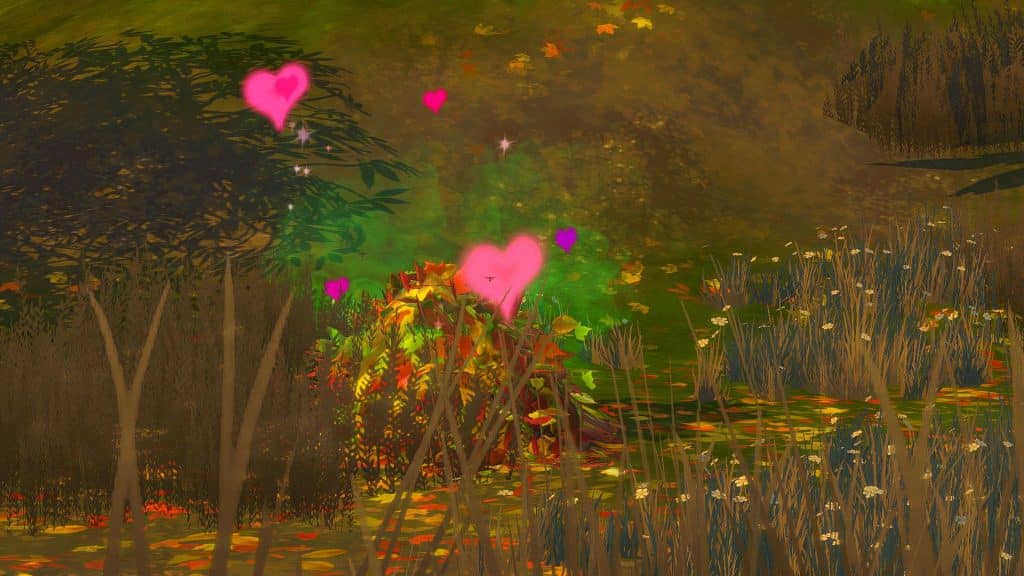
Leaf Pile (Seasons)
What do you do with all those big piles of leaves in the yard every autumn? WooHoo in them, obviously! They make for convenient outdoor Sims 4 WooHoo locations.
Waterfall (Island Living)
The waterfall on the island of Mua Pel’am in Sulani is more than just a beautiful spot for sightseeing and frog catching. It’s also one of the most romantic Sims 4 WooHoo locations!
Hot Spring (Snowy Escape)
The other guests at the onsen might not be too pleased by your inappropriate behaviour but you can WooHoo in a hot spring! At least clean it before you leave, though. Ewww.
Ice Cave (Snowy Escape)
Looking for some out of the way Sims 4 WooHoo locations? Brave climbers on an excursion to the top of Mt. Komorebi can stop and warm up on the way there with some WooHoo in an ice cave!
Tent (Outdoor Retreat)
What’s a good camping trip without some good tent WooHoo? Cozy up to that special someone in the woods… or on a mountain or at Disney World! Tents also come with Snowy Escape and Star Wars: Journey to Batuu.
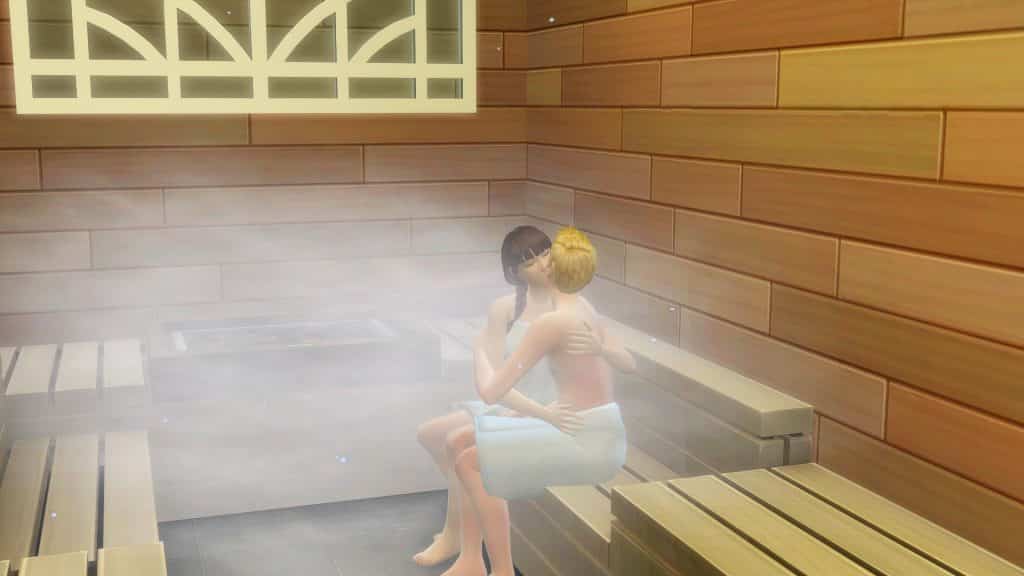
Sauna (Spa Day)
Hot tubs, showers, and hot springs not steamy enough for you? Hit up the spa and get your WooHoo on in the sauna! Just don’t stay in there too long or you might never come out!
Coffin (Vampires)
Can’t get enough of strange Sims 4 WooHoo locations? All Sims can WooHoo in a coffin whether they are a vampire or not, but only a vampire can initiate coffin WooHoo. Beware! Good Sims will find the prospect horrifying.
Bat Form (Vampires)
Unlike coffin WooHoo, only vampires can have bat WooHoo because both Sims need to have the Bat Form vampire ability. However, bat WooHoo can be done anywhere, which makes it one of the most convenient Sims 4 Woohoo locations.
Black Spire Dwelling (Star Wars: Journey to Batuu)
If it’s always been your dream to WooHoo at Disney World, you can live out that strange fantasy in The Sims 4! Sort of. Sims can WooHoo in the dwelling building of Black Spire Outpost in Batuu.
Photo Booth (High School Years)
Photo booths come with High School Years and they’re a great way to make memories… in multiple ways. If you catch my drift. Wink wink.
Carnival Rides (High School Years)
There are actually three Sims 4 WooHoo locations in this area but they are all carnival rides so we’re going to cover them all in one. Plumbite Cove in Copperdale has a carnival on the pier Sims can visit. There are three rides Sims can go on; the ferris wheel, the tunnel of love, and the haunted house. All of these rides are Sims 4 WooHoo locations! Just be aware your Sims could get caught and end up banned from the ride.
Treehouse WooHoo (Growing Together)
The 13th Expansion Pack – The Sims 4 Growing Together – comes with a brand new spot for your sims to be frisky. After building a Treehouse, your Sims will be able to play around and have WooHoo in it!
If you liked our Sims 4 WooHoo locations article, why not check out our Sims 4 Death Types article, too?
This alien returned to her home planet with more than just knowledge…
Welcome to our eighteenth official The Sims 4 Story Starter Kit! If you missed all the info on The Sims 4 Story Starter Kits, you can read more about what they are and how they work in our introductory article!
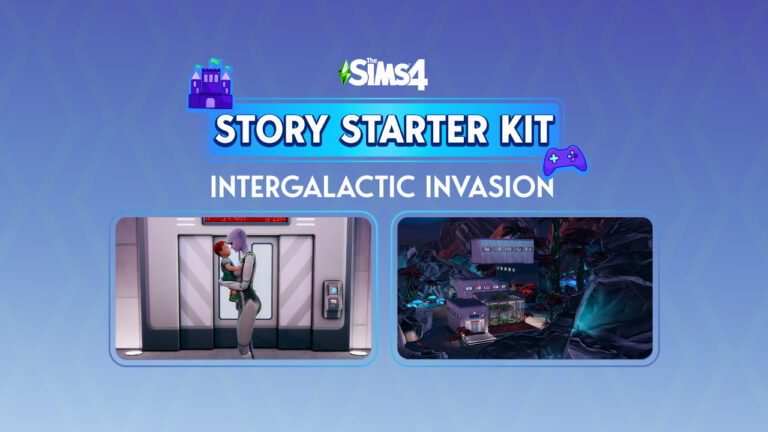
For this month’s The Sims 4 Story Starter Kit, we’re bringing you an alien from the planet Sixam who wants a child so bad that she took one from earth back to her home planet!
Table of Contents
The Sims 4 Story Starter Kit: Intergalactic Invasion
Neela Researcher #172 (or Neela Jones as is her code name on Earth) grew up on Sixam dreaming of being assigned her perfect career by the Sixam High Council. She’d always wanted to be a Pollination Technician or an Offspring Rearer. Her peers always thought her a bit odd for this; no one wanted those jobs. They were just necessary for the continuation of the species. What most aliens aspired to were prestigious roles in society, like Researchers and Medics. But Neela Unassigned knew what her heart wanted and she looked forward to the day when she became an adult and could become Neela Pollination Technician or Neela Offspring Rearer.
But Neela’s mandatory medical exam to determine her suitability for the job of Pollination Technician resulted in heartbreaking news: Neela was not able to produce offspring of her own. Disappointed but not completely discouraged, she submitted a special request to be assigned as an Offspring Rearer instead. She didn’t need to be able to produce offspring for that career. She just needed to raise them, which could be even more amazing than being a Pollination Technician!
However, the High Council rejected her request. Neela displayed an incredible aptitude for science and technology. In fact, she was one of the most brilliant aliens they’d come across in several generations. They felt her skills would be wasted as an Offspring Rearer and overruled her request. Neela was assigned the role of Researcher instead. They had such confidence in her abilities that her first assignment was to travel to earth under the guise of a human scientist and infiltrate the lab in StrangerVille to recover a flora specimen native to Sixam that was irresponsibly brought to Earth and now destroying that planet’s ecosystem.
Her peers were all thrilled for her and congratulated her on landing such a prestigious role in society and being entrusted with such an important mission. But Neela was devastated. She took her assignment and traveled to Earth with a heavy heart, feeling like all her dreams had been ripped away from her.
So imagine her surprise when she finally did get inside that secret lab and found the Sixam Mother Plant… with a human baby cradled in one of its giant leaves. How did he get there?! Who put him there?! And why hadn’t the carnivorous Mother Plant eaten him? It was like the Mother Plant knew exactly what Neela longed for and kept him safe just for her. He just HAD to be meant for her, right? She would never get another chance to be a mother.
So Neela secretly took the baby and named him Raymond, a human name she was fond of because she liked how it sounded. She raised him in secret while working as a scientist on Earth and began drafting plans to bring him back to Sixam with her when her assignment ended. There were a lot of challenges to raising a human child on Sixam. The biggest one being humans can’t breathe in Sixam’s atmosphere. She’d have to design a home with an air lock system to keep him safe. And he’d need an enclosed terrarium to play in that mimicked his natural environment on Earth.
When Neela arrived back on Sixam with Raymond, the High Council was horrified! She stole a human child?! She can’t just take human children and keep them! Sixam Law on the Ethical Treatment of Humans clearly states that all humans abducted must be returned to Earth within 72 hours unharmed. Not to mention a human child can’t possibly thrive on a planet with an inhabitable atmosphere no matter how hard Neela tries to recreate his natural environment. He’d be nothing more than a zoo animal in a glass cage. But Neela’s already fallen in love with this child and feels like his mother. She just needs time to get to know him.
Will this Sims 4 Story Starter Kit end badly for Neela? Will she be allowed to keep Raymond or will she be punished by the High Council for breaking the law and be forced to return him to Earth?
This The Sims 4 Story Starter Kit household should be able to purchase their lot with their default starting funds. Make sure you import the family into CAS, then move them in. If you move them into a home straight from the Gallery, they will not have the funds I set for them.
Neela’s home was designed for the secret lot on Sixam. To place this lot on Sixam, move Neela into any lot in any home world and travel to Sixam. Use the cheat bb.enablefreebuild to place her home on the lot there.
Raymond can be brought to Sixam through the upgraded Wormhole Generator, which Neela will be able to make at level 10 of her career. Select Raymond to come with you when you have Neela use the Wormhole Generator. Once Neela and Raymond are both on Sixam, they can stay there indefinitely and treat it like their home.
The Sims 4 Story Starter Kit: Terrestrial Terrarium
This latest The Sims 4 Story Starter Kit build is a very unusual home. You might even say it’s out of this world! With less gravity on Sixam, this home can defy the Earthly laws of gravity with its precarious-looking architectural design. A nursery behind an air-locked door and an enclosed play area with its own air filtration system designed to look like Earth allows a human child to grow up here in relative comfort… as long as they never step outside.
The Sims 4 Story Starter Kit Lot Info:
Lot Type: Residential
Price: §117,478
Size: 20×20
Beds: 2
Baths: 2
Lot Traits: None
Lot Challenges: None
Packs Used: Get To Work, StrangerVille, Growing Together
Your The Sims 4 Story Starter Kit is waiting for you! Get The Household and The Lot by downloading them from the official Gallery Website linked on the buttons below. Or, follow SnarkyWitch in the Gallery and look for Intergalactic Invasion and Terrestrial Terrarium!You can also find all our The Sims 4 Story Starter Kits by searching the hashtag #StoryStarterKit in the Gallery!
The Sims 4 Medieval Castle and Goth Fashion Kits are set to release next year!
The Sims Team surprised the community last month with their first ever Sims 4 Kits Theme Vote. Letting you choose between two different themes for each Kit Category (CAS and Build). Players had exactly ten days to decide whether they like Rainbow Colored clothing or darker, Goth CAS items and accessories. Polar opposites were also present for the Build Kits category, with two themes ranging from High Tech Futurism to Medieval Castle.
Table of Contents
All Sims 4 Kits Themes included in the Vote
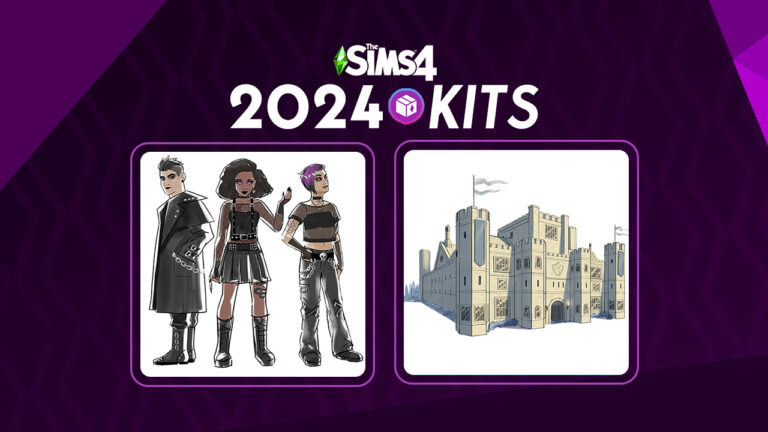
In this public voting players had a chance to choose between the listed Sims 4 Kits themes. It was announced during Behind The Sims: Episode 2 that the winning themes are Goth Fashion and Sims 4 Medieval Castle Kits. Set to release sometime in 2024!
Here are the rough concepts and features that Maxis laid out for the community vote:
Rainbow Core Style
It’s light, it’s bright, it’s rainbow core! It’s a playful aesthetic featuring nostalgic, youthful designs, and pops of color. Give your inner child a big hug and dress your Sims in a rainbow of colorful, bright, patterns. (Image not representative of final in game objects)
Sims 4 Goth Fashion (Winning Theme)
Do you grow nauseous at the sight of a bright pink sweater? Perfect. Embrace your dark side and vote for goth fashion. Style your Sim in shades of black from head to toe. They are sure to stand out from the crowd with modern mesh and lace detail, dark dramatic makeup, and edgy accessories.
The Sims 4 Medieval Castle Kit (Winning Theme)
Place your moat, I mean vote, for medieval castle if you’re looking to keep out those nosey neighbors. Build a fortress with an array of elements including brick walls, battlements and leaded glass windows set in old stone! It’s your very own castle in a kingdom far, far away. (Image not representative of final in game objects)
High Tech Futurism
“You can have tomorrow, today!” Place your vote for high tech futurism, if you’re inspired by out of this world architecture featuring sleek metal exteriors and glowing accents that make a perfect home base for any Sims visiting from another planet.
We weren’t surprised by these results to be quite honest. When the Kit Voting started we ran an unofficial poll to see how the community voted. These are the results:
Unofficial results for the Community Kit voting
Keep in mind: The images of Kit themes shown above is only concept art for the proposed Sims 4 Kits. The Sims Team will probably develop Medieval Castle and Goth Fashion Kits sometime this year to prepare for their official launch in 2024.
But wait – there’s more!
There’s plenty of more Sims 4 Kits that EA has prepared to release this year. The latest Sims 4 Summer 2023 Roadmap has teased two more Kits coming out by September this year. We don’t know much about the Summer Kits releases other than they are “Bold”. We’ll have to just wait and see what they meant by that…
By the time Sims 4 Medieval Castle and Goth Fashion Kits come out we could be rounding up the total number of Kits to 30. As of writing this article there are 23 Kits, with two more to come this summer.
What are your thoughts on the Sims 4 Kits voting results? Let us know in the comments down below and stay in the loop on all the latest Sims 4 Kits news!
The Sims Project Rene is planned to be free from Day One!
New information about The Sims 5 Free release have popped up behind the scenes. Just moments after the latest Behind The Sims livestream which already revealed so much about Maxis’ development progress for Project Rene.
The latest Sims 5 Free to Play news come from EA directly on their Maxis Careers page. Revealing monetization and content plans for the game in the long run. Down below we’ll be explaining everything from this new finding and what it means for players and consumers.
Table of Contents
The Sims 5 Free on Launch: What We Know
The development team behind Project Rene / The Sims 5 is expanding every day. As you’ve seen in the latest Developer Showcase, there are different building blocks being created for the game by different teams all around the world.
While the development team is crafting prototypes and ensuring the game is going towards a familiar direction, EA is already planning how to monetize the next installment. Including talks about the Free-to-Enter method for The Sims 5!
Check out the official Careers Listing for Head of Monetization and Marketplace for Project Rene. We had included the link to the Job Opportunity, but just hours after writing this article EA decided to pull it back from their website.
The first two bullet points are the most important here, which talk about in-game content purchases and Sims 5 Free to Play game system:
Own Project Rene’s in-game marketplace of content and UGC (free and paid), and manage a data-informed player-centric player purchase journey. Maximizing value to players, optimizing player spend patterns, and minimizing player churn.
This part signifies that The Sims 5 will have its own in-game store. For both Official Content and User Generated Content. According to this statement, there will be both free and paid content.
We don’t know for certain yet (and don’t take our word for it), but this could mean that Custom Content, CC and general UGC could be downloaded straight from the game!
Own pricing of all content in this free-to-enter game, ensuring we have an optimal pricing and content architecture. Provide guidance to content teams on in-game content needs to meet player demand.
It seems that EA is already firm on The Sims 5 Free to Play method for the game. The first sentence is formed like the publisher already made a decision that it would be free from launch.
We’re not sure yet if there are any differences between Free to Play and Free to Enter terms. Either way, a new way of releasing Sims content seems almost definite for The Sims 5.
What this could mean for Players
The Sims 5 Free to Play wouldn’t be the first time EA practiced a new monetization method. Video game Apex Legends saw massive success at launch, and it also released for free on day one. Still, it’s very early to tell how this could translate into The Sims marketplace.
The Sims Franchise had already made a big move last year when they made The Sims 4 Base Game entirely free. Considering that the move saw massive rise in active player base it’s a no-brainer that a similar method is being used for the next generation Sims game.
The community is sceptical that we could be slowly moving on from the Packs release system that’s been present in The Sims Franchise since the beginning. And move on to a more microtransaction, subscription-driven service. Emphasis on could, considering that the Base Game isn’t even halfway done yet.
This definitely wouldn’t be the first time that EA considered a Subscription Service for a Sims game. The Sims 4 planned to have a “Premium Membership” before the concept was scrapped shortly before the game’s launch.
The Sims 4 Premium Membership IconPremium Membership Logo
The Sims 4’s Membership Concept sounds familiar with what EA is planning to do for The Sims 5 Free to Play in terms of in-game content releases. Still, it’s best that you:
Keep your expectations set!
Remember, The Sims 5 is still years away from the full worldwide release. The development team is still deep into creating the game’s prototypes, and we still have to go through many Beta Tests, Feedback Sessions and more until the game is ready.
Katrina Caliente? A clone?! Apparently, it’s true!
We were fully expecting to have our minds blown by new Horse Ranch info during the Behind The Sims stream today. What we weren’t expecting was to have our minds blown by new Sims 4 lore that not only completely changes our perception of one of The Sims 4’s original premade Sims, but answers a big question Simmers have had since 2014.
Who the BLEEP is Katrina Caliente?!
Table of Contents
The Sims 4 Lore: Katrina Caliente
People who became Simmers in the age of The Sims 4 might be scratching their heads. What do we mean, who is Katrina Caliente? She’s Nina and Dina’s mom! D’uh!
But is she, though? If you’re not familiar with the long history of the Caliente twins, allow us to give you a quick refresher!
Caliente Family History
Nina and Dina Caliente made their first appearance in The Sims 2 base game. They lived in Pleasantview and had a whole slew of drama surrounding them, including Dina being the widow of Bella Goth’s older brother, Michael Bachelor, and romances with both Don Lothario and the elderly Mortimer Goth. They were also rumoured to have been involved in Bella Goth’s disappearance somehow.
They also had quite the interesting family tree. They were the twin daughters of Nighat and Flamenco Caliente. Their grandfather? An alien called Pollination Technician 7! In The Sims 2, Pollination Technicians are responsible for abducting male human Sims and returning them to earth pregnant with alien offspring. The twins’ father is the result of one of these abductions, making Nina and Dina Caliente part alien.
But if the twins’ parents are Nighat and Flamenco Caliente, where the heck did Katrina come from? This is some Sims 4 lore that players have been trying to figure out for a long time. In The Sims 2, Nighat is already deceased at the start of the game. The twins’ memories show that Nighat died when they were children.
Granted, The Sims 4 is an alternate universe; however, most of the other premade Sims have Sims 4 lore that is, at least in part, a continuation of their past selves. So where did Nighat go and how does Katrina fit in? We finally have the answer!
A New Mother for Nina and Dina
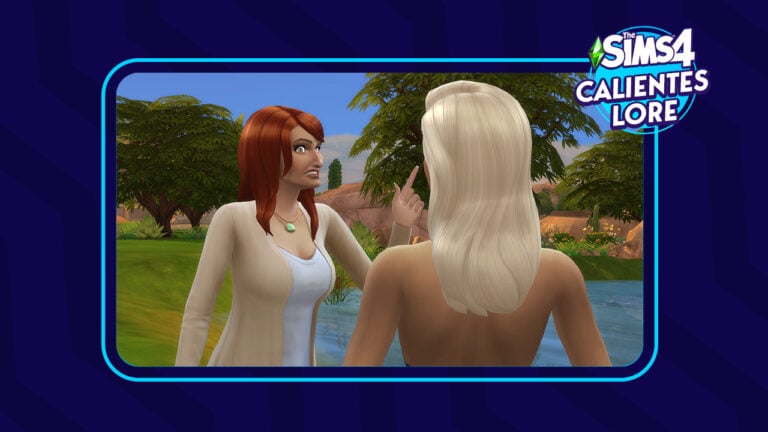
Mersea revealed during the Behind The Sims stream today that Katrina could in fact, be a clone of dearly departed Nighat! On the surface, it sounds too far fetched to be true but the more you think about the facts, the more it begins to make sense.
So what do we know for sure about the Sims 4 lore of the Calientes?
Nina and Dina’s birth mother in The Sims 2 was Nighat Caliente.
Nighat Caliente died when her daughters were children.
Katrina Caliente also appears to be their mother in The Sims 4, confirmed by the family tree and the fact that they share the same genetics.
Nina and Dina are part alien on their father’s side of the family.
Sim cloning does exist in the world of The Sims.
So if Nighat Caliente died when Nina and Dina were just kids, perhaps they grew up longing for a mother figure they didn’t get to have for very long. Maybe they feel like they missed out on a lot growing up because they didn’t have their mom. And maybe they envisioned their mother to be this perfect, cool, hip matriarch who was more like their best friend than their mom.
It is entirely plausible that Nina and Dina have access to cloning technology due to their alien ancestry. Given their alien lineage, their original mother’s death, and Katrina’s eerie resemblance to her so-called daughters, they could very well have created a clone of their deceased mother, Nighat, and given her a new name to avoid suspicion.
And, according to The Sims Team themselves in today’s stream, it’s not only plausible, but probable! The Sims Team rarely ever gets so close to confirming Sims 4 lore, especially when it comes to these years-long mysteries that keep fans guessing. So we feel pretty confident in considering this piece of news to be official confirmation.
So there you have it! The Sims 4 lore is settled once and for all! Katrina Caliente is a clone of Nighat Caliente!
Take a heartwarming and hilarious look at the development of horses in The Sims 4!
In case you haven’t heard,The Sims 4 Horse Ranch is the next expansion pack coming to The Sims 4! It releases on July 20th, 2023 on all platforms. Obviously, Sims 4 horses have been a highly requested feature for many years now and the Simming community is hyped! Today’s Behind the Simsstream gave eager players a special behind-the-scenes look at how the horses in The Sims 4 were developed. Of course, they included some hilarious early development glitches for us to laugh at, so let’s take a look!
Table of Contents
The Sims 4 Horses: Behind the Scenes
Look and Feel
The Sims 4 has a very distinct art style and the developers wanted to make sure that horses blended in well with that style. So a lot of time was spent on the art style of the horses, making sure that they had the same textures, colour palette and matte, solid hair that The Sims 4 is known for. The result? Some beautiful stylised horses that blend in effortlessly into the overall look and feel of the game.
Animations
As you might imagine, animating an animal as complex as a horse was quite the challenge. Horses have a very unique and graceful way of moving that isn’t always easy for humans to replicate in media. They also have four distinct gaits of speed; walk, trot, canter, and gallop. The developers had to make sure that the horses could maintain all four of these gaits while performing complex manoeuvres such as navigating around tight corners fluidly.
To accomplish this, they created new banking animations for their locomotion which helps them maintain the fluid, graceful movements horses are known for no matter what task they’re performing.
The Sims 4 horses weren’t the only animation challenge. The developers also had to think about how Sims would animate both on and off a horse. Inexperienced riders will look awkward and uncomfortable riding a horse and the horse will react to their rider’s lack of skill. They may buck and test the rider if they sense the rider doesn’t know what they’re doing. A lot of thought also had to be put into figuring out how Sims would interact with a horse on the ground vs. on their back. How would riders interact with each other on horseback? Or with other horses? A lot of variables had to be accounted for with the Sims 4 horses.
Research
In addition to grown Sims 4 horses, foals also needed their own animations. The animators spent a lot of time looking at reference photos and videos of foals stumbling around and learning how to use their legs. They wanted to make sure they captured the wobbliness of a newborn foal perfectly.
But watching videos and looking at pictures just isn’t enough to really grasp all the nuances of horse behaviour, so the developers also made several trips out to an equestrian centre. They got a first hand look at the way horses behave and interact with both humans and other animals to make sure that The Sims 4 horses truly felt lifelike in the game.
Fans have been asking for Sims 4 horses for many years and the team wanted to take their time with it to ensure that this highly anticipated feature lived up to expectations and gave horses the attention to detail that they deserve.
Part of that involves education on responsible horsemanship. This pack dispels outdated notions of using horses as tools and “breaking” them to force them to submit to a rider’s will. The emphasis on on positive training methods that treat the horse as a partner and beloved companion.
Glitches
Okay, okay. We know you want to see the funny glitches, already, so here they are! We love when The Sims Team shares funny mishaps that happen in early development and they didn’t disappoint this time, either!
Here’s a look at some truly horrifying first attempts at bringing horses into the game. Remember: These are early development glitches. You should (hopefully) not see these in your game when you get the pack.
More Horse Ranch Info
While Sims 4 horses are obviously the main focus of The Sims 4 Horse Ranch, they are not the only new feature coming with this pack. There is plenty to do outside of taking care of and training horses, such as nectar making, taking care of mini goats and sheep, and hosting events where your neighbours can come over to bond with your animals.
But for those who can’t get enough Sims 4 horses info, you’ll be happy to know that children can also ride horses and there are plenty of skills you can build with your horse, such as Agility, which can be improved by barrel racing.
There are over 30 breeds to choose from in CAS and plenty of further customization available for them. Check out the wide range of CAS options in the screens below!
Check out the first look into The Sims 5 / Project Rene and its Visuals!
Big news! During today’s Behind The Sims Livestream we’ve gotten a first visual preview of Animations, Visuals and Lighting coming with The Sims 5.
Codenamed Project Rene, The Sims 5 is set out to bring Simmers on a whole new experience with rich gameplay and customization features. EA and Maxis are set out to make The Sims 5 experience fully playable across multiple platforms – crossing the bridge between HD (PC and Console) and Mobile.
How does Project Rene look so far and what do the developers have to say about its current development? Check out everything new we got on The Sims 5 right below!
The Sims 5 Info Roundup
During Behind The Sims several producers and developers for Project Rene have shared the work they’re doing on the game. Here’s what we got on the next generation Sims game from Behind The Sims, Episode 2:
Hi, I’m Gina – the Creative Director for Project Rene. I spend my time thinking about how players will interact with the game. What sort of gameplay, content or narrative we’ll need in order to bring it to life. We’re bringing many different elements of this game in parallel. Almost like prepping all of our ingredients before we can bring them together and bake a cake. We’ve got a team of people around the world working on Project Rene. We’re so excited to give you an early look on what we’ve been up to!
Art & Visual Direction of The Sims 5
Stu, Art & Visual Director: Lighting has a massive impact on the look of the game. We’re exploring some new lightning technologies that will enable us to create highly customizable spaces. And, let players tell emotional resident stories that will look great on your computer and on your phone!
The Sims 5 / Project Rene – Lightning and Visuals
Sims don’t just live at home. They also exist in a broader neighborhood full of Sims! We’ve made some simple prototypes to explore what these Sims do during the day. Where they go, what they see and the schedules and routines that they have as they mill about the neighborhood.
Project Rene – Neighborhood Prototypes
Project Rene Animation
Nawwaf, Animation Director: Our vision for animation is driven by the phrase “Read the room”. Which means that we want players to know how our Sims feel and what they’re thinking. Just by how they behave!
This means that we need to support a variety of attitudes, emotions and postures that need to work across objects and socialization.
The Sims 5 Animations and Postures
Technical Direction
Manu, Technical Director: Games begin in a very basic state before all of the 3D models, Animations, Audio and Scripted behaviors can merge. Slowly but surely we are bringing our ideas to life with our first version of this simulation. This entails Sims navigating their own, and interacting with objects to satisfy our needs. We cannot wait to show you even more!
Technical Prototypes of The Sims 5
Hairstyle Customization
Azure, Producer: Hairstyles! How we contribute to our look and how we present ourselves is so important! And it’s really no different for Sims.
We’re trying to figure out how to model a wide variety of styles across the broad range of humanity. And unlock options like flexible coloring.
Socialization in The Sims 5
Jill, Producer: Socialization is fundamental for the experience in The Sims. But you gotta admit – sometimes there’s a lot to follow! Like, Sims are animating, they’re throwing thought balloons, there’s UI to follow…
Right now, we’re experimenting with how little we can get away with. We’re really leaning into just clear, playful and simple visuals that are starting to give us a feel on how much information is too much or too little and see what’s working. We can really better horn in that sweet spot to help you better understand what your Sims are actually talking about.
As you can see there are many elements that we are exploring and solving for. We’re very excited to be able to share at this early stage!
What are your thoughts on the current stage and development plans for The Sims 5 / Project Rene? Let us know in the conversations down below and stay tuned for the latest updates on this game!
Join us as we get new footage and info on The Sims 5, Horse Ranch Expansion and more!
The Sims Team is continuing their new Behind The Sims format, with a new episode premiering live on June 27th, 2023.
In case you don’t know, EA has announced a new format in the beginning of this year called Behind The Sims. This pre-recorded format aims to cover multiple titles from The Sims Franchise. Including PC and Console titles (The Sims 4, Project Rene) as well as Mobile titles (The Sims Freeplay and Mobile). Each Behind The Sims Livestream had something new for the players – from the reveal of the Infants Update to unseen footage of The Sims 5.
Today won’t be an exception! Let’s take a look at what you can expect and how you can watch the stream:
Behind The Sims: How to Watch
Where to watch Behind The Sims: Episode 2
The second Episode of Behind The Sims is premiering on YouTube on June 27th, 2023 at 9AM PT / 6PM CET. We have the full livestream episode ready for you down below. You can click on the play button to find out when the episode starts airing in your area!
You’ll also be able to watch the replay of the second episode as soon as the premiere ends!
What to expect from Episode 2
The second episode promises to deliver a Behind The Scenes look at the upcoming Sims 4 Horses Expansion Pack! For those who are interested in finding out about the upcoming Community Kits – we’ll get to see the final winning themes during this episode!
For those who are interested in The Sims 5 / Project Rene, we’ll get to see and learn more about it during this episode!
Last but not least, The Sims players on Mobile will get to see upcoming content for The Sims Mobile and The Sims FreePlay.
As always, we’ll have an entire day of live coverage from Behind The Sims on Sims Community! Stay tuned for updates on your favorite Sims games.
What are you hoping to see from the upcoming Behind The Sims? Let us know in the conversation below!
Wondering what’s included in The Sims 4 Horse Ranch? Check out all the objects!
In a surprising turn of events, a full list of Sims 4 Horse Ranch items has been published on the EA App. Just a few days after the reveal and announcement of said Expansion Pack!
The list of objects from The Sims 4 Horse Ranch contains a wide array of items. There are new customization features for Horses, clothing for Sims of all ages and a catalogue of Build Mode objects that heavily focuses on the Equestrian theme of Chestnut Ridge.
The following list of Sims 4 Horse Ranch Items has been provided by @MandaPanda2596! Huge thanks to them for the tip.
The Sims 4 Horse Ranch Items
The Sims 4 Horse Ranch – Create A Sim Items
The Create A Sim catalogue for The Sims 4 Horse Ranch Expansion has something new for every Sim. And Horse!
The new Sims clothing in CAS covers Hairstyles, Accessories, Fits, Shoes and more for Sims of every age. When it comes to Horses Customization, you’ll be able to change their Mane, Saddle, Tails, Hooves and so much more. Plus, if you look closer, you’ll see a Unicorn Horn! Which could mean that Unicorns are included in The Sims 4 Horse Ranch.
Check out what you can expect in Sims 4 Horse Ranch CAS:
Quite the collection, isn’t it?! However, we’re not done just yet!
The Sims 4 Horse Ranch Items: Build
The Sims 4 players are in for a treat when it comes to the Build Mode catalogue of the Horse Ranch Expansion.
There are 199 Build Mode objects listed on the EA App. However, we believe that there are probably more waiting for you in the BuyDebug section. Since we’re also getting a new world, it won’t come as a surprise that you get lots of new environmental objects as well.
Check out the full Sims 4 Horse Ranch Build Mode catalogue below:
What do you think?
What is your opinion on The Sims 4 Horse Ranch objects? We’d love to hear what you think in the conversations down below!
If you’d like a chance to play the new Expansion Pack, we’re hosting a Sims 4 Horse Ranch Giveaway where you can win 1 out of 5 copies of the Pack!
Three squabbling siblings want to get their hands on grandma’s inheritance!
The Sims 4 scenarios are back! The latest scenario added to the game is a new welcome scenario called Family Fortune. This scenario has you play with a premade family made specifically for the scenario; the Landry family. The family consists of elderly (and wealthy) Nyssa Landry and her three adult grandchildren, Eddie, Ava, and Lila Landry. All three of her grandchildren want a piece of her inheritance but Nyssa is not happy with the way her squabbling grandchildren have been living their lives and is threatening to leave them nothing if they don’t smarten up!
Table of Contents
The Sims 4 Scenarios: Family Fortune
Getting Started
Like all other Sims 4 scenarios, start this scenario by clicking the giant Scenarios button on the main menu and selecting Family Fortune under the Welcome Scenarios category. Hovering over this scenario will reveal information about the scenario and possible outcomes.
Difficulty: Intermediate
Start With:
Nyssa, a disappointed grandmother
Ava, oldest granddaughter, Mean
Eddie, grandson, Lazy
Lila, youngest granddaughter, Hot-Headed
Story Endings:
Giving it all away
A happy family at last
Made grandma proud
Let grandma down
Rewards:
Satisfaction Points
Bonus Reward
I wasn’t given the option to play in an existing save when I selected this scenario. I was taken right to the move-in screen on the world map with this family in a new save. The family comes with $80,000 simoleons so you should be able to find, download, or build a decent home for them.
I moved them into an Uptown apartment in San Myshuno and just slapped down some basic furnishings for the sake of hopping right into gameplay. I promise I’m a good interior decorator, don’t judge me!
Learn to Get Along
Mandatory Goals:
Throw a dinner party
Improve grandmother’s mood (appears after throwing the dinner party)
Heal negative sentiments (appears after throwing the dinner party)
Optional Goals:
Have siblings befriend each other
Get through a dinner party without fighting
Have siblings apologise to grandmother
Have siblings fight
Donate $10,000 of inheritance to charity
Everyone in this family starts out disliking each other and everyone has negative sentiments with each other. This isn’t one of the easiest Sims 4 scenarios but it does present a pretty fun challenge. The siblings immediately get a fed up message from dear old gran upon starting the scenario.
The only mandatory goal for the first part of this scenario is to throw a dinner party. The optional goals allow you to choose how that dinner party plays out and ultimately, which story ending you will get. Obviously, I wanted to cause as much chaos as possible so that’s what I did!
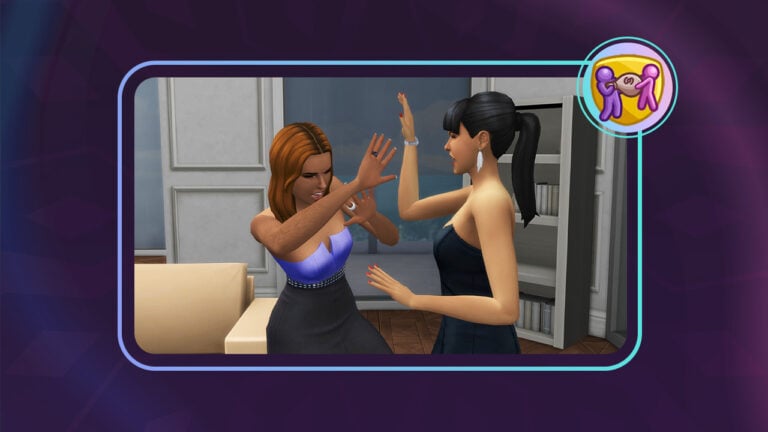
After spending a few hours out and about in Uptown to meet some Sims I could invite as party guests, I had Nyssa throw the dinner party and start making a lovely meal to serve to her esteemed guests. Since Lila is jealous of her older sister, Ava, I thought it appropriate for them to get in a huge fight over dinner which ended in an all-out brawl! This is already becoming the most entertaining Sims 4 scenario I’ve ever played.
As you might imagine, Nyssa was so disgusted with her granddaughters that she picked up the phone and donated $10,000 of the family inheritance to charity which resulted in this scathing message:
Just a note here: if you don’t see this option on the phone under the Home app, remove your mods. I didn’t see this option at first and it turned out one of my mods was preventing it from appearing.
Although I wanted to wreak utter havoc, this Sims 4 scenario forces you to heal negative sentiments between the siblings before you can move on in the scenario. So unfortunately, I had to try and have everyone play nice with each other for a little while. This turned out to be a lot harder than it looked because the siblings would autonomously be mean to each other constantly, resulting in more negative sentiments.
In the end, I figured out that the game table was a solid way of making the siblings bond. They built relationship quickly and their autonomous mean interactions were far less frequent while working on puzzles or a game of Don’t Wake the Llama together.
In spite of this, however, Eddie still had one pesky negative sentiment with his sisters that did not want to disappear no matter how much he bonded with them, so when he accidentally set himself on fire while trying to cook, I may have… been just a tad slow about calling the fire department. RIP Eddie. This was just a completely unpreventable accident, I swear.
There was only one problem with killing off Eddie to get rid of negative sentiments. This Sims 4 scenario isn’t smart enough to realise when a Sim has died. So the Sims 4 scenario still wanted me to remove negative sentiments in spite of Eddie being dead. I even released his spirit to the netherworld to delete his ghost but nope. Did not work.
Pro Tip: If you play this Sims 4 scenario, trying to get around the goals by killing some of the siblings is not a viable solution.
Become Respectable Adults
Mandatory Goals:
Get a job for all siblings (x3)
Earn $10,000
Optional Goals:
Get promoted
Find a romantic partner for each sibling (x3)
Heal grandmother’s negative sentiments
Burn $50,000 of inheritance
While trying to troubleshoot how I was going to complete this Sims 4 scenario without Eddie, I reloaded the game which seems to have reset the goal counter and the game considered that part of the scenario complete? Weird, but okay, works for me!
This section of the Sims 4 scenario focuses on trying to get the siblings’ life together enough to convince grandma that they deserve a piece of her inheritance. The only mandatory goals here are to get a job for all three siblings and earn $10,000.
After another passive-aggressive message from granny, I faced the same dilemma I had in the previous section of the scenario. How to get Eddie a job when both Eddie and his ghost were gone. If restarting the game before fixed the issue, maybe it would again?
Success! What a weird little workaround to a weird little glitch but I’m just happy there was a way to fix it because this Sims 4 scenario is probably one of my favourites so far. I didn’t want to have to abandon it. Anyway, I got Ava a job as a Style Influencer and Lila a job in the Entertainment business. Perhaps not the most respectable jobs according to grandma, but I’m not exactly trying to impress her, here.
As for the $10,000, that was incredibly easy to do. Since Ava works in fashion now, I just sent her to the bubble tea and thrift shop in Copperdale and had her lazily slap together a bunch of outfits, selling them on Trendi for $10,000 a piece. Someone was bound to bite, right? And they did! Miko Ojo purchased on of Ava’s looks, instantly completing this goal.
My only regret for this section was speeding through it too fast. I didn’t get a chance to do any of the optional goals. I would have really liked to throw some romance in the mix and have grandma burn a buttload more money but oh well.
A New Beginning for the Family
Mandatory Goals:
Mourn grandmother
Read inheritance letter
Engrave grandmother’s urn (End Scenario)
Optional Goals:
Strengthen grandmother’s connection to the physical world
Release grandmother’s spirit
Donate inheritance to charity
Have siblings become best friends
If you were wondering if you’d have to wait a long time for Nyssa to die of old age (or… help her along…), rest easy! Nyssa is programmed to die as soon as you start the third portion of this Sims 4 scenario. How convenient!
Your only mandatory goals here are to mourn Nyssa and read the inheritance letter that spawns in each of the siblings’ inventories upon her death. Engraving Nyssa’s urn is also mandatory; however, doing this ends the scenario so make sure you don’t do this until you’re actually ready to end this Sims 4 scenario.
Once Nyssa has passed, each grandchild will receive an inheritance letter in their inventory. Nyssa has left each grandchild what she thinks they deserve based on their actions throughout the Sims 4 scenario.
Since poor Eddie is no more, only Ava and Lila received an inheritance letter to read. Apparently, Nyssa was incredibly pleased with her oldest granddaughter, Ava, and left her $131,535! Nice score, Ava! But maybe Lila is right to be jealous of her older sister because grandma Nyssa definitely did not favour her. Lila only got $25,247. Ouch!
I figured Lila would be fuming over her piddly inheritance in comparison to her sister so I put her in charge of engraving dear old gran’s urn. Heh heh heh…
I knew Ava was always your favourite you penny-pinching hag!
Gone, but not forgotten…
Scenario Rewards
And this concludes the Family Fortune scenario! I was really hoping to get the Let Grandma Down ending but in spite of my best efforts to sabotage everything I possibly could, I still ended up with the Made Grandma Proud ending. In hindsight, I totally should have burned the $50,000 and donated the inheritance to charity. I might have at least gotten the Giving It All Away ending. Oh well…
My reward for this Sims 4 scenario was satisfaction points for Ava and Lila. I did not receive a bonus reward. Probably because I killed one of the Sims I needed and basically acted like a terrible person the entire time. Meh. It happens.
Our Thoughts
In spite of some awkward hiccoughs along the way, I actually really enjoyed this Sims 4 scenario. There was a lot of optional opportunity for drama and it was also decently challenging. My only regret with this Sims 4 scenario was not taking my time more with it. Had I stopped to smell the roses a little, I could have played around with different endings and done more to sway the story in the direction I wanted.
I’d definitely recommend playing through this scenario a few times. The different possible endings and all the optional paths you can take give it some replay value.
Overall, I’m a big fan of the recent direction Sims 4 scenarios have taken. They have more interesting outcomes, less linear goals, and better rewards than they did when they were first introduced to the game. This scenario was no exception.
Earlier this week the Summer Roadmap revealed that there would be a new Behind The Sims event scheduled for next week!
The Behind The Sims June event has plans to cover a variety of topics including Sims 5 news, The Sims 4 Horse Ranch, The Sims Mobile & Freeplay and the results of the community Kit vote!
So, set a reminder for June 27th, 2023 at 9 am PT/12 pm ET and get ready for a new episode of Behind The Sims!
Table of Contents
Project Rene
It’s been a while since we last had a proper update for Project Rene, in fact, it was during the previous Behind The Sims episode in January that we last saw an update. While there wasn’t a great deal of Sims 5 news during this segment, players sat down with SimGuruGrant and had a look at some of the upcoming features of the game.
Project Rene
It’s uncertain as to what kind of Sims 5 news we will see but any kind of update on Project Rene is exciting to see! So far the most in-depth we’ve seen the game was from the Sims 5 playtest leaks that happened a few months ago. It’s really time for something new!
Community Kit Vote
The community was recently invited to cast their votes for two upcoming Kits. One being for Create A Sim the other being for Build Buy.
For Create A Sim, we were allowed to choose between Rainbow Core and Goth Fashion styles. As for the Build Buy Kit, there was a choice between a Medieval Castle theme or High Tech Futurism.
Goth Style Rainbow Core Concept Art for the Create A Sim KitsMedieval CastleHigh Tech FuturismConcept Art for the Build Buy Kits
While the vote was a little over a month ago, it will be interesting to see which themes won!
The Sims Mobile & The Sims Freeplay
This Behind The Sims June episode will also feature updates from The Sims Mobile and The Sims Freeplay! Both games have seen various updates over the last few months covering a wide range of themes.
The Sims 4 Horse Ranch
During the Behind The Sims stream, we will also be getting some more information about the upcoming Horse Ranch expansion. While the trailer has only just been released, it’s yet to be seen exactly what we will see during the short stream.
In case you don’t know, we’re currently actively updating Sims Community with Sims 4 Horse Ranch News!
How to watch the Behind The Sims June Episode?
You’ll be able to watch the official premiere of Behind The Sims: Episode 2 on The Sims’ official YouTube Channel. We’ll be hosting our very own watch party early next week. Set your calendars!
As a reminder, the Behind The Sims June stream will air on June 27th, 2023 at 9 am PT / 12 pm ET and will last around 15 minutes. We’ll be doing a detailed fact recap of all the important information shared during the latest episode. Including The Sims 5 News!
That’s everything we know so far that we will be seeing during this live stream. What you are looking forward to? Is it Sims 5 News or the results of the community Kit vote or something else? Let us know in the comments below!
Stay tuned to Sims Community for more Sims 5 news and information as well as the latest from The Sims 4!
Saddle up. It’s time to win 1 out of 5 copies for The Sims 4 Horse Ranch!
SURPRISE! It’s time to continue where we left off a few weeks ago with a Sims 4 Horse Ranch Giveaway!
We’re sure that you’re excited to add new Horses and other Animals to your Household. That’s why we’re giving you a chance to win one out of five copies for The Sims 4 Horse Ranch Expansion. Yup, you’re free to enter whether you play on PC, Mac, Xbox or Playstation Consoles. This one is for everybody!
If you’ve tuned in for one of our previous giveaways, you’ll know that the rules are pretty simple. If you’re new, don’t worry – we’ve laid out the giveaway activation info and rules below.
Sims 4 Horse Ranch Giveaway Info
To enter our latest Sims 4 Giveaway you’ll need to answer the question that we’ve written below. We just want to hear how you’d want to play the upcoming Sims 4 Expansion Pack!
You can find the question below:
What’s the first Sims 4 Horse Ranch feature that you’d like to try? Leave your comment below!
That’s all to it! You can drop your comment in the conversations section below and we’ll select 5 random winners!
Anyone who’s registered through our commenting system can enter the prize poll. If you’re not registered you can find the Sign Up button in the conversations!
Since The Sims 4 Horse Ranch is being released next month on July 20th, we’re giving 5 people the opportunity to play the pack around this release period.
You can enter our Sims 4 Horse Ranch Giveaway starting today until July 1st, 2023 at 10AM PT / 7PM CET. We also have a countdown below to keep a reminder!
Giveaway Rules
There are certain rules for this Sims 4 Horse Ranch Giveaway that help us assure your submission goes through correctly. We also want to make the prize poll fair and fun spirited, so make sure you follow them accordingly!
Giveaway Rules:
Be respectful and follow the Sims Community House Rules linked below.
You need to be a member of Sims Community in order to leave a comment! The Sign Up button can be found right above the comments.
Not more than 1 comment!
Your comment might be saved for manual approval. Don’t worry, we will manually approve your comment in a few hours in case you’re waiting!
Make sure you leave your correct information when registering to Sims Community through OpenWeb. Your correct e-mail is needed so we can contact you with a platform inquiry. Since this Sims 4 Horse Ranch Giveaway is available for all players, the winner gets to choose their platform of their choice.
Expect the Giveaway Code to be delivered up to 5 work days after the release on July 20th.
Do not share your personal email and data in the conversation! Let’s keep it fun.
Want to know more about The Sims 4 Horses beyond the giveaway? Sims Community will be covering all Sims 4 Horse Ranch News. Day by day, gallop by gallop! Including the reveals during Behind The Sims: Episode 2.
Sims 4 Horse Ranch Giveaway Countdown
We don’t want to keep you waiting any longer. We’ve set The Sims 4 Horse Ranch Giveaway for July 1st, so you better hurry up!
As soon as the clock turns zero, we’ll close down the comments section. Expect the winners to be announced in the conversations on July 3rd at 10AM PT!
[janky target_time=”1688230800″ color=”#0aa6b6″]
Looking for more Sims Stuff? Stick around on Sims Community for more giveaways and Sims content!