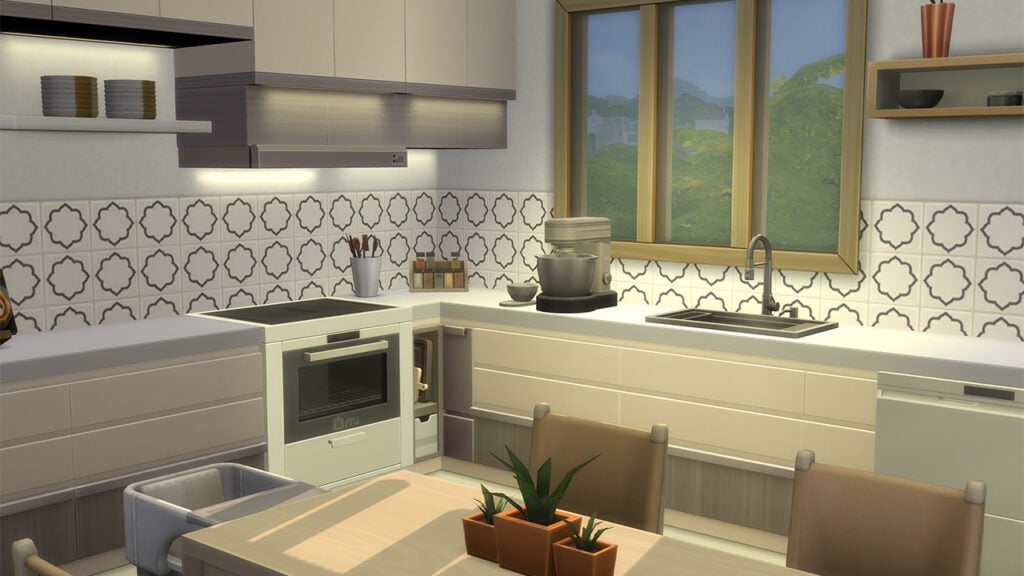
Design your kitchen with the latest in European function and design!
Sims 4 Home Chef objects galore! It’s been over two years since The Sims 4 saw its last stuff pack but it looks like they’ve risen from the grave with Home Chef Hustle! This stuff pack comes with objects and gameplay that will help your Sims make money from cooking and do it in style. The pack was inspired by contemporary European function and design and it shows in a lot of the visual elements of this pack. Especially when it comes to the new gameplay objects which are inspired by European cuisine, like Italian pizza and focaccia bread, as well as Norwegian waffles.
Let’s dive right into everything The Sims 4 Home Chef Hustle’s build/buy catalogue has to offer!
Table of Contents
Sims 4 Home Chef Objects Overview
Among The Sims 4 Home Chef objects include 4 new gameplay objects. The stand mixer, waffle iron, and pizza oven are all functional objects with new gameplay and recipes attached to them. The market stand that comes with this stuff pack is also functional and offers a way for your Sims to sell their home cooked goods wherever you want.
Catalogue Overview
Here are the catalogue descriptions and prices for all of the Build/Buy objects that come with Home Chef Hustle.
Styled Room Catalogue Previews
In-Game Previews
Below, you’ll find in-game previews of every item that comes with The Sims 4 Home Chef Hustle. Many of the cabinets and shelving units are backlit, providing extra light for countertops. The decorative plates are also stackable, allowing you to customize the look of your kitchen better.
Styled Room In-Game Previews
The Sims 4 Home Chef Hustle stuff pack also comes with two styled rooms in three colour palettes each. Both rooms are obviously kitchens, given the theme of this pack. The EuroFusion Food Experience styled room is a small, more compact kitchen with bar stool island seating rather than a dining table in order to save space. The Danish Coffee Kitchen styled room is a larger kitchen with a dining table large enough to seat 4 Sims aged child and up as well as a toddler or infant.
EuroFusion Food Experience
Danish Coffee Kitchen
Home Chef Hustle Objects Review
We’ll have a more detailed review of the gameplay objects that come with this pack in a later article but we do want to focus on the overall style and function of The Sims 4 Home Chef objects a little bit. There’s a lot of attention to small details in this Build/Buy catalogue that we want to draw attention to.
Like the backlit cabinets and shelves! Any avid builder knows how dark and dingy a kitchen can get the more cabinets you have. They cast deep shadows over the countertops, blocking a lot of the light from the ceilings. Players typically have to resort to hiding small lights behind the cabinets with build cheats to avoid this problem. Not anymore with these Sims 4 Home Chef objects! The backlit cabinets and shelves make building a bright, inviting kitchen easy!
Other details we really appreciate in this pack include the stackable decorative plates and the knife set. We noticed that many of the swatches have beautiful designs on the knife blades which is a nice little visual detail we weren’t expecting. The compact dishwasher is also a nice touch to this pack, allowing Simmers to save space which they’ll need given that we have so many new appliances to fit in our kitchens now.
When it comes to decorative clutter, however, our favourite Sims 4 Home Chef objects are the wall-mounted dish rack with a hanging cutting board and the open cookbook on a wooden stand. We might just be a little bit jealous at that kind of organization. Why can’t our real life kitchens look that put together?
Loved our Sims 4 Home Chef objects overview? Check out all the other details we noticed in the reveal!
Learn all about the new aspirations in Home Chef Hustle!
Want to know more about the two newHome Chef Hustle Aspirations? Then we’ve got you covered!
Grab your Sims and get cooking with these two new aspirations. Whether your Sim wants to keep it cool and become an Appliance Whiz to learn about all about small kitchen appliances or become a Market Magnate and have the best Food Stall, both of these are welcome additions to the Aspirations family.
Bob Pancakes making Waffles using the new Waffle Maker Small Appliance
The Home Chef Hustle Aspiration Overview
Appliance Wiz Overview
“This Sim knows their way around the small kitchen appliances!“
The new Appliance Whiz aspiration can be located under the Food section of the Sims 4 Aspirations panel. It comes with four Milestone levels each having several sub-milestones for Sims to complete. It doesn’t look like this is a difficult aspiration to complete and will have your Sims raising their cooking skills and knowledge throughout!
The milestones your Sim would need to complete for the Appliance Whiz aspiration are as follows:
Chop Chopper
Collect Prepped Ingredients 5 times while Inspired
Own 1 small kitchen appliance
Slicer and Dicer
Experience Sped Up Cooking 5 timers
Collect 3 Prepped Ingredients that were made using Fresh Ingredients
Flavor Fusionist
Collect 1 excellent quality Prepped Ingredient
Cook 5 times while listening to music
Cook meals using 6 unique Prepped Ingredients
Mixing Maestro
Make Pleasantly-Unpleasant Waffles
Make a Prepped ingredient using a Stand Mixer with at least one Upgrade
Cook 2 Pizzas or Waffles at a single Goaled Social Event after reaching Silver
Completion Reward
Upon completion of the Appliance Whizz aspiration, your Sim will be awarded with the Batch Cook Reward Trait.
Batch Cook Reward Trait: Sims with this trait get duplicates of any recipe they cook with Prepped Ingredients.
Time to whip up some Cookie Dough!
Are you ready to take a look at what it takes to be a Market Magnate?? Let’s check out the next Home Chef Hustle Aspirations from the new Stuff Pack.
Market Magnate Overview
“This Sim wants to operate the most profitable food stand!“
The Market Magnate Aspiration can be found under the Fortune section of the Sims 4 Aspirations Panel. What looks like to be another fun Home Chef Hustle Aspiration to complete but could also provide a little bit of a challenge. Especially if you want to be the best and most profitable Food Stall in town!
The milestones your Sim would need to complete for the Market Magnate aspiration are as follows:
Carb Commerce
Run a Food Sale from a residential lot
Sell 5 excellent Pizzas or Waffles during a Food Sale
Nom Nom Nomad
Run Food Sales from 2 different lots
Convince customers to buy something 5 times during a Food Sale
Hustling Hawker
Earn $500 during a single Food Sale
Tend a Food Stand for more than 6 hours
Sell a poor quality item for $100
Street Stall Sage
Resurrect a Ghost by selling Ambrosia
Earn $10,000 by completing Food Sales
Sell one meal for $300
Completion Reward
Upon completion of the Market Magnate aspiration, your Sim will be awarded with the Booth Boss Reward Trait.
Booth Boss: Booth Bosses can set higher markups and are more successful at Convincing Customers to Buy while using Food Stands and Sales Tables.
Bob Pancakes hosting his first ever Food Sale
That’s everything you need to know about the new Home Chef Hustle Aspirations from the latest Stuff Pack! If you are looking for more guides and articles about the expansion, why not head over to our dedicated section for The Sims 4 Home Chef Hustle?
Are you a fan of Avatar the Last Airbender or just looking for a new legacy challenge to do? Well, we have just the thing for you!
Created by KimbaSprite, this Sims 4 Avatar Challenge takes inspiration from the highly popular Avatar the Last Airbender as well as some memorable characters, events and locations from Avatar. Play through four to thirteen generations of this legacy challenge. The great thing about this challenge is there is plenty of leeway to make it fit your own play style.
The Sims 4 Avatar Legacy Challenge by KimbaSprite
Are you ready to experience Avatar The Last Airbender in a way you haven’t done before? Keep reading to find out more about this Sims 4 Avatar Challenge!
Table of Contents
The Sims 4 Avatar Challenge Overview
The Avatar Legacy Challenge for The Sims 4 not only is inspired by the hugely popular television show but also aims to get players exploring a variety of features in The Sims 4. Additionally, this Sims 4 Avatar Challenge was also inspired by the Not So Berry Challenge.
The great thing about KimbaSprite’s Avatar Legacy Challenge is that you can play either four generations or go through all thirteen. The choice is really up to you!
So, are you ready to get started?
The Challenge Rules
While each individual generation comes with its own rules, there are a few basic rules for this Sims 4 Avatar Challenge to keep in mind!
Let’s have a closer look at the challenge rules from KimbaSprite!
The purpose of this challenge is to complete the Avatar cycle by playing with 4 generations of the same family, but you may play up to 12 generations + 1 bonus gen with the current outline!
Each heir should represent their element or location by colour scheme/style. You can base this on the show or your personal likes/dislikes.
You can live in any Sims world unless otherwise specified in the rules of a generation.
You can have as many children as you’d like, unless otherwise specified in the rules of a generation.
Every generation is required to complete both the career and aspiration of the heir, unless explicitly stated otherwise.
Every generation is required to max out at least 4 skills to represent the 4 elements in the cycle.
If you decide to play this challenge, I’d love to see it! Use the tag #avatarlegacy in your posts to share!
Avatar Legacy Challenge: Book One
Like the cycle of the seasons, the cycle of the Avatar must begin anew.
The first book of this Sims 4 Avatar Challenge covers generations one through four. You will also need The Sims 4 Island Living, Seasons and Get to WorkExpansion Packs as well as the Tiny LivingStuff Pack.
Generation One: Water – Southern Water Tribe
Just like water, you’re used to going with the flow. You’ve arrived in a new neighbourhood with a mere one Simoleon to your name. You’ll need to have your wits about you as you start a new life and consider making your own customs along the way.
Aspiration: Freelance Botanist
Traits: Creative, Self Assured, Glutton
Career: Entertainer, Comedian
Colour Theme: Blue, White and Purple
Rules:
Live near the water
Master the Comedian branch of the Entertainer career
Complete the Freelance Botanist aspiration
Max the Comedy skill and three other skills
Have at least two children
Bonus Challenge
Play with the “Simple Living” lot challenge
Generation Two: Earth – Omashu
Strong and diverse, that is exactly what Earth is. When growing up, you were in constant competition with your sibling. Despite that, you are someone with brains and brawn. Why choose both? Either way, you just want to be stronger than your sibling!
Aspiration: Bodybuilder
Traits: Genius, Active & Jealous
Career: Detective
Colour Theme: Green, Yellow and Brown
Rules:
Be “Best Friends” with your sibling and become partners in crime
Master the Detective career
Complete the Bodybuilder aspiration
Max the Fitness skill and three other skills
Have two children with different partners
Bonus Challenge
Live to meet your great-grandchild
Generation Three: Fire – Capitol City
Sent away to live with your Aunt/Uncle through your teen years has you feeling like the black sheep of the family. Despite it feeling like a punishment, you take the opportunity to use it as a time to grow and become the best you can be.
Aspiration: Friend of the World
Traits: Bookworm, Good and Hot-Headed
Career: Politician
Colour Theme: Red, Gold, Black
Rules:
Have a negative relationship with your one sibling
Move in with your Aunt/Uncle after the Earth Generation is complete
Master the Politician career
Complete the Friend of the World aspiration
Max the Charisma skill and three other skills
Have only one child
Bonus Challenge
Become friends with a child with the Gloomy trait. Fall in love and marry them as an adult
Generation Four: Air – Southern
Step out from the shadow of your parents and live your life the way you want to. Feel the freedom just like the air does and get out there and explore the world, nature and life!
Aspiration: The Curator
Traits: Clumsy, Dance Machine and Vegetarian
Career: Conservationist
Colour Theme: Yellow, Orange, Light Blue
Rules:
Live in four worlds throughout your life
Live in a tiny house for your entire Young Adult life
Master the Environmental Managers branch of the Conservationist career
Complete The Curator aspiration
Max the Logic skill and three other skills
Never get married
Bonus Challenge
Fall in love with a mermaid
Avatar Legacy Challenge: Book Two
Congratulations! You’ve completed the Avatar Cycle. This can be the end–or, a new beginning.
The second book of this Sims 4 Avatar Challenge covers generations five through eight. You will also need The Sims 4 Eco Living, Seasons, Get Famous and Cats & DogsExpansion Packs as well as the Dream Home Decorator and Spa Day Game Packs.
Generation Five: Water – Foggy Swamp
They say to never judge a book by its cover, and that is true for you. Your love of animals and treating them like family, despite annoying your family from time to time. Being a child of a famous conservationist inspired you to live off the land. Why pay for something if you can get it for free and upcycle it?
Aspiration: Angling Ace
Traits: Freegan, Animal Enthusiast, Slob
Career: Gardener, Botanist
Colour Theme: Blue, Teal and Yellow
Rules:
Always have at least one animal (pet or livestock)
Move out as a Young Adult and thrift your first set of furniture and appliances exclusively through dumpster divings
Complete the Fish Collection
Master, the Botanist Branch of the Gardener career
Complete the Angling Ace aspiration
Max the Gardening skill and three other skills
Bonus Challenge
Play with the “Off the Grid” lot challenge
Generation Six: Earth – Ba Sing Se
Growing up, your childhood home could be described as eclectic or a mixture of different mismatched themes. Either way, you are now a Cheerful Sim who has big big dreams! Being an expert networker, anyone who you meet will soon be befriended.
Aspiration: Fabulously Wealthy
Traits: Snob, Materialistic and Cheerful
Career: Interior Decorator
Colour Theme: Gold, Green and Silver
Rules:
Achieve a Pristine Reputation
Marry for money (Inheritance Call, Lottery Winner, etc.)
Master the Interior Decorator Career
Complete the Fabulously Wealthy aspiration
Max the Charismas skill and three other skills
Have only one child
Bonus Challenge
Achieve the People Person Lifestyle
Generation Seven: Fire – Ember Island
You took to the stage as a child but are you ready to do so again? By day you are an Actor however at night, you’re hard at work on your next screenplay. It’s always non-stop for you which makes the critics both love and hate you but you don’t let that stop you!
Aspiration: Bestselling Author
Traits: Self-Absorbed, Goodball, Music Lover
Career: Actor
Colour Theme: Red, Pink and Orange
Rules:
Play an instrument and busk at least one night a week
Have at least three good friends and three enemies
Master the Actor Career
Complete the Bestselling Author Aspiration
Max the Acting, Mischief and Comedy Skills and at least one other skill
Bonus Challenge
Only publish Screenplays
Generation Eight: Air – Western
Become the wind and prepare to take on new experiences and adventures. Either die a hero or live to see your wildest dreams become reality. Spurred on by your parent’s vanity, you find yourself seeking acceptance amongst the injustice.
Aspiration: Soulmate
Traits: Neat, Ambitious and Gloomy
Career: Astronaut, Space Smuggler
Colour Theme: Brown, Grey and Blue
Rules:
Achieve a Bad Reputation
Marry a Sim in the Criminal Career
Master the Space Smuggler pathway of the Astronaut Career
Complete the Soulmate aspiration
Max the Fitness and Wellness skills as well as at least two other skills
Bonus Challenge
Build and fully upgrade a rocket and visit Sixam
Avatar Legacy Challenge: Book Three
All things come to an end…. And all things must start somewhere. Complete another cycle?
The third book of this Sims 4 Avatar Challenge covers generations nine through twelve. You will also need The Sims 4 Get Together, Get to Work, Discover University and City Living Expansion Packs as well as the Vampires and Jungle Adventure Game Packs.
Generation Nine: Water – Northern Water Tribe
Growing up, you were always used to the mayhem at home. While your form of freedom was chaos, you developed a special interest in Vampires and Occults from a young age. Now as a Young Adult, you’ve chosen to become a doctor to not only form better connections with others but also to feel just a little powerful.
Aspiration: Leader of the Pack
Traits: Perfectionist, Family Oriented and Loner
Career: Doctor
Colour Theme: Blue, Red and Black
Rules:
Create a Club and maintain weekly Club Gatherings through your Young Adulthood
Live in a different world than the one you were raised in
Master the Doctor career
Complete the Leader of the Pack aspiration
Max the Master Vampire Lore skill and three other skills
Have at least two children – one of them being a girl
Bonus Challenge
Become or Marry a Vampire
Generation Ten: Earth – Kyoshi Island
Longing for adventure, romance and meeting new people has always been your thing. Despite your parents working long hours at the hospital, you were always making the most of that time with your own adventures. If there’s an opportunity for an adventure, you’ll take it.
Aspiration: Jungle Explorer
Traits: Adventurous, Bro and Romantic
Career: Secret Agent, Diamond Agent
Colour Theme: Green, Red and Gold
Rules:
Must be a female and only have female friends until the end of your Teen-hood
Complete the Ancient Omiscan artifacts and Omiscan treasures collections
Marry someone with blue eyes
Master the Diamond Agent Branch of the Secret Agent career path
Complete the Jungle Explorer aspiration
Max the Archaeology skill and three other skills
Bonus Challenge
Have a secret and well-maintained garden
Generation Elven: Fire – Boiling Rock
Surrounded by art and artifacts, it’s no surprise you are an Art Lover! While liking the finer things in life, Simoleons were not always on your side, at least not legitimately. The life and soul of the party and forever hosting events, your chaotic behaviour can sometimes land you in trouble but you won’t let that stop you.
Aspiration: Party Animal
Traits: Art Lover, Kleptomaniac and Outgoing
Career: Criminal, Boss Branch
Colour Theme: Black, Red and Pink
Rules:
Complete the City Posters Collection
Must get in five fights and declare five enemies over your lifetime
Must accept every invitation to outings with your friends and family
Master the Boss Career Branch of the Criminal career
Complete the Party Animal aspiration
Maz the Mischief skill and three other skills
Bonus Challenge
Live on a lot with the Volcanic Activity lot challenge
Generation Twelve: Air – Northern
Forever being the kid who responded, “Why?” you had a thirst for knowledge. Learning the ins and outs of something and making things brings you joy. Your home is a constant work in progress that would give the Winchester Mansion a run for its money! Ultimately, you just want to experience an exciting world full of amazing and funky gadgets!
Aspiration: Nerd Brain
Traits: Geek, Genius and Erratic
Career: Engineer, Mechanical Engineer
Colour Theme: Orange, Green and Gray
Rules:
Must attend every GeekCon, even if it means missing school or work
Must live in the same house from Young Adult through Elder, and never remove outer walls – you can only add more.
Master the Mechanical Engineer Branch of the Engineer career
Complete the Nerd Brain aspiration
Max the Robotics skill and three other skills
Bonus Challenge
Build a Servo Bot to be your child’s caretaker
Avatar Legacy Challenge: Epilogue
All things come to an end…. And all things must start somewhere. Complete another cycle?
The final part of this Sims 4 Avatar Challenge covers generations thirteen only. You will also need The Sims 4 Eco Living and Snowy Escape Expansion Packs, as well as the Parenthood Game Pack.
Generation Thirteen: Republic City
You and your family have come a long way and experienced many adventures during that time. You feel pride due to their ambition as well as seeing the desire to do better. At times, you feel that you miss out on being carefree as a child. You are aware that you’re not perfect and have your own challenges but you still give your best to proceed with your legacy and heal the world alongside your own family trauma.
Aspiration: Super Parent
Traits: Non-Commital, Proper and Family Oriented
Career: Civil Designer, Civic Planner
Colour Theme: Black, Gray and Purple
Rules:
Volunteer once a week with your household
Never have a romantic relationship with labels (boyfriend, girlfriend, fiance, spouse etc.)
Max the Wellness and Parenting skills before having any children of your own
Master the Civic Planner Branch of the Civil Designer career
Complete the Super Parent aspiration
Bonus Challenge
Achieve a Green Neighbourhood Eco-Footprint
That’s everything you need to know about The Sims 4 Avatar Legacy Challenge!
Does this Sims 4 Avatar Challenge sound like your next Legacy Challenge to playthrough? Then let both KimbaSprite and us know your progress in the comments section below.
A huge thank-you goes out to KimbaSprite for the creation of this The Sims 4 Avatar Legacy Challenge! Do make sure to check out more of their content here.
KimbaSprite’s Playthrough
Want to see this Sims 4 Avatar Challenge in action? You can follow KimbaSprite as they play through the challenge over on YouTube!
Looking for more challenges for The Sims 4? We’ve got you covered with our dedicated Challenge section right here.
Credit: All of the Challenge information and images used within this article are courtesy of KimbaSprite.
The official livestream for The Sims 4 Home Chef Hustle begins today!
Electronic Arts has announced that they’ll be doing a special Sims 4 Home Chef Hustle Livestream. The developer livestream will be hosted by Sims creator EnglishSimmer, along with some of the official devs who worked on the Stuff Pack.
Down below we’ve included a full watch screen from Twitch. We’ll update you with the replay and information from the stream shortly afterwards!
Table of Contents
Watch the Sims 4 Home Chef Hustle Livestream
The Sims 4 Home Chef Hustle Livestream is scheduled for September 27th at 11AM Pacific Time / 8PM Central European Time. To make things easier for you we’ve included a simple countdown below.
EnglishSimmer and The Sims 4 Developers will be going over the new CAS and Build Items. We’ll also get to see the Home Chef Hustle Stuff Pack gameplay live for the first time!
You can watch the stream below. As soon as the timer turns zero you should expect the livestream to begin!
The livestream has ended! You can catch The Sims 4 Home Chef Hustle Livestream replay down below:
In case you miss out on the livestream don’t worry. There’s going to be a Twitch Replay available immediately after, followed by a YouTube replay afterwards. We’ll keep you posted!
Home Chef Hustle Launch
The Sims 4 Home Chef Hustle Livestream is being held just a day before the full release of the Stuff Pack. If you’re wondering when the Home Chef Hustle Pack is coming out in your area we recommend this countdown!
Are you looking forward to seeing the pack live stream? Let us know in the comments below and stay tuned for the full summary on Sims Community!
Learn how to evict Sims, transfer household funds, manage your neighbourhood stories and more!
If you’re new to The Sims 4, you might find yourself wondering how the Manage Worlds screen works. There are a lot of different icons, menus, and submenus and it’s not always obvious which tools do what. How do you move Sims to a new house? Evict Sims? Manage all of your households in large saves? Can you transfer money between households? Don’t worry; Sims Community is here to walk you through the Manage Worlds screen!
Table of Contents
The Sims 4 Manage Worlds: A Quick Tour
The Sims 4 Manage Worlds
If you’re starting a brand new save or loading an older save from the Load Game menu, you’ll begin in Manage Worlds right away. If you choose to resume your last played save, you’ll begin in Live Mode in your last played household. Just click the icon of a grid with a map marker on it to go to Manage Worlds.
Lot Type Menu in Manage Worlds
Navigate between different worlds via the globe icon in the top left corner. You can see each world name in the centre of the map. Click the info icon to open and read the world description. You can edit the description if you like here, too. You can also see what lot types this world has by clicking the key icon above the description, as well as look for those lot types in the Gallery.
Oasis Springs Eco Footprint
For players who own the Eco Lifestyle expansion pack, they’ll be able to check their world’s eco footprint by clicking the icon next to the world info icon. Each neighbourhood in the world will become highlighted with its eco footprint. Neighbourhoods highlighted in green indicate a green eco footprint. White highlights mean a neutral eco footprint, and brown highlights mean an industrial eco footprint. You can check out all our articles on Eco Lifestyle for more information!
Foundry Cove Neighbourhood Description in Willow Creek
Each world also has its own info popups for each neighbourhood. Hover over them to see these neighbourhood descriptions.
You can see destination world maps by clicking the compass needle icon next to the home icon on the main world selection screen. You can’t move Sims into destination worlds but you can build in them.
Destination Worlds
While in any residential world map, click the large icon of a Sim and an arrow to go into CAS and make a new household to move into the world.
Manage Sims in Manage Worlds
The BFF Household Info
What if you want to manage individual households? That’s 100% doable. There are a couple ways to do this. The first and most direct way is to click on the home of any Sim living in that world. New icons will pop up in the bottom corners. On the left, you can see more information about the household by opening up the portraits. On the right, you’ll see Build, Visit, Play, and More icons. To manage this household, you’ll want to click the More icon.
How to Evict Sims
How to evict Sims? Evicting a whole household is very fast and easy to do. Select the household, click More, then Evict Household. Confirm that you want to evict the Sims and you’re done! That household has been kicked out, leaving the home vacant for a new household to move in.
Evict Sims in the Bottom RightConfirm you want to evict
When you evict a household, they leave behind all their furniture in the house but keep any simoleons they had, plus the value of the home. They are no longer living in any world and are considered to be homeless townies now but you can still find them in the Manage Households menu in the upper right corner.
How to Move Sims
Move households by clicking the truck icon shown above
Moving Sims via Manage Worlds in The Sims 4 is similar to evicting them; however, you can choose whether they take their furniture with them or leave it behind. You can also move them into a new home right away without needing to go looking for them in the Manage Households menu. Basically, when you want to just kick a Sim out into the ether and be done with them, evict them. When you know where you want to move them to, use the move option.
Choose whether to keep or sell the furniture before you move
Select the household, click More, then Move Household. Then pick another home for them to move into that they can afford. When you select a new home, you’ll be asked if you want to sell the furniture from your old home or keep it. If you want to leave the furniture behind, choose Sell Furniture. The old house will keep all its furniture for any future Sims that move in. If you want to bring the furniture with you to furnish the new house with, click Keep Furniture. The furniture will go in the household inventory, leaving the old house empty.
Manage Households Menu
If you want even more control over your households, especially managing multiple households, the Manage Households menu is your best friend. Click the icon of two Sims with a pen in the top right of the world map to bring up the Manage Households menu. You can access any household from the game here, including randomly generated townies.
My Households TabOther Households Tab
Households are separated into two categories. My Households and Other Households. Played households get moved to My Households while unplayed households stay in Other Households. You can move households back and forth between the two tabs by clicking the heart icon under the household portrait. We recommend keeping all your main households in the My Households tab so you can find them faster when you need them. By default, you can have up to 80 Sims (including pets) in the My Households tab. You can increase the limit to 150, 200, or Unlimited. The game recommends a maximum of 200. Unlimited is not recommended unless you have a top-of-the-line gaming desktop.
Sim Limit
Click any household in either tab to see the household description and manage that household individually. You can transfer Sims between households, edit the household in CAS, move the household, or delete the household all together. Be sure you want to do this! Deleting a household is permanent and can’t be undone!
Neighbourhood Stories
A recent(ish) update for The Sims 4 added story progression to the game; however, it’s not called story progression in The Sims 4. It’s called Neighbourhood Stories! Neighbourhood Stories are what allows households you aren’t playing to start or leave careers, get promotions, have children, and more while you aren’t playing with them. You control the Neighbourhood Stories from Manage Worlds in The Sims 4.
There are two places to access Neighbourhood Stories; there is a global toggle in both the My Households and Other Households tab. Each household also has its own settings so you can adjust the Neighbourhood Stories individually.
Configure Neighbourhood Stories Globally or Per Household
By default, Neighbourhood Stories will be enabled for Other Households and disabled for My Households. You can change this by clicking the icon in the top right of either tab. Click it to customize whether all households in this tab will die in accidents, adopt kids or pets, have babies, join/leave careers, move in/out, or retire all on their own while you’re not playing them. You can select all, none, or just some of them.
If there are specific households in these tabs you want to enable/disable different Neighbourhood Stories for, click the icon on the individual households and make your desired changes. Neighbourhood Stories set on individual households will always override the global settings.
If you don’t want to deal with Neighbourhood Stories at all, disable them in the Game Options.
For a more detailed walkthrough of the Neighbourhood Stories system, check out our guide!
Transferring Sims in Manage Worlds
Transfer Sims
It’s easy enough to move entire households wherever you want but what if you just want to move a single Sim? What if your Sims’ kids have grown up and you just want the kids to move out on their own? Or what if your married couple divorces and you don’t want the ex-spouses living together anymore? This can be done in Manage Households as well.
On the Manage Households screen with the household selected, click the icon of two arrows pointing in opposite directions. This is the Transfer Sims Between Households tool. A new menu will pop up, as shown below:
Split and Merge Households
On the left, select any Sims you wish to move out of the household. Click the Create a New Household button on the right to move them into a new household by themselves. You can also click on any world and select a household in that world to merge with.
Keep in mind you cannot transfer a Sim into a household with 8 Sims and/or pets. Pregnant Sims count as two Sims (or three/four if they are carrying twins/triplets). You cannot move children, toddlers, babies, or pets into a household that does not have a teen or older Sim in the house to care for them, either.
Transferring Simoleons
You can transfer simoleons the same way you transfer Sims. In the transfer Sims menu, you can see the household funds for both households displayed at the bottom of the menu. Type in the amount you want and then click the arrow to indicate which household to transfer the funds into.
Transfer funds between households on this screen
You cannot transfer more money than what the household has. You also can’t transfer funds unless you transfer a Sim along with the funds. However, if you just want to transfer funds, you can get around this. Transfer the Sim along with the funds, then transfer the Sim back immediately without moving any funds with them.
Transferring funds between households is great for many purposes. Giving children an inheritance from their parents, allowing a Sim from a wealthy family to move out on their own with more than $20,000, or simply a way to “cheat” without actually cheating by taking some money from wealthier households and moving them into poor households.
Free Real Estate Cheat
Speaking of cheating, there is actually a cheat many players might find helpful when navigating Manage Worlds in The Sims 4.
This notification means you successfully entered the free real estate cheat
Bring up the cheat bar with CTRL+SHIFT+C (PC) or all four back triggers (Console). Then type in freerealestate on and press Enter (PC) or X/A (Console).
This cheat makes all homes free! You can move your Sims anywhere you want without having to purchase the home.
Did you like this guide on The Sims 4 Manage Worlds? We have plenty more! Why not check out our emotions guide while you’re here?
Official Stuff Pack features and a whole leaked set of objects!
The full Sims 4 Home Chef Hustle Items list has been leaked! All thanks to The Sims 4’s Sep 26 Update that came out today.
The game contents have revealed a full catalogue preview of CAS and Build objects, as well as official Pack features and description. We’ve got it all covered together in this post!
Down below you’ll see a full breakdown of the official Stuff Pack Features and Item Previews.
Table of Contents
Sims 4 Home Chef Hustle Items
The new update for The Sims 4 has revealed the full Sims 4 Home Chef Hustle items list. Our reader was able to capture the thumbnail previews of the Create A Sim and Build Mode catalogue. Revealing almost all of the objects you can expect with this Pack!
Home Chef Hustle CAS Preview
Sims 4 Home Chef Hustle Items list has a lot to show for in Create A Sim! This Stuff Pack contains 45 new CAS options for infants, toddlers and all the way up to elders!
This Pack also brings back the good old ombre hairstyle! Letting you pick between the single color variant or the one with colorful gradients.
Oh, is that a new tattoo that we spot in the corner?
Build Mode Preview
When it comes to Build Mode, you’ll be able to instantly find 26 new Sims 4 Home Chef Hustle items! The catalogue focuses on delivering new gameplay kitchen appliances, a whole new set of islands and kitchen counters. As well as bringing in some fresh colors with the new tile wallpapers.
See the first look below:
Sims 4 Home Chef Hustle Features
Beside the new Sims 4 Home Chef Hustle items, the latest Patch for the Base Game has also revealed official Pack features and description in the game files.
Take a look below:
Grow your culinary skills with new small appliances and turn cooking into cash with The Sims 4 Home Chef Hustle Stuff Pack! Design an efficient kitchen with all the tools vou need to become a masterful home chef. Sims will look the part in stylish aprons and other kitchen accessories, and amateur chefs can even turn cooking into a lucrative side hustle with their own food stands.
Stuff Pack Features
Small Appliances. Big Upgrade – Outfit vour kitchen with small appliances like a stand mixer, waffle maker, or countertop pizza oven to expand your culinary horizons. As Sims upgrade their skills. they’ll be able to do more with these new appliances and discover more delicious recipes.
Feed the Neighborhood – Turn your love of cooking into a side hustle! Sims can open their own small business with the new food stand and sell tasty treats and mouthwatering meals to neighbors. Stands can be named and customized to reflect your Sim and the kind of food they choose to serve.
Fresh Chef Styles – Your cooking adventure wouldn’t be complete without the right fashion. Kitchen-ready hairstyles, food themed accessories, and aprons for the whole tamily will have your Sims looking like serious amateur chefs.
Ready for the release?
Now that you’ve seen The Sims 4 Home Chef Hustle Items – what are your thoughts so far? Let us know in the comments section below!
In case you don’t know, The Sims 4 Home Chef Hustle Stuff Pack is releasing September 28th across PC and Consoles. You’ll be able see the full release time in our launch party countdown! There’s a fun surprise waiting for five lucky cooks.
Cool Kitchen upgrade, better recipe organisation and more!
To prep the game for the upcoming Home Chef Hustle Stuff Pack release this Thursday, there is a Sims 4 update September 2023 available today. The latest game update brings some new features to the game, mostly centred around cooking, along with a bunch of bug fixes for both the base game and various packs. We’re going to cover all the most important changes to the game so you can make the most of today’s update!
Table of Contents
The Sims 4 Update September 2023 Overview
Recipe Filters
The Sims 4 has received so many new recipes both in the base game and in packs over the years that the recipe list we had previously just wasn’t cutting it anymore. It was a cumbersome chore trying to find what you wanted to cook in a never-ending, jumbled list, especially if your Sims had certain dietary restrictions.
The Sims Team agreed that the current recipe UI no longer suits Simmers’ needs and have revamped it in this Sims 4 update September 2023. Now when you open up the recipe list to cook something, you’ll be able to click through different filters to find exactly what you want much more easily.
The recipe filters have five categories: Vegetarian dishes, lactose-free dishes, meat dishes, seafood dishes, and sweets. So if your Sim is a vegetarian or lactose-intolerant, you’ll be able to click on those filters to find everything your Sims can eat in one list.
#FreeTheCupcakes
Did anyone ever actually use that freakishly big Willy Wonka fever dream of a cupcake factory? Yeah, neither did we. Mostly because the darn thing was the size of an entire kitchen in and of itself. The good news is that the #FreeTheCupcake movement is a success! Today’s Sims 4 update September 2023 allows your Sims to bake cupcakes in a regular oven at last! Oh, and did we mention that toddlers can eat cupcakes now? Let them eat cupcakes!
The cupcake recipes can be found in the Sweets filter of the new recipe list. Get baking!
Live Draggable Appliances
The Sims 4 Home Chef Hustle Stuff pack will come with two new small appliances that are live-draggable. This is to help your Sims out with cooking for quick cash on the go.
But the new pizza oven and waffle iron aren’t the only small countertop appliances that are live-draggable! A variety of countertop kitchen appliances have been made live-draggable as well to help your Sims get their home chef hustle aspirations off the ground.
Here’s the full list of every kitchen appliance that can now be dragged around following the Sims 4 update September 2023:
The Wavescatter
The Food Annihilator
The Omniwaver
The Schmapple Micro
Luxe Drink Tray
Sugar Kane Popcorn Popper
Summer Drink Tray
Sweet Tooth Ice Cream Machine
Fountain of Mirth
The Gravy Fountain Mark IV Stand
Vintage Glamour Beverage Fountain
Blazin’ Ladles’ Over The Counter Oven
“No Space” Electric Oven Space Saver
Kids Scream for Ice Cream!
For players who own the Cool Kitchen Stuff pack, you’ll be happy to know that children can now make ice cream with the ice cream machine!
Just click on it with a child Sim active and direct them to make ice cream. They’ll pull out a little step stool to reach the top of the counter. How cute is that?
Other Cooking Tweaks
Today’s Sims 4 update September 2023 also came with a handful of smaller cooking tweaks. Recipe quality and ingredients both got some fine-tuning.
Cooked meal quality will now better reflect your Sim’s cooking skill, emotional state, and appliance quality.
Cooking, Gourmet Cooking, and Baking skill-based recipes have all had their ingredients updated to include more ingredients added in various packs. For example, players who own both Cottage Living and Get To Work can use the flour, sugar, and egg ingredients from Cottage Living in the baking recipes from Get To Work.
Bug Fixes
For a full breakdown of all the bug fixes in the Sims 4 update September 2023, check out the official patch notes!
Need to catch up on some of The Sims 4’s more recent features? Check out what’s new with the game in an earlier update this month!
You can download the latest Sims 4 Update by checking for a Patch through the EA App. Or Origin if you play on Mac. If you have Automatic Updates enabled the update will automatically download through your client program. In case your EA App is not working properly ensure you’ve cleared your app cache!
If you play The Sims 4 on Xbox Series and Playstation 4 and 5 you can request a new update by checking for updates under The Sims 4 game in the Main Menu. If you’ve enabled automatic updates the Patch should download right away.
In case you have Mods or Custom Content, the game will automatically disable them for you after first launching The Sims 4 after the update. To re-enable all your Mods and Custom Content, select the Settings option in the Menu and select Settings. Under the ”Other” section you’ll find the ”Enable Custom Content and Mods” option. Check it and restart your game in order for it to take effect!
Console Glitch: Official Statement from EA
The Sims Team has shared an official statement in regards to a Console Glitch in The Sims 4 caused with the latest Game Update. Players have started reporting that they’re unable to switch in-between the new Food Filter categories in the Cooking UI.
Learn more in the official statement below:
Hey all,
This issue is related to a bug we’re investigating with the shoulder bumpers on console controllers at the moment.
The bumpers will work when you first open the new cooking UI, but once you move up or down in the UI they become unresponsive until you leave and reopen the cooking UI.
Thank you for reporting this to us, and for your patience. We hope to have more information soon to share.
Update 26 September 2023 PC: 1.101.290.1030 / Mac: 1.101.290.1230 Console: Version 1.81.2
Ciao, Dia Dhaoibh, Hola, Hej Hej, Moikka, Привіт, Sveiki, Merhaba, Hello and Sul Sul, Simmers!
In just a few days we’ll be turning up the heat and getting cooking with the release of The Sims 4 Home Chef Hustle Stuff Pack. There are some fresh Base Game updates and bug fixes rolling out to make the experience even better. Get hungry!
-The Sims 4 Team
What’s New?
Today’s update has a variety of improvements across different features in the game.
The Recipe UI has received a well deserved update, bringing filtering to your fingertips. Now you can filter recipes by: “All, vegetarian, lactose free, meat, seafood, and sweets!”
Let them eat (cup)cakes!
Speaking of sweets… this update includes freeing the sweetest treat, cupcakes! Your Sims can now prepare delicious cupcakes by using an oven, in addition to the traditional method of using the Whipped Dream Cupcake Factory. Plus, Toddlers can now experience the joy of eating a delicious cupcake.
We’ve delved deep into cooking, recipes, and ingredients. Expect to see the quality of food that’s prepared better reflect your Sim’s skill level, current mood, and appliance quality. Additionally, recipes across the Cooking, Gourmet Cooking, and Baking skills have been updated to better utilize more of the expected ingredients of the food that’s being prepared. One example of these updates: Players who own both Cottage Living and Get To Work can use the sugar, flour, and egg ingredients from the former with the baking recipes from the latter.
This Sims 4 Update doesn’t stop here. We gave the Cool Kitchen Stuff Pack some love too! I scream, you scream, now Child Sims can scream for Ice Cream! Child Sims can now use the Sweet Tooth Ice Cream Machine.
New Cool Kitchen feature for Kids!
One last update we’d like to tell you about relates to the Small Appliances in game. We’ve added the ability for many different small appliances to be dragged around within the game world while in Live Mode, as well as being able to place small appliances into your Sim’s inventory to take them with you on your travels. Find the full list of compatible appliances below:
The Wavescatter
The Food Annihilator
The Omniwaver
The Schmapple Micro
Luxe Drink Tray
Sugar Kane Popcorn Popper
Summer Drink Tray
Sweet Tooth Ice Cream Machine
Fountain of Mirth
The Gravy Fountain Mark IV Stand
Vintage Glamour Beverage Fountain
Blazin’ Ladles’ Over The Counter Oven
“No Space” Electric Oven Space Saver
The Sims 4 Update Fixes
Garden plants now should remain as plants instead of sometimes crumbling into piles of dirt. Be strong and live your best life, garden buds!
Visual effects for Sim Traits in Create a Sim have returned from an unplanned summer holiday.
Some text was updated to properly gush about Newborns.
Take a big whiff, we’re growing trash! Trash Fruit will now properly grow from any pile of trash outside, no matter its source.
It was getting a little lonely out there! Sims will once again receive calls and invitations from other Sims and NPCs.
City Living
We all were very hungry working on this update. But not so hungry that vegetarians would eat meat! Your Vegetarian Sims should no longer grab meals that upset their stomachs when using the “Get Leftovers” interaction.
Gelatin Rainbow Cake isn’t Vegetarian?! We’ve updated a lot of recipes that weren’t properly flagged as Vegetarian-Safe – and some that shouldn’t have been flagged in the first place.
Seasons
Bees will no longer become Enraged or Irritated after applying Mite Treatment. They will BEE a little more grateful to their caretaker Sim!
Eco Lifestyle
Photographs taken following today’s patch will no longer turn black when stored in the Storage Box.
Cottage Living
Some vegetables weren’t being recognized as vegetables for recipe ingredients! We’ve fixed this; make as many vegetable based dishes as your heart desires!
Now your Sims can make more informed choices on if they want to suffer the consequences of eating dairy when they are Lactose Intolerant. We’ve done a large update to food for a more accurate Lactose Free experience.
High School Years
Set your boundaries! There should be fewer invitations to become BFF with other Sims.
Ranch Hands now stay hired until you dismiss them.
Riders going from using Horse Barrels or Horse Jumps to doing something on foot no longer sometimes linger on horseback.
Movie Hangout
When using the Sugar Kane Popcorn Popper, Sims will now have visibility into what Cooking skill level they must reach to be able to prepare the various popcorn recipes.
What are your thoughts on the latest Sims 4 Update? Join the conversation below and stay updated on Sims Community for the full Update Overview!
Learn all about the Sims 4 Home Chef Release and join the Launch Party!
It’s the big comeback week for The Sims 4 Stuff Packs after two years with the upcoming launch of Home Chef Hustle Stuff! The 19th Stuff Pack is a new addition to the game series after the release of Paranormal Pack in January 2021. Delivering a little bit of everything in Create A Sim, Build Mode and Gameplay Features!
Preview of upcoming The Sims 4 Home Chef Hustle Features
The Sims 4 Home Chef Release is set for September 28th, 2023 at 10AM Pacific Time / 7PM Central European Time. To ensure you’re all informed correctly about this ten dollar pack release we’ve included a handy countdown within this post. As well as a special ocassion for you all to join in and celebrate – as we give away five copies of The Sims 4 Home Chef Hustle Pack. Yup, winners will be free to pick their preferred platforms!
Don’t wait any longer! Let’s get to the itty, gritty and waffly details of The Sims 4 Home Chef Release:
The Recipe Book
Home Chef Hustle Release Info
EA and Maxis have set The Sims 4 Home Chef Hustle release for September 28th, 2023 across Desktop and Console supported platforms. Just like with other Pack releases, this one is set out for the typical 10AM PT Release Time.
We want to ensure you know the right moment the Pack is unlocked in your area, which is why we’ve prepared this handy countdown below. As soon as the timer turns zero you’ll be able to find the pack available for purchase in your game library!
Countdown to The Sims 4 Home Chef Release
[janky target_time=”1695920400″ color=”#258402″]
Where to get the Stuff Pack
The Sims 4 Home Chef Hustle Release has begun rolling out worldwide. You are able to get the Stuff Pack from the following online retail websites:
More links will be updated in this list eventually.
The Home Chef Hustle Stuff Pack follows the suit of previous SP releases when it comes to pricing. You’ll be able to purchase this pack for 10USD, or a price equivalent to your local currency. Simmers should also expect the Home Chef Hustle release in retail gaming stores like Game UK or Amazon as a Game Code activation. They might just release it in a timely matter too!
Stuff Packs for The Sims 4 are the lowest Pack entry in this series. Compared to Game Packs and Expansion Packs, the Sims 4 Stuff Packs focus solely on packing items and small bits of gameplay. All into one very niche theme, such as the Home Chef Hustle Pack that we have now!
Oh, but what about the Launch Party that we mentioned above? Not to worry, we have the full sugary scoop!
We want to make five Simmers happy with extra new recipes and ways of cooking in The Sims 4. Which is why we’re giving away 1 out of 5 copies of The Sims 4 Home Chef Hustle Stuff Pack! No matter if you’re a Console or Desktop Simmer, this Giveaway will suit any player who has The Sims 4 Base Game already.
All you need to do is answer this simple question in the comments below:
What’s your favorite Food / Dish in The Sims 4?
That’s all! Simply write your favorite food or recipe from the game in the conversations section below and we’ll use your single comment as a giveaway entry!
Food Tips: Pizza, Waffles, Grilled Cheese, Hot Dogs, Baked Alaska
Five lucky Simmers will have their comment chosen randomly by random.org. All of this will happen 24 hours after The Sims 4 Home Chef Release, on Sep 29th at 10AM PT / 7PM CET. That’s when we’ll be closing down the comments section and choosing five winners shortly after!
You can expect the winners to be announced in the comments section.The list of winners will be pinned about thirty minutes after the comments close down.
Launch Giveaway Rules
Unlike other Sims Community Giveaways that we do on the website, this one is followed with the immediate Sims 4 Home Chef Release. Which is why it’s important for us to lay out these rules:
Sims 4 Home Chef Hustle Stuff Pack Giveaway Rules:
Be mindful and follow the Sims Community House Rules linked below.
You need to be a registered member of the Sims Community comments system in order to leave a comment! The Sign Up button can be found right above the comments setion.
Not more than 1 comment per person!
There is low chance that your comment might be saved for manual approval. Don’t worry, we will manually approve your comment in throughout 24 hours after your submission.
This Sims 4 Home Chef Release Giveaway is intended both for Desktop and Console players. We’ll contact the giveaway winners shortly after the results have been published with a platform inquiry. This is why it’s very important you enter a correct email address!
Expect the Giveaway Code to be delivered up to 5 work days after the winners have been announced.
Do not share your personal email and data in the conversation! Let’s keep this Launch Party fun for everyone!
TIP: Don’t know the name of your Sims 4 food dish? You can add your in-game food screenshot as your comment entry!
Most importantly – play fair 💜
Final Stuff Pack Info
Beside the huge Launch Party that we laid out above, we want to mention just a few sneak peeks of the upcoming Home Chef Hustle Stuff Pack. The pack contains 45 CAS items and 26 Build objects that follow the chef cook theme.
Surprisingly, it packs a lot than we originally though:
Each Pack release is followed with a new Base Game Update – and the Sims 4 Home Chef Release is no different!
Some more recipe ideas for your Sims 4 Home Chef Giveaway entry below!
Let’s get cooking!
There’s no more time to wait!
The Sims 4 Home Chef Release is set for September 28th, 2023 as set in the countdown timer above. We’ll be closing the giveaway comments section below a day after, so make sure you leave in your entry before it’s too late!
Find out how to get this special type of currency in The Sims 4 and what it’s used for!
If you’ve played with theEco Lifestyle expansion pack for The Sims 4, you might have noticed that almost everything you can craft requires Sims 4 bits and pieces. But what exactly are they? How do you acquire them? And how do you use them? Read on to find out how to get bits and pieces for all your fabricated projects in The Sims 4 Eco Lifestyle!
Table of Contents
The Sims 4 Bits and Pieces Guide
What are Bits and Pieces?
Bits and Pieces are listed underneath simoleons (or Batuu Credits if you have the Star Wars game pack installed)
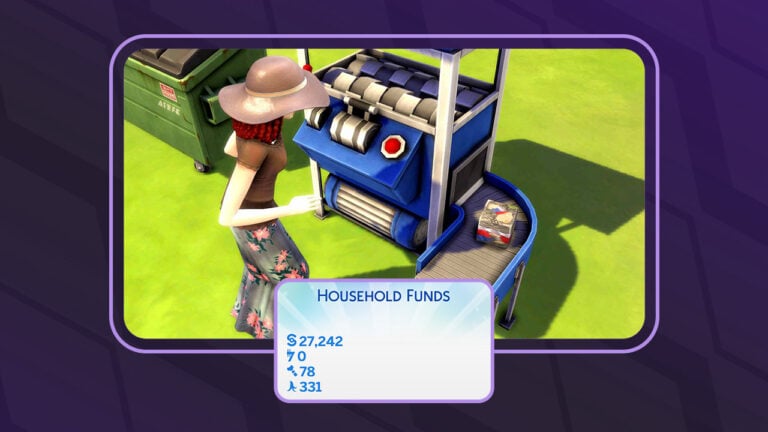
Sims 4 Bits and Pieces are a new currency introduced in The Sims 4 Eco Lifestyle. The whole household shares them just like simoleons. The difference between simoleons and bits and pieces is that your Sims can’t simply earn them by going to work and they can’t spend them on anything they want. This new type of currency can only be acquired from recycling and it can only be spent on crafting things like candles and furniture made in the fabricator.
You can see how many Sims 4 bits and pieces your household has by hovering over the household funds panel.
Bits vs. Pieces
You might have noticed that bits and pieces are two different currencies in The Sims 4. The game is not very good at explaining the difference between the two but there is a difference. Players trying to collect both types of currencies might find themselves frustrated because they only ever seem to get pieces but not bits when they recycle things.
These bluebells will yield more pieces than bits when recycled because they are a compostable item
To put it simply, bits are recyclable things and pieces are compostable things. If you recycle an old couch or TV, you get bits from that because the couch and TV are recyclable materials. If you recycle an uneaten sack lunch your kid brought home from school, you get pieces from that because the sack lunch is compostable material.
So if you need more bits, recycle non-food items. If you need more pieces, focus on compostable things like food.
How to Get Bits and Pieces in The Sims 4
A Sim recycling items from her inventory
The easiest and most straight-forward way to acquire this currency is by recycling items. You can purchase a recycler for your home or vote to turn the local community space into a maker space. Then you can visit the maker space anytime and use their recyclers. You can recycle almost anything your Sims have on them in their inventory. Recycling more valuable items will result in more Sims 4 bits and pieces than recycling junk.
One Sim’s trash is another Sim’s treasure!
Another way to acquire them is by dumpster diving. Rummage through garbage bins and large dumpsters for Sims 4 bits and pieces. You may also find other objects to turn into this currency by recycling them. If your trash is empty, just drag things like dirty dishes and scrap piles from broken appliances to the trash to fill it again.
This lot challenge is helpful for finding bits and pieces
You can increase the amount you find by adding the Reduce and Recycle lot challenge to any lot you intend to dumpster dive in. This lot challenge requires your Sims to sort through the trash for recyclables and compostables. Doing so prevents the garbage from overflowing. Click the trash to sort for recyclables, then click on the recycle piles in your Sim’s inventory to turn them into Sims 4 bits and pieces.
Using Bits and Pieces in The Sims 4
Now that you know how to acquire them, what exactly are you supposed to use them for? You need bits and pieces to make decorative items and furnishings in the fabricator. You also need them for candle making.
Use your bits and pieces to craft candles and fabricate new items!
Every crafting recipe for the fabricator requires a certain number of bits and pieces. The candle recipes for the candle maker also call for bits and pieces. If you want to make candles or 3D print your own furniture with the fabricator, this currency is essential for crafting those items. You’ll benefit most from having a fully-upgraded recycler and the Reduce and Recycle lot challenge. Having a maker space in your home neighbourhood is also a big help in acquiring bits and pieces. If you lack the funds to invest in a recycler, fabricator, or candle maker, you’ll be able to use those objects for free at the local maker space so make sure to vote for it!
Creating something beautiful and useful out of junk is a skill. Learn how to build the Fabrication skill to make stunning furniture and candles out of your bits and pieces!
How to ensure your conversations go smoothly… at least most of the time!
Just like us humans, Sims are social creatures. Even Sims with the Loner trait need to interact with others at times; they just don’t need as much social interaction as other Sims. It’s important for new players to understand how conversations work to make the most out of Sims 4 relationships.
Table of Contents
The Sims 4 Relationships Guide
No Sim is an Island
This Sim is lonely and in need of socialization with other Sims.
All Sims have a Social motive that must be kept in the green to avoid becoming Sad. Sad Sims won’t want to do many activities and will build skills and career progress slower. Some Sims will need to socialize more than others, depending on their traits.
When a Sim is feeling blue due to loneliness, it’s time to get out of the house and make some friends! Building Sims 4 relationships is the key to your Sim’s happiness.
Types of Conversations
When you first meet a new Sim, the conversation will be Casual. This is the neutral state. Influence it by trying different socials!
When building Sims 4 relationships, make sure you’re paying attention to the tab at the top of the screen. It will tell you how many Sims you’re currently chatting with and how the conversation is going. This will change according to the types of interactions all Sims in the conversation choose to do.
For example, if you’re on a date with someone and the conversation is Amorous or Steamy, it might be a good opportunity to go in for that first kiss! But don’t try to make a big romantic move if another Sim buts into the conversation; that’s sure to make the conversation Awkward and your romantic advances will fall flat!
This Steamy Exchange ensures that our Sim’s attempt at a first kiss will be accepted.
To avoid bad conversations, don’t repeat the same social with the same Sim too often. Use at least two different socials before trying to use that social again. Being repetitive can cause the conversation to become Boring. Sims are less likely to respond well to your socials in a Boring conversation.
Try to gauge your next move based on how the conversation is going. Ease up on the romance if the conversation has become awkward and try again when the conversation moves back into a positive state. Try apologizing or calming the other Sim down if things have become heated and the conversation is Aggravating or Abhorrent. Lay on the jokes and funny impressions if you’re having a Hilarious conversation! They’re sure to go over well!
This conversation isn’t going well. Mean interactions have caused the conversation to become Offensive.
If the conversation is just going downhill no matter what you do and everything you try only seems to make things worse, it’s best to just walk away and allow both Sims to calm down a little before trying to connect again. Sometimes fostering Sims 4 relationships is about knowing when your Sims need some space from each other.
An Ocean of Emotions
A Pleasant conversation is a great starting point to take the conversation in a Flirty or Funny direction!
Remember to pay attention to your Sim’s emotions, too! Sims in negative emotional states are less likely to have fulfilling social interactions than Sims in a positive emotional state. You can see what emotion the other Sim is currently feeling by looking at the same tab in the top middle of the screen.
If you want to ask that crush of yours out on a date but they’re feeling Sad or Angry, try to cheer them up first with friendly socials like Brighten Day before striking up a flirtatious conversation and asking them out. You need to be sensitive to the other Sim’s feelings when building Sims 4 relationships.
With so many packs adding new socials all the time, it can be a tedious task trying to find just the right social for the current situation. Luckily, an update back in March of 2023 made Sims 4 relationships a whole lot easier.
A revamp of the social pie menu added subcategories to help organize social interactions better. instead of having a jumble of interactions under broad Friendly, Romance, Mischief, Mean, and Funny categories, each of those categories now has subcategories of similar interactions to eliminate endless clicking.
So if your Sim is in the mood for romance and wants to go straight to the physical affection with their partner, you can click Romance > Physical Affection and under that subcategory, you’ll find all of the kissing, hugging, hand-holding, and WooHoo related socials in one place.
This kind of organization makes building Sims 4 relationships go much faster, eliminating the time you would waste clicking and searching through dozens and dozens of social interactions.
Pay Attention to Gender Preferences
Every Sim has a romantic and sexual preference and these preferences don’t always coincide with each other. A Sim you meet may be romantically interested in women but prefer WooHoo with men, for example. There are Sims who are interested in WooHoo and romance with men and women, and Sims who are not interested in romance or WooHoo with anyone.
On top of that, Sims can either be romantically exploring or not. So a Sim who is attracted to only men may be willing to try a relationship with a woman if they are open to romantic exploration. However, some Sims are very sure about what they like and are not open to exploring other options.
While building Sims 4 relationships, you may come across a Sim you’re interested in pursuing a romantic relationship with but their preferences may not match up with your Sim’s preferences. If you are trying to flirt with a Sim and you get a message that they aren’t interested in that type of relationship with you, there’s nothing you can do but move on. Or go into CAS and change their gender preferences.
When building Sims 4 relationships, it’s a good idea to become friends with the Sim first, then ask about their gender preferences to make sure both Sims are on the same page about that before pursuing a romance further.
Building Relationships with Growing Together
For players who own the Growing Together expansion pack, Sims 4 relationships suddenly become a lot more complex and nuanced. It’s not as simple as paying attention to current emotions and avoiding being repetitive. Sims now have family dynamics and social preferences that affect how they react to conversations with others.
If Sims are part of the same family, they could have a Difficult or Distant family dynamic. This can make socializing with them difficult. They’re more likely to react negatively to any type of conversation with a Sim they have a Difficult or Distant dynamic with.
Each Sim also has their own likes and dislikes when it comes to conversation topics and Sim characteristics. If your Sim is a Goofball and the other Sim dislikes Prankster Sims, you’ll have a hard time building a relationship with them. They just don’t like your Sim’s personality, period. It’ll take a lot more effort to become friends with them.
Knowing what Conversation Topics a Sim likes is crucial for fostering Sims 4 relationships. A Sim who hates physical affection will not appreciate being kissed and hugged, for example. You might be surprised at the conversations you can have with this feature. While most Sims would not like being argued with and insulted, if a Sim actually likes malicious interactions and arguments… they might actually enjoy fighting with your Sim!
Now that you know the basics of Sims 4 relationships, get out there and meet some friends! Who knows? You might even meet your future spouse!
And if relationships with people aren’t for you, check out how you can add a pet to your Sim’s family (even if you only own the base game)!
Ten Feature Mods to help your Sims recharge for their busy week!
In the hustle and bustle of Sim life, moments of relaxation and self-care are essential. As players, we constantly seek ways to enrich our gaming experience, and with this Sims 4 Wellness Mods tranquility is just a click away! Whether it’s more detailed bath soaks or new career paths, let’s explore the various ways these mods can recharge your Sims’ batteries!
Table of Contents
Enter Relaxation With the Sims 4 Wellness Mods
We’re not gonna lie, we all know the Sims 4 has a certain therapeutic nature to it. I mean, how many times did you escape into your cozy little Sims world, just to relax? When things got hard, our Sims were always there for us, so why not return the favor? While the base game provides a lot of good options for leisure and relaxation, these mods take relaxation a step further!
Introducing the Sims 4 Wellness Mods, the perfect way to treat your Sim when things get too hard. After all, even our Sims need a little break sometimes. These mods are designed to cater to the diverse wellness needs of your Sims, bringing a whole new holistic and immersive experience to the game. So without further to do, let’s dive deeper in the Sims 4 Wellness Mods!
1. Bathtub Soak Details: Soak the Struggles Away!
Image taken from LittleMsSam’s Tumblr.
Our Sims absolutely need those pockets of pure bliss, and thanks to these mods, sliding into a state of zen is just a click away! Now, for all you self-care enthusiasts out there, kick off your Sims 4 Wellness Mods adventure with the Bathtub Soak Details Mod, whipped up by the ever-fabulous LittleMsSam.
Gone are the days of blindly choosing a bath soak! Now, when your Sims are gearing up for that much-needed tub time, all the deets – mood, weight, and soak duration – pop right up on the Interaction menu. No more playing the guessing game with bath time choices! Let your Sim plunge into the perfect soak and embrace the calm of their lives. Seriously, could it get any chiller than this?
The Bathtub Soak Details is available to download on LittleMsSam’s Website!
2. Spa Day Face Masks From Mirrors: The Name Says It All!
Image taken from IlexSims’ Patreon.
The spa game in the Sims 4 Wellness Mods just got a major boost! Let’s be real – wellness isn’t just about those stress-relieving massages; it’s also about the little pampering rituals that make us feel like a million bucks. And face masks? They’re right up there on the list!
Enter the Spa Day Face Masks from Mirrors Mod by IlexSims, which adds that sprinkle of convenience to our Sim’s skincare routine. Forget the tedious process of hunting for masks in computers or mini fridges; now, a face mask is just a mirror away! What’s cooler about this mod is the flexibility – there’s no need to revamp all your mirrors. As long as they’re tagged right, you’re golden! A skin-refreshing mask? Check. No fuss? Double-check!
The Spa Day Face Masks From Mirrors is available to download on IlexSims’ Patreon!
3. Ink for Yourself Memory Keeper: Let the Thoughts Flow!
Image taken from Ravasheen’s Website.
Ever wanted your Sims to be as introspective and reflective as, well, us? Now they can be, and that’s the beauty of Sims 4 Wellness Mods. The Ink for Yourself Memory Keeper mod by Ravasheen is all about taking a moment to write down those fleeting thoughts and capturing memories in the cutest spiral notebook you have ever seen! Perfect for the poet Sim, the dreamy romantic, or just anyone having a ‘dear diary’ moment.
What’s rad about this mod is its versatility. Whether your Sim is that angsty teen navigating high school drama, a soon-to-be-married bride, or just someone wanting to capture messages from their big day, this notebook’s got them covered. Plus, the ability to choose unique icons and moodlets makes every entry feel even more personal! And, for those of us with a spot for sentimental stuff: this mod allows for journals to be passed through generations, really giving a sense to family history and legacy!
The Ink for Yourself Memory Keeper is available to download on Ravasheen’s Website!
4. Self Manicure and Pedicure: Pamper Your Sims at Home!
Image taken from Cepzid Creation’s Patreon.
In the world of Sims 4 Wellness Mods, the Self Manicure and Pedicure mod by Cepzid Creation stands out as a game-changer. Let’s face it, who doesn’t love a bit of self-pampering? And with this mod, your Sims don’t even have to leave their cozy living room to get those insta-worthy nails! Spa days are still cool, but for those lazy Sunday vibes, this mod is a total winner.
But it’s not just about personal indulgence. This mod takes it a notch higher by letting you sprinkle some nail magic over the entire Sim neighborhood. That’s right, even NPC sims get to flaunt those fabulous nails! It’s a colorful revolution in the Sims 4 Wellness Mods universe, ensuring that every Sim feels pampered and pretty. So go on, give your Sims that vibrant nail spa treatment they truly deserve!
The Self Manicure and Pedicure is available to download on Cepzid Creation’s Patreon!
5. Functional Personal Care: Dive into Realism with Every Shower!
Image taken from CeceGalore’s Patreon.
Dive into one of the most intriguing Sims 4 Wellness Mods with Functional Personal Care by CeceGalore! This mod revolutionizes the Sim’s self-care regime, introducing a lifelike digital shopping experience for an array of personal care products. Ranging from body to hair and face care, the mod currently offers a whopping 50+ functional body washes!
As your Sim browses the Body Care Shop Menu, each purchase pings a notification, signaling the product’s arrival in their inventory. However, the true magic unfolds when they step into a shower or bath – that’s when these products become accessible. From invigorating body washes to nourishing lotions, the shop houses brands and items are perfect for Simmers to enhance their Sim’s self-care. Dive into collections like 6 Tree Hut Body Scrubs, a variety of Aveeno, Method, OGX, and Suave Body Washes, and not to forget, the moisturizing Bodycology lotions.
Get ready for a hairstyling glow-up with the Hairbrush Mod by Jane Simsten! Adorable on the outside and uber-functional on the inside, this mod offers a fab selection of two designs: the rustic charm of wooden and the sleek elegance of silver. Now, your Sims can glide through their locks, achieving that perfect hairdo they’ve been daydreaming about!
But hold up, there’s more shine to this Sims 4 Wellness Mods edition! Every stroke of the brush can either sprinkle some confidence into your Sims or give a hair-flop day, adding a pinch of tension. And guess what? The kiddo Sims can join the grooming party too! A quick tip: when you’re on the hunt, punch in “hairbrushes” for the perfect find. Dive into the styling fun with this addition to the Sims 4 wellness mods lineup!
The Hairbrush Mod is available to download on Jane Simsten’s Patreon!
7. Active Cosmetology Career: Style, Snap, and Earn Fame!
Image taken from MizoreYukii’s Patreon.
Looking to crown your Sim as the ultimate beauty guru in town? Enter MizoreYukii’s Active Cosmetology Career mod, and get ready to sprinkle that glam magic! Missed the Get Famous pack, but still want to open your own salon? This mod is like your fairy godmother with a styling wand! Now, your Sim’s phone isn’t just for the usual chit-chat; it’s their gateway to fetching those glitzy cosmetology gigs and raking in those shiny Simoleons and fame!
But wait, the glam train doesn’t stop there! The chic All-in-One Styling Station tucked under ‘Activities and Skills -> Recreation’ is every Sim stylist’s dream playground, offering a wide range of styling options. The best bit? Channel those ‘Get To Work’ vibes by being on the front row of your Sim’s glam journey at the custom Salon venue. Go through those glam gigs, unleash transformative makeovers, and don’t forget to flaunt your Sim’s masterpiece with a sassy Simstagram click!
Active Cosmetology Career is available to download on MizoreYukii’s Patreon!
Roll out the red carpet for BbyGyal123’s Balance Collection, turning the dial up on your Sims’ wellness game! Drenched in modern vibes, this collection isn’t just about looking good; it’s about feeling fantastic too! Inside this well-thought-out collection, you’ll find gems like the Yoga Mat, Meditation Stool, and an Incense Holder, serving major zen vibes to those Sims needing a little chakra alignment.
But what makes this a great Sims 4 Wellness Mods addition? Well, there’s more soulful goodness! Gift your Sims a Journal, a personal space for penning down those post-yoga eureka moments. And the showstopper? Definitely the Corkboard and Affirmation notes. Think of them as little cheerleaders, nudging your Sims towards their best life! Dive in, and let the balance begin!
The Balance Collection is available to download on Curseforge!
9. Spa Career: Guide Customers to the Best Spa Experiences!
Image taken from KiaraSims4Mods.
Slide into the chill vibes of the Spa Career mod, courtesy of KiaraSims4Mods. Dreamed of conquering the world of relaxation? Well, here’s your ticket! This mod sets the stage for every Sim with aspirations in the wellness world, helping others unlock the zen within.
What sets this mod apart from the Sims 4 Wellness Mods list is the career climbing your Sim can do! Your Sim’s journey kicks off as a Clothes Folder, ensuring that the spa maintains its pristine reputation. But with grit and passion, they’ll soon rise to the role of a Fitting Room Guard, championing the sanctity of every spa session. And if they’ve truly got the knack for it? A prestigious role awaits as a Spa Package Seller, where they’ll be the maestro of relaxation, curating soul-soothing experiences for every visitor!
The Spa Career is available to download on KiaraSims4Mods’ Website!
10. Wellness Traditions: Cover Every Aspect of Wellness!
Image taken from Curseforge.
Adding a sprinkle of zen to your Sims 4 gameplay, the Wellness Tradition Pack is the grand finale to our Sims 4 Wellness Mods roundup. Specifically tailored for Simmers with the “Spa Day” DLC, this pack seamlessly integrates seven new wellness practices into the game’s Calendar System. So, why wait for a vacation when every day can feel like a spa retreat for your Sims?
From the euphoria of a massage to the serenity of a yoga session, this mod serves up a buffet of relaxation. And for our young Sims? Oh, they aren’t left out. Mud baths, aromatic soaks, and ambient incense – it’s all there, ensuring every Sim, regardless of age, gets their fair share of pampering. So what are you waiting for? Let the rejuvenation begin!
The Wellness Traditions is available to download on Curseforge!
Well if you ever felt like your Sim’s life needed a bit more zen, then absolutely! Although they’re mini mods, these Sims 4 Wellness Mods will provide the perfect depth every relaxation enthusiast is looking for. As these mods aren’t just about a quick spa day. Think more along the lines of your Sims having the perfect day: meditating to shake off that bad work vibe, diving into a mud bath, or even losing themselves in a deep yoga session.
Truth be told, the Sims 4 was already a blast, but these Sims 4 wellness mods? They’re certain to add that extra flair of enjoyment to your game! It’s like treating your Sim to the ultimate self-care day, every day. And while we’re always about that hustle, sometimes a digital detox (well, sort of) is precisely what we need. If you’re all about living the good life, even in the Sims life, these Sims 4 Wellness mods are a must-add to your game. Dive in, and let the relaxation games begin!
Want to dive even deeper into the wellness journey? Check out this comprehensive Sims 4 Wellness Skill Guide for all the expertise your Sim could ever need!
Which mod out of the Sims 4 Wellness Mods did you like the most? We’re eager to know in the comments below!
There’s a new Sims 4 Laundry List! Here’s a list of fixes you should expect!
The Sims Team has just published a brand new Sims 4 Laundry List for September 22nd, 2023!
If you are new The Sims or don’t know what a The Sims 4 Laundry List is, it is a list of fixes The Sims Team share with players as to what to expect in the upcoming game update for The Sims 4.
Table of Contents
At a glance, some of the top concerns in the community include photographs turning black, Ranch Hands from the latest expansion pack needing to be rehired and bees in the bee hive not calming down. As detailed in the Laundry List, these are the topics that currently have fixes and that those not listed are still having fixes worked on.
Have a closer look at the September 22nd, 2023 Laundry List!
Latest The Sims 4 Laundry List
Sul Sul Simmers!
Welcome to this month’s Laundry List, where we share a list of the top community concerns we’re currently investigating and hope to resolve in the next update. This is only a list of topics with upcoming fixes; there are more topics reported by players that are not listed and are still being worked on. This list is based on reports by players on Answers HQ and helps us continue our work of improving the user experience on a regular basis.
Please note that some topics can be tricky and may require an extended investigation on our end, so even though we are actively reviewing, it’s not a guarantee that we’ll have an immediate fix in the upcoming patch.
Here’s the list of the community concerns we’re investigating and aiming to resolve in the game update this month:
Thank you for all your patience and valuable help in reporting! Please continue sharing with us any issues you’re experiencing on Answers HQ.
We’ll continue to check in and together we can make this game the best it can be.
Happy Simming!
When is the next The Sims 4 Update?
Based upon the previous The Sims 4 Laundry Lists, we should expect to see the next The Sims 4 Base Game update in the very near future. The last few Laundry Lists have seen game updates release around seven days after publication. However, this is based on the release windows we’ve seen in the past, and this may vary for this next patch.
Considering that Home Chef Hustle Stuff Pack is releasing on Thursday, we can expect the next Sims 4 Update on Tuesday, September 26th 2023.
Beside the list of fixes listed above, this patch is also expected to feature new Cooking Filters in The Sims 4 Base Game. Check out the first look!
Read more about this upcoming feature improvement!
How to Report a Bug?
Have you spotted a potential bug in game and are wondering how to report it? Well, it’s easy. Just follow these easy steps to let The Sims Team know!
Let our Sims 4 Kit Guide help you decide which kits to add to your collection!
You loved our Sims 4 Pack Guide. Now it’s time to introduce our Sims 4 Kit Guide! With a total of 45 kits now available for The Sims 4, it was time to put together a separate Sims 4 Kit Guide to help players decide which kits are worth adding to their collections and which ones just aren’t worth their money. Like our pack guide, this Sims 4 Kit guide is designed to be an unbiased, objective resource so you can decide for yourself if a kit is worth adding to your DLC collection or not. Why? Because you know best what you like. Our Sims 4 Kit Guide is just a resource for you to find what you like.
The Sims 4 Kit Count since June 2025
Table of Contents
What are Kits?
So before we get into this Sims 4 Kit guide, let’s break down what kits are. They are quite different from expansion packs, game packs, and stuff packs. This is why they have their own separate guide.
Kits come in three categories: gameplay kits, CAS kits, and Build/Buy kits. To date, there has only been one gameplay kit ever released: Bust the Dust. Since then, all kits have been either CAS or Build/Buy kits, so it’s entirely plausible that gameplay kits are dead and we’ll never see another one. However, since we do have a gameplay kit, our Sims 4 Kit Guide will still go over gameplay kits.
The one thing all kits have in common is that they are designed to satisfy niche interests or fill in gaps in the game’s existing content. None of the kits are necessarily crucial to have unless you happen to really love what’s in the kit. They are also priced at $5 USD or your country’s equivalent currency. So keep that in mind while browsing our Sims 4 Kit guide.
CAS Kits: These Kits contain clothes and accessories for Sims. Typically, they have anywhere between 20-30 items centred around a particular fashion theme. Sometimes these Kits contain more unique items like tattoos and facial piercings. They also usually come with at least one styled look. CAS Kits do not contain anything other than CAS items.
Build/Buy Kits: These Kits contain furniture, décor, clutter, and/or architectural items for the Build/Buy catalogue. Some Kits focus exclusively on decorative clutter; others have more of an emphasis on large furniture pieces and architecture. These Kits typically come with about 20-30 pieces and at least one styled room.
Gameplay Kits: These Kits focus on bringing small pieces of new gameplay to the game. Unlike other Kits, they don’t come with very many objects. The focus is on adding some new gameplay mechanics. They may contain new aspirations and activities for your Sims to enjoy. Typically, the only objects in a gameplay kit are those necessary for gameplay.
Creator Kits: These Kits are created in collaboration with CC and mod creators that bring either CAS, Build-Buy, or a mix of both. Creator Kits were first introduced in September 2024 with the release of The Sims 4 Storybook Nursery,which was created in collaboration with SixamCC.
With all that in mind, let’s start with some recommendations based on your unique interests in this Sims 4 Kit Guide!
The Sims 4 Kit Guide
Below you will find the full list of all kits currently available for the game in our Sims 4 Kit guide, organized by what category they fall under. Each kit is centred around a very specific and sometimes rather niche theme, so they can be a good way for players with specific interests to add some of that content to their games.
List of CAS Kits
Business Chic
Carnaval Streetwear
Fashion Street
First Fits
Golden Years
Goth Galore
Grunge Revival
Incheon Arrivals
Modern Menswear
Moonlight Chic
Poolside Splash
Simtimates Collection
Sweet Allure
Sweet Slumber Party
Throwback Fit
Urban Homage
List of Build/Buy Kits
Artist Studio
Basement Treasures
Bathroom Clutter
Blooming Rooms
Book Nook
Comfy Gamer
Castle Estate
Country Kitchen
Courtyard Oasis
Cozy Bistro
Cozy Kitsch
Décor to the Max
Desert Luxe
Everyday Clutter
Greenhouse Haven
Industrial Loft
Kitchen Clutter
Little Campers
Modern Luxe
Party Essentials
Pastel Pop
Refined Living Room
Restoration Workshop
Riviera Retreat
Sleek Bathroom
Storybook Nursery
List of Mixed Kits
Casanova Cave
Secret Sanctuary
List of Gameplay Kits
Bust the Dust
Kits According to CAS Styles
The following section of the Sims 4 Kit Guide lists a variety of fashion themes along with a list of kits that suit that particular theme. CAS enthusiasts should browse this section of our Sims 4 Kit Guide if they are looking for kits with a specific CAS style.
Bold Patterns
Carnaval Streetwear
Fashion Street
Modern Menswear
Poolside Splash
Simtimates Collection
Throwback Fit
Urban Homage
Clothing for Children
First Fits
Poolside Splash
Throwback Fit
Colourful and Vibrant
Carnaval Streetwear
Fashion Street
Poolside Splash
Simtimates Collection
Throwback Fit
Urban Homage
Comfy and Cozy
First Fits
Golden Years
Incheon Arrivals
Modern Menswear
Simtimates Collection
Sweet Allure
Sweet Slumber Party
Cultural
Carnaval Streetwear (Brazil)
Fashion Street (India)
Incheon Arrivals (South Korea)
Moonlight Chic (France)
Decades
Grunge Revival (late 90’s grunge)
Throwback Fit (80’s and early 90’s athleisure)
Edgy
Grunge Revival
Goth Galore
Face Piercings
Fashion Street
Urban Homage
Neutrals
Business Chic
First Fits
Golden Years
Incheon Arrivals
Moonlight Chic
Partying
Carnaval Streetwear
Moonlight Chic
Streetwear
Incheon Arrivals
Modern Menswear
Moonlight Chic
Throwback Fit
Urban Homage
Tattoos
Fashion Street
Grunge Revival
Kits According to Build/Buy Styles
The following section of The Sims 4 Kit Guide lists a variety of different architectural and home décor themes along with the kits they are best suited to. Builders should browse this section of The Sims 4 Kit Guide if they are looking for kits that suit a particular build style.
Botanical
Blooming Rooms
Greenhouse Haven
Bright Colours and Patterns
Bathroom Clutter
Courtyard Oasis
Comfy Gamer
Cozy Kitsch
Décor to the Max
Kitchen Clutter
Little Campers
Pastel Pop
Party Essentials
Storybook Nursery
Calm and Soothing
Comfy Gamer
Bathroom Clutter
Blooming Rooms
Book Nook
Desert Luxe
Greenhouse Haven
Modern Luxe
Riviera Retreat
Children and Families
Basement Treasures
Bathroom Clutter
Comfy Gamer
Little Campers
Storybook Nursery
Clutter
Artist Studio
Bathroom Clutter
Restoration Workshop
Everyday Clutter
Greenhouse Haven
Kitchen Clutter
Cultural
Courtyard Oasis (Morocco)
Cozy Bistro (French)
Indoor Spaces
Artist Studio
Basement Treasures
Bathroom Clutter
Blooming Rooms
Book Nook
Comfy Gamer
Country Kitchen
Cozy Bistro
Cozy Kitsch
Décor to the Max
Everyday Clutter
Industrial Loft
Kitchen Clutter
Modern Luxe
Party Essentials
Pastel Pop
Restoration Workshop
Sleek Bathroom
Storybook Nursery
Minimalist and Modern
Book Nook
Comfy Gamer
Desert Luxe
Modern Luxe
Sleek Bathroom
Neutrals
Book Nook
Comfy Gamer
Desert Luxe
Industrial Loft
Modern Luxe
Outdoor Spaces
Blooming Rooms
Castle Estate
Courtyard Oasis
Desert Luxe
Greenhouse Haven
Little Campers
Riviera Retreat
Vintage and/or Distressed
Artist Studio
Basement Treasures
Castle Estate
Country Kitchen
Cozy Bistro
Industrial Loft
Restoration Workshop
Storybook Nursery
Visual Storytelling
Basement Treasures
Bathroom Clutter
Everyday Clutter
Restoration Workshop
Kits According to Gameplay Styles
The following section of The Sims 4 Kit Guide covers different gameplay themes and which kits suit those themes best. Since we only have one gameplay kit to date, this section is small, but hopefully our Sims 4 Kit Guide can still help gameplay enthusiasts decide if they want the only gameplay kit for The Sims 4 or not.
Household Chores
Bust the Dust
More Kit Information
Below, you can read more about each individual kit in our Sims 4 Kit Guide. However, since kits largely just come down to personal taste, we recommend not relying solely on this section of The Sims 4 Kit Guide. You’ll get a better idea about the look and feel of a kit by looking at our kit overviews, which we will link in each section.
This kit contains some furniture pieces but the majority of its catalogue is focused on indoor house plants. The furniture pieces are all surfaces that can display plants.
New dust buildup mechanic. Homes can go from clean to dusty to dirty.
Sims must use the new vacuum cleaners to keep each floor of their home dust-free
Clean and lightly dusty homes come with benefits for Sims in the form of positive moodlets
Dust bunnies can appear in dusty homes; cute little creatures made of dust that your Sims can befriend and keep as pets. Sims can also get rid of dust bunnies by vacuuming them up.
Befriended dust bunnies can be named and search for valuable items for your Sims, such as spare change and collectibles.
If a home surpasses the dusty state and becomes filthy, dust bunnies can mutate into Filth Fiends. These are a more vicious form of dust bunny that have the potential to start fires if their Mischief level gets too high.
Sims can beg Filth Fiends for mercy and appease them to lower their mischief level. Filth fiends can also be gotten rid of by vacuuming them up.
New Aspirations: Fabulously Filthy, Perfectly Pristine
New Traits: Filth Dweller (Reward), Fast & Fastidious (Reward)
Everything in this kit is decorative, multipurpose clutter
Lots of personalized trinkets that speak to a Sim’s everyday activities and hobbies, like office clutter exercise equipment, makeup, phones, keys, spare change, coffee mugs, etc.
1 styled room in 3 colour palettes
Functional Items: Desktop speakers, cosmetic ring light and mirror combo
Notable Décor: Yoga mat and dumbbell, drawing tablet with art supplies, phone and keys, ball and cap display
One full body outfit each for masculine and feminine children
No items for toddlers or infants
Bright and colourful swimwear with bold patterns
Includes accessories
4 styled looks
Unique Pieces: Bikini tops layered under loose-fitting open blouses, waterproof sandals, arm and waist floaties for adults and children, colourful nails
Exclusively caters to intimate lingerie and sleepwear for adult Sims.
The Sims partnered with MeUndies; a lingerie brand focused on making cute, flattering lingerie and underwear for all body types.
Does not include accessories
2 styled looks
Unique Pieces: Sheer lacy bodysuit, strappy lingerie bralette and panties, printed boxers and underwear pieces (hearts, pizza, X and O, and eggplant patterns)
We hope this Sims 4 Kit Guide helps you make informed decisions about which kits suit your play style best. If you did find our Sims 4 Kit Guide helpful, make sure to share it with your friends! Don’t forget to pair our Sims 4 Kit Guide with our Pack Guide!
We update our Sims 4 Kit Guide for every new kit release. Remember to check the Sims 4 Kit Guide whenever a new kit drops!
Check out all the objects that come with The Sims 4 Horse Ranch!
The Sims 4 Horse Ranch comes with over 200 new objects and build mode assets to create a rustic and charming ranch! Use Sims 4 Horse Ranch objects to build and decorate your perfect ranch, whether your idea of country is more polished or rough around the edges. This western-themed expansion pack not only comes with plenty of fun gameplay objects for horses and Sims alike, but it also boasts a wide variety of rustic kitchenware, home furnishings, walls, flooring, columns and more to build your dream home and dream horse stable.
Many of the objects in this expansion are inspired by Indigenous culture and artwork and you’ll see this reflected in rugs, wall mosaics, artwork, decorative accent pieces and more. Your Sims will be able to bring the true spirit of the American West home with rustic and cozy design elements that add a touch of warmth to any table or western home.
Let’s check out all the new objects that come with The Sims 4 Horse Ranch!
Table of Contents
The Sims 4 Horse Ranch Objects Catalogue
The buy catalogue for this expansion is extensive, which makes sense given that not only will players be building homes for their Sims, but they’ll also be building barns and stables to house their new equine friends. Horse beds, hay feeders, water troughs, and barrels and jumps for competition training are some equestrian essentials. Other fun and unique pieces include customizable ranch signs, a nectar maker, nectar storage rack, rocking chairs, and a new dance floor.
Build Mode Assets
When it comes to build mode, well loved and worn seems to be the name of the game. You’ll see lots of weathered wood, paneling, rafter-style ceilings and floors, sandy brick, and columns and fencing that will look right at home in a paddock or horse stable.
Players who are fans of a rustic style will love this expansion’s catalogue for all it has to offer in the “home on the range” department. Of course, all of the pieces in this expansion fit right into the aesthetic of Chestnut Ridge, the world that comes along with all these Sims 4 Horse Ranch objects.
Styled Rooms
For the builder on the go, The Sims 4 Horse Ranch comes with quite a few different styled rooms for you to pick and choose from. Design kitchens, bedrooms, bars, nectar cellars, home studies, horse stalls, and outdoor lounge spaces in seconds by just plopping down one of 11 pre-done rooms.
Each room comes in 3 colour palettes to choose from and players can of course purchase individual pieces from each room by clicking on them in their catalogue preview to mix and match the perfect space they’re imagining.
Rancher Kitchenette
Homestead Kitchen
Prairie Cabin Bedroom
Rancher’s Retreat
Chuck Wagon “Camp”
Simply Stable Personal Paddock
Steed Sanctuary
Nectar Vault
Nectar Cove
Nectar Notes Saloon
Nectar Maker’s Craft
As you can see, between the catalogue options and the styled rooms available, there’s a lot of room for creativity in The Sims 4 Horse Ranch. Players have been waiting for a western-themed horse expansion like this for a long time and it’s not hard to see why. This catalogue brings something new and unique to The Sims 4 that long-time fans will no doubt appreciate.
After all, The Sims is all about options and creativity, so the more packs that bring diverse options to the game in both design and gameplay, the better for every player!
Loved our Sims 4 Horse Ranch objects guide? Why not gallop into some gameplay and learn how to become a Championship Rider!