Ten Feature Mods to help your Sims recharge for their busy week!
In the hustle and bustle of Sim life, moments of relaxation and self-care are essential. As players, we constantly seek ways to enrich our gaming experience, and with this Sims 4 Wellness Mods tranquility is just a click away! Whether it’s more detailed bath soaks or new career paths, let’s explore the various ways these mods can recharge your Sims’ batteries!
Table of Contents
Enter Relaxation With the Sims 4 Wellness Mods
We’re not gonna lie, we all know the Sims 4 has a certain therapeutic nature to it. I mean, how many times did you escape into your cozy little Sims world, just to relax? When things got hard, our Sims were always there for us, so why not return the favor? While the base game provides a lot of good options for leisure and relaxation, these mods take relaxation a step further!
Introducing the Sims 4 Wellness Mods, the perfect way to treat your Sim when things get too hard. After all, even our Sims need a little break sometimes. These mods are designed to cater to the diverse wellness needs of your Sims, bringing a whole new holistic and immersive experience to the game. So without further to do, let’s dive deeper in the Sims 4 Wellness Mods!
1. Bathtub Soak Details: Soak the Struggles Away!
Image taken from LittleMsSam’s Tumblr.
Our Sims absolutely need those pockets of pure bliss, and thanks to these mods, sliding into a state of zen is just a click away! Now, for all you self-care enthusiasts out there, kick off your Sims 4 Wellness Mods adventure with the Bathtub Soak Details Mod, whipped up by the ever-fabulous LittleMsSam.
Gone are the days of blindly choosing a bath soak! Now, when your Sims are gearing up for that much-needed tub time, all the deets – mood, weight, and soak duration – pop right up on the Interaction menu. No more playing the guessing game with bath time choices! Let your Sim plunge into the perfect soak and embrace the calm of their lives. Seriously, could it get any chiller than this?
The Bathtub Soak Details is available to download on LittleMsSam’s Website!
2. Spa Day Face Masks From Mirrors: The Name Says It All!
Image taken from IlexSims’ Patreon.
The spa game in the Sims 4 Wellness Mods just got a major boost! Let’s be real – wellness isn’t just about those stress-relieving massages; it’s also about the little pampering rituals that make us feel like a million bucks. And face masks? They’re right up there on the list!
Enter the Spa Day Face Masks from Mirrors Mod by IlexSims, which adds that sprinkle of convenience to our Sim’s skincare routine. Forget the tedious process of hunting for masks in computers or mini fridges; now, a face mask is just a mirror away! What’s cooler about this mod is the flexibility – there’s no need to revamp all your mirrors. As long as they’re tagged right, you’re golden! A skin-refreshing mask? Check. No fuss? Double-check!
The Spa Day Face Masks From Mirrors is available to download on IlexSims’ Patreon!
3. Ink for Yourself Memory Keeper: Let the Thoughts Flow!
Image taken from Ravasheen’s Website.
Ever wanted your Sims to be as introspective and reflective as, well, us? Now they can be, and that’s the beauty of Sims 4 Wellness Mods. The Ink for Yourself Memory Keeper mod by Ravasheen is all about taking a moment to write down those fleeting thoughts and capturing memories in the cutest spiral notebook you have ever seen! Perfect for the poet Sim, the dreamy romantic, or just anyone having a ‘dear diary’ moment.
What’s rad about this mod is its versatility. Whether your Sim is that angsty teen navigating high school drama, a soon-to-be-married bride, or just someone wanting to capture messages from their big day, this notebook’s got them covered. Plus, the ability to choose unique icons and moodlets makes every entry feel even more personal! And, for those of us with a spot for sentimental stuff: this mod allows for journals to be passed through generations, really giving a sense to family history and legacy!
The Ink for Yourself Memory Keeper is available to download on Ravasheen’s Website!
4. Self Manicure and Pedicure: Pamper Your Sims at Home!
Image taken from Cepzid Creation’s Patreon.
In the world of Sims 4 Wellness Mods, the Self Manicure and Pedicure mod by Cepzid Creation stands out as a game-changer. Let’s face it, who doesn’t love a bit of self-pampering? And with this mod, your Sims don’t even have to leave their cozy living room to get those insta-worthy nails! Spa days are still cool, but for those lazy Sunday vibes, this mod is a total winner.
But it’s not just about personal indulgence. This mod takes it a notch higher by letting you sprinkle some nail magic over the entire Sim neighborhood. That’s right, even NPC sims get to flaunt those fabulous nails! It’s a colorful revolution in the Sims 4 Wellness Mods universe, ensuring that every Sim feels pampered and pretty. So go on, give your Sims that vibrant nail spa treatment they truly deserve!
The Self Manicure and Pedicure is available to download on Cepzid Creation’s Patreon!
5. Functional Personal Care: Dive into Realism with Every Shower!
Image taken from CeceGalore’s Patreon.
Dive into one of the most intriguing Sims 4 Wellness Mods with Functional Personal Care by CeceGalore! This mod revolutionizes the Sim’s self-care regime, introducing a lifelike digital shopping experience for an array of personal care products. Ranging from body to hair and face care, the mod currently offers a whopping 50+ functional body washes!
As your Sim browses the Body Care Shop Menu, each purchase pings a notification, signaling the product’s arrival in their inventory. However, the true magic unfolds when they step into a shower or bath – that’s when these products become accessible. From invigorating body washes to nourishing lotions, the shop houses brands and items are perfect for Simmers to enhance their Sim’s self-care. Dive into collections like 6 Tree Hut Body Scrubs, a variety of Aveeno, Method, OGX, and Suave Body Washes, and not to forget, the moisturizing Bodycology lotions.
Get ready for a hairstyling glow-up with the Hairbrush Mod by Jane Simsten! Adorable on the outside and uber-functional on the inside, this mod offers a fab selection of two designs: the rustic charm of wooden and the sleek elegance of silver. Now, your Sims can glide through their locks, achieving that perfect hairdo they’ve been daydreaming about!
But hold up, there’s more shine to this Sims 4 Wellness Mods edition! Every stroke of the brush can either sprinkle some confidence into your Sims or give a hair-flop day, adding a pinch of tension. And guess what? The kiddo Sims can join the grooming party too! A quick tip: when you’re on the hunt, punch in “hairbrushes” for the perfect find. Dive into the styling fun with this addition to the Sims 4 wellness mods lineup!
The Hairbrush Mod is available to download on Jane Simsten’s Patreon!
7. Active Cosmetology Career: Style, Snap, and Earn Fame!
Image taken from MizoreYukii’s Patreon.
Looking to crown your Sim as the ultimate beauty guru in town? Enter MizoreYukii’s Active Cosmetology Career mod, and get ready to sprinkle that glam magic! Missed the Get Famous pack, but still want to open your own salon? This mod is like your fairy godmother with a styling wand! Now, your Sim’s phone isn’t just for the usual chit-chat; it’s their gateway to fetching those glitzy cosmetology gigs and raking in those shiny Simoleons and fame!
But wait, the glam train doesn’t stop there! The chic All-in-One Styling Station tucked under ‘Activities and Skills -> Recreation’ is every Sim stylist’s dream playground, offering a wide range of styling options. The best bit? Channel those ‘Get To Work’ vibes by being on the front row of your Sim’s glam journey at the custom Salon venue. Go through those glam gigs, unleash transformative makeovers, and don’t forget to flaunt your Sim’s masterpiece with a sassy Simstagram click!
Active Cosmetology Career is available to download on MizoreYukii’s Patreon!
Roll out the red carpet for BbyGyal123’s Balance Collection, turning the dial up on your Sims’ wellness game! Drenched in modern vibes, this collection isn’t just about looking good; it’s about feeling fantastic too! Inside this well-thought-out collection, you’ll find gems like the Yoga Mat, Meditation Stool, and an Incense Holder, serving major zen vibes to those Sims needing a little chakra alignment.
But what makes this a great Sims 4 Wellness Mods addition? Well, there’s more soulful goodness! Gift your Sims a Journal, a personal space for penning down those post-yoga eureka moments. And the showstopper? Definitely the Corkboard and Affirmation notes. Think of them as little cheerleaders, nudging your Sims towards their best life! Dive in, and let the balance begin!
The Balance Collection is available to download on Curseforge!
9. Spa Career: Guide Customers to the Best Spa Experiences!
Image taken from KiaraSims4Mods.
Slide into the chill vibes of the Spa Career mod, courtesy of KiaraSims4Mods. Dreamed of conquering the world of relaxation? Well, here’s your ticket! This mod sets the stage for every Sim with aspirations in the wellness world, helping others unlock the zen within.
What sets this mod apart from the Sims 4 Wellness Mods list is the career climbing your Sim can do! Your Sim’s journey kicks off as a Clothes Folder, ensuring that the spa maintains its pristine reputation. But with grit and passion, they’ll soon rise to the role of a Fitting Room Guard, championing the sanctity of every spa session. And if they’ve truly got the knack for it? A prestigious role awaits as a Spa Package Seller, where they’ll be the maestro of relaxation, curating soul-soothing experiences for every visitor!
The Spa Career is available to download on KiaraSims4Mods’ Website!
10. Wellness Traditions: Cover Every Aspect of Wellness!
Image taken from Curseforge.
Adding a sprinkle of zen to your Sims 4 gameplay, the Wellness Tradition Pack is the grand finale to our Sims 4 Wellness Mods roundup. Specifically tailored for Simmers with the “Spa Day” DLC, this pack seamlessly integrates seven new wellness practices into the game’s Calendar System. So, why wait for a vacation when every day can feel like a spa retreat for your Sims?
From the euphoria of a massage to the serenity of a yoga session, this mod serves up a buffet of relaxation. And for our young Sims? Oh, they aren’t left out. Mud baths, aromatic soaks, and ambient incense – it’s all there, ensuring every Sim, regardless of age, gets their fair share of pampering. So what are you waiting for? Let the rejuvenation begin!
The Wellness Traditions is available to download on Curseforge!
Well if you ever felt like your Sim’s life needed a bit more zen, then absolutely! Although they’re mini mods, these Sims 4 Wellness Mods will provide the perfect depth every relaxation enthusiast is looking for. As these mods aren’t just about a quick spa day. Think more along the lines of your Sims having the perfect day: meditating to shake off that bad work vibe, diving into a mud bath, or even losing themselves in a deep yoga session.
Truth be told, the Sims 4 was already a blast, but these Sims 4 wellness mods? They’re certain to add that extra flair of enjoyment to your game! It’s like treating your Sim to the ultimate self-care day, every day. And while we’re always about that hustle, sometimes a digital detox (well, sort of) is precisely what we need. If you’re all about living the good life, even in the Sims life, these Sims 4 Wellness mods are a must-add to your game. Dive in, and let the relaxation games begin!
Want to dive even deeper into the wellness journey? Check out this comprehensive Sims 4 Wellness Skill Guide for all the expertise your Sim could ever need!
Which mod out of the Sims 4 Wellness Mods did you like the most? We’re eager to know in the comments below!
There’s a new Sims 4 Laundry List! Here’s a list of fixes you should expect!
The Sims Team has just published a brand new Sims 4 Laundry List for September 22nd, 2023!
If you are new The Sims or don’t know what a The Sims 4 Laundry List is, it is a list of fixes The Sims Team share with players as to what to expect in the upcoming game update for The Sims 4.
Table of Contents
At a glance, some of the top concerns in the community include photographs turning black, Ranch Hands from the latest expansion pack needing to be rehired and bees in the bee hive not calming down. As detailed in the Laundry List, these are the topics that currently have fixes and that those not listed are still having fixes worked on.
Have a closer look at the September 22nd, 2023 Laundry List!
Latest The Sims 4 Laundry List
Sul Sul Simmers!
Welcome to this month’s Laundry List, where we share a list of the top community concerns we’re currently investigating and hope to resolve in the next update. This is only a list of topics with upcoming fixes; there are more topics reported by players that are not listed and are still being worked on. This list is based on reports by players on Answers HQ and helps us continue our work of improving the user experience on a regular basis.
Please note that some topics can be tricky and may require an extended investigation on our end, so even though we are actively reviewing, it’s not a guarantee that we’ll have an immediate fix in the upcoming patch.
Here’s the list of the community concerns we’re investigating and aiming to resolve in the game update this month:
Thank you for all your patience and valuable help in reporting! Please continue sharing with us any issues you’re experiencing on Answers HQ.
We’ll continue to check in and together we can make this game the best it can be.
Happy Simming!
When is the next The Sims 4 Update?
Based upon the previous The Sims 4 Laundry Lists, we should expect to see the next The Sims 4 Base Game update in the very near future. The last few Laundry Lists have seen game updates release around seven days after publication. However, this is based on the release windows we’ve seen in the past, and this may vary for this next patch.
Considering that Home Chef Hustle Stuff Pack is releasing on Thursday, we can expect the next Sims 4 Update on Tuesday, September 26th 2023.
Beside the list of fixes listed above, this patch is also expected to feature new Cooking Filters in The Sims 4 Base Game. Check out the first look!
Read more about this upcoming feature improvement!
How to Report a Bug?
Have you spotted a potential bug in game and are wondering how to report it? Well, it’s easy. Just follow these easy steps to let The Sims Team know!
Let our Sims 4 Kit Guide help you decide which kits to add to your collection!
You loved our Sims 4 Pack Guide. Now it’s time to introduce our Sims 4 Kit Guide! With a total of 45 kits now available for The Sims 4, it was time to put together a separate Sims 4 Kit Guide to help players decide which kits are worth adding to their collections and which ones just aren’t worth their money. Like our pack guide, this Sims 4 Kit guide is designed to be an unbiased, objective resource so you can decide for yourself if a kit is worth adding to your DLC collection or not. Why? Because you know best what you like. Our Sims 4 Kit Guide is just a resource for you to find what you like.
The Sims 4 Kit Count since June 2025
Table of Contents
What are Kits?
So before we get into this Sims 4 Kit guide, let’s break down what kits are. They are quite different from expansion packs, game packs, and stuff packs. This is why they have their own separate guide.
Kits come in three categories: gameplay kits, CAS kits, and Build/Buy kits. To date, there has only been one gameplay kit ever released: Bust the Dust. Since then, all kits have been either CAS or Build/Buy kits, so it’s entirely plausible that gameplay kits are dead and we’ll never see another one. However, since we do have a gameplay kit, our Sims 4 Kit Guide will still go over gameplay kits.
The one thing all kits have in common is that they are designed to satisfy niche interests or fill in gaps in the game’s existing content. None of the kits are necessarily crucial to have unless you happen to really love what’s in the kit. They are also priced at $5 USD or your country’s equivalent currency. So keep that in mind while browsing our Sims 4 Kit guide.
CAS Kits: These Kits contain clothes and accessories for Sims. Typically, they have anywhere between 20-30 items centred around a particular fashion theme. Sometimes these Kits contain more unique items like tattoos and facial piercings. They also usually come with at least one styled look. CAS Kits do not contain anything other than CAS items.
Build/Buy Kits: These Kits contain furniture, décor, clutter, and/or architectural items for the Build/Buy catalogue. Some Kits focus exclusively on decorative clutter; others have more of an emphasis on large furniture pieces and architecture. These Kits typically come with about 20-30 pieces and at least one styled room.
Gameplay Kits: These Kits focus on bringing small pieces of new gameplay to the game. Unlike other Kits, they don’t come with very many objects. The focus is on adding some new gameplay mechanics. They may contain new aspirations and activities for your Sims to enjoy. Typically, the only objects in a gameplay kit are those necessary for gameplay.
Creator Kits: These Kits are created in collaboration with CC and mod creators that bring either CAS, Build-Buy, or a mix of both. Creator Kits were first introduced in September 2024 with the release of The Sims 4 Storybook Nursery,which was created in collaboration with SixamCC.
With all that in mind, let’s start with some recommendations based on your unique interests in this Sims 4 Kit Guide!
The Sims 4 Kit Guide
Below you will find the full list of all kits currently available for the game in our Sims 4 Kit guide, organized by what category they fall under. Each kit is centred around a very specific and sometimes rather niche theme, so they can be a good way for players with specific interests to add some of that content to their games.
List of CAS Kits
Business Chic
Carnaval Streetwear
Fashion Street
First Fits
Golden Years
Goth Galore
Grunge Revival
Incheon Arrivals
Modern Menswear
Moonlight Chic
Poolside Splash
Simtimates Collection
Sweet Allure
Sweet Slumber Party
Throwback Fit
Urban Homage
List of Build/Buy Kits
Artist Studio
Basement Treasures
Bathroom Clutter
Blooming Rooms
Book Nook
Comfy Gamer
Castle Estate
Country Kitchen
Courtyard Oasis
Cozy Bistro
Cozy Kitsch
Décor to the Max
Desert Luxe
Everyday Clutter
Greenhouse Haven
Industrial Loft
Kitchen Clutter
Little Campers
Modern Luxe
Party Essentials
Pastel Pop
Refined Living Room
Restoration Workshop
Riviera Retreat
Sleek Bathroom
Storybook Nursery
List of Mixed Kits
Casanova Cave
Secret Sanctuary
List of Gameplay Kits
Bust the Dust
Kits According to CAS Styles
The following section of the Sims 4 Kit Guide lists a variety of fashion themes along with a list of kits that suit that particular theme. CAS enthusiasts should browse this section of our Sims 4 Kit Guide if they are looking for kits with a specific CAS style.
Bold Patterns
Carnaval Streetwear
Fashion Street
Modern Menswear
Poolside Splash
Simtimates Collection
Throwback Fit
Urban Homage
Clothing for Children
First Fits
Poolside Splash
Throwback Fit
Colourful and Vibrant
Carnaval Streetwear
Fashion Street
Poolside Splash
Simtimates Collection
Throwback Fit
Urban Homage
Comfy and Cozy
First Fits
Golden Years
Incheon Arrivals
Modern Menswear
Simtimates Collection
Sweet Allure
Sweet Slumber Party
Cultural
Carnaval Streetwear (Brazil)
Fashion Street (India)
Incheon Arrivals (South Korea)
Moonlight Chic (France)
Decades
Grunge Revival (late 90’s grunge)
Throwback Fit (80’s and early 90’s athleisure)
Edgy
Grunge Revival
Goth Galore
Face Piercings
Fashion Street
Urban Homage
Neutrals
Business Chic
First Fits
Golden Years
Incheon Arrivals
Moonlight Chic
Partying
Carnaval Streetwear
Moonlight Chic
Streetwear
Incheon Arrivals
Modern Menswear
Moonlight Chic
Throwback Fit
Urban Homage
Tattoos
Fashion Street
Grunge Revival
Kits According to Build/Buy Styles
The following section of The Sims 4 Kit Guide lists a variety of different architectural and home décor themes along with the kits they are best suited to. Builders should browse this section of The Sims 4 Kit Guide if they are looking for kits that suit a particular build style.
Botanical
Blooming Rooms
Greenhouse Haven
Bright Colours and Patterns
Bathroom Clutter
Courtyard Oasis
Comfy Gamer
Cozy Kitsch
Décor to the Max
Kitchen Clutter
Little Campers
Pastel Pop
Party Essentials
Storybook Nursery
Calm and Soothing
Comfy Gamer
Bathroom Clutter
Blooming Rooms
Book Nook
Desert Luxe
Greenhouse Haven
Modern Luxe
Riviera Retreat
Children and Families
Basement Treasures
Bathroom Clutter
Comfy Gamer
Little Campers
Storybook Nursery
Clutter
Artist Studio
Bathroom Clutter
Restoration Workshop
Everyday Clutter
Greenhouse Haven
Kitchen Clutter
Cultural
Courtyard Oasis (Morocco)
Cozy Bistro (French)
Indoor Spaces
Artist Studio
Basement Treasures
Bathroom Clutter
Blooming Rooms
Book Nook
Comfy Gamer
Country Kitchen
Cozy Bistro
Cozy Kitsch
Décor to the Max
Everyday Clutter
Industrial Loft
Kitchen Clutter
Modern Luxe
Party Essentials
Pastel Pop
Restoration Workshop
Sleek Bathroom
Storybook Nursery
Minimalist and Modern
Book Nook
Comfy Gamer
Desert Luxe
Modern Luxe
Sleek Bathroom
Neutrals
Book Nook
Comfy Gamer
Desert Luxe
Industrial Loft
Modern Luxe
Outdoor Spaces
Blooming Rooms
Castle Estate
Courtyard Oasis
Desert Luxe
Greenhouse Haven
Little Campers
Riviera Retreat
Vintage and/or Distressed
Artist Studio
Basement Treasures
Castle Estate
Country Kitchen
Cozy Bistro
Industrial Loft
Restoration Workshop
Storybook Nursery
Visual Storytelling
Basement Treasures
Bathroom Clutter
Everyday Clutter
Restoration Workshop
Kits According to Gameplay Styles
The following section of The Sims 4 Kit Guide covers different gameplay themes and which kits suit those themes best. Since we only have one gameplay kit to date, this section is small, but hopefully our Sims 4 Kit Guide can still help gameplay enthusiasts decide if they want the only gameplay kit for The Sims 4 or not.
Household Chores
Bust the Dust
More Kit Information
Below, you can read more about each individual kit in our Sims 4 Kit Guide. However, since kits largely just come down to personal taste, we recommend not relying solely on this section of The Sims 4 Kit Guide. You’ll get a better idea about the look and feel of a kit by looking at our kit overviews, which we will link in each section.
This kit contains some furniture pieces but the majority of its catalogue is focused on indoor house plants. The furniture pieces are all surfaces that can display plants.
New dust buildup mechanic. Homes can go from clean to dusty to dirty.
Sims must use the new vacuum cleaners to keep each floor of their home dust-free
Clean and lightly dusty homes come with benefits for Sims in the form of positive moodlets
Dust bunnies can appear in dusty homes; cute little creatures made of dust that your Sims can befriend and keep as pets. Sims can also get rid of dust bunnies by vacuuming them up.
Befriended dust bunnies can be named and search for valuable items for your Sims, such as spare change and collectibles.
If a home surpasses the dusty state and becomes filthy, dust bunnies can mutate into Filth Fiends. These are a more vicious form of dust bunny that have the potential to start fires if their Mischief level gets too high.
Sims can beg Filth Fiends for mercy and appease them to lower their mischief level. Filth fiends can also be gotten rid of by vacuuming them up.
New Aspirations: Fabulously Filthy, Perfectly Pristine
New Traits: Filth Dweller (Reward), Fast & Fastidious (Reward)
Everything in this kit is decorative, multipurpose clutter
Lots of personalized trinkets that speak to a Sim’s everyday activities and hobbies, like office clutter exercise equipment, makeup, phones, keys, spare change, coffee mugs, etc.
1 styled room in 3 colour palettes
Functional Items: Desktop speakers, cosmetic ring light and mirror combo
Notable Décor: Yoga mat and dumbbell, drawing tablet with art supplies, phone and keys, ball and cap display
One full body outfit each for masculine and feminine children
No items for toddlers or infants
Bright and colourful swimwear with bold patterns
Includes accessories
4 styled looks
Unique Pieces: Bikini tops layered under loose-fitting open blouses, waterproof sandals, arm and waist floaties for adults and children, colourful nails
Exclusively caters to intimate lingerie and sleepwear for adult Sims.
The Sims partnered with MeUndies; a lingerie brand focused on making cute, flattering lingerie and underwear for all body types.
Does not include accessories
2 styled looks
Unique Pieces: Sheer lacy bodysuit, strappy lingerie bralette and panties, printed boxers and underwear pieces (hearts, pizza, X and O, and eggplant patterns)
We hope this Sims 4 Kit Guide helps you make informed decisions about which kits suit your play style best. If you did find our Sims 4 Kit Guide helpful, make sure to share it with your friends! Don’t forget to pair our Sims 4 Kit Guide with our Pack Guide!
We update our Sims 4 Kit Guide for every new kit release. Remember to check the Sims 4 Kit Guide whenever a new kit drops!
Check out all the objects that come with The Sims 4 Horse Ranch!
The Sims 4 Horse Ranch comes with over 200 new objects and build mode assets to create a rustic and charming ranch! Use Sims 4 Horse Ranch objects to build and decorate your perfect ranch, whether your idea of country is more polished or rough around the edges. This western-themed expansion pack not only comes with plenty of fun gameplay objects for horses and Sims alike, but it also boasts a wide variety of rustic kitchenware, home furnishings, walls, flooring, columns and more to build your dream home and dream horse stable.
Many of the objects in this expansion are inspired by Indigenous culture and artwork and you’ll see this reflected in rugs, wall mosaics, artwork, decorative accent pieces and more. Your Sims will be able to bring the true spirit of the American West home with rustic and cozy design elements that add a touch of warmth to any table or western home.
Let’s check out all the new objects that come with The Sims 4 Horse Ranch!
Table of Contents
The Sims 4 Horse Ranch Objects Catalogue
The buy catalogue for this expansion is extensive, which makes sense given that not only will players be building homes for their Sims, but they’ll also be building barns and stables to house their new equine friends. Horse beds, hay feeders, water troughs, and barrels and jumps for competition training are some equestrian essentials. Other fun and unique pieces include customizable ranch signs, a nectar maker, nectar storage rack, rocking chairs, and a new dance floor.
Build Mode Assets
When it comes to build mode, well loved and worn seems to be the name of the game. You’ll see lots of weathered wood, paneling, rafter-style ceilings and floors, sandy brick, and columns and fencing that will look right at home in a paddock or horse stable.
Players who are fans of a rustic style will love this expansion’s catalogue for all it has to offer in the “home on the range” department. Of course, all of the pieces in this expansion fit right into the aesthetic of Chestnut Ridge, the world that comes along with all these Sims 4 Horse Ranch objects.
Styled Rooms
For the builder on the go, The Sims 4 Horse Ranch comes with quite a few different styled rooms for you to pick and choose from. Design kitchens, bedrooms, bars, nectar cellars, home studies, horse stalls, and outdoor lounge spaces in seconds by just plopping down one of 11 pre-done rooms.
Each room comes in 3 colour palettes to choose from and players can of course purchase individual pieces from each room by clicking on them in their catalogue preview to mix and match the perfect space they’re imagining.
Rancher Kitchenette
Homestead Kitchen
Prairie Cabin Bedroom
Rancher’s Retreat
Chuck Wagon “Camp”
Simply Stable Personal Paddock
Steed Sanctuary
Nectar Vault
Nectar Cove
Nectar Notes Saloon
Nectar Maker’s Craft
As you can see, between the catalogue options and the styled rooms available, there’s a lot of room for creativity in The Sims 4 Horse Ranch. Players have been waiting for a western-themed horse expansion like this for a long time and it’s not hard to see why. This catalogue brings something new and unique to The Sims 4 that long-time fans will no doubt appreciate.
After all, The Sims is all about options and creativity, so the more packs that bring diverse options to the game in both design and gameplay, the better for every player!
Loved our Sims 4 Horse Ranch objects guide? Why not gallop into some gameplay and learn how to become a Championship Rider!
This Mod adds all the Wonderful, real feature aspects of life in one big package!
Wicked Whims by Turbodriver is a household name in the Sims 4 modding community, mostly known for his wildly popular WickedWhims Mod. While the mod certainly has its appeal for many players worldwide, it’s certainly not everyone’s cup of tea. So if you’re seeking a less explicit yet equally engaging alternative, there’s a mod that will pack plenty of punch without getting too risqué for your taste!
Say hello to the Wonderful Whims Sims 4 mod, your go-to mod for emotionally rich and enhanced gameplay, just minus the adult content. With this mod, you’ll find yourself turning your Sims’ lives into a maze of meaningful interactions and complicated relationships while still maintaining a PG-rated status!
The official portal for Sims 4 WonderfulWhims Mod. Appropriate for Teen and up audiences!
So, are you ready to dive deeper into the world that Sims 4 Wonderful Whims has to offer? Let’s pull back the curtains and explore what exactly this transformative mod can do for your game!
Table of Contents
What does the Wonderful Whims do in the Sims?
The Wonderful Whims Sims 4 mod improves your gameplay experience by adding a variety of social interactions, behaviors, and other cool little quirks that bring more realism to the game. Those include new romantic options, reactions, and additional traits that will put more meaning and excitement in your Sims’ lives.
The Sims 4 Wonderful Whims also introduces personality archetypes and a compelling attraction system that makes every interaction between your Sims a unique blend of chemistry and individual preferences. From deepening friendships to navigating the ups and downs of love triangles, Wonderful Whims adds a layer of complexity that will keep you glued to your screen for hours!
So instead of living in a predictable and uneventful world, your Sims will start experiencing more dynamic social lives, which can lead to more complex relationships and storylines.
What does Sims 4 Wonderful Whims include?
Wonderful Whims Sims 4 mod is like a color palette for your game—it offers a feature for every vibrant color it hosts. The extensive features list includes:
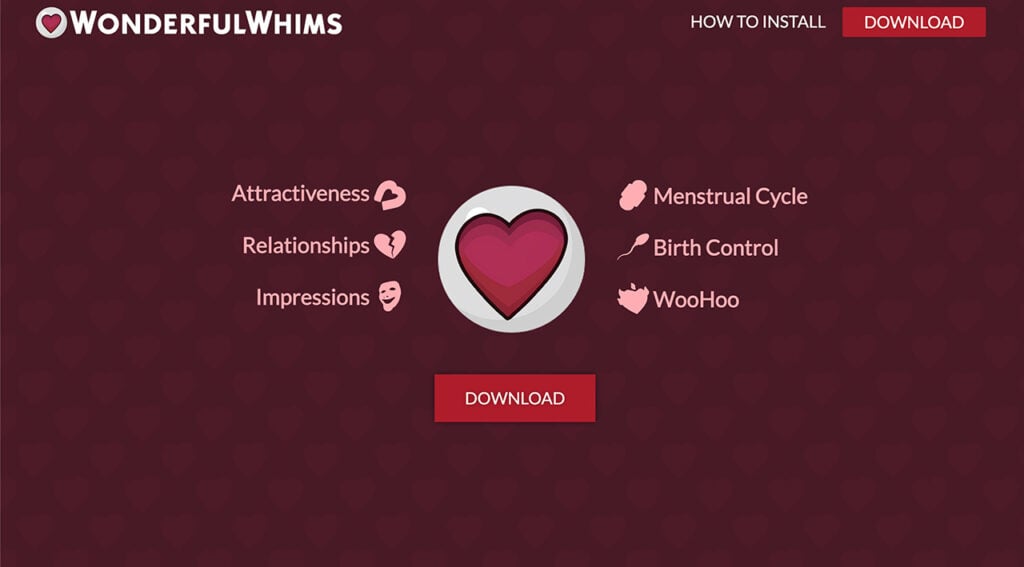
Attractiveness: Customize Sims’ preferences to make them more or less appealing to others.
Impressions/Personalities: Learn and share different personality archetypes.
Menstrual Cycle: Experience a menstrual cycle complete with hormonal effects, periods, and more.
Birth Control: Take charge of family planning with birth control options.
Relationship Additions: Explore open relationships and disable jealousy settings.
Pregnancy Additions: Modify the entire pregnancy duration of your Sim.
Sweating: Sims sweat during vigorous actions and can wash it off.
Wonderful Attributes: Various minor traits that you can add or take away from your Sims.
Crabs Lice: A realistic and sensitive feature where Sims can catch Crab Lice through WooHoo.
Other Enhancements: Persistent Boredom, Minor game bug fixes, WooHoo enhancements, Posing and compatibility with the Sims 4 Multiplayer Mod.
This is just a glimpse of what the Sims 4 Wonderful Whims brings into the game, with each feature designed to elevate your game and make Sim interactions as realistic as they can be. So without further to do, let’s explore them one by one!
Exploring the Attractiveness Feature
The Sims 4 Wonderful Whims’ Attractiveness feature takes The Sims 4 to a whole new level of depth and realism, that’s not commonly seen in the gaming world. This dynamic feature influences everything from your Sim’s social interactions to their emotional well-being, all based on individual tastes and preferences!
What is the Wonderful Whims Attractiveness Feature?
In Sims 4 Wonderful Whims, attractiveness isn’t a one-size-fits-all concept; rather, it’s an ever-changing equation dependent on multiple factors, from clothing and hair to eye color and body shape. This feature acknowledges that beauty lies in the eye of the beholder, allowing for a rich, diverse array of preferences that make every Sim unique. It’s like a more advanced version of the Sims 2 Turn on and off feature, stirring those feelings of nostalgia, but also adding more realism to the game!
The Mechanics of Attraction
So what are the mechanics of Attractiveness in the Wonderful Whims Sims 4 mod? Well, the “Refined Taste” feature considers every element of your Sim’s appearance, right down to the custom content. Whether your Sim fancies long hair, has a love for the color green, or has a distaste for glasses, these preferences will play a crucial role in finding the Sim of their dreams. Additionally, these preferences can be adjusted as your Sims’ personalities change, as well as the situations they’re in.
What Makes a Sim Unique?
In a world populated by different Sims, what stands out has value, and the Wonderful Whims Sims 4 mod gives “stand out” a new meaning! Basically, if every Sim has long, beautiful hair, then it’s the bald Sims that will turn heads. The ‘Unique Appearance’ Reward Trait adds another layer to this, boosting the attractiveness value of unique features. Yes, it really does go that deep! This not only adds a huge realistic boost to the game but also much more consideration when creating a Sim!
Storytelling: The Emotional Component
Attractiveness also has a narrative function in the Sims 4 Wonderful Whims. When your Sim crosses paths with someone extraordinarily attractive, it isn’t just a short-lived moment. Those moments will now become very special encounters, that can infatuate Sims to a point where they even dream about each other! But not just that, these infatuations will also influence all your future Sims’ interactions.
Who’s the Perfect Partner? No More Guessing!
Don’t know how to attract the Sim of your dreams? Not sure if they like you? Well, in the Wonderful Whims Sims 4 mod, you can just ask directly! Now your Sims can ask each other about their preferences, or take a more subtle route by finding out through their friends. However, if you wish to disable this cool feature, the mod offers various switches including the ‘Sims Attractiveness Switch,’ the ‘Attractiveness Relationship Scoring Switch,’ and the ‘Attractiveness Storytelling Switch’ to customize your gameplay!
Personalities play an integral role in real-world relationships and the Wonderful Whims Sims 4 mod seeks to replicate that complexity in your Sims’ interactions. Gone are the days when a simple gesture or attractive trait was enough to build a meaningful relationship. Now, the mod introduces different personality archetypes and social interactions that make a rich, deeply satisfying gameplay experience!
Personality Archetypes: More than Labels!
When creating a Sim in Sims 4 Wonderful Whims, you’ll notice they are assigned one or two Personality Archetypes. These are not simple labels, but rather glimpses that give an insight into your Sim’s inner world. Whether your Sim is a Sage, Artist, Hero, Caregiver, Jester, Innocent, Lover, Sinister, or an Everyman, their archetype influences how they interact with others and what they seek in relationships.
The Struggles of Compatibility
Two Sims with matching or complementary archetypes will find it easier to build chemistry. However, this is not a hard-and-fast rule. Even Sims with differing archetypes can establish strong relationships; it might just take a bit more effort. This creates an intricate web of interactions that enhances storytelling and gameplay, making each interaction a step towards discovering compatibility or conflict.
Social Interactions: The Key to Depth
In the Wonderful Whims Sims 4 world, learning the personality of a Sim unlocks new avenues for interactions. Each Personality Archetype comes with unique conversational topics and social interactions. Want to impress a Sage? Engage them in a discussion on philosophy or the meaning of life. Want to connect with a Jester? Maybe a joke or a funny story will do the trick. The list is endless, but what’s important is that now your Sims actually have meaning in their interactions.
The Art of Making an Impression
Building a relationship isn’t just about immediate chemistry; it’s also about lasting impressions. The more you understand and engage with a Sim’s personality, the better your impression will be, which is essential in forming a solid foundation for a deeper relationship. This is especially beneficial for those who don’t want to leave their Sims’ love lives to chance but want to build it based on mutual understanding and respect, as you would in the real world.
Dynamic Personalities: A Lifetime Journey!
While personalities in the Wonderful Whims Sims 4 mod are generally consistent, they’re not static. Your Sim can change over time, or rarely, depending on the traits they acquire or lose. This adds another layer of dynamics to the gameplay, allowing for evolving relationships and personalities that can keep players engaged for hours on end!
Personality Archetype
Characteristics and Challenges
Likely Traits for Becoming This Archetype
Sage
Seek wisdom and focus on finding the truth. Tend to overthink and not act enough.
Interested and focused on knowledge.
Artist
Strive to create enduring value. Fear of not being exceptional can limit growth.
Creative and interested in crafting.
Hero
Eager to show courage and prove worth. Risk appearing arrogant or combative.
Sure of themselves and ready to fight.
Caregiver
Driven by empathy to protect and care. Risk being exploited by others.
Focused on building a family and caring for others.
Jester
Live for joy, humor, and silliness. Can be irresponsible and lack focus.
Humorous, outgoing, and maybe a little clumsy.
Innocent
Positivity uplifts others. Risk appearing childish and too naive.
Cheerful, kind, or good in nature.
Lover
Crave intimacy and experience pleasure. Risk losing identity and appearing shallow.
Romantic, loving, or pleasure seeking.
Sinister
Focused on achieving goals regardless of consequences. Appear selfish and villainous.
Focused on immoral acts, appearing snobby, or being evil.
Everyman
Desire to belong and lack distinctive identity.
Do not fit into any specific archetype due to lack of or conflicting personality traits.
The Personality Archetypes in the Sims 4 Wonderful Whims
The addition of Menstrual Cycles to the Wonderful Whims Sims 4 mod brings a level of biological realism to the Sims universe that many have wanted for a while now. This feature is not just about adding more layers of complexity; it offers opportunities for deeper emotional connection, improved family planning, and more strategic gameplay. Here’s how this groundbreaking feature works in making the Wonderful Whims Sims 4 mod stand out!
Biological Accuracy: More than Just Numbers
When your Sim is capable of giving birth, they will now experience a Menstrual Cycle divided into four distinct phases: Premenstrual Syndrome (PMS), the Period, Fertile Windows, and the Luteal Phase. Each segment has been designed to mimic the hormonal and physiological changes that occur in real life, impacting your Sim’s mood and daily activities. I mean, just wow! This system allows for more accurate and strategic family planning, as well as a better understanding of your Sim’s body.
Emotional Depth: Moodlets and More!
The Menstrual Cycle introduces various hormonal moodlets, including everything from nausea and irritability to heightened emotions. These moodlets make for a richer storytelling element and contribute to the gameplay in ways that are more than just enough. Whether your Sim is on their period or going through PMS, the hormonal moodlets provide an opportunity for other Sims to empathize, comfort, or sometimes even clash, depending on their own moods and traits of course.
Tech-Savvy Period Tracking
For those who enjoy micro-management, the mod introduces the Kaya Period Tracker app for your Sims’ phones. It gives you a day-by-day breakdown of the Menstrual Cycle, helping you prepare for or capitalize on different phases. It’s like having a fertility expert right in your Sim’s pocket! However, if you don’t want to engage with the Menstrual Cycle feature, this mod offers plenty of customization options! From disabling the Menstrual Cycle altogether to adjusting the fertility rates and menstrual symptoms, you can fine-tune your gameplay to your preferences.
Family Planning: Taking Control
The Menstrual Cycle doesn’t only introduce challenges; it also allows for greater control over your Sim’s reproductive life. During the Fertile Windows, your Sim has a higher chance of conceiving, which you can either embrace or actively avoid by using contraceptives like condoms or birth control pills, but more on that later. This definitely adds a new layer of strategic depth to the game, whether you’re trying to grow your Sim family or focus on their career for the time being.
Cycle Type
Adult Duration
Teen Duration
PMS Duration
Period Duration
Very Long Cycle
21-30 days
21-40 days
3-6 days
2-5 days
Long Cycle (Long Lifespan)
18-24 days
18-30 days
1-3 days
2-4 days
Normal-To-Long Cycle
13-16 days
13-22 days
1-2 days
1-2 days
Normal Cycle (Normal Lifespan)
8-10 days
8-15 days
1-2 days
1-2 days
Short Cycle (Short Lifespan)
6-7 days
6-10 days
1 day
1 day
The Menstrual Cycle duration per Sim’s Lifespan.
Birth Control: A Matter of Choice or Chance
When it comes to WooHoo, the stakes are higher than having just a romantic rendezvous, especially when the Sims 4 Wonderful Whims mod is in play! With the introduction of menstrual cycles and fertility windows, family planning takes on a new level of detail and significance. Let’s dive into the details of birth control in the Sims 4 Wonderful Whims!
Calculated Risks: Fertility Awareness
Understanding fertility levels can be key to family planning in the Sims 4 Wonderful Whims. Sims can only conceive during their Fertile Windows, which can be determined by taking a ‘Fertility Awareness Test’ at any toilet. Beyond this, options such as Fertility Treatments, fertility massages, and even a special Fertility trait from the Rewards Store can help to increase the odds. Taking a pregnancy test by clicking on a toilet will confirm if conception has occurred.
In line with promoting shared responsibility, the fertility levels of both partners—usually the impregnating Sim and the Sim capable of giving birth—matter in conception. Both parties can utilize various methods to either increase or decrease fertility, making family planning a collaborative effort.
Representation of Fertility Levels in the Sims 4 Wonderful Whims.
The Mechanics of Birth Control
Wonderful Whims acknowledges that birth control is a shared responsibility. Sims can use condoms during WooHoo, which are generally effective but not foolproof. For added security, you can have a Sim take birth control pills, which become effective after 3 days of consistent use. Combine both, and you significantly reduce the chances of an unplanned Sim pregnancy.
Contraceptive options can be purchased easily through any computer under the ‘Wonderful’ category or via the Build/Buy mode. The mod ensures that family planning resources are readily available for all Sims!
Effectiveness Level
Condom Failure Rate
Pill Failure Rate
Perfect
0%
0%
Realistic
5%
9%
Unreliable
25%
29%
Birth Control Effectiveness Level in the Sims 4 Wonderful Whims.
Embrace Modern Love Dynamics with Relationship Additions!
The Wonderful Whims Sims 4 mod takes relationships to a whole new level of complexity and flexibility, reflecting today’s ways some people connect in the world. Whether you are a fan of open relationships, or polyamory, or simply want to navigate jealousy and commitments in a different way, this mod has you covered. Let’s explore some of these groundbreaking relationship features the Sims 4 Wonderful Whims bring!
Open Relationships: Love Without Boundaries
Traditional Sims relationships can sometimes feel limited in scope. The Wonderful Whims Sims 4 mod introduces the ‘Open Relationships’ function, allowing Sims to maintain multiple romantic partners, whether casual or committed, without the need for sneaking around. This feature unlocks a fresh array of storytelling possibilities and relational dynamics, offering an authentic representation of various forms of modern love.
Polyamorous Attribute: Jealousy-Free Zone
Jealousy can be a destructive force in relationships, but it doesn’t have to be. With the ‘Polyamorous’ Wonderful Attribute, you can disable jealousy for individual Sims, enabling them to engage in multiple relationships simultaneously without the emotional pitfalls. This gives players greater control over how their Sims interact emotionally, creating room for more free and enlightened relationships.
Stay the Night: A Group Invite
Gone are the days of limiting your overnight guests to just one Sim. With Wonderful Whims, you have the ability to invite multiple Sims to ‘Stay the Night,’ making for a more social and dynamic living situation. Whether it’s a group of friends, multiple romantic partners, or a mix of both, your Sims’ homes can now be the central hub for all kinds of social interactions!
The Wonderful Whims Sims 4 mod doesn’t just stop at enhancing relationships and personalities; it also dives into the world of Sims pregnancy, offering a more immersive and customizable experience for your expecting Sims. Whether you want to modify the pregnancy duration, have a more nuanced emotional reaction to pregnancy tests, or experience the authentic detail of a water-breaking moment, the Sims 4 Wonderful Whims has it all!
Modifying Pregnancy Duration: Your Timeline, Your Choice
In the base game, pregnancy timelines are a fixed experience. With the Sims 4 Wonderful Whims mod, you now have the ability to modify the entire pregnancy duration, giving you the freedom to align it with your storytelling or gameplay objectives. Whether you want a quick pregnancy to speed up generational progression or a longer term to fully enjoy the pregnancy journey, you now have complete control!
Pregnancy Tests: Not Just Black and White
In traditional Sims 4 gameplay, taking a pregnancy test often results in an automatically negative or positive moodlet. The Wonderful Whims Sims 4 mod adds a layer of emotional realness by tying the moodlet to a Sim’s traits. For example, Sims with the ‘Family Oriented’ trait will be the only ones to receive a negative moodlet if the test comes back negative, offering a more accurate emotional response based on individual preferences.
When the Water Breaks: It’s All in the Details!
Detailing makes a world of difference in the simulation experience, and Wonderful Whims nails it by including the moment when a Sim’s water breaks. Instead of just a notification or a sudden trip to the hospital, your pregnant Sim will actually leave a puddle when their water breaks, adding an authentic touch to the journey of childbirth. It’s small details like these that make Sims 4 Wonderful Whims a must-have for anyone looking to deepen their Sims 4 experience.
Physical actions have consequences, and in the real world, one of those is unfortunately sweating. The Wonderful Whims Sims 4 mod captures this often-overlooked aspect of life, adding another layer of realism to your Sims’ daily activities. Whether your Sims are hitting the gym, working outdoors, or simply engaging in regular tasks, the visible sweat feature offers an engaging detail that enhances the gameplay experience even further!
Visible Sweat: The Mark of Effort
Sims in the Wonderful Whims mod don’t just go through the motions; they visibly sweat when performing vigorous activities. This isn’t just a superficial addition but a realistic touch that can affect various aspects of their lives. For example, sweating can have social implications—other Sims might react differently to a sweaty Sim, perhaps complimenting their hard work or finding them less attractive.
Clean Up Your Act: Refresh with a Bath or Shower
Life doesn’t stop when your Sims break a sweat, and neither should their hygiene! The Sims 4 Wonderful Whims recognizes this by giving you the option to wash off the sweat by taking a bath or shower. Not only does this improve their hygiene stat, but it also adds another layer of realism and consequence to your Sims’ actions. For instance, after a hard workout, a shower isn’t just recommended—it’s almost a necessity!
No Sweat, No Problem: A Special Reward Trait
If managing sweat doesn’t fit into your ideal Sims experience, the mod has you covered. You can acquire a special ‘No Sweat’ trait from the satisfaction Reward Store. Once your Sim has this trait, they can engage in as many vigorous activities as they like without breaking a sweat, literally. This can be particularly useful for Sims who engage in physical activities as part of their career or hobby but don’t want the added hassle of constant showering.
Wonderful Attributes: Customize Personalities Like Never Before!
Traits are the building blocks of a Sim’s personality, but what if you could fine-tune those traits without the constraints of CAS or the Reward Store? The Wonderful Whims Sims 4 mod introduces the concept of “Wonderful Attributes,” offering you an array of minor traits that can be added or removed freely. This feature drastically expands the customization possibilities, allowing you to create Sims that are as complex and unique as real people.
Flexibility Without Constraints
Unlike the rigid structure of CAS or the Reward Store, Wonderful Attributes allows you to give or take away minor traits on the fly. Say goodbye to limited choices and embrace the freedom to continuously shape and reshape your Sims’ personalities as they go through life’s ups and downs!
Tailored Romantic Experiences
For Sims that are married or in a committed relationship, the ‘Eternally Faithful’ trait is a game-changer. This attribute ensures that your Sim will only have romantic interactions with their True Love, eliminating the chances of infidelity and adding a layer of realism to Sims who are genuinely committed.
Socially Avoidant: For the Introverted Sim
Not every Sim is a social butterfly. With the ‘Socially Avoidant’ trait, you can create Sims who prefer solitude over social interactions. These Sims won’t initiate conversations and will only engage when absolutely necessary, offering a realistic portrayal of introverted or socially anxious individuals.
Navigate the Teen Years with ‘Post-Puberty’
Teenage years can be tumultuous, but what if your Sim has already navigated the waters of puberty and come out the other side? The ‘Post-Puberty’ trait ensures that your teen Sim no longer experiences the fluctuating emotions and social awkwardness associated with puberty.
Control Fertility with ‘Hypofertile’ and ‘Hyperfertile’
The mod offers two attributes to control the fertility levels of your Sims: ‘Hypofertile’ and ‘Hyperfertile.’ These traits allow you to adjust the likelihood of conceiving a child, adding another layer of realism to family planning.
Master the Menstrual Cycle
Dealing with a menstrual cycle is a part of many women’s lives, and Wonderful Attributes provides three options for controlling this experience: ‘Quick Cycle,’ ‘Extended Cycle,’ and ‘Bleeding Control.’ Each of these traits alters the duration and effects of the menstrual cycle, offering greater control over this aspect of Sim life.
Crab Lice: A Not-So-Wonderful Reality of Sim Life
The Wonderful Whims Sims 4 mod isn’t just about romantic dates, meaningful relationships, and charming personalities; it also tackles the less pleasant, but realistic aspects of life. One such addition is the presence of Crab Lice, parasitic insects that cause intense itching and can be contracted through various means. Here’s what you need to know about dealing with this pesky issue.
How Do Sims Get Crab Lice?
In the Wonderful Whims Sims 4 mod, Crab Lice are typically contracted through WooHoo with infected Sims or by sleeping in the beds of other non-household Sims. By default, about 18% of the mostly single, adult Sim population could be potential carriers of Crab Lice. It adds an extra layer of realism and caution when your Sims engage in intimate activities or even just crash at a friend’s house.
Symptoms and Diagnosis
After a Sim comes into contact with Crab Lice, it takes about 12 hours for symptoms to manifest. The initial signs may just be a random itch, but it could develop into an unbearable itch that won’t go away unless properly treated. While you can ask any Sim about their health—assuming they trust you enough—it’s essential to take immediate action if your Sim contracts Crab Lice.
Treatment Options
Lice Killing Shampoo is the go-to medication for this issue, available for purchase from the Wonderful Store via any computer or through Build/Buy mode. To use it, simply apply the shampoo from your Sim’s inventory while they are in the shower or bath. The effects are instantaneous and provide a day’s worth of protection against reinfestation.
Permanent Immunity
If you’d rather not deal with the risk of Crab Lice altogether, you have the option to purchase the ‘Crabs Immune’ trait from the Rewards Store. This ensures that your Sim will never contract Crab Lice, allowing you to engage in relationships and social scenarios without this particular worry.
Other Enhancements: The Details That Make a Difference!
While the Wonderful Whims Sims 4 mod is primarily known for its deep personality archetypes, complex relationship dynamics, and realistic life scenarios, it also offers a range of other enhancements that fine-tune your gameplay experience even further. From persistent boredom to game bug fixes, these additions might seem minor but they add layers of realism and functionality that you’ll surely appreciate!
Persistent Boredom
Gone are the days when you could talk about the same topic endlessly without your Sims getting bored. Now, Sims will remember their conversations for up to 8 hours. Should you dare to rehash the same topics within that time frame, be prepared for a boring reaction! This feature adds a challenge to maintaining engaging conversations and encourages players to diversify topics when interacting with Sims.
Pregnancy Scientific Donation
Taking realism to a new level, the mod allows Sims to donate their unborn baby to science during the first or second trimester. Accessible via the phone, this option adds moral and ethical dimensions to the gameplay, giving players more choices in how they navigate the complexities of Sim life.
Posing and Animations
For those who love taking snapshots or storytelling through images, the mod introduces a dynamic posing interface. This allows you to use Pose Player poses and animations with ease, providing adjustable positioning and rotation options to get the perfect shot.
Poses make a great addition to the game, and we covered a lot of them! Check out our Custom Poses Archives to find every pose you need!
WooHoo Enhancements
To add a layer of realism to romantic interactions, the mod offers the ability to enable pregnancy for all WooHoo interactions, effectively merging the ‘Try for Baby’ option with regular WooHoo interactions. This increases the stakes in your Sims’ love lives and brings added complexity to romantic scenarios.
Compatibility and Bug Fixes
The Wonderful Whims mod supports integration with the Sims 4 Multiplayer Mod, so you can enjoy these enhanced features with friends. In addition, the mod includes minor game bug fixes related to clothing, ASM states errors, missing proximity buff errors, and incorrect mixer death reactions.
Sims 4 Wonderful Whims vs Wicked
When it comes to mods like Wicked Whims and Wonderful Whims Sims 4, the difference often boils down to the level of graphic content. While Wicked Whims leans into a more adult-oriented gameplay, Wonderful Whims offers similar depth and complexity without the explicit content. Think of Wonderful Whims as the PG-rated cousin that still knows how to have a good time!
Can you have Wonderful Whims without Wicked Whims?
Absolutely, yes! Wonderful Whims operates independently of Wicked Whims. So if you’re looking for a more family-friendly mod that still adds a wealth of features and complexity to your game, Wonderful Whims is the way to go!
How to Download Sims 4 Wonderful Whims
The Wonderful Whims Sims 4 Mod is available to download for FREE from these verified sources:
For those new to Sims 4 mods, or those that need a quick refresh, here’s a simple guide on installing the Wonderful Whims Sims 4 mod:
Download the Mod: Locate the mod file you want to install.
Unzip the File: Unzip the downloaded mod file using an extraction tool.
Place in Mods Folder: Transfer the unzipped files to your Sims 4 Mods folder (Documents > Electronic Arts > The Sims 4 > Mods).
Enable Mods in Settings: Start the Sims 4, go into game settings, and activate the mods.
Restart the Game: To finalize installation, restart the game.
TIP: If you can’t locate the mods folder, a simple workaround is to create one yourself.
Final Thoughts: Should You Get This Mod?
The Wonderful Whims Sims 4 mod is a fabulous addition to your Sims universe, bringing layers of complexity and realism that enrich your gameplay. Whether you want your Sims to navigate complex relationships or just want to add a new level of interaction, this mod has got you covered!
Here’s a quick actionable tip: Given that the mod undergoes regular updates, it’s a good idea to keep an eye on the official website or forums. This will ensure you’re always up-to-date with the latest features and fixes. So what are you waiting for? Make your Sims’ lives as dynamic and interesting as your own with the Sims 4 Wonderful Whims mod!
New Personality Features in Create A Sim are one of our favorite additions in WonderfulWhims!
Learn how to improve each neighbourhood in Evergreen Harbor!
Improve Evergreen Harbor through NAPs and living a green lifestyle
In The Sims 4 Eco Lifestyle, the overall “goal” is to improve the polluted industrial town of Evergreen Harbor to become a green community. This Sims 4 eco footprint guide will show you exactly how to do that. There are numerous ways to go about doing this but the two main ways are through Neighbourhood Action Plans (NAPs for short) and your Sims 4 Eco Footprint. We’ll be showing you how to improve every neighbourhood in Evergreen Harbor in The Sims 4!
Table of Contents
The Sims 4 Eco Footprint Guide: Make a Positive Impact!
Eco Footprint vs. Development: What’s the Difference?
A Sim in a great mood from breathing clean air in a Green neighbourhood.
In short, each neighbourhood in Evergreen Harbour has a development state and an eco footprint state. They are two separate states. For example, your neighbourhood could have a green eco footprint but no development or vice versa.
Your neighbourhood’s Sims 4 eco footprint refers to how clean the neighbourhood is. It’s shaped by the way you live your daily life in that neighborhood. However, there is an NAP that will boost the Eco Footprint of each neighbourhood as well as improve development.
Your neighbourhood’s development status refers to the visual look of the neighburhood. The condition of the roads, buildings, and other structures in the area. This is solely shaped through NAPs. You cannot improve your neighbourhood’s development by simply living a green lifestyle.
Below are examples of each neighbourhood in varying states:
All worlds that have a Sims 4 Eco Footprint have the same three visual effects as pictured above to indicate its current state.
Development States
Port Promise – UndevelopedPort Promise – Modern Development NAPConifer Station – UndevelopedConifer Station – Modern Development NAPGrim’s Quarry – UndevelopedGrim’s Quarry – Modern Development NAP
Each neighbourhood can have any combination of Sims 4 Eco Footprint state and Development state at the same time. You can opt to improve both, one, or neither.
Influencing the Eco Footprint in The Sims 4’s Evergreen Harbor
Click the icon at the bottom of the screen in Live Mode to see your neighbourhood’s Eco Footprint.
Each neighbourhood has its own Sims 4 Eco Footprint. This is not unique to Evergreen Harbor. All worlds (except StrangerVille, hidden worlds, and destination worlds) have an Eco Footprint that can be shaped by daily actions. All Sims living in that neighbourhood contribute to its eco footprint, so it’s not all up to your Sim; it’s a community effort.
Check on a world’s Eco Footprint from Manage Worlds
Every neighbourhood has an Industrial, Neutral, or Green Eco Footprint. You can see where your neighbourhood’s Eco Footprint is at by hovering over this symbol at the bottom of your screen in Live Mode to bring up the gauge. In Manage Worlds, you can visually see each neighbourhood’s Sims 4 eco footprint. Industrial neighbourhoods will have a brown pollution visual effect over them. Green neighbourhoods will have a sparkly sun ray visual effect. Neutral neighbourhoods will not have any visual effects. You can also see more information on the eco footprint by clicking the Eco Footprint icon at the top of the screen.
Ways to Improve Eco Footprint in The Sims 4’s Evergreen Harbor
There are multiple ways to clean up an industrial neighbourhood and move the Sims 4 eco footprint towards being green.
Avoid using objects with industrial footprints, such as fireplaces and generators that use gas instead of bio fuel.
If you are doing all of the above things in The Sims 4’s Evergreen Harbor and your neighbourhood’s Sims 4 Eco Footprint will not move to Green status, try going into your neighbour’s homes and making some of these changes there as well. It’s likely that your neighbours are not living a green lifestyle which is impacting your Sims 4 Eco Footprint.
A Sim coughing from breathing polluted air in an Industrial neighbourhood.
There are benefits to having a green Sims 4 eco footprint. You will see the same sun ray effect in the world that you see on the map. Your Sims will also get powerful happy moodlets from living in a neighbourhood with clean air.
Sims who live in industrial neighbourhoods will have coughing spasms and uncomfortable moodlets from the pollution in the air. Industrial neighbourhoods will also have brown smog and hazy skies.
Influencing Neighbourhood Development in The Sims 4’s Evergreen Harbor
Modern Development NAP
Each neighbourhood has its own development state. This is unique to Evergreen Harbor. No other worlds have alternate states of development. Development is solely influenced by NAPs. You can live as green as you want but you won’t see any changes to the local infrastructure unless you enact the right NAPs. This means you will have to work together with your neighbours to vote in the NAPs you want each week.
Development NAPs in Evergreen Harbor
There are two main NAPs for each neighbourhood that cause visible changes to the surrounding infrastructure.
Green Initiatives in [Neighbourhood] – Each neighbourhood has its own version of this NAP. Enacting this NAP will update the visual look of the neighbourhood with more greenery. This neighbourhood slightly increases the bills for all Sims in that neighbourhood but it comes with the additional benefit of boosting your Eco Footprint, too. This NAP can be active at the same time as the Modern Development NAP.
Modern Development in [Neighbourhood] – This NAP will update and modernize the local infrastructure. You can expect many changes depending on what neighbourhood you’re in. Roads, buildings, walkways, and more will all get appealing face lifts. This NAP will significantly increase the bills for all Sims in that neighbourhood but your Sims will also earn more money in their careers to offset the cost. This NAP can be active at the same time as the Green Initiatives NAP.
Port Promise – UndevelopedPort Promise – Green Initiatives NAPConifer Station – UndevelopedConifer Station – Green Initiatives NAPGrim’s Quarry – UndevelopedGrim’s Quarry – Green Initiatives NAP
When one of the above NAPs is enacted in The Sims 4’s Evergreen Harbor, changes are not immediate. Every few days, you will see something in the neighbourhood change. After approximately one in-game week, the neighbourhood should be fully developed. Developing the neighbourhoods is a gradual process but very rewarding when you see your Sims make a visible difference in their hometown.
You can really customize the look of your neighbourhoods in Evergreen Harbor by using the development NAPs and green initiatives together!
With a new Behind The Sims episode comes new Sims 4 lore! We’ve gotten shocking details about some fan favourite premade Sims in past Smore Lore segments on Behind The Sims. Like how Katrina Caliente is a clone of Nighat Caliente using alien technology! The latest Smore Lore segment focused on the true identity of none other than Johnny Zest and his mysterious family connection to the power-hungry Landgraab family!
Read on to dive deep into the mystery of Johnny Zest and uncover secrets about his true parentage!
Table of Contents
The Sims 4 Lore: Johnny Zest’s Secret Identity
To understand Johnny’s connection to the Landgraabs, we first need to take a brief look at the Landgraab family history, which, if you can believe it, spans even before the time of the original Sims! How is that possible? Well, let us explain.
A History of the Landgraab Family
The Landgraab family tree can be traced back as far as medieval times! The wealthy guildsman, Demetrius and his son, Dacian Landegraab from The Sims Medieval are the first known members of the modern day Landgraab family.
We see the Landgraabs again in The Sims 1 and every incarnation of The Sims since, whether as actual Sims in the game or through being mentioned. For example, a lot of companies and buildings in earlier Sims games have the Landgraab name on them.
As their name might suggest, the Landgraabs built their massive fortune by grabbing up land. They have an impressive real estate portfolio that includes giant corporations, rental properties, and other valuable land assets. They have lived in huge mansions in every Sims game they’ve been a part of and they have always been filthy rich.
So where did Johnny come from and why is he broke and living in a run-down trailer at the edge of Oasis Springs?
Johnny’s Mysterious Roots
Although it’s been common knowledge that Nancy and Geoffrey Landgraab have a son named Malcolm for years now, Johnny kind of just popped up out of nowhere in The Sims 4. We’ve never seen him mentioned at all in any game prior to The Sims 4.
However, his bio clearly states that he is a disowned Landgraab who was kicked out of the family for dropping out of school to pursue a career in stand-up comedy. If he was disowned, that would explain why his family tree is empty; the Landgraabs don’t show up anywhere in Johnny’s lineage. As for how and why he suddenly exists in The Sims 4 when he didn’t before? Well, The Sims 4 doesn’t follow the chronological events of past Sims games. It’s on its own timeline and is widely considered to be an alternate universe. Bearing this in mind, new faces like Johnny could exist in this alternate universe.
We also know that Johnny Zest is his stage name, so it’s perfectly plausible that his real name is Landgraab. And since the Landgraabs are not known for shortening names, it’s likely that Johnny Zest real name in full is Johnathon Landgraab.
But how exactly is Johnny related to the Landgraabs? Is he a long-lost son? A distant cousin? A weird uncle? No one really knows and that’s where The Sims 4 lore segment from Behind The Sims comes into play.
A Secret Love Child?!
Mersea suggested during the latest Smore Lore segment that Johnny Zest is the result of an affair between Nancy and some unknown partner outside of her marriage to Geoffrey. She also suggested that Geoffrey does not know of Johnny’s existence.
However, we have a hard time swallowing this information as fact. Unlike the cloning explanation for Katrina Caliente, which makes more and more sense the longer you think about it, the theory that Johnny Zest is the product of a secret affair has more and more holes the longer you contemplate that possibility.
For one thing, we know for certain that Johnny was only thrown out of the family recently, as a young adult. He quit college to become a comedian and that’s what got him disowned. It’s very unlikely that Geoffrey would not know about Johnny. Even if Geoffrey isn’t Johnny’s biological father, it’s far more likely that he either believes he is or decided to raise him as his own anyway. Either way, Johnny would have grown up as a Landgraab, making it almost impossible for Geoffrey to not know about him.
Johnny ZestMalcolm Landgraab
And while we can’t completely discount the idea that Johnny’s father is someone other than Geoffrey, Johnny looks almost identical to Malcolm, whose parents are confirmed to be Nancy and Geoffrey. It’s not impossible for half-siblings to look as similar as Malcolm and Johnny, but it is a lot more uncommon.
So Who is Johnny Zest?
So what does all this mean? Who is Johnny Zest, really?
Well, taking into account the confirmed history and timeline we have for Johnny, his uncanny resemblance to Malcolm Landgraab, and the Smore Lore segment pretty much confirming without a doubt that Johnny is Nancy’s son, it’s pretty safe to say Johnny is confirmed to be Malcolm’s older brother and that his birth name is probably Johnathon Landgraab.
As for Johnny being the result of an extramarital affair? Well, we suppose that’s still technically up for debate. Although, if you ask us, we’re pretty confident in stating that Geoffrey is probably Johnny’s father. It just makes the most sense when you think about Johnny’s history and how closely he resembles his younger brother.
Want to create some Sims 4 lore of your own? Check out our guide to causing both harmony and chaos in the lives of your Sims using Neighbourhood Stories!
Welcome to the world of Sims 4 endless creativity, where the only limit is your imagination. But hey, even imagination needs a little boost, right? That’s where Sims 4 Maxis Match CC comes in. If you’ve ever found yourself scrolling through custom content, you probably heard about the term. But what is Maxis Match CC exactly? Let’s dive deeper!
Table of Contents
What Does Maxis Match CC Mean for Simmers?
Sims 4 CC Maxis Match refers to custom content that is designed to match the original art style of the game. Unlike Alpha CC, which aims for a more realistic look, Sims 4 Maxis Match CC maintains the game’s aesthetic by using similar textures, colors, and styles. This allows users to have an extended gaming experience, as Sims 4 Maxis Match CC blends seamlessly with the elements already present in the game.
Sims 4 Maxis Match CC is embraced by both creators and players for its consistency. It adds the ability for players to introduce a wide range of content, from whimsical hairstyles to trendy outfits, without breaking the game’s visual narrative. The Maxis Match CC look ensures that the world of Sims remains both familiar and fresh! So without further to do, let’s find out what kind of Sims 4 Maxis Match CCs are available!
If you’re interested in learning more about the creators who practice the Maxis Match style, check out Aretha’s Creator Spotlight!
Top Sims 4 Maxis Match CC You Can’t Afford To Miss!
Let’s dive into the world of Sims 4 Maxis Match CC that exists within the Sims universe. Seriously, it’s like the Netflix of Sims 4 custom content, and you’re the one holding the remote control! From your Sim’s appearance to the design of their quirky home, Sims 4 Maxis Match CC touches almost every aspect of the game.
However, if you’re a Simmer who’s all about CAS, then why not close down the Summer season with this amazing Maxis Match CAS Summer CC?
But not all CC is created equal, folks. There are different categories of Sims 4 Maxis Match CC that add zest to various areas of your Sim’s life. We’re talking hair packs that give your characters an evergreen style, clothing that ranges from casual to couture, furniture that can transform any drab space, and even custom accessories and makeup that are sure to make your Sim shine! To make things easier, we categorized the best Sims 4 Maxis Match CC by type, so filling your Maxis Match collection should be a breeze!
But before we continue, we recommend checking out our Top 7 Sims 4 Maxis Match CC sets to get you started with your collection!
The Finest Sims 4 Maxis Match Hair CC
Ah, hair—the crown you never take off. Sims 4 Hair Maxis Match CC packs add an extra flair to your Sims, making them look both realistic and game-appropriate. The styles can range from everyday casual to a classier approach, but what’s important is they all stay true to that Maxis Match CC aesthetic.
It’s like flipping through a hair catalog and knowing that every style would fit your Sim perfectly. So we searched through the CC community to select the finest Sims 4 Maxis Match CC hairstyles, so let’s check out the first page of the catalog.
1. Braided Space Bun Hair: Casual Meets Beauty!
Image taken from JellyPaws’ Patreon.
This is not just an ordinary bun, it’s a braided updo with adorable space buns that will up your Sim’s style in a heartbeat. It’s available for teen-to-elder Sims, comes in a variety of EA colors, and is even disabled for random to keep things exclusive. It’s perfect for any Sim who wants to make a statement without saying a word.
Just a heads-up, this Sims 4 Maxis Match CC is Base Game compatible, so you can braid and unbraid to your heart’s content. The Braided Space Bun Hair pack by JellyPaws is the perfect combination of classy and fun, offering a look that can take your Sim from a day at the office to a night out with friends.
Braided Hair Space Bun CC is available to download on JellyPaws’ Patreon!
Get ready to meet your new favorite hairstyle: the Carly Hair pack by Aretha! Now, we all know choosing
a Sims 4 Maxis Match CC hairstyle for your Sim can be like picking a show to watch—it’s a big commitment! But with Carly Hair, you get two versions in one pack, offering flexibility and flair.
The first version features a complete look, while the second one omits certain strands for a more laid-back vibe. Whether your Sim is heading to a swanky party or a casual get-together, there’s a Carly Hair version that’s just right. It’s base game compatible, hat-friendly, and comes in 24 EA colors, ensuring that it blends seamlessly into your Sims 4 CC Maxis Match universe!
Carly Hair CC is available to download on Aretha’s Patreon!
Did you miss quality male hair packs in the Sims 4 Maxis Match CC world? Well, the creator of XLDSims heard your silent pleas and decided to make a comeback with this remastered beauty. Derived from one of the Jungle Adventure hairs, Falcon Hair brings a cleaner, slicker look to your Sim’s appearance. Trust us; this is the kind of hairstyle that turns pixelated heads.
Falcon Hair is base game compatible, so no extra packs are needed to make your Sim the talk of the virtual town. It comes in all EA base colors, some of which have been corrected to offer a more accurate shade. If you’ve been seeking something truly exceptional, this hair pack is a game-changer. So, if you’ve been waiting for a hairstyle that checks all the boxes, Falcon Hair might just be your Sim’s new signature look!
The Falcon Hair CC is available to download on Sim File Share!
4. Keon Hair: Bring Some Curls Into Your Sims’ Life!
Image taken from Birksche’s Tumblr.
Do you have a Sim that’s all about those curls and swirls? Then you might want to check out the Keon Hair pack by Birksche! This hairstyle is a curly wonderland, giving your Sim the bouncy locks they deserve. It’s perfect for Sims who want to showcase their carefree spirit while looking absolutely fabulous.
But let’s get into the specs. The Keon Hair is available in 24 EA colors, allowing you to easily match your Sim’s personality or mood. It’s also hat-compatible, which is a lifesaver for those Sims who can’t decide between flaunting their curls or their favorite cap. So go ahead, and add some curls to your Sims 4 Maxis Match CC collection with Keon Hair!
This is the bun you didn’t know you needed, but you absolutely do. It’s the epitome of elegance and simplicity, designed to give your Sim a refined look. This updo from TwistedCat is as versatile as they come; whether your Sim is a bookworm who enjoys quiet nights or a party-goer who loves the nightlife, the Dahlia Bun fits in effortlessly.
Plus, it comes with a custom catalog thumbnail to make your life easier while scrolling through options. And let’s talk options: 24 Maxis swatches for all your color-changing whims. Oh, and did we mention it’s hat-compatible? Now, your Sim can don this classy bun and still wear their favorite hat. What’s not to love about this Sims 4 Maxis Match cc?
Let’s be real; a Sim’s life can be just as hectic as yours. One minute they’re cooking dinner, and the next they’re off to their job as an astronaut—talk about wardrobe changes! That’s why the clothing your Sim owns needs to be versatile, stylish, and oh-so Maxis Match. With Sims 4 Maxis Match Clothes CC, you’re not just dressing a Sim; you’re making a fashion statement in the Sims world.
But what makes Maxis Match CC clothing items a must-have? It’s all about a seamless blend of style and functionality, tailored to your Sim’s lifestyle. Whether you’re looking for the perfect outfit for a romantic date night or a professional work ensemble, we’ve got you covered! Check out our top picks when it comes to Sims 4 Maxis Match CC clothing!
1. Senior Year Pack: High School Years in The Base Game!
Image taken from SimCelebrity00’s Patreon.
This Sims 4 Maxis Match CC Clothing is like a time machine transporting us back to high school, but this time, you get to style it up your way. Introducing Senior Year Pack by SimCelebrity00! The beauty of this pack lies in its diversity and scope, giving you a rich palette of choices that range from casual to smart-casual.
You’ve got a Blazer that’s just perfect for a job interview or that dreaded parent-teacher conference. A Denim Skirt, Hoodie, Chain, Tennis Skirt, Silk Blouse, and Jeans are also part of this jam-packed selection. Whether your Sim is going to a study session or a dinner party, there’s an outfit for that. Each item comes in multiple EA swatches and is Base Game Compatible!
Senior Year CC Pack is available to download on Simcelebrity00’s Patreon!
2. Sam Totally Spies: Style With a Bit of Edginess!
Image taken from Ladybugtrait’s Patreon.
Say hello to the Sam Totally Spies pack, a nod to all Simmers who loved the cartoon and are looking to spice up their style. Not only does the pack include three outfits, but it also throws in a list of custom content and recolors. Making it perfect to have, if you’re all about customization.
The best part is the included Sims 4 Maxis Match CC folder, which means you have everything you need in one package. How handy is that? So if you’re looking for elegant outfits that have a bit of edginess, Sam totally spies by Ladybugtrait is a standout!
Sam Totally Spies CC is available to download on Ladybugtrait’s Patreon!
Dressing up for a special occasion? Or just looking to wow the neighbors during the weekly Simsville soiree? Look no further than the Elegant set by Aladdin-The-Simmer, which lives up to its name with 38 fancy/chic items! A must-have in the world of Sims 4 Maxis Match CC’s, this set has everything to make your Sim the center of elegance!
All the clothes come in 25 different swatches, giving you the freedom to truly express your Sim’s individual style. The best part? It’s all Base Game Compatible and offers a broad selection of Level of Details. With this set your Sim is bound to be the talk of the town, for all the right reasons.
Elegant CC Pack is available to download on Aladdin-The-Simmer’s Patreon!
Who said the youngest Sims don’t deserve style? The Fluffy Pj’s for Infants set by Lewbertsn00tles offers soft, adorable pajamas that make bedtime something to look forward to. Available in 20 swatches for boys and girls separately, these PJs give comfy cuteness a new meaning.
Keep in mind that these are available for infants only and come with a custom thumbnail. And don’t worry, they’re disabled for random, ensuring that your Sim tot only wears them when you want them to. This is an outfit for infants that is a perfect representation of the Maxis Match style. So why not treat your infants with some Sims 4 Maxis Match CC?
The Fluffy PJ’s for Infants CC is available to download on Lewbertsn00tles’ Patreon!
5. Sweet Puffy Sweaters: Colorful, Cozy and Stylish!
Image taken from Curseforge.
Last but not least, we present the Sweaty Puffy Sweater by SimsandWhims. Cozy and Stylish, this sweater is a full-on statement piece with 65 swatches including solids, gradients, stripes, hearts, and more. Ideal for those chilly Simsville evenings or simply when your Sim wants to look chic without trying too hard.
This Sims 4 Maxis Match CC is available for Teens-Elders and is marked as Feminine, perfect for those Simmers who are fans of color blasts! Best of all? It’s Base Game Compatible. So go ahead, and make your Sim’s closet a little cozier with this fabulous find!
Ah, home sweet Sim home! Let’s face it—while those base game chairs and tables may be functional, sometimes they’re about as exciting as watching paint dry. Enter Sims 4 Maxis Match CC furniture: your ticket to a living space that’s as unique and fabulous as your Sim! Whether you’re a modern type of Sim or more of a boho-chic enthusiast, there’s something here for everyone!
Sims 4 CC Maxis Match furniture allows you to curate your Sim’s living spaces with items that blend with the game’s aesthetic but bring their own shine. From sleek coffee tables to plush sofas that are just begging to be lounged on, the world of top-rated Sims 4 CC Maxis Match furniture is a playground for the interior designer in you. So grab your decorating hat, and let’s dive in!
1. Little Dino Kid Bedroom: Where Form Meets Function!
Image taken from Syboulette’s Tumblr.
A playful delight for your little Sim, the Little Dino Kids Bedroom set by Syboulette includes 30 items that range from build items like playful wallpapers to functional goodies like plushy toys and anti-monster surface lamps. With furniture that offers both form and function, your kid Sim is sure to grow up in an imaginative setting!
The best part about this Sims 4 Maxis Match CC is the attention to detail, I mean look at it! Wouldn’t this be every child’s dream room? With this pack, you’ll get wallpapers, beds, chairs (both regular and hanging), desks, dressers, lightning options, plants, and finally, functional toys and decor. So what are you waiting for? Give your little Sim the bedroom they deserve!
Little Dino Kids Bedroom CC Set is available to download on Syboulette’s Website!
Sophistication meets innovation in the Sims 4 Maxis Match CC Mirr Kitchen set by Tuds. Complete with reflective shaders that change intensity based on proximity, this set brings something extra to your Sim’s culinary space. Whether you’re looking for countertops with swanky stone doors or cabinets that give off unique reflections, this set is a feast for the eyes.
But that’s not all! The set is also very user-friendly. You can search with the term “tuds mirr” or “mirr kitchen” in the game to easily locate these-cool items. Even those with modest hardware can enjoy the basic features, while gamers with advanced setups get to experience the full reflective glory!
Mirr Kitchen CC Set is available to download on Tuds’ Patreon!
Why should your Sim’s kid room have all the fun? Harrie CC answers that question with The Bafroom Stuff Pack! This pack equips you with everything from bi-fold doors to chic bathtubs for a spa-like experience. The best part? It’s mostly base game compatible, so you won’t need additional packs to complete your luxurious bathroom look.
Extra perks include a hot tub that matches the rest of the Sims 4 Maxis Match CC set. So, not only can your Sim take a luxurious bath, but they can also unwind after a hard day’s work (or play) in their new, stylish hot tub. So why not create a spa-like bathroom for your Sim to unwind their struggles, it is the Bafroom after all!
The Bafroom CC Set is available to download on CurseForge!
For those Sims who enjoy the finer things in life but also value their sleep, the Tranquil Bedroom set by Myshunosun is a must-have. Reminding us of the new Modern Luxe Kit, this Sims 4 Maxis Match CC Set comes with a contemporary bed frame, stylish desk, and even a pendant light that comes in three different heights!
Your Sim is guaranteed sweet dreams in a room that resonates tranquility. Each piece comes with a variety of swatches, allowing for greater customization. Whether you want the end table in walnut or prefer a softer hue for the mattress, the choice is yours to fit your Sim’s style and vibe!
Tranquil Bedroom Set CC is available to download on Myshunsun’s Patreon!
5. ColourTalk – Living Stuff: Say Hello to the 70s!
Image taken from My Cup of CC’s Patreon.
If a dash of retro glam is what you’re looking for, the ColorTalk Stuff Pack by My Cup of CC brings that and more to your Sim’s living room! Inspired by color-blocking and the ’70s, this set is a vibrant mix of stand-alone fireplaces, modular sofas, and much much more. As a bonus, it’s the creator’s first set, which means it’s crafted with an extra layer of love and care.
Beyond the visual appeal, this Sims 4 Maxis Match CC set also offers functional pieces that will make your Sim’s living room not just visually pleasing but also supremely comfortable. The ceiling fireplace is a standout object that not only elevates the aesthetics but also provides that cozy feel. So, hop in a time machine and travel to the era of style!
Navigating the world of Sims 4 Maxis Match CC Makeup can be overwhelming. With an ocean of options out there, how do you know which ones are truly worth adding to your game? That’s where we come in! Our Editor’s Picks are specially curated to bring you the crème de la crème of Maxis Match makeup and skin tones.
These selections not only blend seamlessly with the game’s native aesthetics but also offer exceptional quality and realism. So go ahead, and give your Sims the glow-up they’ve always deserved without sacrificing that authentic Maxis look.
1. The 4 Ever Collection: Kylie Cosmetics in the Sims 4!
Image taken from Crypticsim’s Patreon.
If you’re a fan of the modern, glamorous look that Kylie Cosmetics offers, you’ll be thrilled to explore the 4 Ever Collection by Crypticsim. This comprehensive beauty package brings you eyeshadow, eyeliner, blush, lipstick, lip gloss, and even a highlighter to perfect that Sims glow. Designed with custom catalog thumbnails, this collection aims to provide a luxury experience for your Sims.
Additional excitement comes in the form of its Base Game Compatibility, meaning you won’t need to scramble for any extra packs to make these items work. It’s a little like having a personal beauty counter right in your Sims’ living room—just click and go! For those who like their Sims 4 Maxis Match CC a bit more glamorous, this is the perfect choice!
4 Ever Collection CC is available to download on Crypticsim’s Patreon!
2. Love Kisses Lipstick: Suitable for Any Occasion!
Image taken from TSR.
Bring the fabulousness to your Sims’ lips with the Love Kisses Lipstick set by Willeekmer, designed to give you a variety of shades suitable for any occasion, mood, or outfit. Whether you’re building a Sim who’s a sassy teen or a sophisticated elder, there are 10 swatches to pick from.
The accessibility of this Sims 4 Maxis Match CC is its best asset—being Base Game Compatible means that every player can enjoy the perks of a richer, more vibrant Sims world. So what are you waiting for? Go ahead and add some plush to your Sims’ lips!
The Love Kisses Lipstick CC is available to download on The Sims Resource!
3. The Elm Street Collection: Screams of Excitement!
Image taken from Crypticsim’s Patreon.
Step into the mysterious and hauntingly chic world of the Elm Street Collection, inspired by Kylie Cosmetics’ A Nightmare On Elm Street range. This Sims 4 CC Maxis Match Makeup collection by Crypticsim isn’t just another beauty set; it’s a statement bringing up the eerie yet iconic vibes of the horror series.
With base game compatibility and uniquely designed custom catalog thumbnails, it’s a breeze to incorporate this Sims 4 Maxis Match CC into your game. And remember, while it might be part of a Nightmare on Elm Street set, the only screams you’ll hear are ones of fashion-forward excitement.
The Elm Street Collection CC is available to download on Crypticsim’s Patreon!
Simplicity takes center stage with the Sunflower Freckles set by ThePlumbobfairy. While the Sims universe is often about extravagant hairstyles, dramatic outfits, and wild accessories, sometimes it’s the subtle touches that make all the difference in Sims 4 Maxis Match CC.
These freckles offer a down-to-earth appearance that complements a variety of natural skin tones, thanks to its four different swatches. Whether your Sim is a beach lover getting those sun-kissed freckles or a bookworm who just happens to have a sprinkle of them, this set adds a touch of realism that’s sure to catch any Simmer’s eye!
Sunflower Freckles CC is available to download on The Sims Resource!
5. Glass Skin: Have the Skin of a Beauty Influencer!
Image taken from TwistedCat’s Tumblr.
Ever wonder how to get that almost surreal skin texture that you see on beauty influencers for your Sims? Well, we bring you another Sims 4 Maxis Match CC overlay by TwistedCat, a customizable skincare dream come true in the Sims world! Coming in eight different variations, the customization options are seemingly endless.
Your Sims will look like they’ve just stepped out of a skincare commercial, ready to dazzle the Sims world—or at least their Sim neighborhood. The custom catalog thumbnail ensures that you can easily find this treasured item among your CC, making your Sims’ skincare routine a click away.
If you’re looking for a more glam-pop look, check out this vibrant Sims 4 Makeup Collection to make your Sim stand out!
Glass Skin CC is available to download on TwistedCat’s Patreon!
Looking to elevate your Sims 4 gameplay with accessories that seamlessly blend into the game’s original aesthetic? Welcome to your go-to guide for Sims 4 Maxis Match CC Accessories! While clothing and hairstyles often steal the spotlight, it’s the accessories that can make or break a look. Whether it’s the perfect earrings to complete a casual outfit, or a pair of fabulous anime ears for the Gen Z crowd, the right accessory can pull together an entire look.
This curated list features the coolest Sims 4 Maxis Match CC accessories, ensuring that you won’t have to compromise the game’s visual harmony while enhancing your Sims’ individuality. From the everyday essentials to the statement pieces, find the finishing touches that your Sims truly need to shine!
1. No Bite: Ears and Noses From Infants to Elders!
Image taken from Cloudcat’s Patreon.
No Bite – Ears and Noses by Cloudcat isn’t your typical Maxis Match CC accessory pack, it takes customization to the next level. From infants to elders, these add-ons are versatile and inclusive, catering to both feminine and masculine frames. What sets this CC apart is its meticulous attention to detail, offering a whopping 20 swatches for the ears and 7 for the noses.
Whether you’re opting for subtle natural tones or going bold, this collection has you covered. Another cool feature is the option to apply the noses as either face paint or a tattoo. A must-have for those who aim for a personalized touch in their Sim’s appearance, right down to the nostrils!
No Bite – Ears and Noses CC is available to download on Cloudcat’s Patreon!
2. Calm Fit Collection: A Comprehensive Style Upgrade!
Image taken from Ceeproductions’ Patreon.
The Calm Fit Collection by Ceeproductions is a dream come true for those looking to spruce up their Sim’s masculine vibe. This Sims 4 Maxis Match CC collection is not about accessories; it’s about everything from fitted caps to nose studs, making it a comprehensive style upgrade. The designs are as practical as they are stylish, focusing on wearability without compromising on fashion.
You’ll find plenty of swatches for each item, allowing for detailed customization to fit your Sim’s personal style. With multiple swatches, intricate designs, and fine detailing—this collection is a must-have for any fashion-forward Sim.
The Calm Fit Collection CC is available to download on Sim File Share!
Creamsicles by CreamLatteDream offers a vibrant splash of color and yumminess to the world of Maxis Match Sims 4 CC accessories. Although the mesh by Bellasims is required for this one, the CC is base game compatible and available for both masculine and feminine frames.
The collection focuses on bold and eye-catching colors, allowing your Sim to make a fashion statement without saying a word. Whether you’re looking to accessorize a casual outfit or put the finishing touches on a fashion statement ensemble, this Sims 4 Maxis Match CC pack has got you covered.
Creamsicles CC is available to download on CreamLatteDream’s Patreon!
Hijab Collection No. 8 by Marsmerizingsims is a testament to inclusivity and diversity in the Sims 4 universe! As with any accessory, perfection is in the details, and this Sims 4 Maxis Match CC collection brings an extra layer of authenticity and culture to your Sim world!
Fashionable yet modest, these Hijabs cater to those who wish to express their cultural identity in the game while also staying stylish. Whether your Sim is going to work, attending a formal event, or simply going about their daily activities, this collection is sure to provide options that are both elegant and vibrant. Depending on your taste of course!
Hijab Collection No.8 CC is available to download on Marsmerizingsims’ Patreon!
5. Classic Men Watch: Complete the Classic Masculine Look!
Image taken from Utopya CC’s Patreon.
The Classic Men Watch by Utopya CC is the perfect choice for those who like that classic masculine look.
These analog watches boast high-quality meshes and are HQ-compatible, ensuring that the timepiece looks as elegant as it should. If you’ve ever felt that your male Sim’s outfit lacked that final touch, this Classic Men’s Watch is the answer.
With 20 swatches, you can easily match the watch to any outfit, ensuring your Sim always looks polished and put together. For those interested in exploring this Sims 4 Maxis Match CC collection further, the creator also offers a female version, making it a versatile choice for all Sims. Overall, this Sims 4 Maxis Match CC collection goes beyond mere accessorizing and enters the realm of an elegant lifestyle.
For those looking for Sims 4 Maxis Match CC accessories that bring in that Sims 2 energy, checking out the GVEN Accessories Collection is a must!
The Classic Men Watch CC is available to download on Utopya CC’s Patreon!
By now you’re surely thinking about where can you find more Sims 4 Maxis Match CC to expand your collection. Don’t worry, we got you. We bring to you the platforms we used as sources for this article, certain to contain what you’re looking for:
Tumblr: This social media platform is one of the most popular places to find Maxis Match CC. Simply search for “Maxis Match CC Sims 4” or similar keywords.
Reddit: Subreddits like r/thesims and r/MaxisMatch are good places to discover CC.
ModTheSims: This is a website where you can find all sorts of CC, including Maxis Match.
Pinterest: You can find curated lists and boards dedicated to Maxis Match CC.
Custom Content Websites: Sites like The Sims Resource also offer a variety of CC, and you can filter by the Maxis Match tag.
A lot of you probably know how to do this, but for those new Simmers — we bring a step-by-step guide on how to properly integrate Sims 4 Maxis Match CC into the game:
Download: Usually, the custom content comes in .package or .zip files.
Extract Files: If the content is in a .zip file, extract it using software like WinRAR or 7-Zip.
Move to Mods Folder: Move the .package files to your Sims 4 Mods folder, which is usually located in Documents\Electronic Arts\The Sims 4\Mods.
Enable Mods: In the Sims 4 game options under the “Other” tab, make sure to enable Custom Content and Mods and Script Mods (if applicable).
Restart Game: It’s generally good practice to restart the game after installing new mods or CC.
PRO TIP: If you’re unable to locate the Mods folder, a quick workaround is to create one yourself!
Is Maxis Match CC Better Than Alpha CC?
The ultimate debate: Maxis Match CC vs Alpha CC. Which is better? The answer is, well, it’s all about personal preference. Maxis Match CC keeps things consistent with the original game’s look and feel. On the other hand, Alpha CC goes for a more detailed, realistic approach. Both have their pros and cons and in the end, it’s up to you to decide what works best with your Sims’ style.
And there you have it— what style do you prefer? Are you on team Maxis Match, or an Alpha CC? Be sure to let us know what works for you in the comments below!
As we all know, the Sims 4 is a space that turns our creative dreams into virtual realities. But have you ever wondered how to push those realities closer to, well, reality? This is where Sims 4 Alpha CC takes the center of the stage. If you’ve gone deeper into exploring custom content, this term has likely caught your attention. Intrigued about what Alpha CC in Sims 4 really brings to the table? Stay tuned as we unravel the mystery!
Table of Contents
What is Alpha CC in The Sims 4?
Alpha CC is all about dialing up the realism in the Sims 4! While Maxis Match CC aims to preserve the game’s original art style, Alpha CC takes a different route. It focuses more on delivering a hyper-realistic vibe, incorporating textures, colors, and styles that resemble real-life elements. The result? Your game takes on a cinematic quality, making your Sims look like they just walked off a movie set!
One of the major attractions of Sims 4 Alpha CC is its transformative impact on the game. You can integrate everything from lifelike hairstyles to true-to-life fashion choices, all without disrupting the game’s visual flow. Alpha CC Sims 4 gives you the chance to rewrite the rules of your Sims world, making it as close to reality as you’d like. So if you’re into capturing reality pixel by pixel, Sims 4 Alpha CC has got your back!
If you’re into the whole realistic vibe in the Sims 4, be sure to check out our Top 13 Sims 4 Realistic Mods that will surely boost your gameplay!
Our Top Picks of Sims 4 Alpha CC
Welcome to the exciting realm of Sims 4 where Alpha CC becomes your creative canvas! Think of it as your Sims 4 custom content playlist, and you’re the DJ in the booth. Whether it’s sculpting the looks of your Sims to resemble movie stars or flipping their living spaces into architectural wonders, Alpha CC Sims 4 will definitely reshape your entire game!
Hold up, though—let’s not forget that Alpha CC in the Sims 4 comes in all shapes and sizes. You’ll find everything from life-imitating hair packs and high-fashion apparel to transformative furniture sets and show-stopping accessories and cosmetics. To simplify your search, we’ve broken down the top Sims 4 Alpha CC picks by category, so without further to do, let’s check it out!
Must-Have Sims 4 Alpha CC Hairstyles!
Let’s talk about hair, the accessory that’s always on. When you dive into Sims 4 Alpha CC for hair, you’re not just adding a touch of flair; you’re introducing cinematic realism to your Sims. The spectrum of styles is diverse, covering everything from street-style grunge to red-carpet glam.
The common thread? Each one delivers that ultra-real Alpha CC vibe. These hairstyles are great for Simmers who want extra detail in their hairpiece. When it comes to the Sims 4 Alpha Hair CC universe, Anto Sims is your go-to creator, without a doubt. I mean, all of these CCs have up to 60 swatches! How’s that for customization?
1. Jeanette Hairstyle: Bring Out the Danna Paola In You!
Image taken from Anto’s Patreon.
Looking to channel some Danna Paola vibes into your Sim world? Say hello to Jeanette Hair, a Sims 4 Alpha CC masterpiece! This stylish hair mod comes in two packages—one with an accessory inspired by Danna Paola herself, and another one without an accessory for a simpler look.
With 27 color options and compatibility with hats, this hair is the perfect choice for your feminine Sims. Plus, the smooth rigging and included shadow map give it that extra touch of realism. So whether you’re planning a casual day out or a chic soirée, Jeanette Hair is your go-to style for any occasion!
Jeanette Hair CC is available to download on Anto’s Patreon!
Short and curly— are the two words that describe the essence of the Sims 4 Alpha CC Hairstyle David. Crafting short curly styles is no joke, but the creator nailed it, giving us a playful yet challenging design made for every Simmer looking to up their looks!
While the curls add texture and depth, the overall style integrates seamlessly into the Sims world. It’s the hair CC you didn’t know you needed but now won’t be able to style your male Sims without. If your Sim has a laid-back vibe but still wants to make a fashion statement, the David Hairstyle is a no-brainer!
David Hairstyle CC is available to download on Anto’s Patreon!
3. Ariana Hairstyle: You like my hair? Thanks, just bought it!
Image taken from Anto’s Patreon.
Inspired by the one and only Ariana Grande’s look at the 2020 Grammys, this Sims 4 Alpha CC hairpiece is all about giving that nice girl look we grown to adore from the queen herself. You can choose between two versions: one with front hair and one without, for a more laid back look.
Whatever your Sim’s style is, the Ariana Hairstyle has got it covered, offering a dash of pop diva glamour in a package that’s fully integrated with the Sims. With this CC, your Sim can effortlessly transition from the red carpet to a cozy night in, all while staying true to its Alpha CC aesthetic.
Ariana Hairstyle CC is available to download on Anto’s Patreon!
Fellas, this one’s for you! The Craig Hairstyle is the answer to the many requests for more curly options for male Sims in the Alpha CC Sims 4 community. As it comes always with Anto, this is not just a regular hairstyle; it’s a statement piece that says, “Hey, guys can rock curls too!”.
Immerse your Sim in a world of curly coolness and let the compliments roll in! Versatile and trendy, Craig Hairstyle is the perfect balance between masculine charm and youthful spontaneity, adding a dash of style to your male Sims.
Kraig Hairstyle CC is available to download on Anto’s Patreon!
5. Kenza Hairstyle: Capturing Diversity and Richness!
Image taken from Anto’s Patreon.
The Kenza Hairstyle offers something truly special! With this full braided hairstyle, we get to celebrate Anto’s first step into this type of amazing design. It’s an exciting addition to the Alpha CC Sims 4 hair options, especially for those looking to diversify their Sims’ looks.
With more ethnic, braided, and curly styles in the works, this is one you’ll want to add to your collection ASAP! Embrace the beauty of intricate braiding patterns with the Kenza Hairstyle, an Alpha CC that truly captures the diversity and richness of today’s fashion landscape.
Kenza Hairstyle CC is available to download on Anto’s Patreon!
Let’s face it, your Sims are busy. They might go from hosting a barbecue to running a political campaign in the same day. Their attire has to keep up, and that’s where Sims 4 Alpha CC clothing options come into play. We’re not just talking about clothes; we’re talking about lifestyle enhancements in fabric and design.
Why opt for Alpha CC in Sims 4 when it comes to clothing? It’s simple. These aren’t just clothes; they’re expressions of individuality that also happen to be highly functional. From your Sim’s first date to their dream job interview, Sims 4 Alpha CC has a wardrobe that’s ready for anything. Browse our handpicked selections to revolutionize your Sims’ closets with Alpha CC.
1. Doll Collections: Come On Barbie, Let’s Go Party!
Image taken from Busra-tr’s Patreon.
Have you ever wanted your Sim to live out their ultimate Barbie fantasy? Busra-tr brings this dream to life with the fabulous Doll Collection, featuring a full outfit, heels, purses, and even underwear! The range of items makes this collection a versatile pick, suitable for adults, teens, and elders.
Each piece is compatible with the Base Game and comes with a custom thumbnail, elevating your Sim’s style to a whole new level. Whether you’re looking to channel a high-fashion vibe or simply want your Sim to stand out from the crowd, the Doll Collection is a must-add to your Sims 4 Alpha CC wardrobe.
If you’re looking to add more Barbie CC to your collection, check out the largest Sims 4 Barbie CC Guide on the internet!
Dollhouse CC Collection is available to download on Busra-tr’s Patreon!
Meet the Dior Hood Set by Sailor24Love Sims, a stylish, casual clothing pack that caters to both male and female Sims. Fore a better overview, this Sims 4 Alpha CC set includes a hoodie and sweatpants, each available in 32 swatches—16 plain and 16 featuring a logo.
Ladies, on the other hand, can rock a one-piece outfit with the same variety of swatches. Tailored to suit all age groups from teens to elders, this versatile set promises to add effortless coolness to your Sims’ lifestyle. So why settle for the in-game basics when you can elevate your Sim’s casual style game with this fashionable hood set?
Dior Hood CC Set is available to download on Sailor24Love Sims’ Patreon!
Take your Sim to the Met Gala with the stunning Hydrated Gown by Mssims! Crafted with a 100% new mesh, this gown is the epitome of elegance and glamour, made for any Sim destined for greatness. Available in 12 swatches, it offers a glamorous look for every formal occasion!
However, be warned that the gown is a high-poly item, so it may not be suitable for low-end PCs. If your system can handle it, the Hydrated Gown is an exceptional addition to your Sims 4 Alpha CC collection, ensuring your Sim captures attention wherever they go.
The Hydrated Gown CC is available to download on Mssims’ Patreon!
4. Lifestyle Sneakers: A Gold Mine for Sneakerheads!
Image taken from Shushilda’s Website.
Get ready to step up your shoe game with the Sneaker Collection by Shushilda Sims. Featuring an impressive range of 31 Sims 4 Alpha CC men’s sneakers, this collection has something for every taste. Dive deeper into the sneakerhead fantasy, bringing the most styes brands to your game!
From iconic Jordan kicks to the classic Air Max, Timberland, Superstar, and New Balance, your Sims can now walk, jog, or strut in style. Whatever the occasion, these sneakers add the perfect finishing touch, promising to keep your Sim both trendy and comfortable.
Sneakers CC Collection is available to download on Shushilda’s Website!
5. Business Meeting Outfit: You Own 51% of This Company!
Image taken from SimmerKate’s Patreon.
Seal the deal in SimmerKate’s Business Meeting Outfit, an ensemble that means, well, business. Suitable for those high-stakes meetings or casual Fridays, this outfit comes in 15 swatches and brings a touch of class to the boardroom.
Note that this outfit is also a bit high-poly, so proceed with caution if you’re running Sims 4 on a low-end PC. Still, if you want your Sim to climb the corporate ladder in style, this Business Meeting Outfit is an Sims 4 Alpha CC must-have.
Sweaty Puffy Sweater CC is available to download on CurseForge!
When it comes to creating the perfect home for your Sims, why settle for the basics? Sims 4 Alpha CC furniture gives you the opportunity to turn any home into a realistic personalized sanctuary, teeming with style and comfort.
Alpha CC in Sims 4 isn’t about just filling a room; it’s about defining a lifestyle. Imagine whole wood bookshelves, industrial lightning, or contemporary art pieces that add flair to your Sim’s surroundings. In the universe of Sims 4 Alpha CC furniture, you’re the visionary behind every choice. Whether you’re going for cozy, chic, or somewhere in between, there’s surely something to suit your taste.
Immerse your Sim in a world of tranquility with the Kirsal Set by ts4novvvas. This Sims 4 Alpha CC Zen Bedroom set is truly a sanctuary, featuring 24 new medium to high-poly meshes that range from beds and wardrobes to wall decor and plants. A perfect bedroom to relax from the daily Sim struggles!
With a diverse array of swatches for each item, you can personalize the space to suit any Sim’s personality, while maintaining the Zen aesthetic. Whether it’s the calming tones of the pillows or the rustic charm of the wooden wall, this set adds a touch of serenity to any home, making it a top pick for those who love peaceful living spaces.
Kirsal CC Set is available to download on ts4novvas’s Patreon!
Looking to add a touch of modern sophistication to your Sim’s living area? Look no further than the Kediri set by Sundays! This Sims 4 Alpha CC collection brings a dash of organic shape and contemporary style to the living room, making it the center of your Sims’ home.
With 11 new meshes including sofas, armchairs, rugs, and lighting, you can transform an ordinary room into a minimalist masterpiece. The set strikes a perfect balance between aesthetic appeal and functionality, making it a must-have for any modern Sim household.
Kediri CC Set is available to download on Sunday’s Patreon!
3. The Nest Set: Inspire Your Sim With This Bright Escape!
Image taken from SimspirationBuilds’ Patreon.
Dreaming of the perfect home that caters to both your Sim’s productivity and relaxation needs? The Nest by SimspirationBuilds could be just what you’re looking for! This Sims 4 Alpha CC home set in Copperdale is super functional, bright, and inspiring.
Whether your Sim is in study mode or simply wants to kick back and relax, this home set is decorated to suit your Sims’ every need. It’s a well-balanced living space that encapsulates both form and function, ensuring your Sim lives their best life in style!
The Nest CC Set is available to download on SimspirationBuilds’ Patreon!
Let’s face it, chores are never an exciting part of life—even in the Sims 4. However, Puffer Suffer’s Sims 4 Alpha CC “Laundry Day” pack aims to elevate this often mundane task into something more aesthetically pleasing. This set promises to make laundry day a more visually satisfying experience for you and your Sim.
The Laundry Day pack is perfect for those who want their Sims to perform household chores in style. It’s realistic and detailed items, you can locate easily by searching for “Laundry Day” or “PufferSuffer” in the shopping mode.
Laundry Day CC Set is available to download on Puffer Suffer’s Patreon!
5.Fläder Set: Perfect for Making Memories Outside!
Image taken from Sunday’s Patreon.
For those who love spending cozy evenings by the fire or under the stars, the Fläder set is a must-have! Sims 4 Alpha CC addon for the main Fläder set offers eight new meshes designed to add a touch of warmth and coziness to any space.
From folded and rolled blankets to lanterns and deco signs, each item is crafted to enhance the ambiance of your Sim’s home, crafting the perfect space to make memories. Created for intimate gatherings or solitary evenings, this set adds a layer of comfort and realism that makes your Sim’s house feel like a home!
The Fläder CC Set is available to download on Sunday’s Patreon!
Feeling lost in the sea of Sims 4 Alpha CC makeup options? We get it; the choices can be overwhelming. Our handpicked list focuses on the finest in-game cosmetics and skin tones, taking the guesswork out of your Sims 4 beauty spree.
These premium selections not only ramp up the realism but also offer top-notch quality. Ready to transform your Sims into the beauty icons they were destined to be? Look no further than these Alpha CC Sims 4 makeup essentials!
1. Coffee and Chocolate: Your Way to Realistic Skin!
Image taken from Valuka’s Patreon.
If you’re keen on giving your Sims a lifelike and anatomically accurate look, Valuka’s Sims 4 Alpha CC skin set in collaboration with Seleng is what you need. This extensive package includes a wide variety of highly detailed female skins, overlays, and body presets that range in tone and anatomical features.
There are 45 color variations for the painted skin alone, three brightness levels for overlays, and a new body preset that works for females from teens to elders. If you’re really serious about bringing realism to the game, this is the place to start.
Coffee and Chocolate CC is available to download on Valuka’s Patreon!
2. Caballero: Rock the Berlin Style in the Sims 4!
Image taken from TSR.
For those looking to infuse their Sims with a touch of Berlin’s vibrant, eclectic fashion, Lexel_s offers the Caballero set that is perfect to do so! This Sims 4 Alpha CC set is specifically created for male and T-male Sims from teens through elders. With 24 different swatches and HQ uncompressed textures, the customization options are nearly endless!
The Caballero set doesn’t just look good; it’s also highly functional. It supports facial and body animations and deformations, meaning your Sim can express himself naturally. Additionally, the set is compatible with color slider mods, offering an added layer of customization for discerning players.
3. Nikoleta Eyelashes: Fabulousness in the Blink of an Eye!
Image taken from Bradford’s Patreon.
When it comes to adding a pop of glam to your Sims, Bradford’s new set of eyelashes inspired by makeup artist Nikoletova is a go-to. This Sims 4 Alpha CC set comes with 14 different swatches and is best suited for female teens and above. To make your shopping experience even more straightforward, these lashes come with custom thumbnails and are disallowed for random selection.
The Nikoleta eyelashes set is also highly compatible, designed to complement a new makeup set by Jul Haos. With high-quality textures and compatibility with both the base game and various other mods, these lashes are an essential addition to any glamorous Sim’s makeup collection.
Nikoletta Eyelashes CC is available to download on Bradford’s Patreon!
4. Kylie Jenner Lip Kit: Let’s Keep Up With the Kardashians!
Image taken from Angissi’s Tumblr.
If you’ve ever wanted your Sim to sport lips that are just as luscious as Kylie Jenner’s, then Angissi’s Lip Kit is a must-have. This Sims 4 Alpha CC offering includes 10 different color options, all in high-quality texture, ensuring that your Sims’ lips are perfectly kissable.
Designed to work with all skin types, the Kylie Jenner Lip Kit even comes with a custom CAS image for easy identification. Whether you’re aiming for a natural look or something more bold, this lip kit has got you covered!
Kylie Jenner Lip Kit CC Set is available to download on The Sims Resource!
Obscurus-Sims brings a comprehensive Male CC Set for those who feel the men in their Sims’ lives could use a little grooming. This Sims 4 Alpha CC set includes a broad range of items including eyebags, lips, and contours, each with an extensive color palette. For instance, the eye bag selection alone comes in 68 swatches, each with two opacity options!
The Male CC Set by Obscurus-Sims is not only aesthetically pleasing but also highly functional. Every item in this set is HQ compatible and works smoothly with makeup sliders. It’s an all-in-one package that will satisfy both your aesthetic and functional requirements for male Sims.
Male CC Set is available to download on Obscurus-Sims’ Patreon!
Sims 4 Alpha CC Accessories: Gateway to Fabulousness!
Think your Sims are a touch too vanilla? Get ready to infuse their world with the details that only come from quality Sims 4 Alpha CC accessories! Sure, the talk often centers around haircuts and wardrobe, but let’s not forget the transformative power of a well-placed scarf or avant-garde jewelry.
This tailored list sifts through the noise to spotlight Alpha CC Sims 4 accessories that do more than just decorate, they define. Offering realism and style in equal measure, these add-ons are just what your Sims need to turn from forgettable to iconic.
1. Bastet Set: Give Luxury a New Meaning!
Image taken from Bradford’s Patreon.
Bradford introduces a luxe experience with their new Bastet Set, an elegant Sims 4 Alpha CC collection addition. With new meshes that are HQ and base game compatible, this set is perfect for those looking to elevate their Sims’ lifestyle. Available in four swatches and designed for unisex use from teens upwards, it offers luxury and sophistication.
Each item comes with custom thumbnails for easy identification, and the set is disallowed for random selection. The high level of detail and compatibility with all LODs makes this a must-have for anyone seeking to add a touch of opulence to their Sims’ world!
Bastet CC Set is available to download on Bradford’s Patreon!
When it comes to sporty fashion, nothing says it better than a Nike cap. This Sims 4 Alpha CC offering from RonaSims brings the iconic brand into your virtual world with a new mesh and a range of 15-25 swatches. Whether you’re hitting the gym or just out for a casual day, this HQ-compatible sports cap will ensure your Sims looks the part.
It’s not just about style; it’s about choice. With a wide range of swatches, you can easily match this Nike Sports Cap with any outfit. Its high-quality texture ensures that the cap looks just as good in the game as it would in real life!
Nike Cap CC is available to download on RonaSims’ Patreon!
3. Skeleton Bracelet: After All, Halloween Is Coming Soon!
Image taken from Sims Finds.
Get into the spooky spirit with this unique Skeleton Bracelet by Magnolia-C. This Sims 4 Alpha CC accessory is unlike anything you’ve seen before, featuring a skeleton hand that elegantly drapes over your Sim’s hand. Available in both gold and silver, this piece is perfect for prepping for Halloween!
Whether you’re dressing up for a Halloween bash or simply want to make a fashion statement, this Skeleton Bracelet is the ideal finishing touch. Its design is both camp and chic, capturing the essence of the holiday while still remaining versatile enough for everyday wear.
Skeleton Bracelet CC is available to download on Sims Finds!
4. JellyBean Nails: What’s All of This Without a Set of Nails?
Image taken from Feyona’s Patreon.
Nails speak volumes about a person, and Feyona’s JellyBean Nails are here to make sure your Sims express themselves fully! This CC offers a collection of long almond nails in 30 different swatches, setting these nails apart in the color field with 15 shades each for lighter and darker skin tones.
These nails are not just about aesthetics; they are functional and inclusive. The set is compatible with the base game and comes with HQ textures and settings. Each swatch is properly tagged and disallowed for random selection, ensuring that your Sims always look their best.
Hijab Collection No.8 CC is available to download on Marsmerizingsims’ Patreon!
For those who love to accessorize, these Boho Rings are the perfect addition to round up your Alpha CC collection. Created with a new mesh and offered in four different colors, these rings add a touch of bohemian elegance to any outfit.
They are placed in the left-hand category and come with custom thumbnails for easy selection. The set also includes specular and shadow maps, giving the rings an added layer of realism. Whether you’re dressing up for a special occasion or just going about your daily activities, these rings are sure to be a hit!
Boho Rings CC is available to download on The Sims Resource!
Where is the Best Place to Get Alpha CC in Sims 4?
At this point, you’re likely eager to load up on more Sims 4 Alpha CC to curate the perfect Sim universe. We’ve got your back. Below are the platforms we tapped into for this article, and they’re treasure troves for what you’re after:
Tumblr: A hot spot for all things Sims 4 Alpha CC. Just pop those keywords into the search bar, and you’re golden.
Reddit: Visit subreddits like r/AlphaSims to find what the community is buzzing about in the Alpha CC scene.
Pinterest: A goldmine for curated inspiration, Pinterest offers boards dedicated solely to Alpha CC Sims 4 finds.
The Sims Resource: The real source of Alpha CC! Use the filter option to zero in on what you’re really after.
How to Install Alpha CC
A lot of you probably know how to do this, but for those new Simmers — we bring a step-by-step guide on how to properly integrate Sims 4 Alpha CC into the game:
Download: Usually, the custom content comes in .package or .zip files.
Extract Files: If the content is in a .zip file, extract it using software like WinRAR or 7-Zip.
Move to Mods Folder: Move the .package files to your Sims 4 Mods folder, which is usually located in DocumentsElectronic ArtsThe Sims 4Mods.
Enable Mods: In the Sims 4 game options under the “Other” tab, make sure to enable Custom Content and Mods and Script Mods (if applicable).
Restart Game: It’s generally good practice to restart the game after installing new mods or CC.
PRO TIP: If you’re unable to locate the Mods folder, a quick workaround is to create one yourself!
Is Alpha CC Better Than Maxis Match?
The answer isn’t cut and dry—it’s a matter of personal taste. If you’re vibing with the game’s original aesthetic, Maxis Match CC is your jam. It keeps everything in line with the game’s core design. But if you’re all about those high-definition details, then Sims 4 Alpha CC is where your heart might be. Both styles have their good and bad stuff, but ultimately, you’re the one making the choice.
EA has revealed their content strategy for Project Rene.
Prototype Scene in Project Rene
Exciting things are happening in the world of The Sims lately! Namely, Project Rene, which we are calling The Sims 5 until Project Rene gets an official title. An interview with Mersea and Lyndsay Pearson from the latest Behind The Sims episode went over a lot of exciting details about the next generation Sims game, including an early plan for how future content releases for The Sims 5 will be handled.
Table of Contents
Behind The Sims Transcript
We have the full transcript of that interview right here, so you can read exactly what was said word-for-word yourself. Lyndsay shared a lot of very big news about the upcoming Sims game and assured avid lovers of The Sims 4 that Project Rene is not planned to be a replacement for The Sims 4. The two games will co-exist side-by-side and both will receive regular content alongside each other for the foreseeable future.
Also, did we mention the next Sims game will be free to download?! This may not be too surprising, given that The Sims 4 base game is now free to play; however, this information does mark a pretty big shift in the way Maxis and EA are planning to market and sell future releases.
MERSEA: Okay, I’m super excited to have The Sims™ Queen Mother herself, Lyndsay Pearson, back today to chat with me about Project Rene and the future of The Sims™. Sul Sul, Lyndsay.
LYNDSAY: Hey, Mersea. I am very excited to be here today. And Sul Sul to our community. I am thrilled to be back and sharing what we are working on. I think it’s a really good time to be playing The Sims™.
MERSEA: 100%. Maybe it’s just the way I play, but my game really hits different each time. Can you tell us more about how your experience over the years is shaping and setting the stage for Project Rene?
LYNDSAY: Yeah, over the years, you’ve seen us introduce so many versions of Sims experiences, from The Sims™ to The Sims™ Online, The Sims™ Castaway, The Sims™ Medieval, Urbz. We’re always looking for ways to bring The Sims™ to more players and keep that charming character and creation center at the heart of what we make. What must we preserve to make this still a Sims game. And what can we do in this game that we couldn’t do before.
MERSEA: Right. During the last episode of Behind The Sims™, the team shared a look at a whole lot of work in progress with Project Rene. Is that how you’re trying to find that new vibe?
LYNDSAY: Exactly. And with Project Rene, we want to do things from the start that The Sims™ hasn’t ever done and try to do familiar things in a new way. Project Rene will be a new way to play The Sims™. Now, we’ve shared a few of those differences that we’re already exploring, such as the ability to play with friends and across devices, and we can’t wait to show you more of the gameplay itself. And I’m really excited to be building this new and different approach.
Project Rene and The Sims™ 4 are going to continue to exist side by side. We plan to support both at the same time, and we’re going to continue to bring even more exciting content to The Sims™ 4 for the foreseeable future.
MERSEA: Don’t get me wrong. I’m super invested in my Sims 4 storylines, but thinking about the different opportunities we’ve seen in like The Sims™ Castaway and Urbz which, by the way, one of my absolute favorites, it just makes me excited to think about how I’ll pop into Project Rene to play with friends.
LYNDSAY: We want to make it super easy for your friends to come and join you. We’ll actually have more to share about what multiplayer will look like in Project Rene in the year ahead, but I want to talk about one way specifically that we’re going to make it as easy as possible to join.
We intend for Project Rene to be free to download, and that means that when it’s ready and fully open to our players, you’ll be able to join and play and explore Project Rene without a subscription, without core game purchase or energy mechanics. We want it to be easy for you to invite or join with a friend, and that means extending an open invitation for everyone to play.
MERSEA: Really? Bombastic side eye?
LYNDSAY: We’re developing this game in a different way, and we’re bringing everyone along with us, and that means a lot of different phases of development, which can include everything from closed invites and small public tests to large-scale early access options. And yes, when Project Rene is ready, it’ll be available to download for free.
MERSEA: What does that mean for content in the game, like updates?
LYNDSAY: We want to focus on building something strong and cohesive from the start. It definitely won’t start with everything you have in The Sims™ 4, but we’re going to add new experiences and content to Project Rene over time.
MERSEA: Okay, so what might that look like? We talking DLC, packs?
LYNDSAY: Well, beyond regular updates to the core game, we will sell content and packs, but we want to change that mix a little bit. Let me give you a theoretical example. In The Sims™ 4, the only way to experience any weather was if you purchased Seasons. Now, in Project Rene, we might introduce basic weather to the core game for free for everybody. And then a pack for purchase might be focused on winter sports and could include activities like ice dancing or a snowman-building competition.
Building this way means that down the line, we could use wind or rain or clouds for other pack themes as well. Now, it’s a little early to know exactly where we’ll draw the lines, but it’s important for us to lower those barriers to play and give everyone the broadest shared systems because that feels like the best foundation to grow from.
MERSEA: That’s really interesting. I will definitely need to think about this some more and I’ll need to review this all again on The Sims™ Newsroom. Shout out to that team for the recap.
LYNDSAY: As we shared last time, we’re still exploring a lot of different ideas and we haven’t settled on all the details of everything, but it’s important for us to keep sharing. Stay tuned for more updates as we go. But for now, how about a quick summary? Project Rene and other Sims games, including The Sims™ 4, will coexist for the foreseeable future. It means Project Rene is not setting out to replace your current awesome Sims experiences. And because we want everyone to join The Sims™ party when it’s ready, Project Rene will be free to download.
MERSEA: Thank you so much for your time, Queen Mother. I can’t wait to keep learning more about Project Rene, so know that you are always welcomed on our couch.
Let’s take a look at the current official game description for Project Rene. Of course, it’s still early days of development so the most comprehensive game description currently available is in the form of job postings for the game. However, the job descriptions give a lot of insight into what’s being worked on and planned.
The job listing for a Senior Character Artist is particularly interesting, describing some of the things players will be able to do in Project Rene when it launches. Play across mobile devices and computers, multiplayer, Sim and furniture customisation, and apartment design are all mentioned in the listing.
In this role you will be part of the Project Rene team building out the next generation game and creative platform. Project Rene is a Mobile + HD cross-platform that allows players to play The Sims alone or with friends, without barriers, for the first time ever. Explore the dramatic lives of your Sims in the most accessible, dynamic Simulation to date. Players can create characters, customize furniture, design apartments, and more using accessible tools. We’re excited you’re interested to learn more about how you can join our team and dream big.
Earlier in the year, previous Behind The Sims events showed off more early development footage of Project Rene. We got a behind the scenes look at things the team were exploring and ways in which players will be able to customise aspects of this new Sims game in new and intuitive ways.
Of course, all footage of The Sims 5 right now is very early stages of development so expect things to change as the game gets further along in development but being able to get a glimpse of what’s happening with The Sims 5 is a big deal for fans of the series. We’ve rarely gotten such an early look at ongoing projects in The Sims series before and it’s exciting to be able to follow the progress from the stat of the project all the way to the finished product.
However, one risk involved in being so transparent about the next generation Sims game is leaks. The future Sims game has already had its fair share of them, with multiple screens being leaked from the playtest group.
Early Example of Furniture Customization in Project Rene
If you want to stay up-to-date on all the news regarding the next generation Sims game, make sure you bookmark our Sims 5 News category!
So You’re Wondering, How to Get Cars in The Sims 4?
Have you ever wanted to see your Sim own a sleek convertible or maybe a vintage Mustang? While driving isn’t an option in the game (or is it?), you can still add some serious appeal to your Sim’s residence with Sims 4 cars. Whether you’re new to the game or a seasoned player, this article is your best guide to adding your dream vehicle to the Sims 4.
Sure, your Sim won’t be able to drive to the grocery store or take a scenic tour around the neighborhood, but these Sims 4 cars can serve as a great representation of your Sim’s lifestyle. We’ll start with the simple steps and shift further to more practical options, but either way you’ll find a way to make your Sim the main topic of the neighbourhood. So Simmers, put on your seatbelts and let’s hit the road!
Table of Contents
Method #1: Adding Cars as Decorative Items
As you know the Sims 4 doesn’t let you drive cars, but it does allow you to include them as decorative items in your builds. There’s a handy little trick to do this, without using any cheats or mods. Without further to do, let’s break down the basic method of adding cars to your Sim’s property.
Step 1: Navigate to Decorations
First things first, go into build mode by clicking on the hammer and wrench icon, or simply press F2 on your keyboard. Once you’re in build mode, navigate your way to the Decorations tab. This is where you’ll find a bunch of cool items to decorate your Sim’s home, including cars.
Step 2: Find Miniature Car Models
Within the Decorations tab, click on Sculptures and you’ll be able to find them there. If you want to make this process faster, just type “car” into the search bar and you’ll find a couple of miniature model Sims 4 cars. These tiny models serve as the base for your Sims 4 cars.
Step 3: Size It Up!
Once you’ve selected your miniature car, it’s time to make it life-sized. To do this, click on the car and use the bracket keys[ and ] on your keyboard to adjust it to your preferred size. Voila, you got Sims 4 car without using any cheats or mods! Although if this is a bit too simple for you, the next method might suit your taste better.
For those of you who are looking for something a bit more cool and unique, cheats will be your best friend. By using cheats, you can unlock a variety of Sims 4 cars that are not readily available in the build catalog. A part from cars you’ll find loads of other cool items, so let’s dive deeper on how to access this secret catalogue!
Step 1: Open Cheat Console
The very first thing you need to do is open cheat console. This is the gateway to unlocking various hidden items within the game. To open the console, press Ctrl + Shift + C on your keyboard. A small text box will appear at the top of your screen, serving as place to enter your cheats.
Step 2: Enter the Cheat Code
In the cheat console, first type the cheat testingcheats true, this will enable our cheats. The next step is to enter the second cheat bb.showhiddenobjects and hit enter. This cheat will unlock a variety of hidden items in build mode, but to get to the secret Sims 4 cars we need to enter one more cheat. The final cheat you should enter is bb.showliveeditobjects and voila, your cars should be visible now.
Step 3: Search for Debug
Once you’ve activated the cheat, head back into Build mode. Only this time, in the search bar at the top, type in debug. This keyword will reveal a list of items that were previously hidden from your view in the build catalogue.
Step 4: Find Your Perfect Sims 4 Car
After you type in debug, you’ll notice the menu is now flooded with a bunch of new items, including a wide range of Sims 4 cars. Once you’re done exploring the newly added items, scroll down through this list until you find your perfect car. Only thing left to do is place it on your lot and make your Sim neighbours jealous!
Do you think the game is more fun with cheats? Well, there’s more where that came from! Check out our Essential List of Sims 4 Cheats!
Method #3: Expand Your Vehicle Collection with The Sims 4 Cars Mod
These ways are a good quick trick to get cars in the Sims 4, but they’re not drivable, are they? If you’re left feeling nostalgic about the drive feature from previous Sims games, we have something that will cheer you up. If you haven’t heard of the Sims 4 Car Mod by Dark Gaia, it’s a mod that turns nostalgia into reality. With this mod, your Sims can actually own and drive cars in their lots, effectively bringing Sims 4 Cars to life! Oh, and did we mention it’s Base Game compatible?
Sims 4 Car Mod Features
Image taken from Mod the Sims.
The mod introduces five different drivable Sims 4 cars, each offering its own unique perks. The cars are located under the “Hobbies and Activities > Misc” in Function Mode and “Outdoors > Activities” in Room Mode. When it comes to placement, you can place these cars anywhere on your lot as long as your Sims can reach them.
To take a drive, you simply click on the car and choose the “Drive to…”. As your Sim approaches the car, a map screen will pop up to choose their destination. But it doesn’t stop there, arriving at the chosen destination gives your Sim a “Traveled in Style” +3 emotional moodlet. These emotions depend on the car you use though.
Car Options, Prices, and Emotions
Image taken from Mod the Sims.
In the Sims 4 Car Mod collection of vehicles, you can find the following:
Smoogo Minima: The most affordable option at §10,000, driving this car will leave your Sim with a Playful moodlet.
Smord P328: Slightly more expensive, this car costs §12,500 and grants your Sim a Focused moodlet.
Tofunda Wagon: Priced at §15,000, driving this car will give your Sim an Energized moodlet.
Vorn Stallion: For those looking for romance, this car comes in at §17,500 and rewards your Sim with a Flirty moodlet.
Bwan Speedster YL: The premium option, costs §20,000 and will leave your Sim with a Confident moodlet.
A Lot More Sims 4 Car CC Coming Soon!
Auto enthusiasts, buckle up! Beloved Max20 has been working on something special in the garage! Very soon we can expect full-blown car custom content, which won’t be just a mere accessory, but rather a breath of life in the Sims world. Although the creator admits the first version has some quirks, the final model is yet to be released.
For those curious about the development process, Max20 released a screenshot on their Twitter Account about the CC in the works.
First looks into Max20’s Car CC Development!
The creator also shared that they’re working on other objects within this Sims 4 Cars CC Set. Including Garage Doors, several types of Parking Spaces and miscellaneous garage decor!
How to Install This Drivable Sims 4 Car Mod
Installing this mod follows the same procedure as most other mods. You’ll need to download the mod file and transfer the .zip/.package to your Sims 4 Mods folder. Don’t forget to enable mods from your game settings to ensure that the cars show up in your game.
By adding this mod to your Sims 4 game, you’ll be able to drive past cars as decorative pieces with your fully functional, drivable Sims 4 car. If you’ve been missing the driving feature in The Sims 4, this mod is your gateway to a more powerful gaming experience.
We know that starting out with mods, or even adding this one to your huge collection, can be a little overwhelming. That’s why we found a crafty little work-around, check out our Sims 4 Mod and CC Manager Walkthrough!
The Sims 4 Car Mod is available to download on Mod The Sims for FREE.
Adding these Sims 4 cars may not be the full driving experience we’re used to, but it definitely brings that extra layer of realism and excitement we need. Ranging from vintage cars to modern sports cars, with these creative work-arounds your Sim will be able to show their love for the road. Whether it’s with basic build options, hidden gems unlocked with cheats or going even more advanced with mods.
Now that you got your Sims 4 cars placed, why not spice things up by creating a driveway or a garage to frame your new dream vehicle? You can use various build mode items like terrain paint for asphalt, wall and roof tools for the garage, and for some extra flair you can add some decorative plants.
When it comes to Custom Content, we’re not Horsing Around!
The Sims 4 Horse Ranch has been out for around two months now, so we took the time to find some of our favourite pieces of Horse Ranch Custom Content! Now, as always, the ever so talented community have been hard at work creating some excellent pieces of content inspired by the expansion pack. However, we want to have a closer look at some custom content for our equine friends!
Surprisingly, there is a good amount of Horse Ranch custom content out there specifically aimed at horses and even a little something for our smaller mini sheep and goat friends! So without further ado, here are our favourite Horse Ranch Custom Content pieces for animals!
Horse Ranch Custom Content
Custom Content for Horses
From overlays, to eye defaults, to horse riding accessories, there’s a vast mixture of Horse Ranch custom content out there to discover! The talented custom content creators have been hard at work showcasing their skills and creating some excellent pieces of Horse Ranch custom content for players to use in their game!
Buckaroo Ranch Custom Content
Buckaroo Ranch combines a love of Gameplay and Custom Content. Follow the story of John and Dianna Marston, as well as ranch hand Steve Buck, while also discovering their custom content.
From Poses, Tack, Mane and Tail recolours and Decor, Buckaroo Ranch has something for everyone!
Here are some of our favourite Horse Ranch Custom Content pieces from Buckaroo Ranch:
Kebbe has a variety of Horse Ranch Custom Content available to download, which focuses on stencils that can be used on Horses in Create A Horse, as well as tail recolours.
Overo is a collection of eight stencils that you can use to create even more unique looking horses in game!
We also loved the following custom content from Kebbe:
This collection from Objut contains three different swatch styles, each with ten different colours to choose from. The five piece collection adds a fly mask, neck rug, rug that replaces the saddle, boots and tail guard.
Players can download this collection from Objut now.
These replacements by Wrixie for The Sims 4 Horse Ranch are excellent! Not only are they available for Horses, but you can also get versions for both Mini Sheep and Mini Goats!
Add a cute and adorable heart to your horse’s look with this simple heart forelock from RavenSim! Available in thirty-six different colours and specifically for adult horses, you won’t want to miss out on this one.
Love the Soulmate Eyes by Someone-Elsa? Well now you can download a version for your Horses! Featuring nine different swatches, this default eye replacement is one to not miss out!
Looking for an option to have a longer mane or forelock? Well, Colorfui_Sims has you covered! With several different versions to choose from, you’ll be able to make the most stylish horse in Chestnut Ridge!
Be sure to check out all three versions of Colorfui_Sims Longer Manes and Forelocks over on their Patreon
Following on from the previous pose collection, here is another from Hawthorne Stables! Featuring twelve poses, six for horses and six for the rider, this wonderful collection will give more opportunities to capture those action shots!
There is so much Horse Ranch inspired custom content out there that this is purely a snapshot of some of our many favourites! With plenty to explore when it comes to Build Buy Mode, Create A Sim, Households, Builds and more, there’s Horse Ranch Custom Content for everyone!
Don’t forget to check out all the creations from these talented creators that we’ve mentioned in this post, too!
Why not let us know what some of your favourite pieces of Custom Content from Horse Ranch are?
Want to see more articles about The Sims 4 Horse Ranch? Click here!
Learning how to install and maintain Mods / CC is easier than you think!
Want to learn how to get mods on Sims 4? Want to learn how to get CC on Sims 4? You’re in the right place! If you’re a Sims player who’s never delved into the world of mods and CC before, getting started with customizing your game can feel overwhelming. Where do you even start looking? Where do all those files go? Don’t mods and CC give you viruses? What do all these techy terms mean? Why do all your mods keep breaking whenever you update the game? How do you fix it?
The good news is modding your game isn’t as hard as you think. Sims Community is here to help. We’ll be clarifying any technical terms you might come across while looking for mods and CC, dispelling common myths about mods and CC, and walking you through the process of installing and maintaining your mods and CC step-by-step. How to get mods on Sims 4 and how to get CC should be no problem for you by the end of this guide!
Table of Contents
How to Get Mods on Sims 4 (and CC)
Glossary of Terms
Before you do anything regarding how to get mods on Sims 4, take a moment to familiarize yourself with the following terms. You’ll come across them a lot, both here, and elsewhere online. If you don’t know what these terms mean, you’ll struggle to understand how to customize your game.
Mods: Game modifications made by fans of the game. These modifications change the way your game behaves. There are small mods that make minor changes to the game, but there are also very large mods that completely overhaul existing features in the game or add brand new features to the game. Mods need to be updated frequently to keep your game running well.
CC: Stands for custom content. CC is content created by fans of the game. CC can be anything; clothes, hair, skins, eyes, makeup, new build/buy objects, etc. Unlike mods, CC does not change the way your game behaves. It simply adds more Create-A-Sim items and Build/Buy objects to the game. Since CC doesn’t touch the game code, it rarely needs to be updated, but in some cases, you might need to update or remove broken CC as well.
Mesh: Without getting too techy, think of a mesh as the shape or skeleton of an object. Everything in The Sims needs both a shape (mesh) and at least one colour (texture) to show up properly in your game. If a creator says that their CC requires a mesh, it means you need to download the shape of that object from somewhere else. Creators will link to any separate mesh downloads you need, so follow the link to download the mesh.
Recolour: A recolour is exactly what it sounds like. A recolouring of a mesh. Creators can recolour existing Maxis content in the game, or custom meshes made by other creators. If a creator says their CC is a recolour, make sure you also have the mesh for it. Creators will let you know if the mesh is included or where to go to get the mesh.
Alpha: CC that is hyper realistic. Alpha CC aims to make the game look as true to real life as possible; however, because of its high detail, it is also more taxing on your computer to render. Most lower-end computers cannot handle a lot of alpha CC.
Maxis Match: CC that matches the clay-like art style of the game. Maxis Match CC aims for the exact opposite effect of alpha CC. It strives to keep the game’s original art style intact and untouched. Maxis Match CC is not as taxing on computers to run, but keep in mind, too much of any kind of CC can slow down a low-to-mid-range computer.
Maxis Mix: A mix between Maxis Match and alpha CC. If a player says their game is Maxis Mix, it means they use both alpha CC and Maxis Match CC in their games. The aim of Maxis Mix is to give the game a more realistic touch without looking too out of place in the clay-like environment in-game.
Common Myths About Mods and CC
Mods and CC Give You Viruses
FALSE. It is perfectly safe to download mods and CC. Creators will not stick malware or viruses into their downloads. Creators create content for the game out of a genuine passion for The Sims; however, many creators host their downloads on sites that have pop-up ads. These ads are often malicious in nature and trick you into thinking that you’re downloading mods and CC, when in fact, you’re downloading a virus. This can be easily avoided by installing AdBlocker for your browser. The AdBlocker extension will stop those ads from popping up in the first place, making browsing for your favourite mods and CC safe. This shouldn’t curb your enthusiasm for learning how to get mods on Sims 4.
Mods Will Ruin Your Game Forever
FALSE. While out of date mods can cause lots of trouble in your game, fixing it is as easy as taking the troublesome mod out of your Mods folder. It is virtually impossible for any mod, no matter how big, to break your game to the point where you can’t ever play it again even after removing it and repairing your game. So if you’re worried about this ruining your desire to learn how to get mods on Sims 4, don’t be!
Downloading and Installing Mods and CC
Now that you’re familiar with some basic terms and myths about how to get mods on Sims 4 have been laid to rest, let’s go over how to install mods and CC. Thankfully, it’s super easy! So easy that we’re going to cover it in 5 simple steps. You’ll know how to get mods on Sims 4 in no time!
Read the entire description of the mod or CC you want to download carefully. The creator will highlight any important info you need to know. How it works, what it does, how to use it, how to download it, where to find it in the game, whether it requires a mesh or a certain pack, whether it conflicts with another mod, etc. Everything you need to know will be in the description, so never skim over it.
Download and unzip. Download the content to your computer. It should be in your Downloads folder. If the download’s file name has .package or .ts4script at the end of it, then you’re all good. Proceed to the next step. If it has .rar or .zip at the end of it, you need to extract it. Zip files can be extracted by right-clicking and selecting Extract Here in Windows. Rar files need an extraction program to be extracted. I use 7zip, which is completely free.
Move your .package or .ts4script files to your Mods folder. For most people, it should be in Documents > Electronic Arts > The Sims 4 > Mods.
Start your game and enjoy!
Not seeing your mods and CC in your game? Go to your game options and make sure script mods and custom content are enabled, then restart your game.
Maintaining Mods and CC
Installing mods and CC is one thing. Maintaining them is another. Here’s how to keep all your mods and CC in working order in your game. How to get mods on Sims 4 is only half of what you need to know!
Organise Your Mods Folder
If you just start dumping hundreds and thousands of .package and .ts4script files into your Mods folder, things are going to get messy fast. Pretty soon, you won’t have any idea where to look to find a broken piece of CC or an outdated mod. This can completely kill some player’s desire to learn how to get mods on Sims 4.
You can avoid this by organizing your mods and CC into subfolders. You can organise your content in any way that makes sense to you, but make sure you don’t go more than one or two subfolders deep. The game can’t read files that are buried too far into the Mods folder. Many players like to organise their downloads by creator or by the website they got them from.
Keep Your Mods Updated
The number one thing you need to know about how to get mods on Sims 4 is that mods break. They break a LOT. After almost every single game update, in fact. This means that you’ll be redownloading your mods constantly. If this sounds like too much hassle for you, skip to our CurseForge section. If you are willing to keep your Mods folder maintained on a regular basis, then continue reading!
Have a Plan for Removing Broken CC
It’s somewhat rare for CC to break, since it isn’t a mod, but it can and does happen, especially if you forgot to download the mesh for a recoloured hair or clothing item. There are different methods for removing broken CC, but an easy method is to install Sims 4 Tray Importer. If you find CC that isn’t working, make a Sim or build a lot with all the broken CC you have on it, save it to your Library, then open up Sims 4 Tray Importer. Find your broken Sim or lot and look at the list of included CC. Find those files in your Mods folder and delete them.
Repair and Clear Your Cache Often
Every time you update or switch out your mods, it’s a good idea to clear your cache files. This is an important part of learning how to get mods on Sims 4. Navigate to Documents > Electronic Arts > The Sims 4 and delete the following:
Everything in the cache folder
Everything in the cachestr folder
Everything in the onlinethumbnailcache folder
The localthumbcache.package file
It is perfectly safe to delete these files. The game generates new ones every time you run the game. The cache files are just temporary memory that helps the game load certain things faster, but periodically clearing them out can help with glitches and performance.
If your game is acting up and you’re sure your Mods folder is completely up-to-date, repairing the game is a good way to resolve a wide variety of issues. Just open up your game library in Origin, right-click The Sims 4 and select Repair Game from the drop-down menu.
What to do When There is a Game Update
If you think you’re ready for how to get mods on Sims 4, slow down a second! Problems with mods spike every time the game gets a new patch. This is because patches almost always break mods and many players don’t realise that they have to update their mods after a patch before they can play their game again. Here is the standard procedure to follow when the game gets an update if you are a mod user:
BEFORE updating your game, remove your Mods folder entirely. You can just move the folder to your Desktop for safekeeping.
Update your game via Origin like normal.
Do NOT put your Mods folder back in right away after updating. Odds are, all your mods are now broken and will not work with your updated game. You will need to update your mods first.
To update your mods, you will need to return to wherever you downloaded them. The creator will either announce that the mod is compatible with the latest patch and does not need an update, or they will release an updated version of their mod. Give creators a few days to get around to this. They try their best, but they’re still human beings with lives of their own outside of The Sims. Yes, this means you will either have to avoid playing your game for a while after an update, or deal with playing without your mods. That’s just how the cookie crumbles, I’m afraid.
If the creator has announced that their mod is still compatible with the latest update, great! It’s good, you don’t need to update it. If the creator has released a new version of their mod, download the newest version and replace the old version in your Mods folder.
ONLY after you are 100% certain all your mods are compatible with the latest patch, put your Mods folder back in Documents > Electronic Arts > The Sims 4.
As long as you are vigilant about following these steps every time the game gets an update, you should have very little trouble with your mods at all. Almost all cases of mod problems come down to user error. We hope this guide will cut down on a lot of that and help you mod your game without any serious issues. Now you know how to get mods on Sims 4!
CurseForge: Modding the Easier Way!
Maybe this guide on how to get mods on Sims 4 is too complicated for you. No worries, there is an alternative! CurseForge makes learning how to get mods on Sims 4 fast and easy! Get all your mods and CC in one place and keep them updated with a click of a button!
CurseForge is a mod hosting platform fully endorsed by EA. It is the Official Mod Hub for top-quality Sims 4 mods. The best part about CurseForge is all mods hosted there are free of viruses and malware. CurseForge also makes installing and updating your mods super easy.
All you need to do for how to get mods on Sims 4 is download and install the CurseForge App. Then, inside the app, search for any mods and CC you want and click Install on the mod page. CurseForge will automatically put all the necessary files inside your mods folder for you.
CurseForge also makes it easy to stay on top of updating your mods. Whenever an update for a mod is available, the CurseForge App will let you know and you can update all of your mods with just the click of a button! If you struggle with how to get mods on Sims 4 and keep them maintained, we highly recommend getting all your mods and CC through CurseForge only. It will do all the heavy lifting for you.
Resources
Here is a list of other helpful programs and articles to aid you in how to get mods on Sims 4:
Better Exceptions by TwistedMexi: This is a mod that makes in-game errors easier to understand for people who aren’t computer-savvy. It will tell you exactly what caused the error in plain English so you can better pinpoint which mod or piece of CC you need to update or remove. It’s also hosted on CurseForge so people who struggle with how to get mods on Sims 4 will have an easy time installing and updating it.
Sims 4 Studio: This program does a wide variety of things, but one of its functions is to manage and maintain custom content. You can use this program to merge/unmerge your package files and run batch fixes on incorrectly categorized CC. You will need to make an account on the forum in order to download, but it’s worth it. Being a member gives you access to comprehensive tutorials and support from knowledgeable users. Making an account is free.
Sims 4 Tray Importer: This program is highly useful for removing unwanted CC. As outlined earlier in the article, just make a Sim or lot with all the bad CC you don’t want, then use this program to find those files and delete them.
“The Sims 4: How To Ensure a Healthy Game” by SrslySims: This article is a must read for any mod or CC user who has the basics of this article down but is looking for more advanced knowledge on how to get mods on Sims 4 and further consolidate their mods and CC. SrslySims goes over many things that are not covered in this basic guide for beginners, like merging your package files and removing special characters from file names in order to alleviate strain on performance.
Loved our guide on how to get mods on Sims 4? Check out our guide to The Sims 4’s most popular mod, Master Command Center!
We made over a drab bedroom with the Modern Luxe Kit!
The latest contemporary luxury kit for The Sims 4 was so decadent, we just had to test it out for ourselves with a Sims 4 Modern Luxe makeover! Much like our last kit makeover, we took a bare bones, hideous base game room and transformed it into something beautiful using the new content! This kit is absolutely gorgeous so it wasn’t hard to transform the space into something elegant.
We’ve got two different Sims 4 Modern Luxe makeover styles for you, brought to you by Sims Community staff members, SnarkyWitch and Krista, respectively!
Table of Contents
The Sims 4 Modern Luxe Makeover
See how we made over a boring, tacky base game bedroom and turned it into two different Modern Luxe styles!
The Before
Would you want to rest your head here? We wouldn’t, either. Nothing about this bedroom says rest and relaxation. It definitely needs a major overhaul, but luckily, there are no shortage of creative Simmers and no shortage of Sims 4 content that can help this drab, outdated bedroom look fabulous!
Let’s get started turning this terrible bedroom into a luxurious escape from the stresses of the world! We paired the Modern Luxe Kit with a few other packs to pull off the following designs.
Pampered Princess
One of my favourite things about the Modern Luxe kit is the colour palette. It’s not just 50 shades of beige like so many bland contemporary kits. There’s a lovely variety of colourful pastels and I am a huge fan of colour. I decided to design a bedroom for a pampered princess type of Sim and their equally pampered feline companion.
I didn’t touch the windows or the shape of the room, but I did completely gut the space and replaced the doors. Then I got to work redesigning the room in soft shades of pastel pink and elegant rose gold. I absolutely love the dreamy look of the blush pink paired with gold. It’s very delicate and whimsical.
No pampered princess bedroom is complete without a vanity table so I added one with some makeup clutter and a minimalist gold cat statue in honour of the feline friend who also calls this room home. I put a circular rug in the centre of the room and filled out the space a little more with an armchair next to a small cat bed. I can’t get enough of the accent pillows that come with this kit because I can do a lot with them. As you can see above, I placed one on the floor and on the armchair.
The walk-in closet is such a useful space to tuck away a dresser and some clothing clutter but those bulky curtains and wide archway took up too much space. I used a smaller archway to maximize space inside the closet area and I also replaced the dark purple curtains with more delicate looking pastel pink curtains from this kit. Inside the closet, I put the full length leaning wall mirror from this kit along with the dresser. I finished off the space with some base game closet clutter, some artwork, and the Modern Luxe record player and bust statue. Because everyone wants some good tunes while they get ready for the day, right?
All that was left for this Sims 4 Modern Luxe makeover was some decorative touches, like the bookshelf, the glass shelf over the vanity, a few light fixtures, and some more artwork! Of course, kitty has a scratch post that still looks good in this elegant space, too.
Sleek But Cosy
This shell is in desperate need of a Modern Luxe makeover! Nothing about the original room screamed comfortable and cosy, and just felt like it was missing a little something. Instantly, I had an idea in my head as to how I could rescue this room.
My inspiration, cosy autumnal vibes but with a sleek twist! Let’s see if I can recreate this idea using the new The Sims 4 Modern Luxe Kit and a few others too!
First things first, it was time to work with a blank canvas and figure out the colour scheme. I didn’t want to go with lots of brighter colours, instead I was going to opt for the darker/more neutral swatches within the new Kit! I also left both the windows and doors the same as the initial shell.
The sleep area was the first area I worked on. Even though I was going for a cosy feel, I wanted to keep the room more on the minimalistic side where I could. The last thing I wanted was an over cluttered room.
I ended up combining the likes of Get Famous, High School Years, Dream Home Decorator, Book Nook and Modern Luxe to gain the overall look. Opting for more green and blue colours to work alongside the objects from Modern Luxe.
To add to the sleek yet cosy feel of this Sims 4 Modern Luxe Makeover, I created a small yet simple reading nook. Without it being too overwhelming, this would be the perfect way to wind down with a good book at the end of a busy day!
As for the closet area, I placed the open wardrobes from High School Years, a standalone mirror and the new dresser (along with the vinyl record player) from the new Kit. Slowly but surely this Sims 4 Modern Luxe Makeover was coming together.
Just outside the closet area, I wanted a small vanity area with another full sized mirror as well as a little more decor.
Despite trying out a number of different ideas. Scrapping them all and starting over with different ideas, I do like how this turned out. There was, at one point, a completely different idea altogether that you could say gave an almost Hannah Montana feel instead.
Overall, this Sims 4 Modern Luxe Makeover was great fun to do and made me build in a way I wouldn’t do normally! The new objects provide endless possibilities and combinations for use, especially when paired with other The Sims 4 packs! I can definitely say I feel I achieved the sleek and cosy feel for this room makeover!
Download These Sims 4 Modern Luxe Makeover Rooms!
If you loved one or both of these Sims 4 Modern Luxe makeover styles, they’re available in the Gallery and use no CC. Search for Pampered Princess under the ID SnarkyWitch and Sleek but Cosy under the ID Leekseverywhere to grab these room makeovers! Or, you can click the download buttons below to save them to your library.
And if you want to try your hand at redecorating our drab base game room, too, search Modern Luxe Makeover under the ID Leekseverywhere or click the download button!
The Sims Community reacts to future Sims 4 Releases the best way they can. Through memes!
This week’s Behind The Sims livestream was nothing short of surprises when it came to Sims 4 future releases! From the get-go, Simmers were treated to an array of new reveals and information for The Sims 4, The Sims Mobile & FreePlay, Project Rene, a brand new merchandise store and more!
Most notable, from this recent Behind The Sims episode was the Sims 4 future releases roadmap. Not only are we expecting a third expansion pack for this year but we are also seeing the return of The Sims 4 Stuff Packs!
Let’s get busy and take a look at what the community thinks following the latest Behind The Sims livestream and the upcoming Sims 4 future releases!
In a surprise twist, Stuff Packs make a long-awaited return to The Sims 4! In fact, it has been over two years since we saw the last Stuff Pack release. This being The Sims 4 Paranormal Stuff.
However, this upcoming release is entitled The Sims 4 Home Chef Hustle. On Thursday 14th September 2023, we got a proper glimpse of the long-awaited Stuff Pack! From a new pizza oven, waffle maker, food stand and much much more, the pack is shaping up to be amazing!
Naturally, the return of Stuff Packs has been well received by the community as a whole. Many players are now eagerly awaiting more information in the run-up to the release. So get ready to find your hustle in The Sims 4 Home Chef Hustle later this month!
With that being said, let’s take a look at what the community initially had to say about the news of a new Stuff Pack!
I really hope “Home Chef Hustle” means maybe selling meals/desserts made at home 🥰 idk if it’s common around the world but I know some people in the UK sell home cooked items ! Especially when they say there’s new ways to make money 👀
#SIMS4 THE HOME CHEF HUSTLE STUFF PACK OH YM GOD YES !!!!!!!!!!!!!!!!! WAFFLES?! NEW KITCHEN SET???? BEING ABLE TO BAKE CUPCAKES IN AN OVEN?!!!!! I SAW A PIC OF PIZZA LIKE ARE WE GONNA BE ABLE TO MAKE PIZZAS TOO?????
What are your thoughts on this Sims 4 future release? Find out everything you need to know and more here.
A Neighborly Expansion Pack
In addition to the reveal of another Stuff Pack joining our downloadable content collections, a new and third expansion pack for 2023 is on the way!
While not much was revealed about the pack, we got a bit of a teaser image featuring keys with a house keyring and some letters. The core bit of this image was the tagline, ‘One Neighborly Expansion Pack.’
Initially, the fact that by the end of this year, we will have seen three expansion packs is brilliant news and great additions to the franchise, Players began to share their thoughts on what this Sims 4 future release could be all about!
Amongst all the excitement around the news of a third expansion pack coming, here’s a snapshot of what the community had to say!
Maybe a sub-urban district with standard lots & a urban district with apartments in the same city?
A local culture skill of the likes of “Selvadoradian Culture” which Sims can learn & cultivate for?
Real estate mechanics & maybe some sort of a B&B concept for having guests?
Amongst all of the excitement and curiosity, many players are thinking along the same lines. While nothing has been confirmed at all about this Sims 4 future release yet, could we see the option to buy secondary homes? How about our Sims becoming their own landlord or creating our own apartment buildings? How about gameplay features that focus on the heart of a community? Maybe it is something we have never seen in The Sims before! For now, we will have to wait and see until we get more information from The Sims team!
Project Rene Update
Another highly anticipated section of the Behind The Sims livestream was an update of Project Rene. Players have been patiently waiting for a new update since the previous live stream. Today, SimGuruLyndsay shared more information with us. With development going well, the community discovered that Project Rene will be Free to Play from launch, will run alongside The Sims 4 and will grow over time with additional paid content.
While this was certainly a good update on Project Rene’s progress, players have been discussing a variety of thoughts and opinions following this latest update across social media.
“we plan to support project rene and the sims 4 at the same time.”
I flipping knew it! I knew they were gonna keep supporting sims 4 as the old way to play since rene is going in a completely different direction and playstyle.
I think Project Rene is a future base game. They’re just changing their approach since The Sims4 is the best-selling entry in the franchise, plus many won’t immediately jump into The Sims 5 after release. Therefore, two generations will coexist until the TS5 develops sufficiently
Even though Project Rene is still very early in its development stages, there are still some slight concerns about the direction of the game as a whole. Despite this, with regular updates to the community and the transparency from the team with the community have been great!
We look forward to the next update regarding Project Rene soon!
Behind The Sims Thoughts
This is the third episode of the Behind The Sims livestream series. The fact it covers the whole of The Sims franchise as well as The Sims Mobile and Freeplay keeps the community well informed.
On top of the Sims 4 future releases news and Project Rene updates, we also saw updates for the mobile games, sneak peeks to upcoming Base Game overhauls, a little bit of lore and the reveal of the new The Sims merchandise store! In fact, there was a lot packed into the fifteen-minute livestream!
Community Poll
We want to know, is your thoughts on this latest episode of Behind The Sims in a short poll below. Additionally, you can join us in the comments, on our social media profiles or on our Discord and let us know your thoughts!
[totalpoll id=”146095″]
Did you miss the latest Behind The Sims livestream? You can catch up with our full rundown here!
Community Highlights
It goes without saying that The Sims community is a very diverse community that loves to not only share their creations, stories and gameplay but also the odd memes or funny tweets here and there. Amongst all the discussions from today’s episode of Behind The Sims, we spotted a few related memes that we wanted to showcase!
While there were many great ones appearing during the duration of the livestream, Luddy gave the community not one but two excellent memes relating to the upcoming Stuff Pack!